1. Introduction
Thank you for choosing the Little Live Pets Gotta Go Flamingo! This interactive plush toy offers engaging play with its unique features including eating, singing, wiggling, and talking. This manual provides essential information for setting up, operating, maintaining, and troubleshooting your new toy.

Image: The Gotta Go Flamingo toy with its accessories.
2. Safety Information
WARNING: CHOKING HAZARD — Small parts. Not for children under 3 years of age.
Always supervise children during play. Ensure all components are securely attached before use. Keep batteries out of reach of small children.
3. Package Contents
- 1 x Gotta Go Flamingo Interactive Plush Toy
- 1 x Toilet
- 1 x Food Scoop
- 1 x Bag of Reusable Flamingo Food
- 3 x AA Batteries (pre-installed)
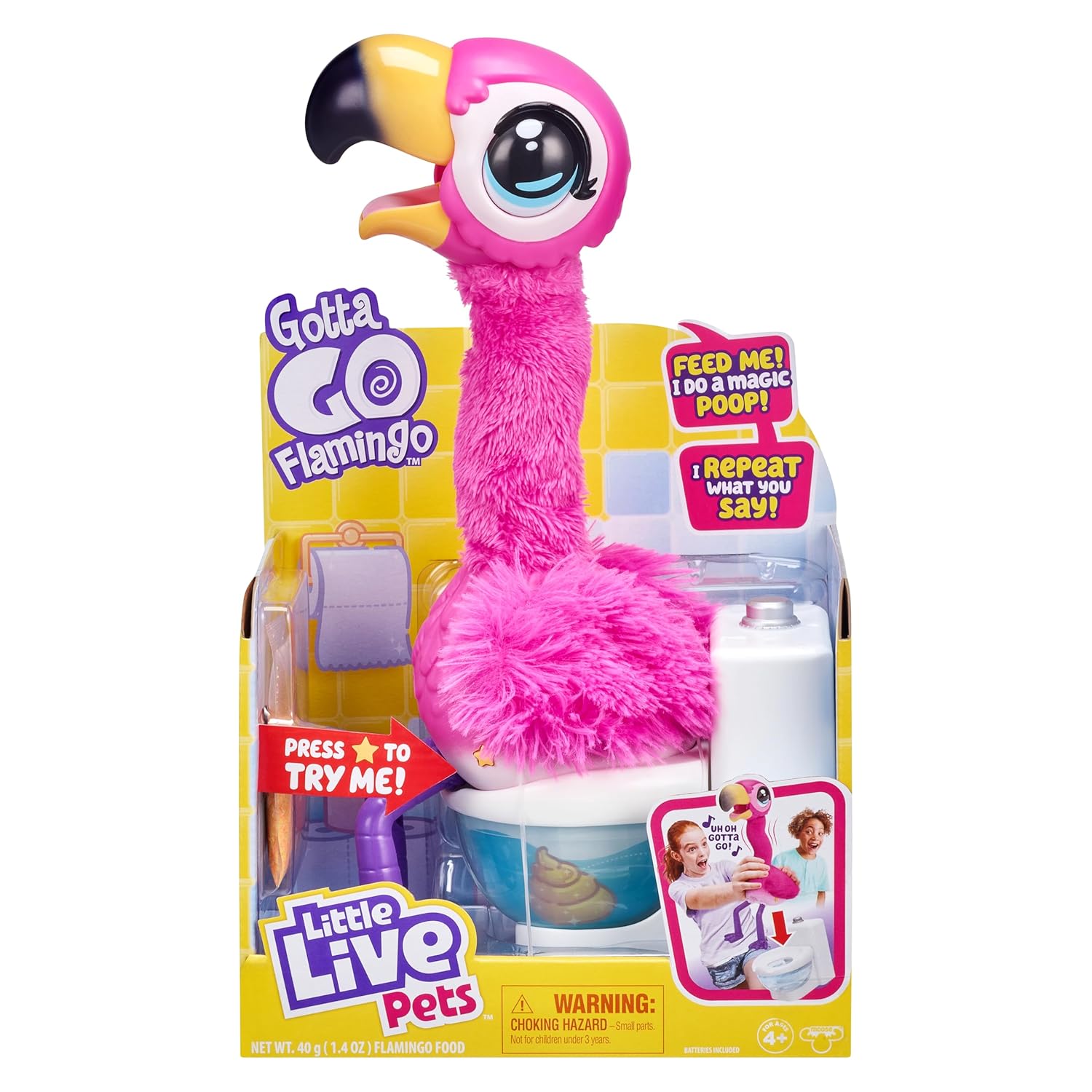
Image: The Gotta Go Flamingo in its retail packaging.
4. Setup
4.1. Battery Installation
The Gotta Go Flamingo comes with 3 AA batteries pre-installed. To replace batteries:
- Locate the battery compartment on the underside of the flamingo.
- Using a Phillips head screwdriver, open the battery compartment.
- Remove the old batteries and insert 3 new AA batteries, ensuring correct polarity (+/-).
- Securely close the battery compartment.
4.2. Power Switch
The power switch is located on the flamingo's back, under its plush feathers. It has three settings: Try Me, On, and Off. For regular play, slide the switch to the On position.
4.3. Toilet Assembly
Ensure the toilet bowl is clean and dry before use. The toilet seat is removable for easy cleaning.
4.4. Food Preparation
The reusable flamingo food is designed to be fed to the toy. Pour the food into the provided scoop.
5. Operating Instructions
5.1. Feeding the Flamingo
To feed your Gotta Go Flamingo, use the provided scoop to place the reusable food into its mouth. The flamingo will make eating sounds and wiggle its neck as it consumes the food.

Image: Child feeding the flamingo.
5.2. Interactive Features
The flamingo features over 25 sounds and reactions:
- Singing: The flamingo sings its catchy 'Uh Oh, Gotta Go!' song.
- Talking: It can talk and interact with you.
- Repeating: The flamingo repeats what you say.
- Wiggling: Its neck wiggles as it eats.

Image: Child interacting with the flamingo as it sings.
5.3. Potty Time
After feeding, place the flamingo on its toilet. It will then 'poop' the reusable food into the bowl. The food changes consistency when wet, simulating a realistic experience.

Image: The flamingo on its toilet.
5.4. Reusing the Food
Once the flamingo has 'pooped', scoop the food from the toilet. The food can be dried and reused for continuous play.
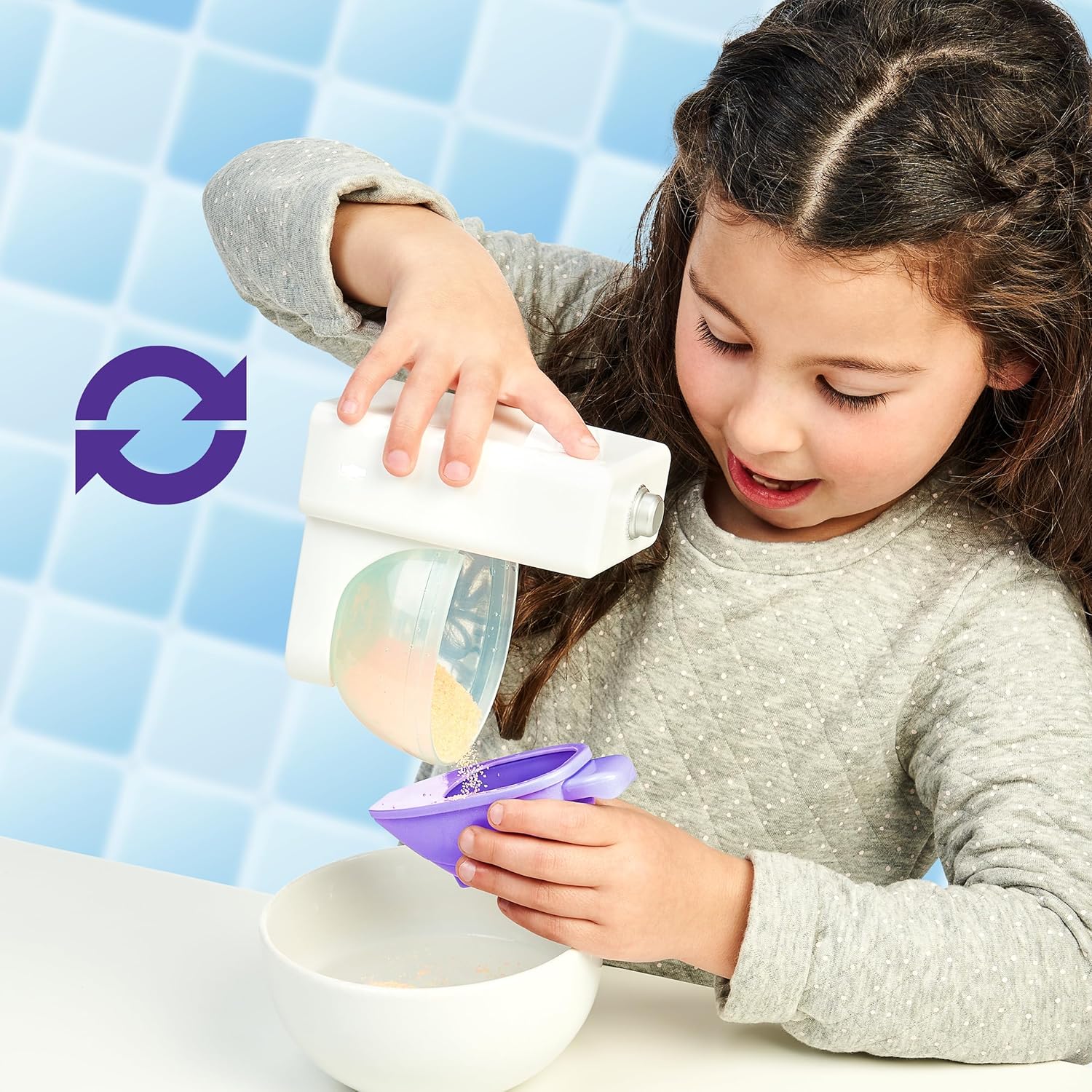
Image: Child scooping reusable food from the toilet.
5.5. Official Product Videos
Video: Little Live Pets Gotta Go Flamingo - How to video. This video demonstrates the feeding and pooping actions of the flamingo.
Video: Little Live Pets Gotta Go Flamingo. A short demonstration of the flamingo's interactive features.
6. Maintenance
6.1. Cleaning the Toy
- Wipe the hard plastic parts of the flamingo with a damp cloth.
- For the plush neck and body, gently spot clean with a mild soap and water solution. Do not immerse the toy in water.
6.2. Cleaning the Toilet and Scoop
The toilet bowl and scoop can be washed with warm, soapy water. Rinse thoroughly and allow to air dry completely before reusing.
6.3. Reusable Food Care
After use, spread the wet reusable food on a flat, dry surface to air dry. Once completely dry, it can be stored in a sealed container for future play.
7. Troubleshooting
- Toy not responding: Ensure the power switch is in the 'On' position and check if the batteries need replacement.
- Food not passing through or clogging: Ensure the food is completely dry before feeding. If clogging occurs, gently shake the flamingo to dislodge any stuck particles. Avoid overfeeding.
- Flamingo not 'pooping' correctly: Verify that the flamingo is seated properly on the toilet. Ensure the reusable food is adequately wet in the toilet bowl to clump.
- Sound issues: Check battery levels. If sounds are distorted or absent, replace batteries.
8. Specifications
| Product Dimensions | 7.48 x 4.72 x 12.2 inches |
| Item Weight | 15.87 ounces |
| Model Number | 26222 |
| Batteries | 3 AA batteries (included) |
| Release Date | September 25, 2020 |
| Manufacturer | Moose Toys |
| ASIN | B084NWRCGY |
9. Warranty and Support
Specific warranty and support information for the Little Live Pets Gotta Go Flamingo is not available in the provided product data. For detailed warranty terms, product registration, or customer support, please refer to the official Moose Toys website or contact their customer service directly.


