
1. Overview
The Cooler Master MasterLiquid ML120L V2 RGB is an all-in-one (AIO) liquid CPU cooler designed to provide efficient thermal management for your computer's processor. This unit features a 3rd generation dual-chamber pump, an enlarged radiator surface area, and an advanced SickleFlow 120 RGB fan. It is engineered for enhanced cooling performance and quieter operation, while offering customizable RGB lighting effects.
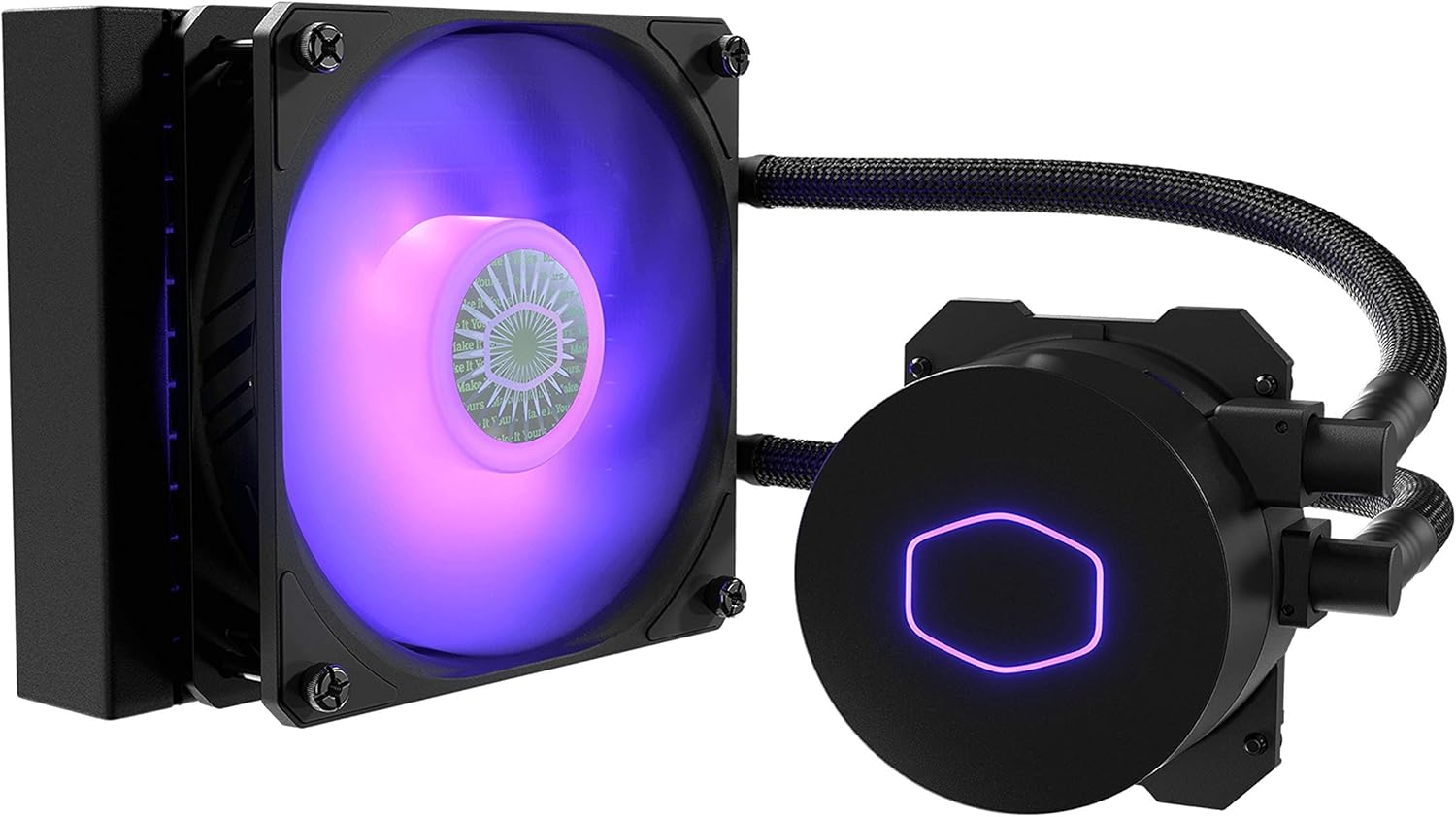
Figure 1: Cooler Master MasterLiquid ML120L V2 RGB CPU Liquid Cooler. This image displays the complete liquid cooler unit, including the pump/cold plate assembly, radiator, and the 120mm RGB fan, connected by two braided tubes.
2. Package Contents
Verify that all components are present in the package before proceeding with installation. If any items are missing or damaged, please contact Cooler Master support.
- 1x MasterLiquid ML120L V2 RGB Pump/Cold Plate Assembly
- 1x 120mm Radiator
- 1x SickleFlow 120 RGB Fan
- Mounting Hardware for Intel Sockets (LGA 1700, 1200, 1151, 1150, 1155, 1156, 2066, 2011-v3, 2011)
- Mounting Hardware for AMD Sockets (AM5, AM4, AM3+, AM3, AM2+, AM2, FM2+, FM2, FM1)
- 1x RGB Wired Controller
- 1x 3-to-1 RGB Splitter Cable
- 1x Thermal Paste Tube
- User Manual (this document)

Figure 2: Components of the MasterLiquid ML120L V2 RGB. This image shows the radiator, fan, and pump/cold plate unit laid out, providing a clear view of the main components.
3. Setup & Installation
Before beginning installation, ensure your system is powered off and disconnected from the power source. Refer to your motherboard manual for specific CPU socket information.
3.1 Prepare the CPU Socket
- Identify your CPU socket type (Intel or AMD).
- For Intel sockets, install the appropriate backplate behind the motherboard. For AMD sockets, utilize the existing stock backplate.
- Attach the correct mounting standoffs to the motherboard.
3.2 Install the Radiator and Fan
- Mount the SickleFlow 120 RGB fan to the radiator using the provided screws. Ensure the fan's airflow direction is appropriate for your case's cooling configuration (intake or exhaust).
- Secure the radiator and fan assembly to an available 120mm fan mount location in your PC case (e.g., rear, top, or front).

Figure 3: Radiator and fan assembly. This image highlights the 120mm radiator with the SickleFlow RGB fan attached, ready for case mounting.
3.3 Apply Thermal Paste and Mount Pump
- Clean the CPU surface with isopropyl alcohol to remove any dust or old thermal paste.
- Apply a small amount of the provided thermal paste to the center of the CPU's integrated heat spreader (IHS). A pea-sized dot is generally sufficient.
- Carefully place the pump/cold plate assembly onto the CPU, aligning it with the mounting standoffs.
- Secure the pump to the standoffs using the appropriate thumb screws or nuts, tightening them in a diagonal pattern until snug. Do not overtighten.

Figure 4: Pump/cold plate assembly. This image shows the CPU block with the Cooler Master logo, which houses the 3rd Gen. dual-chamber pump.
3.4 Connect Cables
- Connect the pump's 3-pin power cable to a motherboard header labeled "AIO_PUMP" or "CPU_FAN" (if no dedicated pump header is available). Ensure it receives full power.
- Connect the SickleFlow 120 RGB fan's 4-pin PWM cable to a motherboard header labeled "CPU_FAN" or "SYS_FAN".
- Connect the RGB cables:
- For motherboard RGB sync: Connect the fan's RGB cable and the pump's RGB cable (using the 3-to-1 splitter if needed) to a compatible 4-pin RGB header on your motherboard.
- For wired controller: Connect the fan's RGB cable and the pump's RGB cable to the included RGB wired controller. Connect the controller's SATA power connector to your power supply.
4. Operation
Once installed, the MasterLiquid ML120L V2 RGB operates automatically to cool your CPU. The pump and fan speeds are typically controlled by your motherboard's BIOS/UEFI settings or operating system software.
4.1 RGB Lighting Control
- Motherboard Sync: If connected to a compatible motherboard RGB header, you can control the lighting effects using your motherboard manufacturer's RGB software (e.g., ASUS Aura Sync, MSI Mystic Light, Gigabyte RGB Fusion, ASRock Polychrome Sync).
- Wired Controller: If using the included wired controller, press the buttons on the controller to cycle through various lighting modes, colors, and effects. Refer to the controller's specific instructions for detailed usage.
5. Maintenance
The MasterLiquid ML120L V2 RGB is a closed-loop liquid cooler, requiring minimal maintenance. However, periodic cleaning is recommended to ensure optimal performance.
- Dust Removal: Regularly inspect the radiator fins and fan blades for dust accumulation. Use compressed air or a soft brush to gently remove dust. Ensure the fan is not spinning during cleaning.
- Tube Inspection: Periodically check the tubing for any signs of kinks, damage, or leaks. While rare in closed-loop systems, early detection is important.
- Pump Noise: A slight hum from the pump is normal. If you notice unusual or excessive noise, refer to the troubleshooting section.
6. Troubleshooting
If you encounter issues with your MasterLiquid ML120L V2 RGB, consult the following common solutions:
| Problem | Possible Cause | Solution |
|---|---|---|
| High CPU Temperatures |
|
|
| RGB Lighting Not Working |
|
|
| Unusual Pump Noise |
|
|
7. Specifications
Key technical specifications for the Cooler Master MasterLiquid ML120L V2 RGB CPU Liquid Cooler:
| Feature | Detail |
|---|---|
| Model Number | MLW-D12M-A18PC-R2 |
| Product Dimensions (L x W x H) | 6.18" x 4.71" x 1.06" (157 x 119.6 x 27 mm) |
| Material | Aluminum (Radiator) |
| Cooling Method | Water |
| Compatible Devices | Desktop CPUs |
| Fan Type | SickleFlow 120 RGB |
| Fan Speed | Up to 1800 RPM |
| Air Flow Capacity | 62 Cubic Feet Per Minute (CFM) |
| Noise Level | 15 dB (minimum) |
| Power Connector Type | 4-Pin (Fan), 3-Pin (Pump) |
| Voltage | 12 Volts |
| Wattage | 3.36 watts |
| UPC | 884102067884 |
8. Warranty & Support
Cooler Master products are backed by a limited warranty. For specific warranty terms and conditions, please refer to the official Cooler Master website or the warranty card included with your product.
For technical assistance, troubleshooting, or to inquire about replacement parts, please visit the Cooler Master support portal or contact their customer service department. Ensure you have your product model number (MLW-D12M-A18PC-R2) and proof of purchase available when seeking support.
Online Resources:
- Cooler Master Official Website: www.coolermaster.com
- Support Portal: account.coolermaster.com/support.aspx