
Introduction
This manual provides comprehensive instructions for the uehba Universal Replacement Remote Control, Model RC-682M. This remote is designed to function as a direct replacement for various Onkyo Audio Receiver remote controls, offering immediate usability without the need for complex programming.
Setup
The uehba RC-682M remote control is pre-programmed and ready to use with compatible Onkyo Audio Receivers right out of the box. No additional setup or code entry is required.
Battery Installation
- Locate the battery compartment on the back of the remote control.
- Slide the battery compartment cover downwards and remove it.
- Insert two (2) AAA alkaline batteries, ensuring the positive (+) and negative (-) terminals align correctly with the markings inside the compartment.
- Replace the battery compartment cover by sliding it back into place until it clicks securely.

Operating Instructions
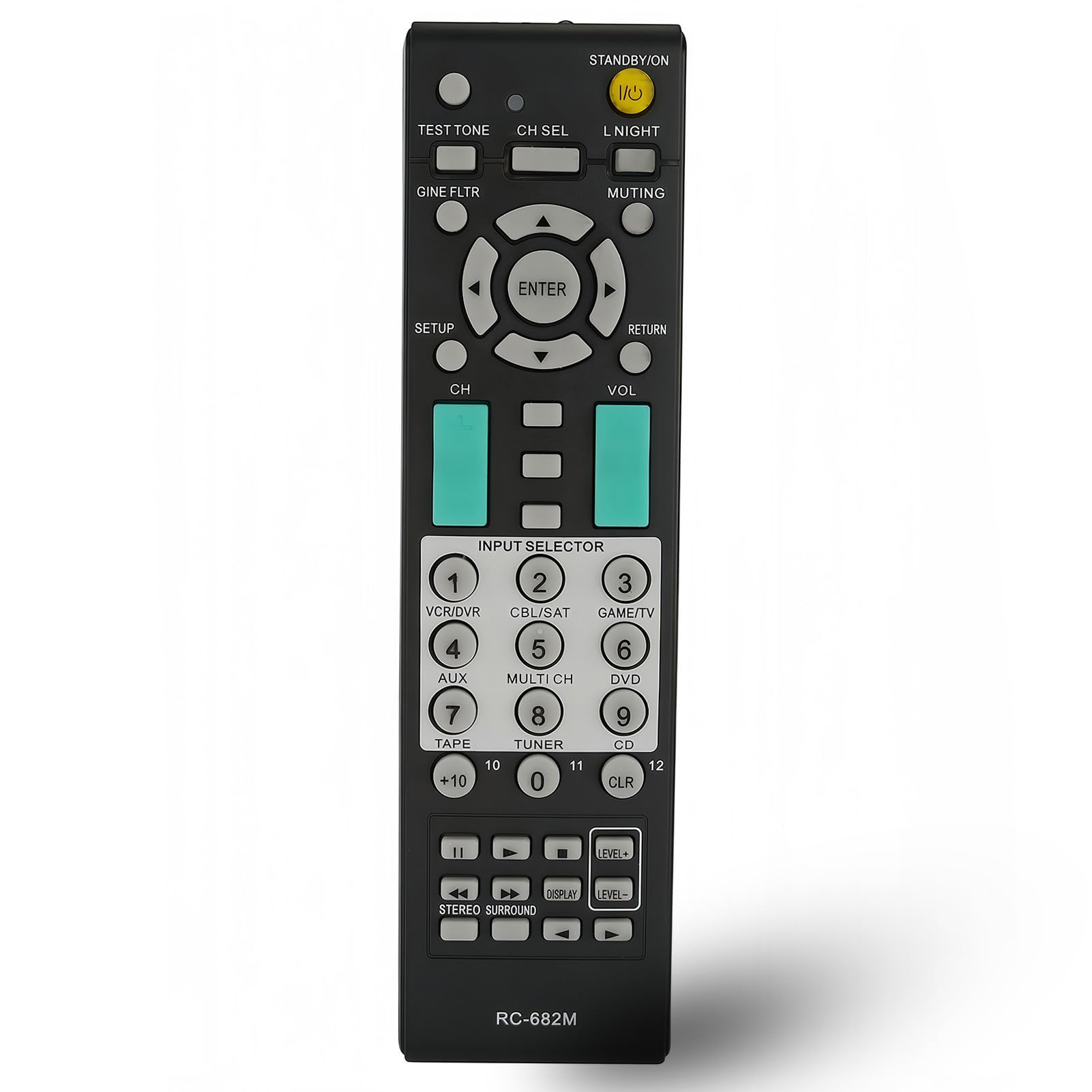
This remote control provides standard functions for your Onkyo Audio Receiver. Point the remote directly at your receiver for optimal performance.
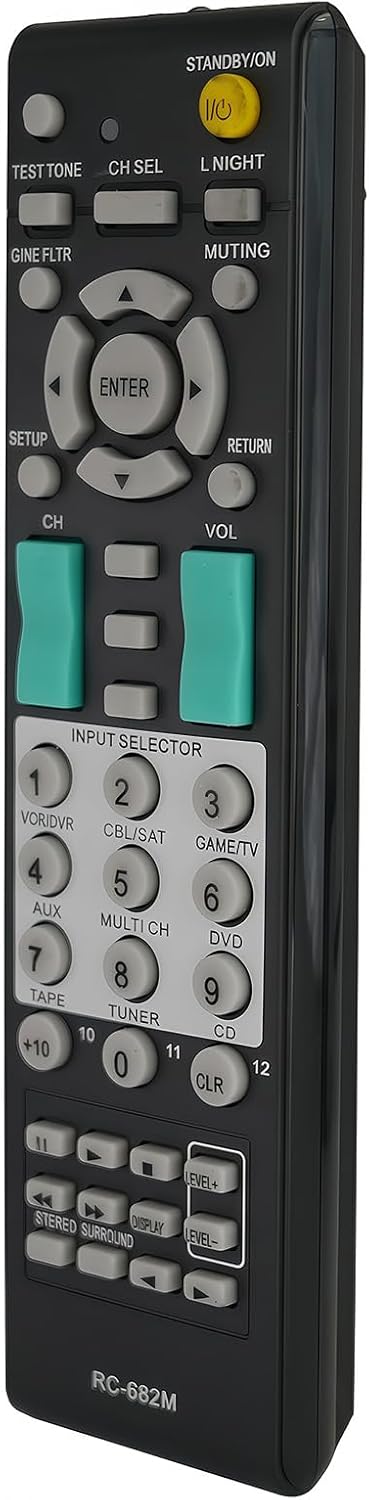
Key Functions Overview
- STANDBY/ON (I/O): Powers the receiver on or off.
- TEST TONE: Activates the test tone for speaker setup.
- CH SEL: Selects channels.
- L NIGHT: Activates or deactivates the Late Night mode.
- MUTING: Mutes or unmutes the audio output.
- SETUP: Accesses the receiver's setup menu.
- ENTER: Confirms selections within menus.
- RETURN: Navigates back in menus.
- CH (Channel): Changes input channels or navigates through lists.
- VOL (Volume): Adjusts the master volume level.
- INPUT SELECTOR (1-9, +10, 0, 11, 12): Directly selects various input sources such as VCR/DVR, CBL/SAT, GAME/TV, AUX, MULTI CH, DVD, TAPE, TUNER, CD.
- LEVEL+ / LEVEL-: Adjusts individual speaker levels.
- DISPLAY: Changes the display mode on the receiver.
- STEREO SURROUND: Toggles between stereo and surround sound modes.
- GINE FLTR: Likely related to audio processing or filtering.
Compatible Onkyo Audio Receiver Models
This remote control is compatible with a wide range of Onkyo Audio Receiver models, including but not limited to:
- RC-682M, RC-605S, RC-606S, RC-607M, RC-608M, RC-650M, RC-651M, RC-668M, RC-681M, RC-728M, RC-461M, RC-683M, RC-620M, RC-646S, RC-647M, RC-649M
- HTR330, HTR340, HTR340S, HTR530, HTR540, HTR550, HTR550S, HTR557, HTR940, HTS3100, HTS3100S, HTS530, HTS590, HTS590S, HTS680, HTS780, HTS787C, HTS790, HTS790S, HTS907, HTS990THX, HTSP904, HTSP908, HTSRa600, HTSR600S, HTSR750, HTSR800, HTSR800S, OVD2744
- TXSR305B, TXSR307, TXSR503, TXSR503B, TXSR503S, TXSR504, TXSR504E, TXSR505, TXSR505E, TXSR505S, TXSR574, TXSR574S, TXSR575, TXSR575S, TXSR604, TXSR604E, TXSR674, TXSR674E, TXSR8450, TXSR8460, TXSR8467, TXSR8550, 24140681, DTR5.8, DTR58, DTR7.2, HTR508, HTR640
- TX8555, TXSA605, TXSA8560, TXSR303E, TXSR605, TXSR605S, TXSR703, TXSR703S, TXSR803, TXSR803S, TXSR804, TXSR804E, TXSR804S
Maintenance
Battery Replacement
When the remote control's performance degrades or it stops responding, it is likely time to replace the batteries. Follow the battery installation steps outlined in the 'Setup' section. Always replace both batteries simultaneously with new AAA alkaline batteries.
Cleaning
To clean the remote control, gently wipe its surface with a soft, dry cloth. For stubborn dirt, a slightly damp cloth can be used, followed by a dry cloth. Avoid using harsh chemicals, abrasive cleaners, or excessive moisture, as these can damage the remote's finish or internal components.
Troubleshooting
- Remote not responding:
- Ensure batteries are inserted correctly with the correct polarity (+/-).
- Replace old batteries with new AAA alkaline batteries.
- Check for any obstructions between the remote control and the Onkyo Audio Receiver. Ensure a clear line of sight.
- Verify that the Onkyo Audio Receiver is powered on.
- Buttons feel loose or unresponsive:
- Ensure the battery compartment cover is securely closed. Sometimes, if the batteries are slightly loose, they may lose contact. Re-seating the batteries and ensuring the cover is tight can resolve this.
- Remote does not control all functions of my Onkyo receiver:
- This remote is designed to replace specific Onkyo remote models and may not have all the advanced functions of every original remote. Refer to the 'Compatible Onkyo Audio Receiver Models' list to confirm compatibility.
- This remote is pre-programmed and does not require manual programming. If you are attempting to program it, this is not necessary and may lead to confusion.
Specifications
| Brand | uehba |
| Model Number | RC-682M |
| Color | Black |
| Compatible Devices | Onkyo Home Theater Audio Receivers |
| Connectivity Technology | Infrared (IR) |
| Controller Type | Button Control |
| Maximum Range | 10 Meters (approx. 33 feet) |
| Batteries Required | 2 x AAA (Alkaline, not included) |
| Item Weight | 60 Grams |
| Special Feature | Pre-setting, no programming required |
Warranty and Support
Warranty Information
This uehba remote control comes with a 1-year warranty from the date of purchase. This warranty covers manufacturing defects under normal use. It does not cover damage caused by misuse, accidents, unauthorized modifications, or improper battery installation.
Customer Support
For any questions, troubleshooting assistance, or warranty claims, please contact the seller or manufacturer directly through the platform where the product was purchased. Please have your purchase details and product model number (RC-682M) available when contacting support.