
Introduction
Thank you for choosing the Celly Pantone Qi Wireless Charger. This device provides convenient and cable-free charging for all Qi-compatible smartphones and other devices. Its lightweight and compact design makes it ideal for use at home or in the office. Please read this manual carefully before use to ensure proper operation and to maximize the lifespan of your product.
Setup
Package Contents
- 1 x Celly Pantone Qi Wireless Charger (Model PTWC001P)
- 1 x Micro USB Power Cable
Connecting the Charger
- Connect the Micro USB power cable to the input port on the wireless charger.
- Connect the other end of the Micro USB cable to a compatible USB power adapter (not included). Ensure the power adapter provides sufficient output (e.g., 5V/2A, 9V/2A, 12V/1.5A for optimal performance).
- The charger's indicator light will briefly illuminate, indicating it is ready for use.

Image: The Celly Pantone Qi Wireless Charger, pink, with its Micro USB cable connected, ready for power supply.
Operating Instructions
Wireless Charging
- Ensure the wireless charger is connected to a power source as described in the Setup section.
- Place your Qi-compatible smartphone or device directly onto the center of the charging pad.
- The charger features an indicator light that will illuminate to confirm that charging has begun. Your device's screen should also indicate that it is charging wirelessly.
- For optimal charging efficiency, ensure your device is centered on the charging pad and remove any thick cases that might interfere with the wireless connection.
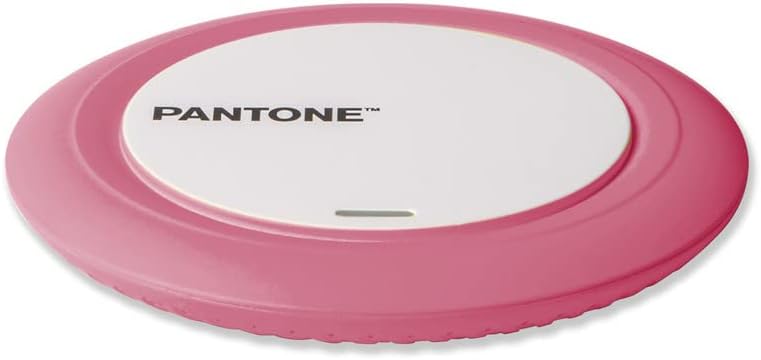
Image: A smartphone resting on the Celly Pantone Qi Wireless Charger, demonstrating the device in active use.
Compatibility
The Celly Pantone Qi Wireless Charger is compatible with a wide range of devices that support Qi wireless charging technology. This includes, but is not limited to:
- Apple iPhones (e.g., iPhone 11, iPhone 8 Plus, iPhone XR, and newer models with wireless charging)
- Samsung Galaxy smartphones (e.g., Galaxy Note 8, Galaxy S8, Galaxy S9, and newer models with wireless charging)
- Other Android smartphones from brands like Motorola, Xiaomi, OPPO, Huawei, TCL, Alcatel, Vivo, Realme, Honor that support Qi wireless charging.
- Smartwatches and MP3 players with Qi wireless charging capabilities.
Maintenance
To ensure the longevity and optimal performance of your wireless charger, follow these maintenance guidelines:
- Cleaning: Use a soft, dry cloth to wipe the surface of the charger. Avoid using abrasive cleaners, solvents, or harsh chemicals, as these can damage the device.
- Storage: When not in use, store the charger in a cool, dry place away from direct sunlight and extreme temperatures.
- Handling: Handle the charger with care. Avoid dropping it or subjecting it to strong impacts, which could damage internal components.
Troubleshooting
If you encounter any issues with your Celly Pantone Qi Wireless Charger, please refer to the following common problems and solutions:
| Problem | Possible Cause | Solution |
|---|---|---|
| Device not charging or charging slowly |
|
|
| Indicator light not turning on |
|
|
| Charger or device getting hot |
|
|
Specifications
| Feature | Detail |
|---|---|
| Model | PTWC001P |
| Brand | Pantone |
| Input Voltage | 120 Volt |
| Amperage | 2 Ampere |
| Wattage | 10 Watt (Max) |
| Dimensions | 9.8 x 1.3 x 9.8 cm |
| Weight | 50 grams |
| Connectivity | Wireless (Qi Standard) |
| Power Source | Corded Electric (Micro USB) |
| Special Features | Lightweight Design, Charging Indicator |
Warranty and Support
This product is covered by a standard manufacturer's warranty. For specific details regarding warranty coverage, duration, and terms, please refer to the documentation included with your purchase or contact the retailer where the product was acquired.
For technical support or further assistance, please visit the official Pantone or Celly website, or contact their customer service department. Contact information can typically be found on the product packaging or their official websites.
Product Videos
No relevant official product videos from a 'Seller' were found for this specific Celly Pantone Qi Wireless Charger (Model PTWC001P) based on the provided data.
