
CREATE Mill PRO
CREATE Mill PRO Coffee and Food Grinder User Manual
Model: Mill PRO
1. Important Safety Instructions
Please read all instructions carefully before using the CREATE Mill PRO Coffee and Food Grinder. Retain this manual for future reference.
- Always unplug the appliance from the power outlet before cleaning, assembling, or disassembling parts.
- Do not immerse the motor base in water or any other liquid. Clean with a damp cloth only.
- Keep hands and utensils out of the grinding cup during operation to prevent injury and damage to the appliance.
- Ensure the lid is securely in place before operating the grinder.
- This appliance is not intended for use by persons with reduced physical, sensory, or mental capabilities, or lack of experience and knowledge, unless they have been given supervision or instruction concerning use of the appliance by a person responsible for their safety.
- Do not operate the grinder continuously for more than 30 seconds. Allow a short break between grinding cycles to prevent overheating.
- Do not grind hard, oily, or wet ingredients that may damage the blades or motor.
- Store the appliance out of reach of children.
2. Product Overview
The CREATE Mill PRO is a versatile electric grinder designed for coffee beans, spices, nuts, and other dry food items. It features a powerful motor and durable stainless steel blades.

Image 2.1: The CREATE Mill PRO Coffee and Food Grinder, showcasing its sleek stainless steel design and transparent lid.
Components:
- Motor Base: Contains the motor and power connection.
- Grinding Cups (x2): Stainless steel cups with integrated blades for different grinding tasks. One cup typically has a 4-blade design for general grinding, and the other a 2-blade design for coarser grinding or specific ingredients.
- Transparent Lids (x2): Allow observation of the grinding process.
- Power Cord: For connecting the appliance to an electrical outlet.
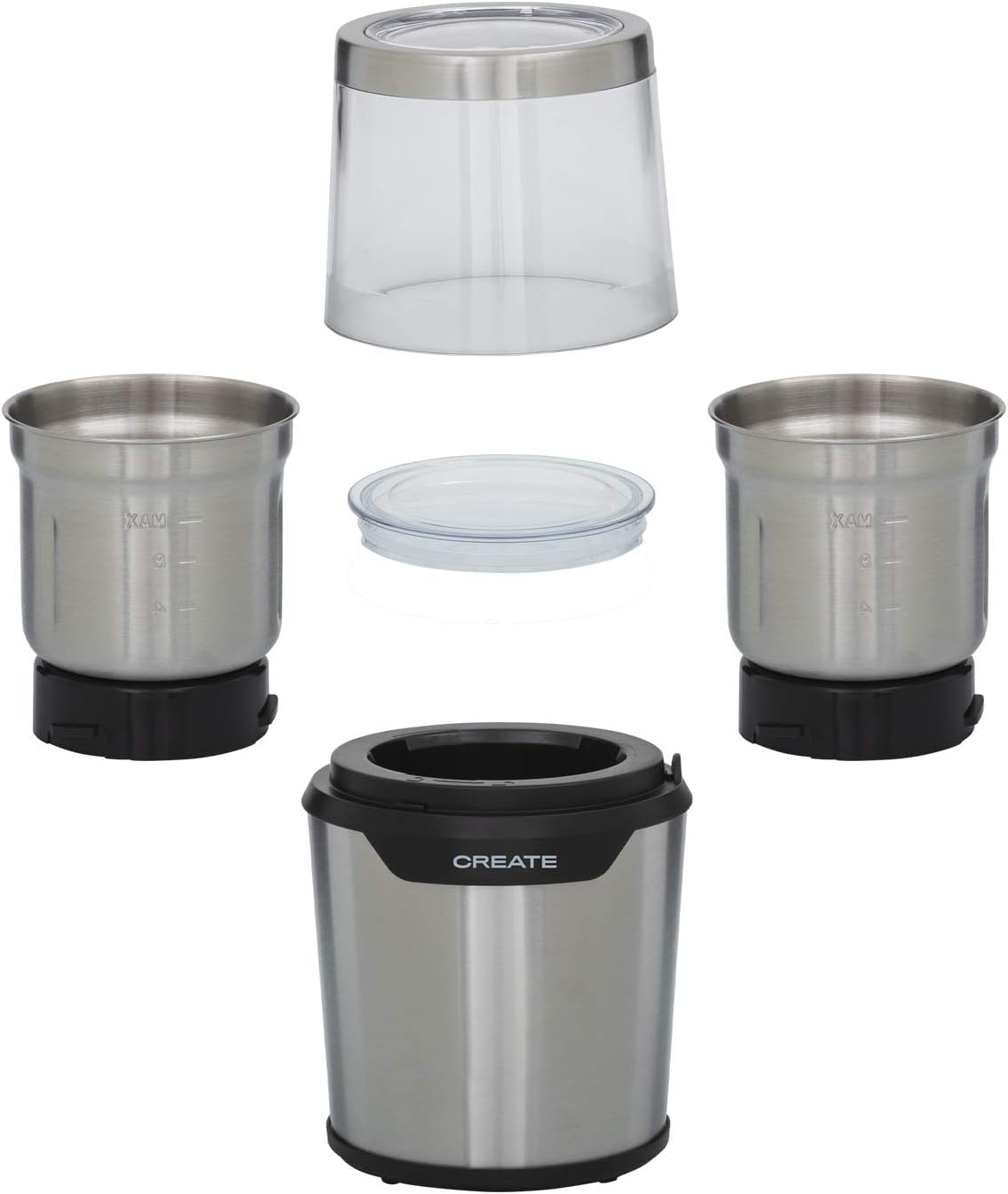
Image 2.2: All components of the CREATE Mill PRO grinder, including the motor base, two grinding cups with different blade types, and two transparent lids.
3. Setup
- Unpack: Carefully remove all components from the packaging.
- Clean: Before first use, wash the grinding cups and lids with warm soapy water, then rinse and dry thoroughly. Wipe the motor base with a damp cloth.
- Placement: Place the motor base on a stable, flat, and dry surface.
- Assemble Grinding Cup: Select the appropriate grinding cup for your task. Ensure it is securely seated onto the motor base. The grinding cup should click into place or fit snugly.

Image 3.1: Illustration of how the grinding cup fits onto the motor base, showing the separate components before assembly.
4. Operating Instructions
- Add Ingredients: Place the desired amount of dry ingredients into the grinding cup. Do not exceed the 'MAX' fill line (approximately 80g capacity). Overfilling can lead to inefficient grinding and potential damage.

Image 4.1: Close-up view of the grinding cup interior, clearly showing the 'MAX' fill line to prevent overfilling.
- Secure Lid: Place the transparent lid onto the grinding cup and twist or press down firmly to ensure it is securely locked. The grinder will not operate if the lid is not properly secured.
- Connect Power: Plug the power cord into a standard electrical outlet.

Image 4.2: The power cord securely plugged into the base of the CREATE Mill PRO grinder.
- Grinding: Press and hold the lid or the designated power button (if present) to start grinding. The grinder operates on a pulse action. For best results, use short bursts (5-10 seconds) and check the consistency through the transparent lid.
- Monitor Progress: Observe the grinding process through the transparent lid. Release the lid/button to stop grinding.
- Achieve Desired Consistency: Repeat short grinding bursts until the desired consistency is achieved. For very fine grinds, you may need several short cycles.
- Unplug and Remove: Once grinding is complete, unplug the appliance. Carefully remove the lid, then lift the grinding cup from the motor base.
- Empty Contents: Pour out the ground ingredients. Use a small brush if necessary to remove any remaining particles.
Blade Types:
The CREATE Mill PRO typically includes two types of grinding cups with different blade configurations:
- 4-Blade Grinding Cup: Ideal for coffee beans, spices, and achieving finer grinds.
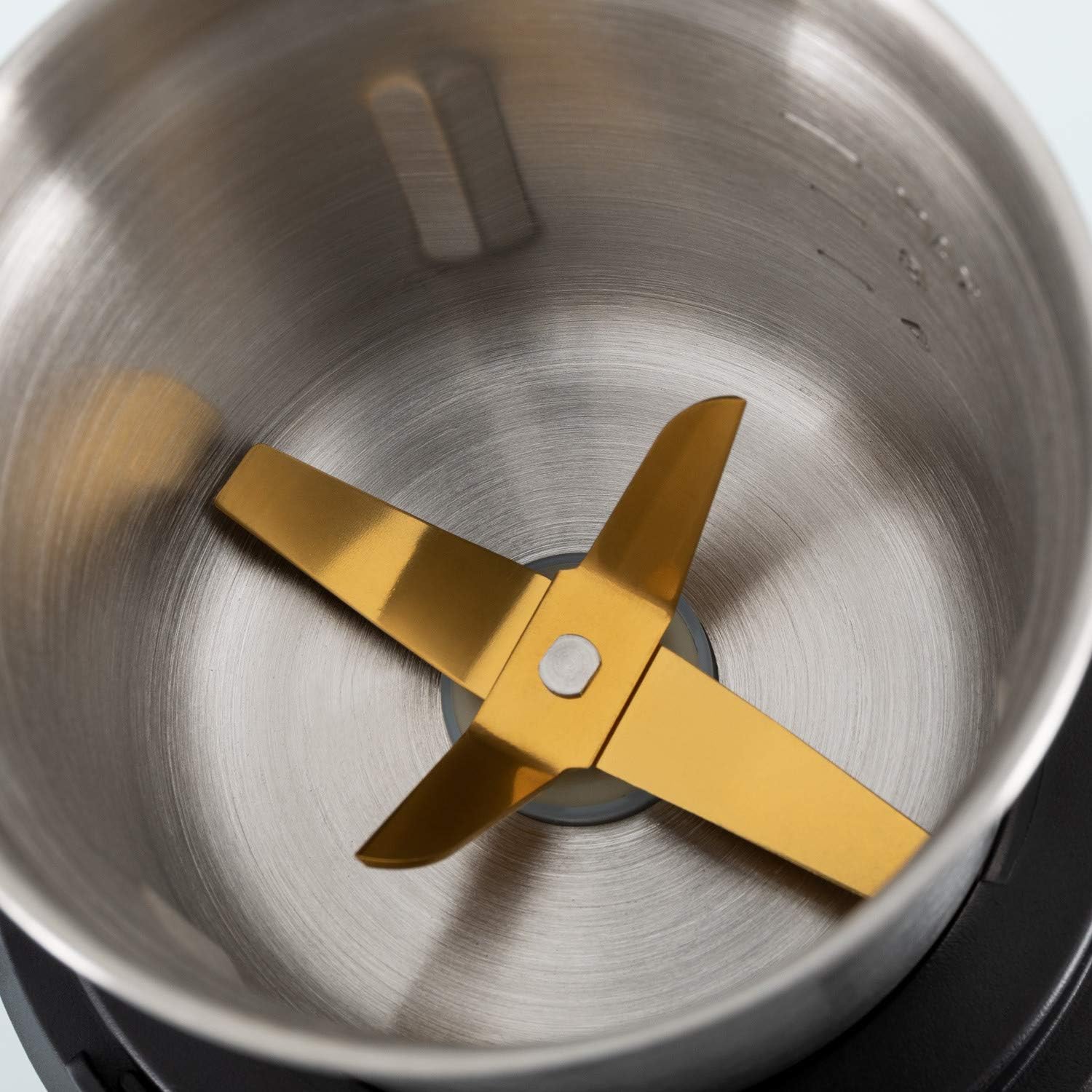
Image 4.3: Close-up of the 4-blade grinding attachment, suitable for fine grinding of coffee and spices.
- 2-Blade Grinding Cup: Suitable for coarser grinding, nuts, or larger food items.

Image 4.4: Close-up of the 2-blade grinding attachment, designed for coarser grinding tasks.
5. Maintenance and Cleaning
Regular cleaning ensures optimal performance and extends the lifespan of your grinder.
- Unplug: Always ensure the grinder is unplugged from the power outlet before cleaning.
- Clean Grinding Cups and Lids: Remove the grinding cup from the motor base. Wash the grinding cups and lids with warm, soapy water. Use a small brush to remove any stubborn residue from the blades. Rinse thoroughly and dry completely before reassembling or storing.
- Clean Motor Base: Wipe the exterior of the motor base with a soft, damp cloth. Do not use abrasive cleaners or immerse the motor base in water.
- Storage: Store the grinder in a dry place, away from direct sunlight and moisture.
6. Troubleshooting
| Problem | Possible Cause | Solution |
|---|---|---|
| Grinder does not turn on. |
|
|
| Ingredients are not grinding effectively. |
|
|
| Unusual noise or smell during operation. |
|
|
7. Specifications
- Brand: CREATE
- Model: Mill PRO
- Power: 300W
- Capacity: 80 Grams
- Voltage: 230V AC (2.3E+2 Volts AC)
- Dimensions: 30.8 x 13 x 12.2 cm (Package)
- Weight: 1.38 kg (Product)
- Materials: Stainless Steel, BPA-free plastics
8. Warranty and Support
The CREATE Mill PRO Coffee and Food Grinder comes with a standard manufacturer's warranty. Please refer to the warranty card included in your product packaging for specific terms and conditions.
For technical support, troubleshooting assistance, or warranty claims, please contact CREATE customer service through their official website or the retailer where the product was purchased. Keep your proof of purchase for warranty validation.
Ask a question about this manual
Ask about setup, troubleshooting, compatibility, parts, safety, or missing instructions. Manuals+ will review the question and use this page’s manual context to help answer it.