Hamilton Beach Digital Programmable Rice Cooker & Food Steamer Instruction Manual
Model: 37524 | Brand: Hamilton Beach
Introduction
This manual provides essential instructions for the safe and efficient operation of your Hamilton Beach Digital Programmable Rice Cooker & Food Steamer, Model 37524. This compact multi-cooker is designed for versatility, combining the functions of a rice cooker, egg cooker, slow cooker, and steamer. Please read all instructions carefully before first use and retain this manual for future reference.
Important Safeguards
Read all instructions.
Do not touch hot surfaces. Use handles or knobs.
To protect against electrical shock, do not immerse cord, plug, or heating base in water or other liquid.
Close supervision is necessary when any appliance is used by or near children.
Unplug from outlet when not in use and before cleaning. Allow to cool before putting on or taking off parts.
Do not operate any appliance with a damaged cord or plug or after the appliance malfunctions or has been damaged in any manner.
The use of accessory attachments not recommended by the appliance manufacturer may cause injuries.
Do not use outdoors.
Do not let cord hang over edge of table or counter or touch hot surfaces.
Do not place on or near a hot gas or electric burner, or in a heated oven.
Extreme caution must be used when moving an appliance containing hot oil or other hot liquids.
Always attach plug to appliance first, then plug cord into the wall outlet. To disconnect, turn any control to "off", then remove plug from wall outlet.
Do not use appliance for other than intended use.
Product Overview
The Hamilton Beach Digital Programmable Rice Cooker & Food Steamer (Model 37524) is a compact appliance designed to simplify your cooking process. It features a stainless steel exterior and a user-friendly digital control panel.
Included Components
Main Unit (Stainless Steel Housing with Digital Control Panel)
Removable Nonstick Inner Pot
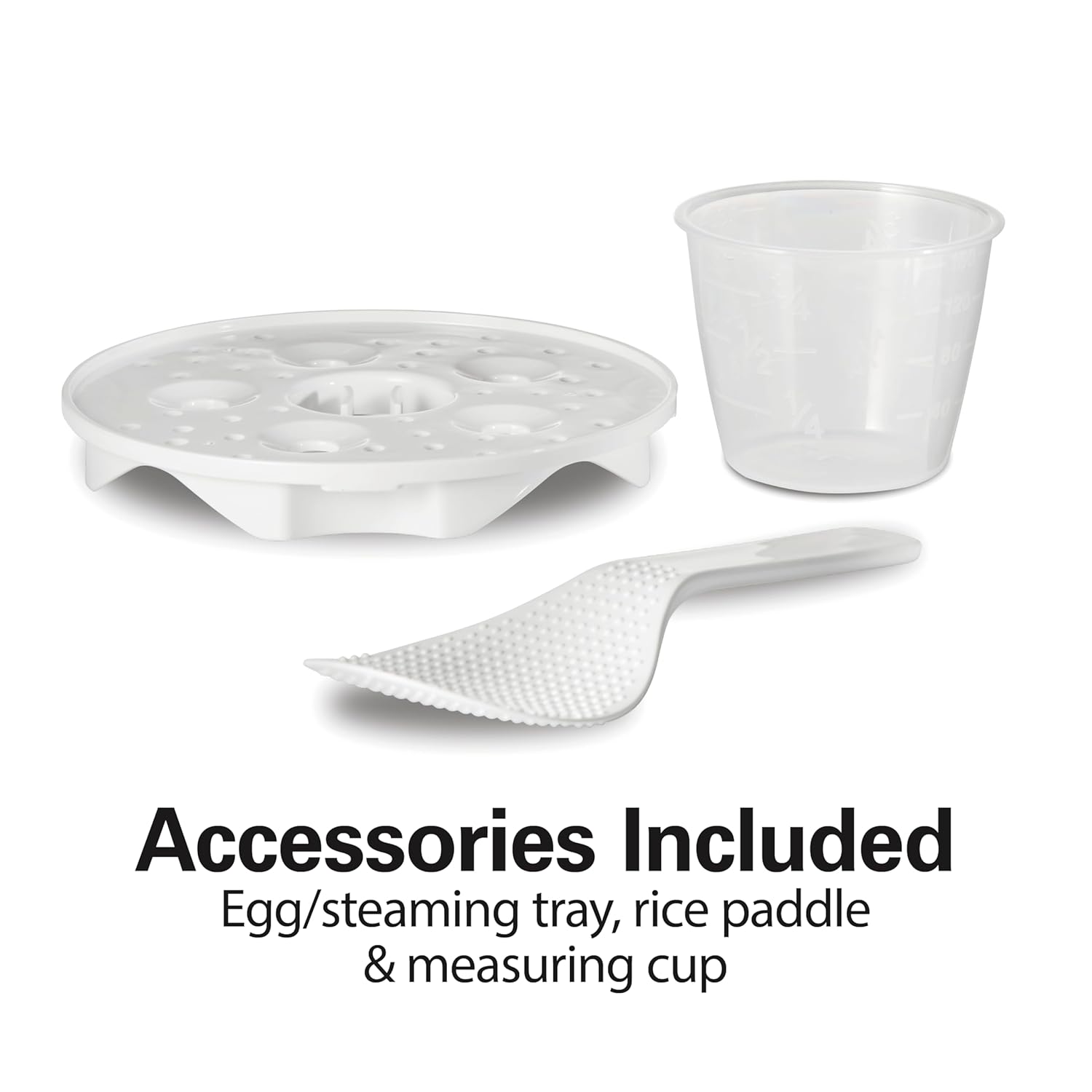
Egg/Steaming Tray
Rice Paddle
Measuring Cup
Instruction Manual (this document)
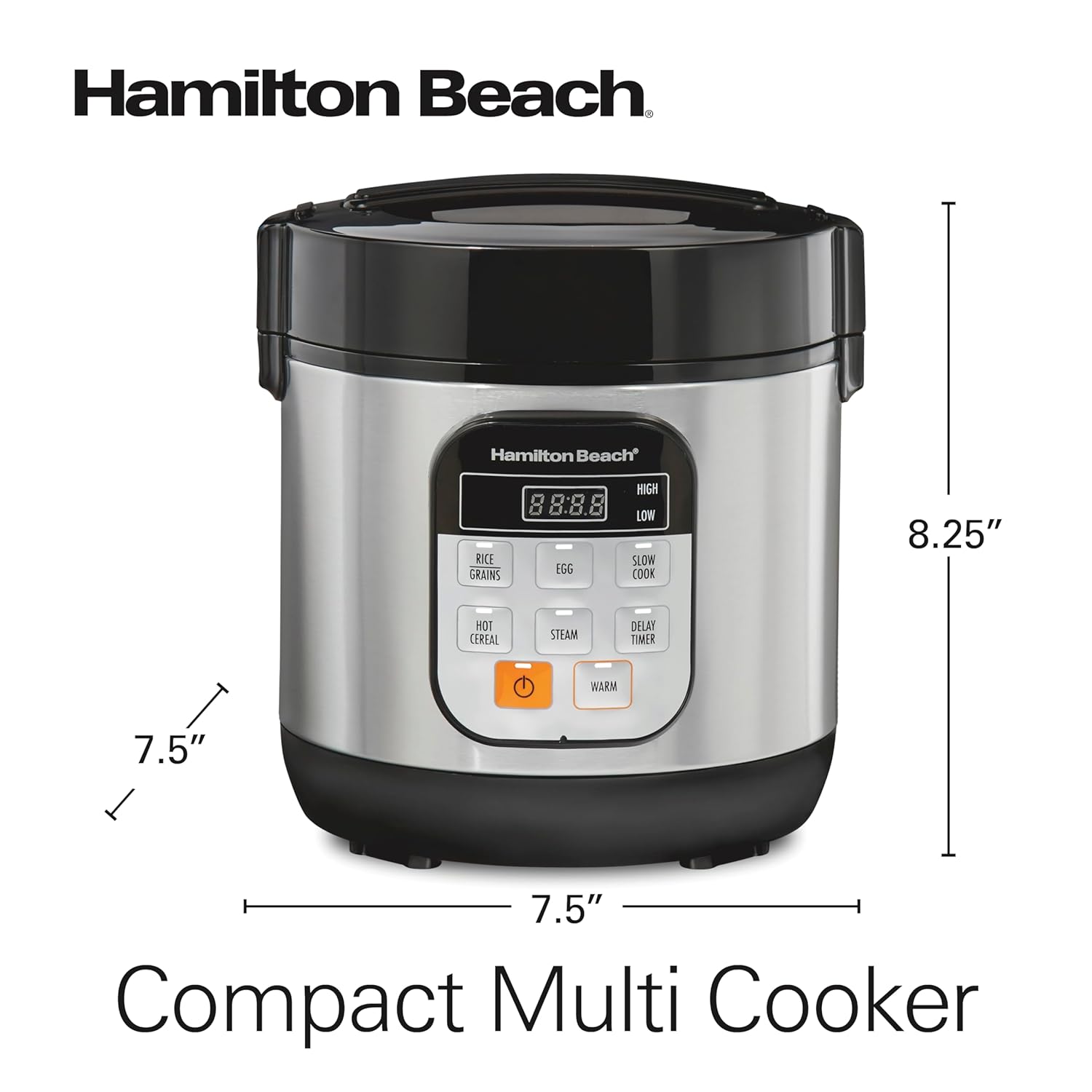
Figure 1: Hamilton Beach Digital Programmable Rice Cooker, Model 37524. This image displays the main unit with its stainless steel exterior and digital control panel.
Figure 2: Included Accessories. This image shows the egg/steaming tray, rice paddle, and measuring cup that come with the rice cooker.
Setup Before First Use
Unpack: Carefully remove all components from the packaging.
Clean: Wash the removable nonstick inner pot, egg/steaming tray, rice paddle, and measuring cup in warm, soapy water. Rinse thoroughly and dry. The removable pot, steam basket, and lid are dishwasher safe.
Wipe: Wipe the exterior of the main unit with a damp cloth. Do not immerse the main unit in water.
Placement: Place the rice cooker on a stable, level, heat-resistant surface away from walls and other appliances to ensure proper ventilation.
Power: Ensure the power cord is securely plugged into a grounded electrical outlet.
Operating Instructions
Your Hamilton Beach Digital Programmable Rice Cooker offers multiple cooking functions. Follow these general steps for operation:
General Cooking Steps
Measure ingredients using the provided measuring cup.
Add ingredients to the nonstick inner pot.
Place the inner pot into the main unit.
Close the lid securely.
Plug the unit into a power outlet.
Press the "SELECT MODE" button to cycle through desired cooking functions (White Rice, Quick Rice, Whole Grain, Hot Cereal, Egg, Steam, Slow Cook High, Slow Cook Low).
Press "START" to begin cooking.
The unit will automatically switch to "KEEP WARM" mode once cooking is complete.
Use the provided measuring cup for rice. Rinse rice thoroughly before cooking for best results.
Add measured rice and the appropriate amount of water to the inner pot. Refer to the water level markings inside the pot or the instruction manual for specific ratios.
Select the desired rice type (White Rice, Quick Rice, or Whole Grain) using the "SELECT MODE" button.
Press "START". The cooker will automatically adjust cooking time.
Video 1: Demonstrating how to cook perfect rice using the Hamilton Beach Digital Rice Cooker. This video shows the process of adding rice and water, selecting the white rice function, and the final fluffy result.
2. Steaming (Vegetables, Seafood, etc.)
Add water to the inner pot (ensure water level is below the steaming tray).
Place the egg/steaming tray into the inner pot.
Arrange food on the steaming tray.
Select "STEAM" mode. You may need to adjust the cook time manually using the "HOUR" and "MIN" buttons.
Press "START".
Figure 3: Egg Programs. This image illustrates the egg cooking function, showing eggs placed on the steaming tray inside the cooker.
3. Egg Cooking (Hard-Boiled, Soft-Boiled)
Add water to the inner pot (refer to manual for specific water amounts based on desired egg consistency).
Place eggs on the egg/steaming tray.
Select "EGG" mode. The cooker has pre-programmed settings for different egg consistencies.
Press "START".
4. Slow Cooking (Low or High)
Add ingredients for slow cooking to the inner pot.
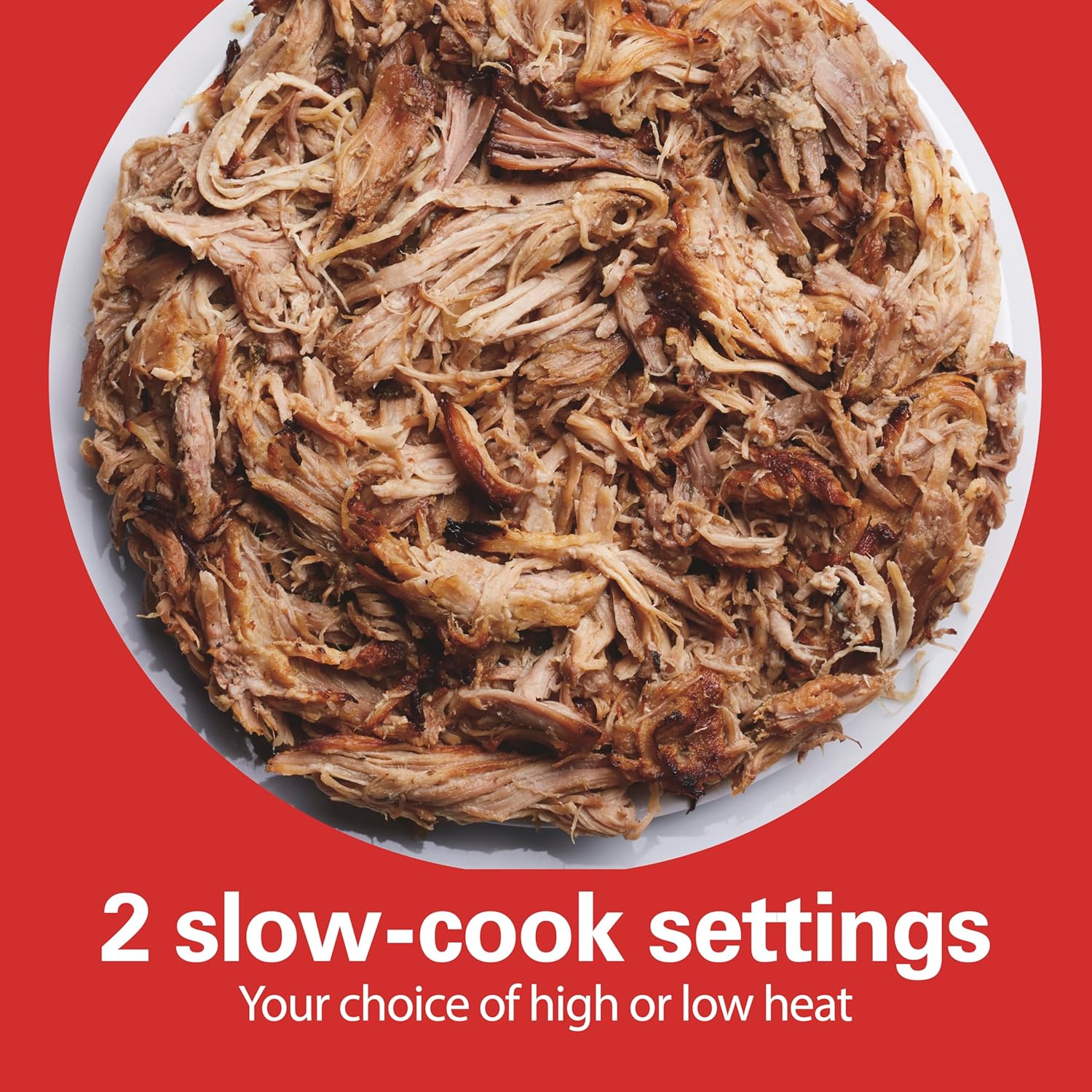
Select "SLOW COOK HIGH" or "SLOW COOK LOW" mode.
Adjust the cook time using the "HOUR" and "MIN" buttons.
Press "START".
Figure 4: Slow Cook Settings. This image illustrates a dish of slow-cooked pulled pork, demonstrating the slow cook capability of the appliance.
5. Hot Cereal
Add hot cereal and water/milk to the inner pot according to recipe or package instructions.
Select "HOT CEREAL" mode.
Press "START".
6. Delay Timer
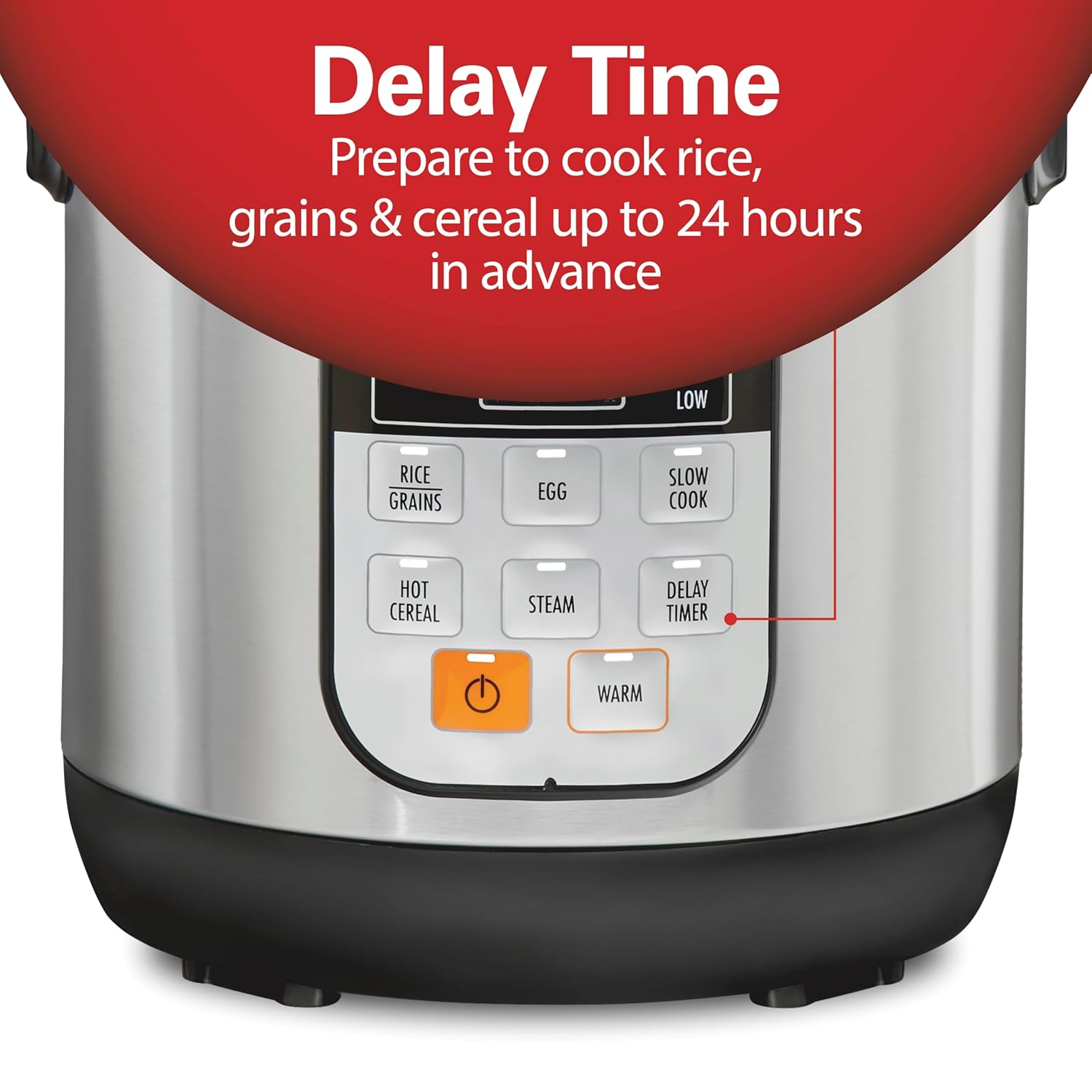
This function allows you to set a delayed start time for cooking rice, grains, or cereal up to 24 hours in advance.
After adding ingredients and selecting the desired cooking mode, press "DELAY TIME".
Use "HOUR" and "MIN" buttons to set the delay time.
Press "START". The cooker will begin cooking after the set delay time.
Figure 5: Delay Timer. This image highlights the "DELAY TIMER" button on the control panel, indicating its use for scheduling cooking up to 24 hours ahead.
7. Keep Warm
The cooker automatically switches to "KEEP WARM" mode after most cooking cycles.
You can also manually select "WARM" to keep food warm for an extended period.
Video 2: Overview of the Hamilton Beach Digital Rice Cooker's features, including its various cooking modes and ease of use for meal preparation.
Care and Maintenance
Proper cleaning and maintenance will ensure the longevity and optimal performance of your rice cooker.
Always unplug the appliance from the power outlet and allow it to cool completely before cleaning.
Inner Pot, Steaming Tray, Rice Paddle, Measuring Cup: These parts are dishwasher safe. Alternatively, wash them in warm, soapy water, rinse thoroughly, and dry.
Lid: The lid is removable for easy cleaning. Wash it in warm, soapy water, rinse, and dry.
Condensation Collector: Remove and empty the condensation collector after each use. Wash it with warm, soapy water, rinse, and dry.
Exterior: Wipe the exterior of the main unit with a damp cloth. Do not use abrasive cleaners or scouring pads. Never immerse the main unit in water or any other liquid.
Storage: Store the cleaned and dried rice cooker in a cool, dry place.
Figure 6: Easy to Clean. This image shows the removable inner pot, steam basket, and lid being cleaned in a dishwasher, highlighting their dishwasher-safe design.
Video 3: A demonstration of the Hamilton Beach Rice Cooker's components, including the removable inner pot, steaming basket, and condensation collector, emphasizing their ease of cleaning.
Troubleshooting
Problem
Possible Cause
Solution
Rice is too hard/dry
Not enough water; lid not sealed properly.
Add more water next time; ensure lid is securely closed.
Rice is too soft/mushy
Too much water.
Reduce water next time.
Rice sticks to the bottom
Not enough oil/butter; rice not rinsed.
Add a small amount of oil or butter to the pot; rinse rice thoroughly before cooking.
Unit does not turn on
Not plugged in; power outage.
Check power connection; ensure outlet is functional.
Steam leaks from lid
Lid not closed properly; seal is dirty or damaged.
Ensure lid is securely latched; clean or inspect lid seal.
Figure 7: Compact Multi Cooker Dimensions. This image provides a visual representation of the rice cooker's dimensions (7.5"D x 7.5"W x 8.25"H).
Warranty and Customer Support
For warranty information, product registration, or customer support, please refer to the official Hamilton Beach website or contact their customer service department. Keep your purchase receipt as proof of purchase for warranty claims.