1. Introduction
This manual provides detailed instructions for the setup, operation, maintenance, and troubleshooting of your ikbc W200 Wireless Mechanical Keyboard. Please read this manual thoroughly before using the product to ensure optimal performance and longevity.
The ikbc W200 is a high-quality wireless mechanical keyboard featuring Cherry MX Blue switches, PBT double-shot keycaps, and 2.4G wireless connectivity, compatible with Windows and Mac OS.
2. Package Contents
Verify that all items are present in the package:
- ikbc W200 Wireless Mechanical Keyboard
- 2.4G USB Dongle
- AAA Batteries (2)
- Keycap Puller
- User Manual (this document)
3. Setup
3.1 Installing Batteries
- Locate the battery compartment on the underside of the keyboard.
- Open the battery compartment cover.
- Insert two AAA batteries, ensuring correct polarity (+/-).
- Close the battery compartment cover securely.
3.2 Connecting the Keyboard
- Turn on the keyboard using the power switch located on the back.
- Plug the 2.4G USB dongle into an available USB port on your computer.
- The keyboard should automatically connect. No additional drivers are typically required for Windows or Mac OS.
- If the connection is not established, ensure the dongle is securely plugged in and the keyboard is powered on.
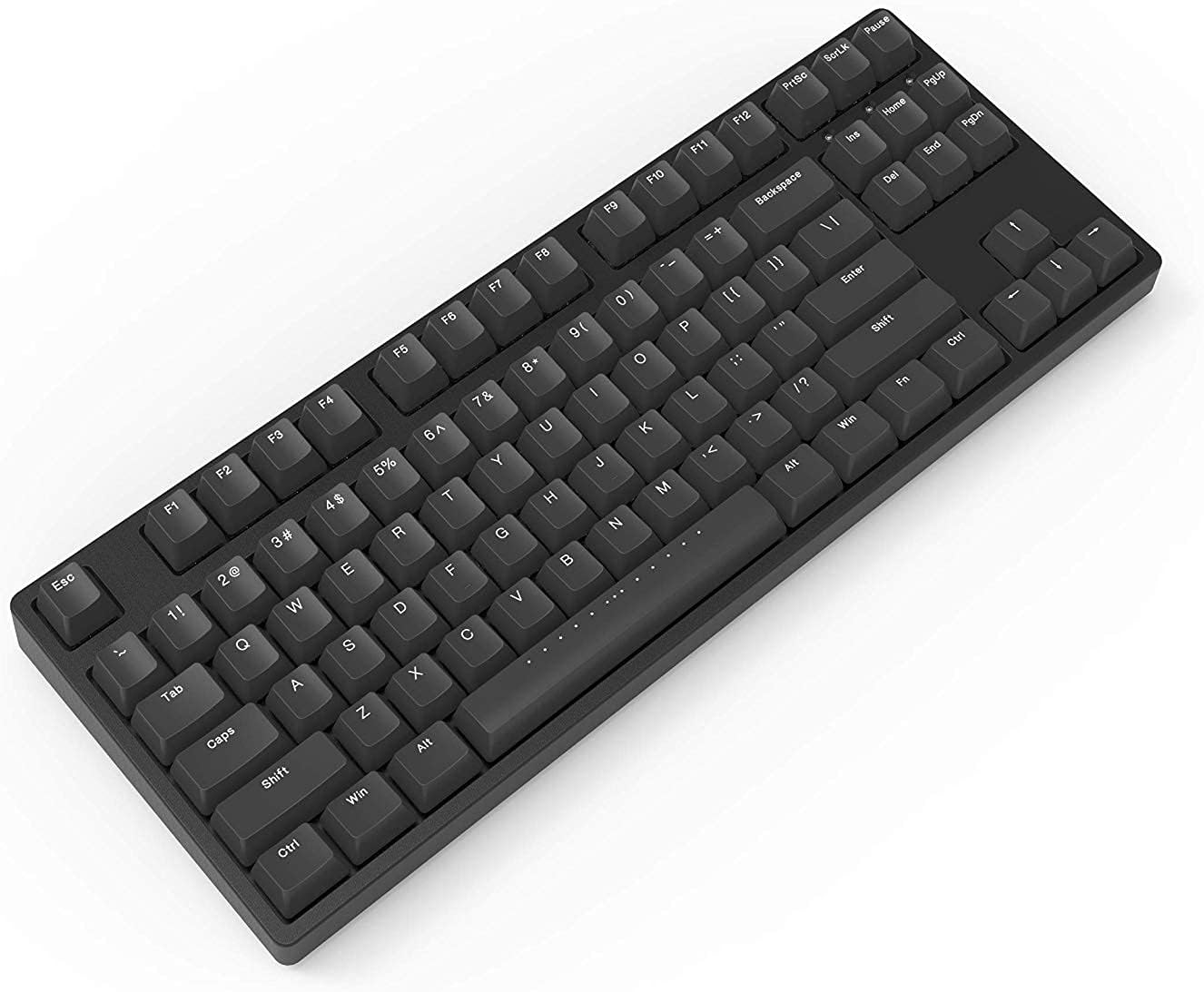
Figure 1: ikbc W200 Wireless Mechanical Keyboard. This image shows the full keyboard layout, highlighting its compact tenkeyless design and black PBT keycaps.
Video 1: iKBC TypeMan W 2.4G Wireless Mechanical Keyboard Overview. This short video demonstrates the simple setup process of the iKBC TypeMan W series keyboard, including inserting batteries and plugging in the USB dongle for instant wireless connectivity.
4. Operating Instructions
4.1 Basic Keyboard Functions
The ikbc W200 functions as a standard 87-key mechanical keyboard. All keys perform their labeled functions directly.
4.2 Multimedia and Shortcut Keys
The keyboard includes dedicated multimedia and shortcut functions accessible via the Fn key in combination with specific function keys (F5-F12).

Figure 2: Shortcut Combinations and LED Indicators. This diagram illustrates the key combinations for multimedia controls (Fn + F5-F8) and media playback (Fn + F9-F12), along with the locations of the Caps Lock, Scroll Lock, and Battery LED indicators.
| Key Combination | Function |
|---|---|
| Fn + F5 | Mute Audio |
| Fn + F6 | Volume Down |
| Fn + F7 | Volume Up |
| Fn + F8 | Open Calculator |
| Fn + F9 | Play / Pause Media |
| Fn + F10 | Stop Media |
| Fn + F11 | Previous Track |
| Fn + F12 | Next Track |
4.3 LED Indicators
- Caps Lock Indicator: Illuminates when Caps Lock is active.
- Scroll Lock Indicator: Illuminates when Scroll Lock is active.
- Battery Indicator: Flashes when battery power is low, indicating that batteries need replacement.
5. Maintenance
5.1 Cleaning the Keyboard
- Disconnect the keyboard from your computer and turn off the power switch.
- Use a soft, lint-free cloth slightly dampened with water or a mild cleaning solution to wipe the keycaps and chassis.
- For deeper cleaning, use the included keycap puller to remove keycaps and clean underneath with compressed air or a small brush.
- Do not immerse the keyboard in liquid.

Figure 3: Top-down view of the ikbc W200 keyboard. This image provides a clear overhead perspective of the keyboard, useful for identifying key layout and for cleaning purposes.
5.2 Battery Replacement
When the battery indicator flashes, replace the two AAA batteries following the instructions in Section 3.1.
6. Troubleshooting
| Problem | Possible Cause | Solution |
|---|---|---|
| Keyboard not responding | Low batteries, dongle disconnected, keyboard off. | Replace batteries, ensure dongle is securely plugged in, turn on keyboard power switch. |
| Input lag or dropped keystrokes | Interference, dongle too far, low battery. | Move dongle closer to keyboard, avoid obstructions, replace batteries. Avoid USB extensions. |
| Multimedia keys not working | Incorrect key combination. | Ensure you are pressing the Fn key simultaneously with the desired function key (F5-F12). |
7. Specifications
- Model: W200
- Connectivity: 2.4G Wireless (USB Dongle)
- Switch Type: Cherry MX Blue Mechanical Switches
- Keycaps: PBT Double Shot
- Layout: 87-Key (Tenkeyless), ANSI/US
- Power Source: 2 x AAA Batteries
- Compatible OS: Windows, Mac OS
- Dimensions: 14.29"L x 5.51"W x 1.65"H
- Weight: 3.04 pounds
- Included Components: Keycap Puller
8. Warranty and Support
For warranty information and technical support, please refer to the official ikbc website or contact their customer service directly. Keep your purchase receipt for warranty claims.
Official ikbc website: www.ikbc.com (Note: This is a placeholder link, please verify the actual support URL).