
1. Introduction
This manual provides instructions for the ZdalaMit XRT136 Replacement Remote Control. This remote is designed to function as a direct replacement for your original Vizio Smart TV remote without requiring any programming or pairing.
Compatible Vizio Smart TV Models:
- M657-G0
- M557-G0
- PX65-G1
- P659-G1
- P759-G1
- D60-F3
2. Package Contents
Ensure all items are present in the package:
- 1 x ZdalaMit XRT136 Replacement Remote Control
3. Setup
3.1 Battery Installation
The remote control requires two (2) AAA alkaline batteries (not included) for operation.
- Locate the battery compartment on the back of the remote control.
- Slide the battery compartment cover downwards to open it.
- Insert two new AAA batteries, ensuring the positive (+) and negative (-) terminals align correctly with the markings inside the compartment.
- Slide the battery compartment cover back into place until it clicks securely.

Image: Back view of the XRT136 remote control, illustrating the battery compartment location.
Once batteries are installed, the remote is ready for use. No programming or pairing is required.
4. Operating Instructions
To operate your Vizio Smart TV, point the ZdalaMit XRT136 remote control directly at the television's infrared receiver. Press the desired buttons to control your TV's functions.

Image: Front view of the XRT136 remote control, displaying the layout of all buttons.
4.1 Key Functions Overview
The remote features standard television control buttons, including:
- Power Button: Turns the TV on or off.
- Input Button: Selects video input sources (HDMI, AV, etc.).
- Navigation Pad (Up, Down, Left, Right, OK): For menu navigation and selection.
- Volume Up/Down: Adjusts the television volume.
- Channel Up/Down: Changes television channels.
- Mute Button: Silences the television audio.
- Number Pad (0-9): For direct channel entry.
- Back/Exit Buttons: Navigates back in menus or exits current functions.
- Menu/Info Buttons: Accesses TV menus and displays information.
- Dedicated App Buttons: Quick access to streaming services (e.g., VUDU, Netflix, Amazon, Xumo, Crackle, iHeartRadio).

Image: A user holding the XRT136 remote control, demonstrating typical usage by pointing it at a television.
5. Maintenance
5.1 Cleaning
To clean the remote control, use a soft, dry cloth. Do not use liquid cleaners, sprays, or abrasive materials, as these may damage the remote's surface or internal components.
5.2 Battery Care
- Replace batteries when the remote's performance diminishes or stops working.
- Do not mix old and new batteries, or different types of batteries.
- Remove batteries if the remote will not be used for an extended period to prevent leakage.
- Dispose of used batteries according to local regulations.
6. Troubleshooting
6.1 Remote Not Responding
- Check Batteries: Ensure batteries are inserted correctly with the correct polarity (+/-).
- Replace Batteries: If the batteries are old or depleted, replace them with two new AAA alkaline batteries.
- Line of Sight: Ensure there are no obstructions between the remote control and the TV's infrared receiver. Point the remote directly at the TV.
- Distance: Confirm you are within the effective operating range (up to 33 feet).
6.2 Limited Functionality
- Verify that your Vizio Smart TV model is listed under the compatible models in Section 1.
- Some advanced TV features or smart functions may require the original remote or specific TV settings. This remote is designed for primary control functions.
7. Specifications
| Brand | ZdalaMit |
| Model Name | XRT136 (Mfr Part Number: fghea-593) |
| Compatible Devices | Vizio Smart Televisions (M657-G0, M557-G0, PX65-G1, P659-G1, P759-G1, D60-F3) |
| Connectivity Technology | Infrared |
| Controller Type | Button Control |
| Number of Buttons | 18 |
| Power Supply | 2 x 1.5V AAA Alkaline Batteries |
| Maximum Range | 33 Feet (10 meters) |
| Item Dimensions (L x W x H) | 6.75" x 1.79" x 0.55" (17.15 cm x 4.55 cm x 1.4 cm) |
| Item Weight | 1.6 Ounces (45 grams) |
| Special Feature | Ergonomic design |
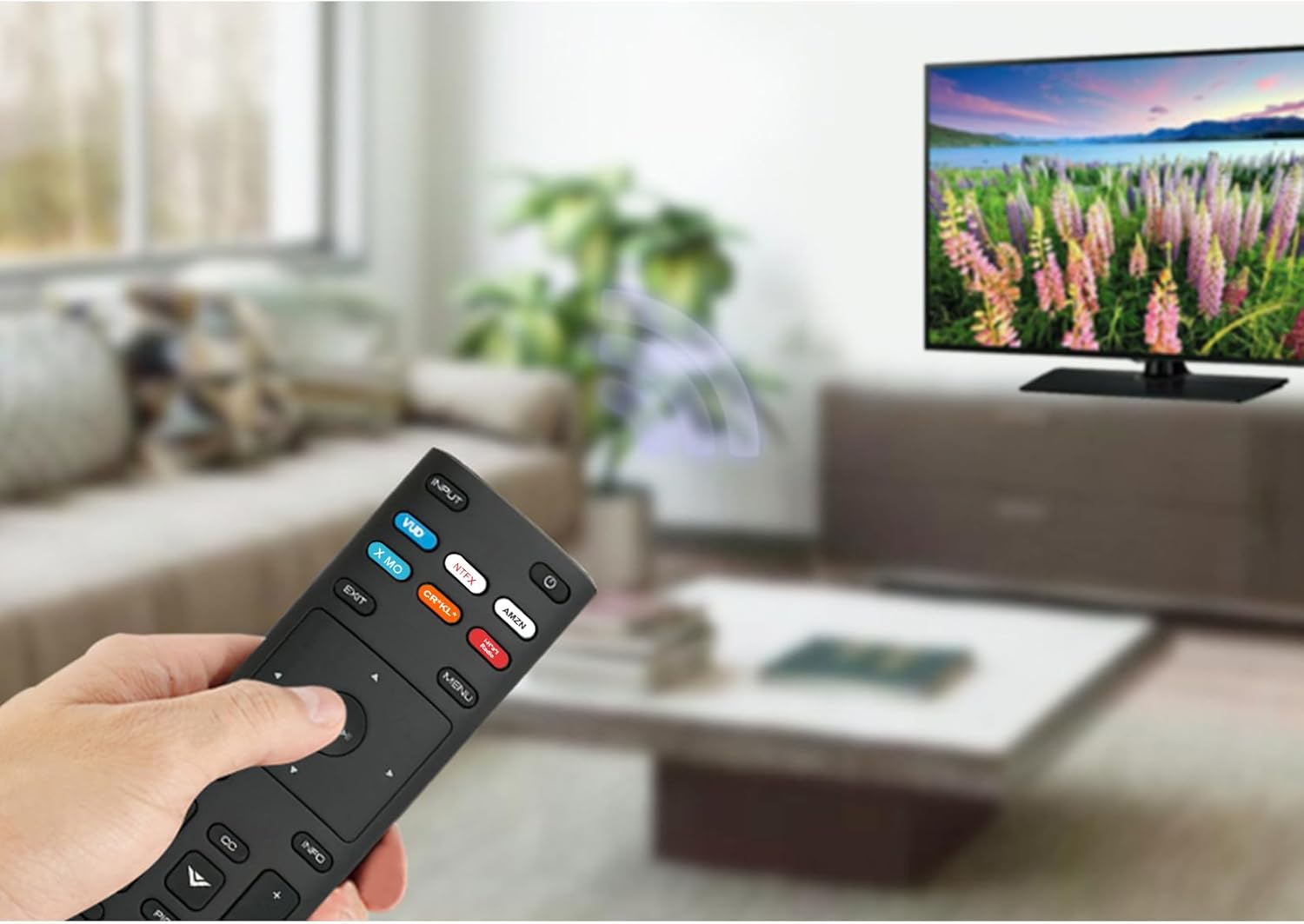
Image: The XRT136 remote control with its physical dimensions highlighted.
8. Warranty Information
This ZdalaMit product comes with a 1-year warranty from the date of purchase. This warranty covers manufacturing defects under normal use. It does not cover damage caused by misuse, accidents, unauthorized modifications, or battery leakage.
9. Support
If you encounter any issues or have questions regarding your ZdalaMit XRT136 Replacement Remote Control that are not addressed in this manual, please contact the seller or manufacturer for assistance. Provide your product model (XRT136) and a detailed description of the issue for efficient support.