
Overview and Key Features
The Echo Show 8 (2nd Gen) is an HD smart display designed to bring entertainment and convenience to your home. With its adaptive color display and stereo speakers, it enhances your media experience. The integrated 13 MP camera features auto-framing to keep you centered during video calls, making communication effortless.
- Enhanced Visuals & Audio: Enjoy an 8-inch HD touchscreen with adaptive color and rich stereo speakers for immersive entertainment.
- Smart Video Calling: The 13 MP camera with auto-framing keeps you in the center of the frame during video calls, ensuring you're always seen.
- Daily Organization: Easily check calendars, set reminders, get recipe ideas, manage lists, and receive news or traffic updates using voice commands.
- Smart Home Control: Monitor your home remotely with the built-in camera and control compatible smart devices like lights and cameras via voice or touch.
- Entertainment Hub: Stream TV shows, movies, and music from popular services like Prime Video, Netflix, Amazon Music, Apple Music, and Spotify.
- Personalized Photo Display: Transform your home screen into a digital photo frame using Amazon Photos, with adaptive color ensuring your pictures look great in any lighting.
- Privacy Features: Built with multiple layers of privacy controls, including a mic/camera off button and a physical camera shutter for peace of mind.
Setup Guide
Setting up your Echo Show 8 is a straightforward process. Follow these steps to get your device ready for use:
- Unpack the Device: Carefully remove the Echo Show 8 and its power adapter from the packaging.
- Connect Power: Plug the Glacier White power adapter (30W) into the Echo Show 8 and then into a wall outlet.
- Initial Boot-up: The device will automatically power on and display the Amazon logo, followed by the Echo logo.
- Follow On-Screen Instructions: The Echo Show 8 will guide you through connecting to your Wi-Fi network and registering your device to your Amazon account.
- Personalization: Customize settings such as language, time zone, and home screen content.
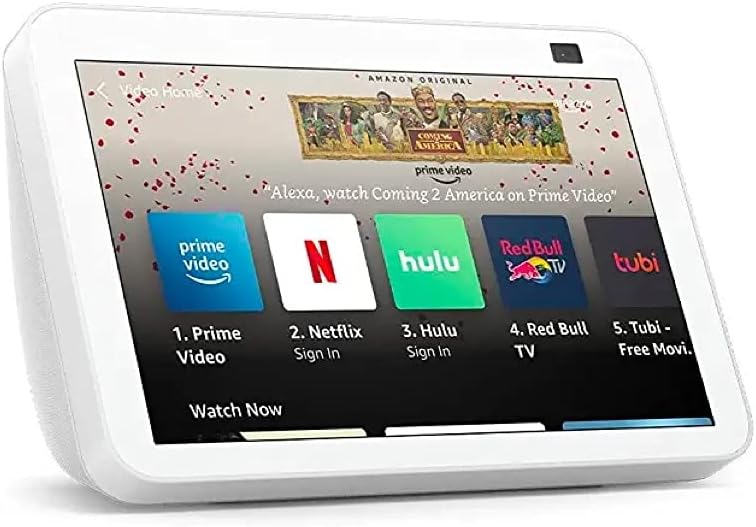
Image: The Echo Show 8 device as it appears during initial setup, showing its compact design and screen.
Video: A detailed guide on setting up the Echo Show 8 (2nd Gen), including unboxing and initial configuration steps.
Operating Instructions
The Echo Show 8 is designed for intuitive interaction through voice commands and its responsive touchscreen. Here's how to operate your device for various tasks:
- Voice Commands: Simply say