
1. Product Overview
The Cannondale Wheel Sensor, model CP1500U10OS, co-developed with Garmin, is designed to enhance your cycling experience. This advanced sensor automatically records your speed, distance, and time, storing up to 900 hours of ride data. It offers versatile connectivity through both Bluetooth Low Energy (BLE) and ANT+ protocols, ensuring compatibility with a wide range of cycling computers, smartwatches, and smartphone applications, including the dedicated Cannondale app. The sensor is powered by a standard CR2032 button battery, providing approximately one year of continuous use. It comes with a mount adapter designed to fit various hub and spoke patterns, making installation flexible. The sensor is finished in a sleek black color.

Image 1.1: Close-up view of the Cannondale Wheel Sensor. This image highlights the compact design and branding on the sensor unit.
Key Features:
- Garmin Co-Developed: Engineered in collaboration with Garmin for reliable performance.
- Automatic Data Recording: Automatically tracks speed, distance, and time during your rides.
- Extensive Data Storage: Capable of storing up to 900 hours of ride data.
- Dual Connectivity: Supports both BLE (Bluetooth Low Energy) and ANT+ for broad compatibility.
- Long Battery Life: Powered by a CR2032 button battery, offering approximately one year of use.
- Versatile Mounting: Includes an adapter compatible with various hub and spoke patterns.
- Cannondale App Integration: Designed to work seamlessly with the new Cannondale app for enhanced ride analysis.
2. Setup and Installation
2.1. Battery Installation
The sensor comes with a pre-installed CR2032 button battery. If you need to replace it:
- Carefully twist the sensor cover counter-clockwise to open it.
- Remove the old CR2032 battery.
- Insert a new CR2032 battery with the positive (+) side facing up.
- Align the cover and twist clockwise until it clicks securely into place, ensuring a watertight seal.
2.2. Mounting the Sensor
The sensor is designed to be mounted on the wheel hub. Use the included adapter to ensure proper fitment.
- Identify a suitable location on your wheel hub, typically opposite the valve stem for balance.
- Select the appropriate adapter for your hub and spoke pattern.
- Securely attach the sensor to the hub using the adapter. Ensure it is firmly in place and does not interfere with any moving parts of the wheel or fork.
- The sensor should be positioned so that it can accurately detect wheel rotation.
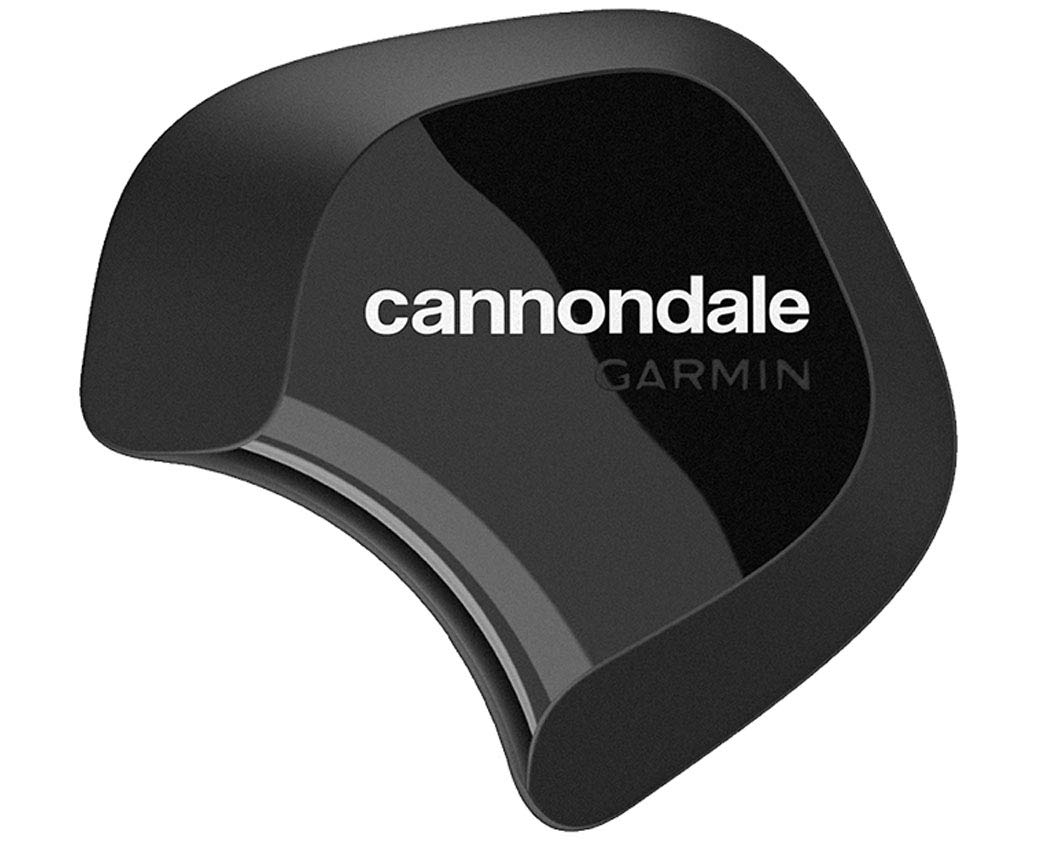
Image 2.1: The Cannondale Wheel Sensor installed on a bicycle wheel hub, demonstrating its discreet placement.
2.3. Pairing with Devices
The sensor supports both BLE and ANT+ for pairing.
- For BLE (Bluetooth Low Energy) Devices (e.g., Smartphones, Smartwatches):
- Ensure Bluetooth is enabled on your device.
- Open your preferred cycling app (e.g., Cannondale App, Strava, Wahoo Fitness).
- Go to the sensor pairing or device connection settings within the app.
- Spin your wheel to activate the sensor.
- Select the "Cannondale Wheel Sensor" from the list of available devices.
- Follow any on-screen prompts to complete the pairing process.
- For ANT+ Devices (e.g., Garmin Edge, Wahoo ELEMNT):
- Ensure ANT+ is enabled on your cycling computer.
- Navigate to the sensor settings menu on your device.
- Select "Add Sensor" or "Search for Sensors" and choose "Speed Sensor" or "Speed/Cadence Sensor" if prompted.
- Spin your wheel to activate the sensor.
- Your device should detect the "Cannondale Wheel Sensor". Select it to pair.
Note: The sensor will automatically enter pairing mode when activated. If you experience issues, ensure the sensor is active by spinning the wheel and that it is not already paired with another device.
3. Operating Instructions
Once installed and paired, the Cannondale Wheel Sensor operates automatically.
- Automatic Activation: The sensor automatically wakes up and begins transmitting data when it detects wheel movement.
- Data Transmission: It transmits real-time speed and distance data to your paired device (cycling computer, smartphone app, etc.).
- Internal Data Storage: The sensor can store up to 900 hours of ride data internally. This data can be synced to the Cannondale app or other compatible platforms when the sensor is connected.
- Cannondale App Integration: For the most comprehensive experience, connect your sensor to the Cannondale app. The app allows you to view detailed ride metrics, track maintenance intervals, and potentially receive firmware updates for your sensor.
To ensure accurate readings, make sure your wheel size is correctly configured in your paired cycling computer or app settings.
4. Maintenance
4.1. Battery Replacement
The sensor uses a CR2032 button battery, which typically lasts for about one year. Replace the battery when your paired device indicates a low battery warning or if the sensor stops transmitting data. Refer to Section 2.1 for detailed battery replacement steps. Always ensure the cover is securely fastened after replacement to maintain water resistance.
4.2. Cleaning
Clean the sensor periodically with a soft, damp cloth. Avoid using harsh chemicals or abrasive cleaners, as these can damage the sensor's casing or internal components. Ensure the sensor is dry before use.
4.3. Storage
When not in use for extended periods, store the sensor in a cool, dry place. If storing for several months, consider removing the battery to prevent potential leakage and prolong battery life.
5. Troubleshooting
- Sensor Not Connecting/Pairing:
- Ensure the wheel is spinning to activate the sensor.
- Check the battery level; replace if necessary (see Section 2.1).
- Make sure Bluetooth/ANT+ is enabled on your receiving device.
- Move closer to the sensor.
- Ensure the sensor is not already paired with another device. Try unpairing from other devices or restarting your receiving device.
- If using a smartphone, try restarting the app or the phone itself.
- Inaccurate Speed/Distance Readings:
- Verify that your wheel circumference setting in your cycling computer or app is correct.
- Ensure the sensor is securely mounted and not loose.
- Check for any physical obstructions that might interfere with the sensor's operation.
- Data Not Syncing to App:
- Ensure the sensor is paired and connected to the app via BLE.
- Check your internet connection for app data synchronization.
- Ensure the app has the necessary permissions on your smartphone.
If you continue to experience issues, please refer to the official Cannondale support website or contact customer service.
6. Specifications
| Feature | Detail |
|---|---|
| Model Number | CP1500U10OS |
| Brand | Cannondale |
| Connectivity | Bluetooth Low Energy (BLE), ANT+ |
| Battery Type | CR2032 Button Cell |
| Estimated Battery Life | Approximately 1 year |
| Data Storage Capacity | Up to 900 hours of ride data |
| Color | Black |
| Compatibility | Various hub and spoke patterns (with included adapter) |
| ASIN | B084C1KHVV |
7. Warranty and Support
For warranty information, please refer to the documentation included with your product or visit the official Cannondale website.
If you require technical assistance or have questions not covered in this manual, please contact Cannondale customer support through their official website: www.cannondale.com/en/customer-service.