
Nutricook Smart Air Fryer Oven KF1828ELQ-H12D Instruction Manual
Model: KF1828ELQ-H12D
1. Important Safety Instructions
Please read all instructions carefully before using the Nutricook Smart Air Fryer Oven. Failure to follow these safety guidelines may result in fire, electric shock, or injury.
- Electrical Safety: Ensure the appliance is connected to a grounded outlet with the correct voltage (1800W). Do not immerse the cord, plug, or appliance in water or other liquids.
- Placement: Place the oven on a stable, heat-resistant surface, away from walls and other appliances to allow for proper ventilation. Do not operate near flammable materials.
- Hot Surfaces: The oven's exterior and interior surfaces become very hot during operation. Always use oven mitts when handling hot components or food.
- Supervision: Close supervision is necessary when any appliance is used by or near children. Do not leave the appliance unattended during operation.
- Maintenance: Unplug the oven from the outlet when not in use and before cleaning. Allow it to cool completely before adding or removing parts.
- Accessories: Only use accessories recommended by the manufacturer. Using other accessories may cause hazards.
- Food Capacity: Do not overfill the oven. Ensure food does not touch the heating elements.
2. Product Overview
The Nutricook Smart Air Fryer Oven is a versatile kitchen appliance designed to combine the functions of an air fryer, convection oven, rotisserie, and dehydrator. It features a generous 30-liter capacity and a sleek digital display for easy operation.
Key Features:
- Multi-function operation: Air Fryer, Convection Oven, Rotisserie, and Dehydrator.
- 8 one-touch preset menus for various foods including fries, chicken, roast, meat, fish, shrimp, rotisserie, and dehydrate.
- Convenient design with a large viewing window on the oven door for monitoring cooking progress.
- Easy to clean surfaces.
- Large 30-liter capacity, suitable for family use.
- Reliable product with a 2-year brand warranty.
Components and Accessories:

Figure 2.1: The Nutricook Smart Air Fryer Oven in operation, showing a whole roasted chicken on the rotisserie spit.
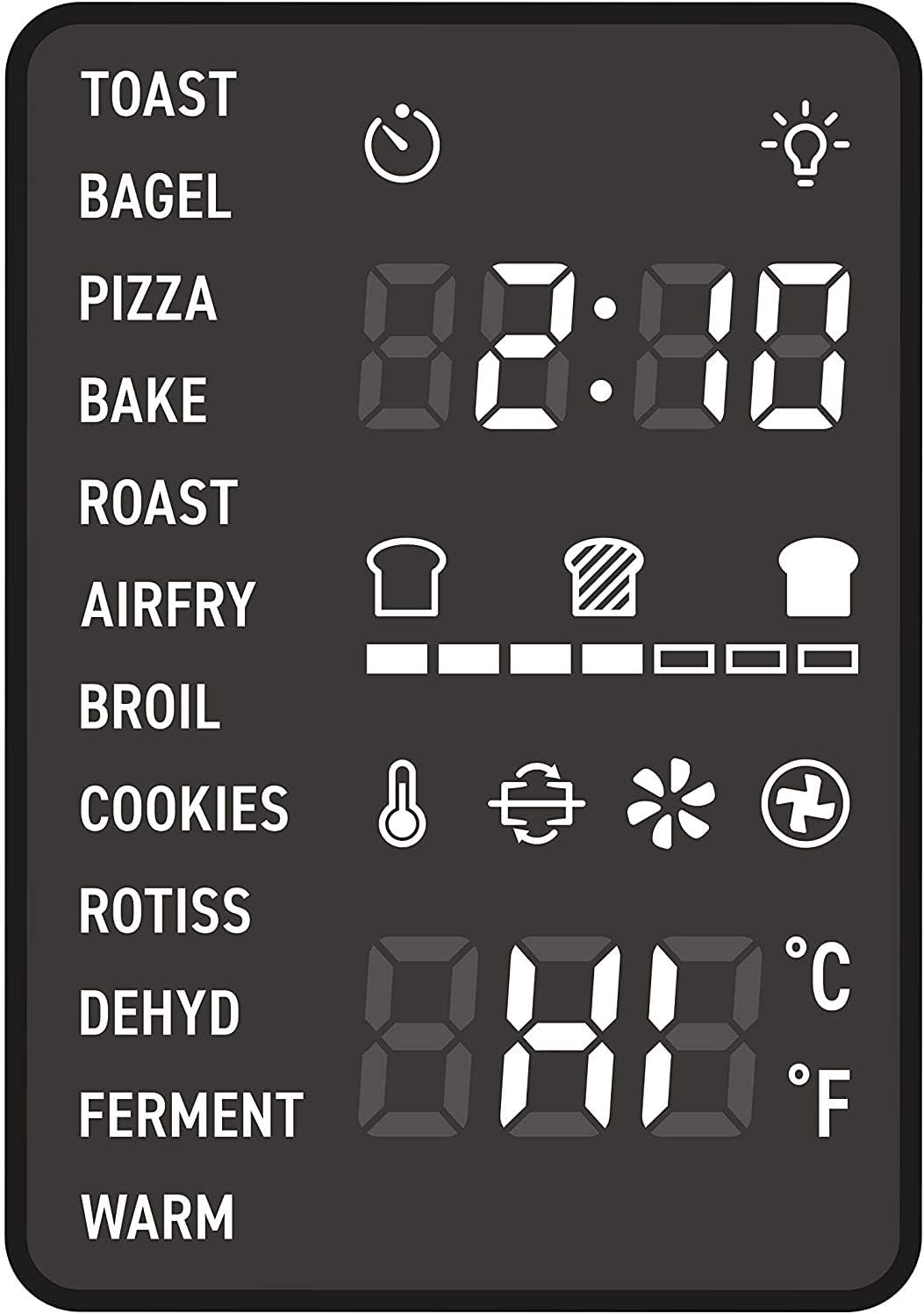
Figure 2.2: Detailed view of the digital control panel, displaying various cooking presets and temperature/time settings.
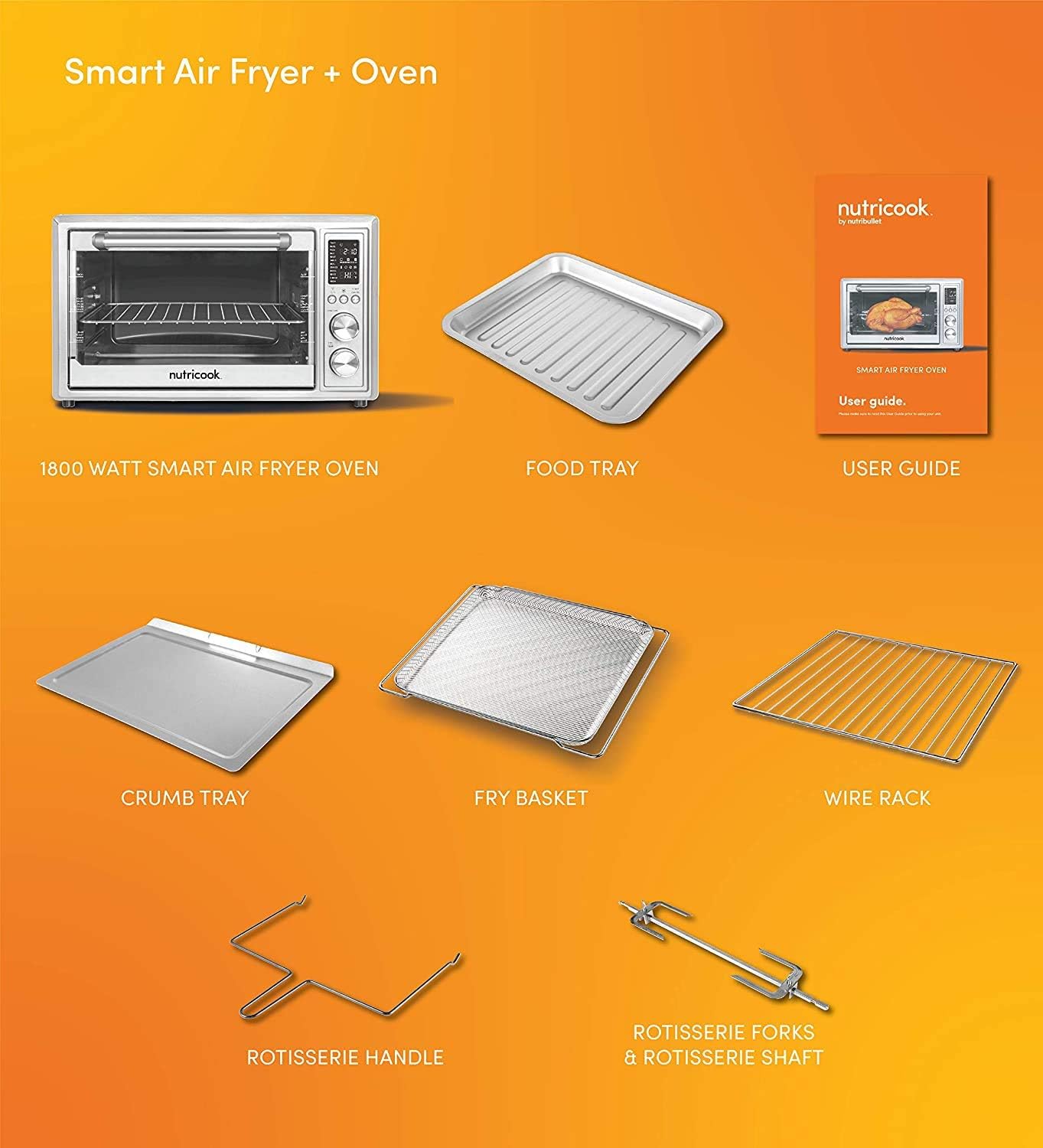
Figure 2.3: An overview of all accessories included with the oven: Smart Air Fryer Oven, Food Tray, User Guide, Crumb Tray, Fry Basket, Wire Rack, Rotisserie Handle, Rotisserie Forks & Shaft.
- 1 x Smart Air Fryer Oven (1800W)
- 1 x Fry Basket
- 1 x Rotisserie Shaft
- 2 x Rotisserie Forks
- 1 x Wire Rack
- 1 x Food Tray
- 1 x Crumb Tray
- 1 x Rotisserie Handle
- 1 x User Manual
3. Setup
- Unpacking: Carefully remove all packaging materials, including any internal packing and protective films. Keep packaging for future storage or transport.
- Initial Cleaning: Before first use, wash all removable accessories (fry basket, rotisserie parts, wire rack, food tray, crumb tray) in warm, soapy water. Wipe the interior and exterior of the oven with a damp cloth. Ensure all parts are completely dry before assembly.
- Placement: Place the oven on a flat, stable, heat-resistant surface. Ensure there is at least 10-15 cm (4-6 inches) of clear space on all sides and above the oven for proper air circulation. Do not place it directly under cabinets or near flammable materials.
- First Use Burn-Off: It is recommended to run the oven empty for about 15 minutes at 200°C (400°F) to burn off any manufacturing residues. A slight odor or smoke is normal during this process. Ensure the area is well-ventilated.
4. Operating Instructions
The Nutricook Smart Air Fryer Oven offers various cooking functions and preset programs for convenience.
Control Panel Overview:
The digital control panel (refer to Figure 2.2) features a display for time and temperature, function buttons, and rotary knobs for precise adjustments.
- Function Buttons: Select desired cooking mode (e.g., Air Fry, Roast, Bake, Dehydrate, Rotisserie).
- Preset Menus: One-touch buttons for common foods like fries, chicken, fish, etc. These automatically set optimal time and temperature.
- Time/Temperature Knobs: Adjust cooking time and temperature manually.
- Start/Cancel Button: Initiates or stops the cooking process.
General Operation:
- Prepare Food: Place food on the appropriate accessory (fry basket, wire rack, food tray, or rotisserie spit).
- Insert Accessory: Carefully slide the accessory with food into the oven. Ensure the crumb tray is always in place at the bottom.
- Select Function: Choose a preset menu or manually set the desired cooking function, temperature, and time using the control panel.
- Start Cooking: Press the Start button. The oven will begin preheating (if applicable) and then cooking.
- Monitor Progress: Use the large viewing window to check on your food.
- Remove Food: Once cooking is complete, carefully remove the hot accessory and food using the rotisserie handle or oven mitts.
Specific Functions:
- Air Fry: Ideal for crispy results with minimal oil. Use the fry basket.
- Roast/Bake: For larger items or baking. Use the food tray or wire rack.
- Rotisserie: For whole chickens or roasts. Secure food onto the rotisserie shaft with forks and insert into the oven's rotisserie sockets.
- Dehydrate: For drying fruits, vegetables, or making jerky. Use the wire rack at a low temperature for extended periods.
5. Maintenance and Cleaning
Regular cleaning ensures optimal performance and extends the life of your Nutricook Smart Air Fryer Oven.
- Always Unplug: Before cleaning, always unplug the oven from the power outlet and allow it to cool completely.
- Exterior Cleaning: Wipe the exterior with a damp cloth and mild detergent. Do not use abrasive cleaners or scourers.
- Interior Cleaning: Wipe the interior walls with a damp cloth. For stubborn food residue, use a non-abrasive sponge with warm, soapy water. Avoid spraying water directly into the oven.
- Accessories: All removable accessories (fry basket, rotisserie parts, wire rack, food tray, crumb tray) can be washed in warm, soapy water. They are generally dishwasher safe, but hand washing is recommended for longevity.
- Crumb Tray: Empty and clean the crumb tray regularly to prevent grease buildup and potential fire hazards.
- Storage: Store the oven in a cool, dry place when not in use.
6. Troubleshooting
If you encounter issues with your Nutricook Smart Air Fryer Oven, refer to the following common problems and solutions:
| Problem | Possible Cause | Solution |
|---|---|---|
| Oven does not turn on | Not plugged in; Power outlet issue; Appliance malfunction | Ensure plug is securely in outlet. Check circuit breaker. Contact customer support if issue persists. |
| Food is not cooking evenly | Overcrowding; Incorrect temperature/time; Food not rotated | Do not overcrowd the basket/tray. Adjust temperature/time. Flip or shake food halfway through cooking. |
| White smoke coming from oven | Grease/oil residue; Fatty food cooking | Clean the oven and accessories thoroughly. For fatty foods, ensure crumb tray is clean and consider using less oil. |
| Rotisserie not rotating | Food not balanced; Rotisserie shaft not properly inserted | Ensure food is centered and balanced on the shaft. Re-insert the shaft firmly into the drive socket. |
| Digital display not working | Power interruption; Internal fault | Unplug and plug back in. If the issue persists, contact customer support. |
For issues not listed here, please contact Nutricook customer support.
7. Specifications
| Feature | Detail |
|---|---|
| Brand | Nutricook |
| Model Name | KF1828ELQ-H12D |
| Model Number | KF1828ELQ-H12D |
| Color | Silver |
| Capacity | 30 Liters |
| Power | 1800 Watts |
| Material | Stainless Steel, Metal |
| Control Type | Touch |
| Door Style | Drop Down Door |
| Special Features | Smart Air Fryer, Preset Menus, Rotisserie, Dehydrator |
| Power Source | Electric |
| Manufacturer | Nutricook |
| Part Number | NC-SAFO30 |
| GTIN (UPC) | 06291061132746 |
8. Warranty and Support
Warranty Information:
This Nutricook Smart Air Fryer Oven (Model KF1828ELQ-H12D) comes with a 2-year manufacturer's warranty. This warranty covers defects in materials and workmanship under normal use. Please retain your proof of purchase for warranty claims.
The warranty does not cover damage resulting from misuse, accident, alteration, neglect, unauthorized repair, or commercial use.
Customer Support:
For technical assistance, warranty claims, or general inquiries, please contact Nutricook customer support through their official website or the contact information provided in your product packaging.
You can also visit the Nutricook Store on Amazon for additional product information and support resources.


