
1. Introduction
This manual provides essential information for the setup, operation, maintenance, and troubleshooting of your Jackson JS Series Spectra Bass JS3QV 5-String Electric Bass Guitar. Please read this manual thoroughly to ensure proper use and care of your instrument.

Figure 1.1: Front view of the Jackson JS Series Spectra Bass JS3QV in Purple Phaze.
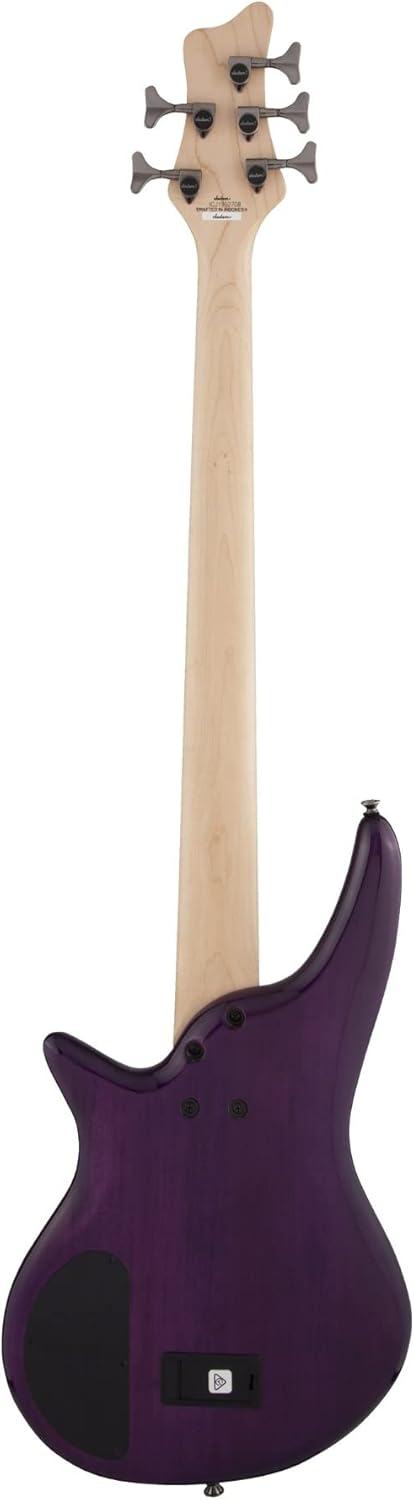
Figure 1.2: Angled front view showcasing the body shape and finish.
2. Setup
2.1 Unpacking and Initial Inspection
Carefully remove the bass from its packaging. Inspect the instrument for any signs of damage that may have occurred during shipping. Retain all packaging materials for future transport or storage.
2.2 Battery Installation
The Spectra Bass JS3QV features an active circuit for its 3-band EQ, which requires a 9V battery. The battery compartment is located on the back of the instrument.
- Locate the battery compartment cover on the back of the bass.
- Open the compartment.
- Insert a fresh 9V alkaline battery, observing the correct polarity.
- Close the compartment cover securely.

Figure 2.1: Back view of the bass, showing the battery compartment.
2.3 Tuning
The JS3QV is a 5-string bass, typically tuned B-E-A-D-G (low to high). Use a reliable electronic tuner for accurate tuning. The sealed die-cast tuners are located on the headstock.
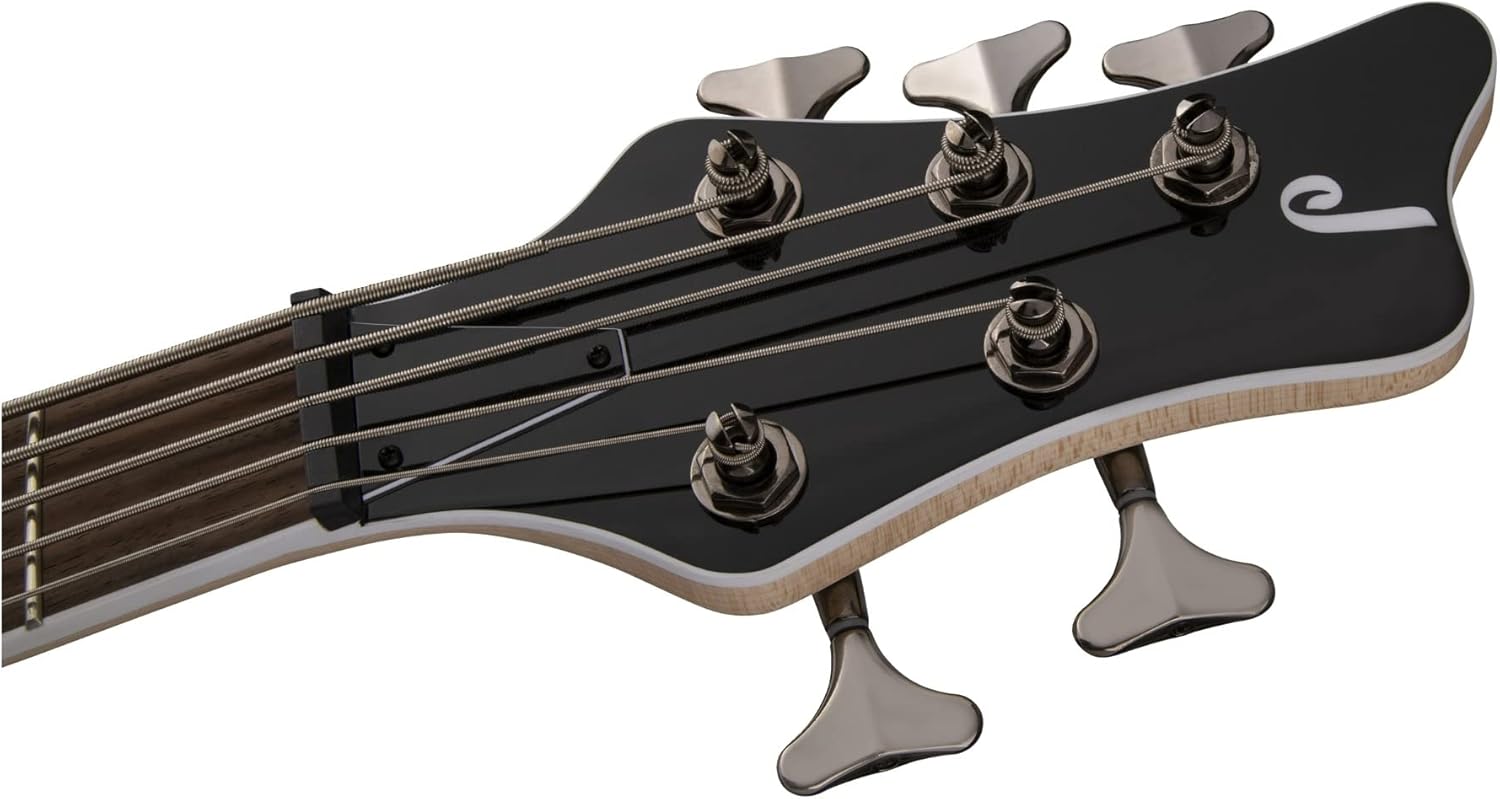
Figure 2.2: Front view of the headstock with tuning machines.
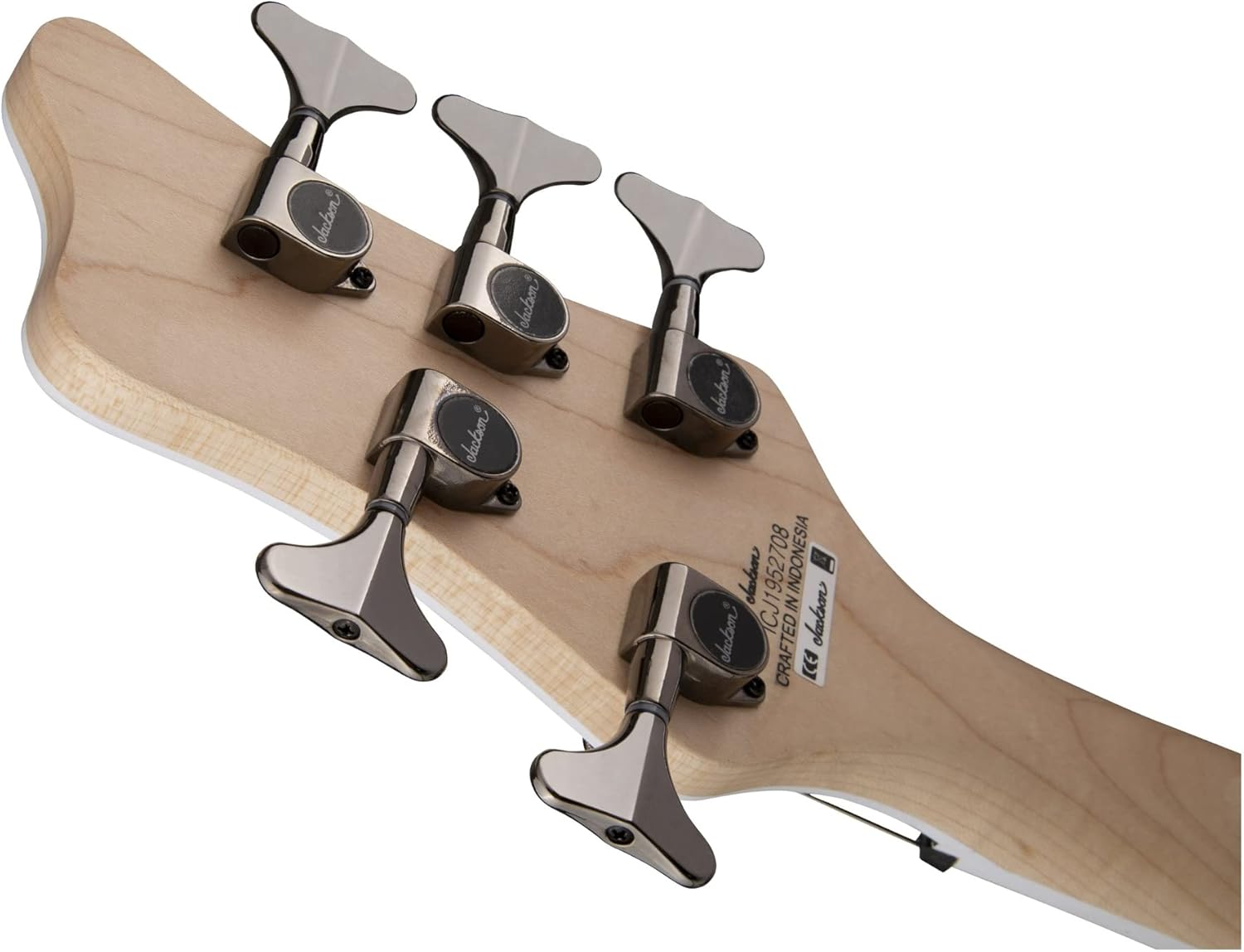
Figure 2.3: Rear view of the headstock, showing the Jackson sealed die-cast tuners.
3. Operating the Instrument
3.1 Controls Overview
The Jackson JS Series Spectra Bass JS3QV features a versatile control layout designed for a wide range of tonal options.

Figure 3.1: Close-up view of the control knobs and switches.
- Volume Control (Push/Pull): This knob controls the overall output volume. Pulling the knob bypasses the active circuit, allowing the bass to operate in passive mode without battery power. Pushing it in engages the active circuit for the 3-band EQ.
- Blend Control: This knob allows you to blend between the neck and bridge humbucking pickups. Turn it towards the neck for more neck pickup tone, or towards the bridge for more bridge pickup tone.
- 3-Band EQ (Active Only): These three knobs (Bass, Mid, Treble) provide active equalization when the active circuit is engaged. Adjust them to shape your tone.
- Two-Way Toggle Switch: This switch allows for pickup coil splitting, offering additional tonal variations from the dual passive Jackson medium-output humbucking pickups.

Figure 3.2: Close-up of the Jackson HiMass bridge and humbucking pickups.
4. Maintenance
4.1 Cleaning
Regular cleaning helps preserve the finish and playability of your bass.
- Wipe down the body, neck, and strings with a soft, lint-free cloth after each use.
- For the body finish, use a guitar-specific polish sparingly.
- Clean the laurel fingerboard with a suitable fretboard conditioner when changing strings.
4.2 String Replacement
Replace strings regularly to maintain optimal tone and playability. When replacing, change one string at a time to maintain neck tension.
4.3 Truss Rod Adjustment
The truss rod adjusts the neck relief. Adjustments should be made carefully and incrementally. A truss rod wrench is included with your bass. If you are unsure, consult a qualified guitar technician.
4.4 Bridge Adjustment
The Jackson HiMass bridge allows for individual string height (action) and intonation adjustments. A saddle height wrench is included for adjusting string height. For intonation, adjust the saddle position forward or backward.
4.5 Battery Replacement
If the active circuit's output becomes weak or distorted, replace the 9V battery as described in Section 2.2. Remember, you can always switch to passive mode by pulling the volume knob if the battery dies during use.
5. Troubleshooting
- No Sound Output:
- Check if the instrument cable is securely connected to both the bass and the amplifier.
- Ensure the volume knob on the bass and amplifier is turned up.
- If using the active circuit, check the 9V battery. If the battery is dead, pull the volume knob to switch to passive mode.
- Weak or Distorted Sound:
- Replace the 9V battery if using the active circuit.
- Check instrument cable for damage.
- Adjust EQ settings on the bass and amplifier.
- String Buzzing:
- Check string action (height) at the bridge. Adjust using the saddle height wrench if necessary.
- Inspect neck relief. Minor adjustments can be made with the truss rod wrench, but significant adjustments should be performed by a professional.
- Ensure frets are level.
- Controls Not Functioning Properly:
- If a knob feels loose or unresponsive, it may require professional inspection.
- For volume issues, ensure the push/pull function is fully engaged or disengaged as intended.
6. Specifications
| Feature | Specification |
|---|---|
| Model Name | JS Series Spectra Bass JS3QV |
| Item Model Number | 2919914592 |
| Body Material | Poplar with Quilted Maple Top |
| Neck Material | Maple |
| Fretboard Material | Laurel |
| Number of Strings | 5 |
| Scale Length | 35 Inches |
| Pickup Configuration | Dual Jackson Medium-Output Humbucking |
| Bridge | Jackson HiMass |
| Tuners | Jackson Sealed Die-Cast |
| Controls | Volume (Push/Pull for Active/Passive), Blend, 3-Band EQ (Active Only), 2-Way Toggle (Coil Split) |
| Battery | 1 x 9V Alkaline (required for active circuit) |
| Color | Purple Phaze |
| Item Weight | 12.8 pounds |
| Product Dimensions | 51.18 x 15.35 x 3.74 inches |
| Included Accessories | Truss rod wrench, Saddle height wrench |
7. Warranty and Support
Jackson products are manufactured to high standards. For information regarding warranty coverage and terms, please refer to the warranty card included with your purchase or visit the official Jackson Guitars website. For technical support or service inquiries, please contact Jackson customer service through their official channels.


