
Introduction
This manual provides essential instructions for the safe and efficient operation of your Ledlenser ML4 Outdoor Lantern. The ML4 is an ultra-compact and lightweight area lighting solution, designed for outdoor use, offering up to 300 lumens of illumination and versatile power options. Please read this manual thoroughly before first use and retain it for future reference.
Package Contents
- Ledlenser ML4 Outdoor Lantern
- Rechargeable Li-ion 14500 3.7V Battery (pre-installed or separate)
- Charging Cable
- User Manual (this document)
Safety Instructions
- Do not look directly into the light beam.
- Keep out of reach of children.
- Do not disassemble the device.
- Use only specified batteries and charging cables.
- Avoid extreme temperatures and direct sunlight.
- This product is rated IP66 for dust and water resistance, but it is not submersible.
Setup
1. Battery Installation / Initial Charge
The Ledlenser ML4 can be powered by its included rechargeable Li-ion battery or a standard AA battery.
- Rechargeable Battery: If not already installed, insert the provided Li-ion 14500 battery into the lantern with the correct polarity.
- Charging: Connect the proprietary charging cable to the lantern's charging port and to a USB power source. The charging indicator will show charging status. A full charge typically takes 2.5 hours.
- AA Battery: To use a standard AA battery, ensure the rechargeable battery is removed. Insert a fresh AA battery with the correct polarity.

Operating Instructions
1. Power On/Off and Brightness Modes
The ML4 features a single switch for all functions.
- To Turn On: Press the power button once. The lantern will typically turn on in its last used mode or a default low setting.
- To Cycle Brightness: While the lantern is on, press the power button repeatedly to cycle through different brightness levels (e.g., Low, Mid, High).
- Boost Mode: A quick double-press may activate a temporary "Boost" mode for maximum brightness. Refer to the specific product documentation for exact button sequences.
- Red Light Mode: Some models offer a red light mode. This is typically accessed by holding the power button for a few seconds or by cycling through modes after the white light options. Red light preserves night vision.
- Blink Mode: A special blink or strobe mode might be available, often accessed by a specific button sequence (e.g., triple press).
- To Turn Off: Hold the power button down for approximately 2 seconds.

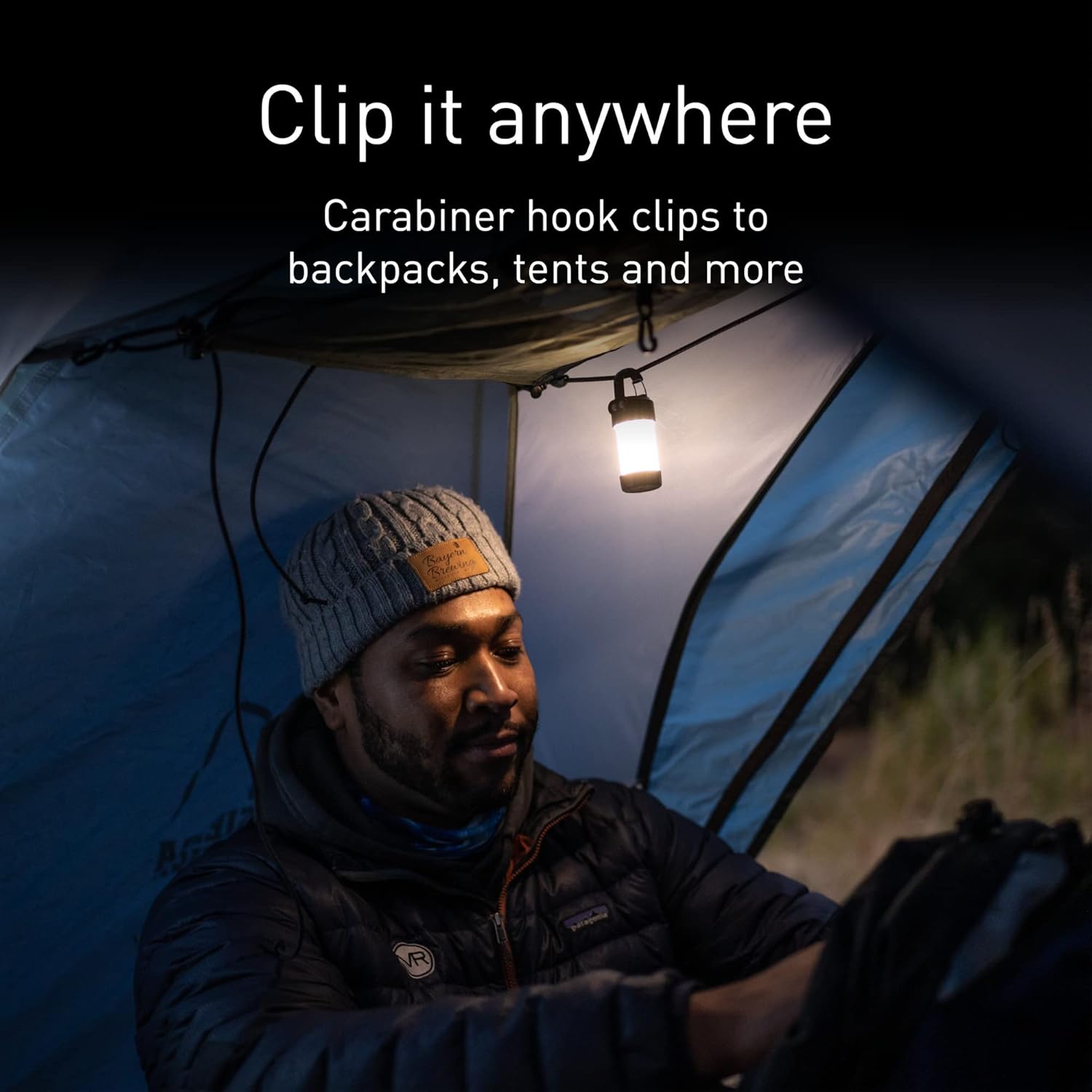
2. Using the Carabiner Clip
The integrated carabiner clip allows for versatile placement of the ML4 lantern.
- Attach it to backpack loops, tent ceilings, branches, or any suitable anchor point for overhead or area lighting.
- Ensure the clip is securely fastened before releasing the lantern.
Maintenance
1. Cleaning
- Wipe the lantern with a soft, damp cloth.
- Do not use abrasive cleaners or solvents.
- Ensure the charging port cover is securely closed to maintain water resistance.
2. Battery Care
- For optimal battery life, charge the rechargeable battery regularly.
- If storing the lantern for an extended period, remove the battery.
- Dispose of old batteries according to local regulations.
Troubleshooting
| Problem | Possible Cause | Solution |
|---|---|---|
| Lantern does not turn on. | Battery is depleted or incorrectly installed. | Charge the rechargeable battery or replace the AA battery. Ensure correct polarity. |
| Lantern does not charge. | Charging cable not properly connected or faulty. Power source issue. | Ensure the charging cable is securely connected to both the lantern and the power source. Try a different USB port or power adapter. |
| Light output is dim. | Battery is low. Lantern is in a low brightness mode. | Charge the battery. Cycle through brightness modes to select a higher setting. |
| Lantern unresponsive. | Temporary software glitch. | Hold the power button for approximately 10 seconds to perform a reset. |
Specifications
| Feature | Detail |
|---|---|
| Model Number | 502053 |
| Brightness | Up to 300 Lumens (Max) |
| Battery Type | 1x Li-ion 14500 3.7V (Rechargeable) or 1x AA Battery |
| Max Battery Life | 45 Hours (at 5 lumens) |
| Recharge Time | 2.5 Hours |
| Item Weight | 71 Grams (approx. 2.5 ounces) |
| Product Dimensions | 3.94 x 4.72 x 2.56 inches |
| Water Resistance | IP66 (Dust tight and protected against powerful water jets) |
| Material | Metal, Plastic |
| UPC | 847706100081 |

Warranty
Ledlenser products are backed by a 7-year guarantee against defects in material or workmanship. If your purchase exhibits such a defect, Ledlenser will, at its discretion, repair or replace the product with one of equal or greater value. This guarantee reflects the company's commitment to craftsmanship and product quality.
For warranty claims, please retain your proof of purchase and contact Ledlenser customer support.
Support
For further assistance, technical support, or to inquire about replacement parts, please visit the official Ledlenser website or contact their customer service department.
Online Resources: www.ledlenser.com


