
1. Introduction
The Albrecht DR53 Digital Radio Tuner is designed to enhance your existing stereo system or external speakers with modern digital radio capabilities. It features a 4-inch color display for clear information display, including DAB slideshows, station logos, and album art. The tuner supports DAB/DAB+ and FM radio reception, along with Bluetooth music streaming.
This manual provides detailed instructions for setting up, operating, and maintaining your DR53 tuner. Please read it carefully before use to ensure optimal performance and longevity of your device.
2. Package Contents
Please check that all items listed below are included in your package:
- Albrecht DR53 Digital Radio Tuner
- Remote Control
- 2 x AAA Batteries (for remote control)
- Wire Antenna
- Power Adapter
- RCA Cable
- 3.5 mm RCA Adapter
3. Setup
3.1 Connecting the Antenna
Connect the supplied wire antenna to the DAB/FM ANT. port on the rear of the DR53 tuner. For improved reception, an external home antenna can be connected to this port.
3.2 Connecting to an Audio System
Use the supplied RCA cable to connect the AUDIO OUT ports (red for right, white for left) on the DR53 to the corresponding audio input ports on your stereo system or external speakers. If your audio system uses a 3.5mm jack input, use the provided 3.5mm RCA adapter.
3.3 Power Connection
Connect the power adapter to the DC IN port on the rear of the DR53, then plug the adapter into a power outlet.

Image 3.3.1: Rear panel of the Albrecht DR53 Digital Radio Tuner, illustrating the connection points for the DAB/FM antenna, RCA audio output, and DC power input.
3.4 Initial Power On
Press the Power/Mode button on the top of the unit or on the remote control to turn on the device. The 4-inch color display will illuminate.

Image 3.4.1: Top view of the Albrecht DR53 Digital Radio Tuner, highlighting the Power/Mode button for device control.
4. Operating Instructions
4.1 Navigation and Home Screen
Upon powering on, the device will display the home screen, offering various modes and settings. Use the navigation buttons on the remote control or the unit to select options.

Image 4.1.1: The 4-inch color display of the Albrecht DR53, showing the main menu with icons for Digital Radio, Preset List, FM Radio, Bluetooth, Settings, and Alarm.
4.2 DAB/DAB+ Radio
Select Digital Radio from the home screen. The tuner will perform an automatic scan for available DAB/DAB+ stations.
- Station Selection: Use the navigation buttons to browse the list of available stations.
- Display Information: The 4-inch color display will show station information, including DLS (Dynamic Label Segment), station logos, album art (slideshow), and current messages.
- Saving Presets: The DR53 supports up to 60 mixed memory slots for DAB+ and FM radio stations. Refer to the on-screen menu for instructions on saving and recalling your favorite stations.

Image 4.2.1: The Albrecht DR53 tuner displaying a DAB radio station, showing the station name, current time, signal strength, and a slideshow with album art and song details.
4.3 FM Radio
Select FM Radio from the home screen. The tuner supports both automatic and manual station scanning.
- RDS Support: The display will show RDS (Radio Data System) information where available.
- Saving Presets: FM stations can also be saved to the 60 available memory slots.
4.4 Bluetooth Music Streaming
The DR53 allows you to stream music wirelessly from your smartphone or tablet via Bluetooth.
- Select Bluetooth from the home screen. The tuner will enter pairing mode.
- On your smartphone or tablet, enable Bluetooth and search for available devices.
- Select "Albrecht DR53" from the list of devices to pair.
- Once connected, you can play music from your device, and the DR53 will display ID3 tag information (e.g., song title, artist) on its screen.

Image 4.4.1: The Albrecht DR53 tuner integrated into a home environment, illustrating its capability for both DAB+ reception and music streaming from a smartphone.
4.5 Alarm Function
The DR53 includes two programmable alarm times.
- Select Alarm from the home screen to configure alarm settings.
- You can set the alarm source to DAB+, FM, or a standard buzzer signal.
- A snooze function is also available.
4.6 Display Settings
The 4-inch color display offers customization options for optimal viewing.
- Brightness: Choose from 3 different brightness levels.
- Viewing Angle: The display's viewing angle is height-adjustable.
- Time and Date: The current time and date are displayed on the screen.
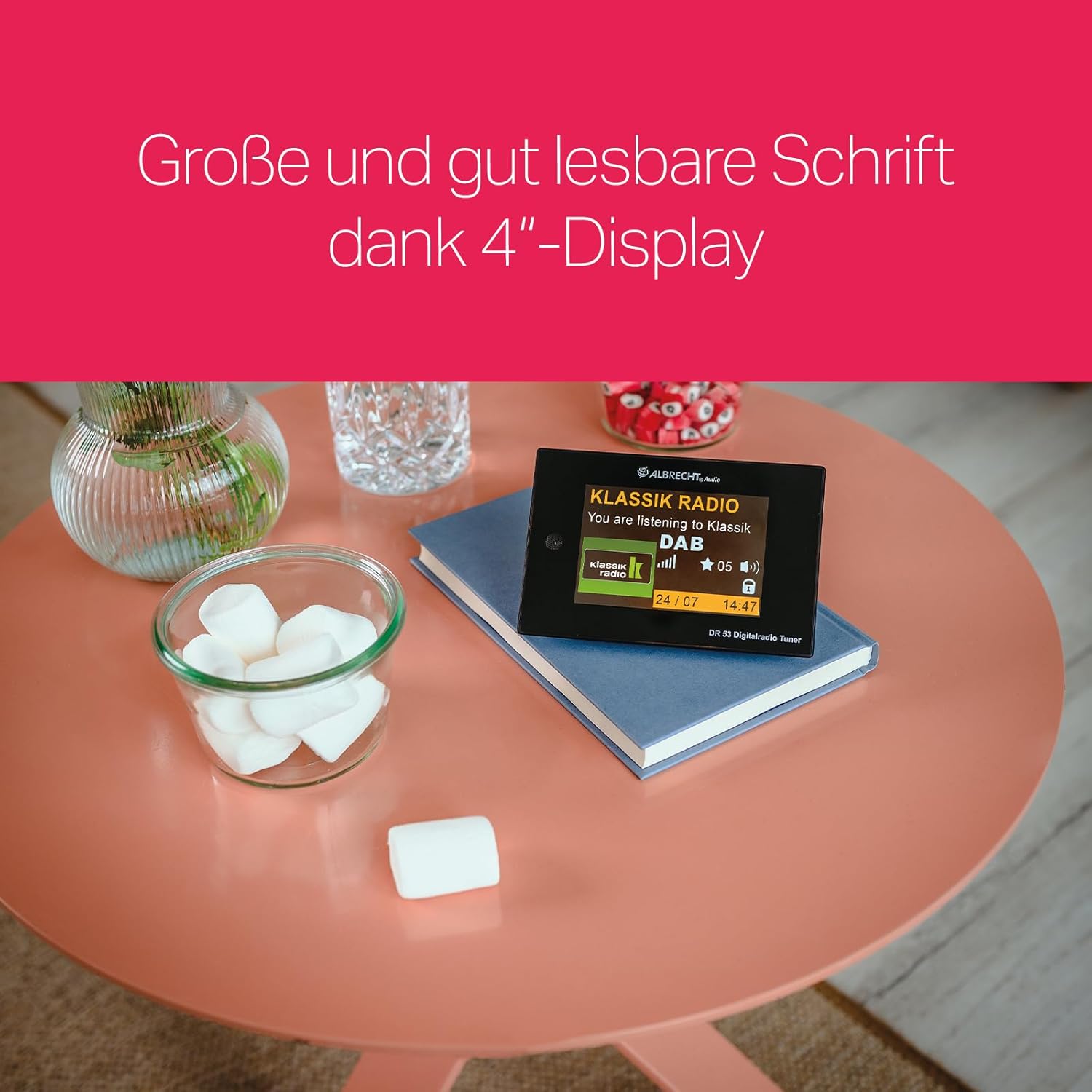
Image 4.6.1: The Albrecht DR53 Digital Radio Tuner positioned on a table, showcasing its 4-inch color display with large, easily readable text for station information and time.
4.7 Remote Control
The included remote control provides convenient access to all functions of the DR53 tuner. Insert the 2 AAA batteries into the remote control before first use.

Image 4.7.1: The Albrecht DR53 Digital Radio Tuner alongside its remote control, demonstrating the simplified operation for users.
5. Maintenance
To maintain the performance and appearance of your Albrecht DR53 tuner:
- Wipe the unit with a soft, dry cloth.
- Do not use abrasive cleaners or solvents.
- Ensure ventilation slots are not blocked to prevent overheating.
- Keep the device away from direct sunlight, heat sources, and moisture.
6. Troubleshooting
| Problem | Possible Cause | Solution |
|---|---|---|
| No power | Power adapter not connected or faulty. | Check power adapter connection to the unit and wall outlet. Ensure the outlet is functional. |
| No DAB/FM reception | Antenna not connected or poor signal. | Ensure the antenna is securely connected. Adjust antenna position. Consider an external antenna for better signal. |
| Bluetooth pairing fails | Device not in pairing mode, or too far away. | Ensure the DR53 is in Bluetooth pairing mode. Move your smartphone/tablet closer to the tuner. Try restarting both devices. |
| No sound output | Audio cables not connected correctly, or volume too low. | Check RCA cable connections to both the DR53 and your audio system. Increase volume on both the DR53 and your audio system. |
7. Specifications
- Model: DR53 (27251)
- Brand: Albrecht
- Color: Black
- Tuning Technology: DAB+
- Supported Radio Bands: FM, DAB+
- Connectivity Technology: Bluetooth
- Special Features: Integrated Clock, 4-inch Color Display, 60 Memory Slots, Remote Control, Equalizer, 2 Alarm Times, Snooze Function, Adjustable Viewing Angle
- Compatible Devices: Tablet, Smartphone (for Bluetooth streaming)
- Audio Output: RCA (for connection to stereo system)
- Antenna Connection: External antenna port (e.g., for home antenna)
- Power Source: Power Adapter (DC IN)
- Dimensions (L x W x H): 13.5 cm x 4.3 cm x 9 cm (approximately 5.3 x 1.7 x 3.5 inches)
- Weight: 180 g (approximately 0.4 lbs)
- Batteries Required: 2 x AAA (for remote control)
8. Warranty and Support
The Albrecht DR53 Digital Radio Tuner comes with a 12-month warranty.
For further assistance, detailed operating instructions, or customer service, please refer to the official Albrecht support channels. Albrecht, with over 40 years of experience, is committed to providing qualified customer service.


