Product Overview
The PowerSmart 2500-Watt Portable Gas Inverter Generator (Model PS5025) is designed for versatile power needs, offering a compact and lightweight solution. It features super quiet operation, high fuel efficiency, and clean power output suitable for sensitive electronics. This generator is parallel-capable, allowing for increased power output when connected with another compatible unit.

Figure 1: PowerSmart 2500-Watt Portable Gas Inverter Generator (Model PS5025).
Setup
Before operating your generator, ensure proper setup to guarantee safe and efficient performance.
1. Add Engine Oil
The generator is not shipped with engine oil. It requires 16.9 ounces (0.5 liters) of 10W-30 4-cycle oil for normal temperatures. For temperatures below 25°F, use 5W-30. For temperatures over 80°F, use 30-weight oil. A funnel is typically included for easy filling.

Figure 2: Location for adding engine oil. Ensure the oil level is correct using the dipstick.
2. Add Fuel
Use regular unleaded gasoline with an octane rating of 87 or higher. The fuel tank capacity is 1.05 gallons. Ensure the gas cap vent is open before starting the generator.
Figure 3: Fuel cap location on the top of the generator.
3. Initial Start-up
To start the generator, turn the fuel valve to the ON position. Pull the choke lever out. Give the recoil starter a firm pull. Once the engine starts, slowly push the choke lever back in.

Figure 4: Choke lever for starting the generator.
Video 1: Official PowerSmart video demonstrating the setup and initial start-up process for the 2500W Portable Inverter Generator. This video shows how to add oil and fuel, and the steps to start the generator.
Operating Instructions
The PowerSmart PS5025 offers versatile power output and features for various applications.
1. Control Panel Overview
The control panel provides access to all power outlets and operational indicators.
- AC 120V Outlets: Two 15.8amp household outlets (NEMA 5-20R) for standard appliances.
- DC 12V Outlet: One 12V DC outlet for automotive accessories.
- Dual USB Ports: Two 5V USB ports (1A and 2.1A) for charging smartphones, tablets, and other gadgets.
- Indicators: Run (Green), Overload (Red), Oil (Yellow), CO Lamp (On/Off).
- Reset Button: For DC circuit breaker reset.
- Two-in-one Switch: Combines engine stop and fuel switch.

Figure 5: Detailed view of the generator's control panel, showing all outlets and indicators.
2. ECO-Mode Operation
The generator is equipped with ECO-mode technology, which allows it to operate at a lower engine speed when the electrical load is light. This reduces noise levels (as low as 56 dBA at 23 feet) and improves fuel efficiency. For higher power demands (above approximately 1200 watts), it is recommended to turn off ECO-mode to allow the engine to run at full speed.

Figure 6: ECO-mode switch on the control panel.
3. Parallel Capability
This generator is parallel-capable, meaning you can connect two 2500-watt PowerSmart inverter generators together to double the power output (equivalent to a 30amp, 4000W generator). This feature is ideal for RVs or situations requiring higher power.
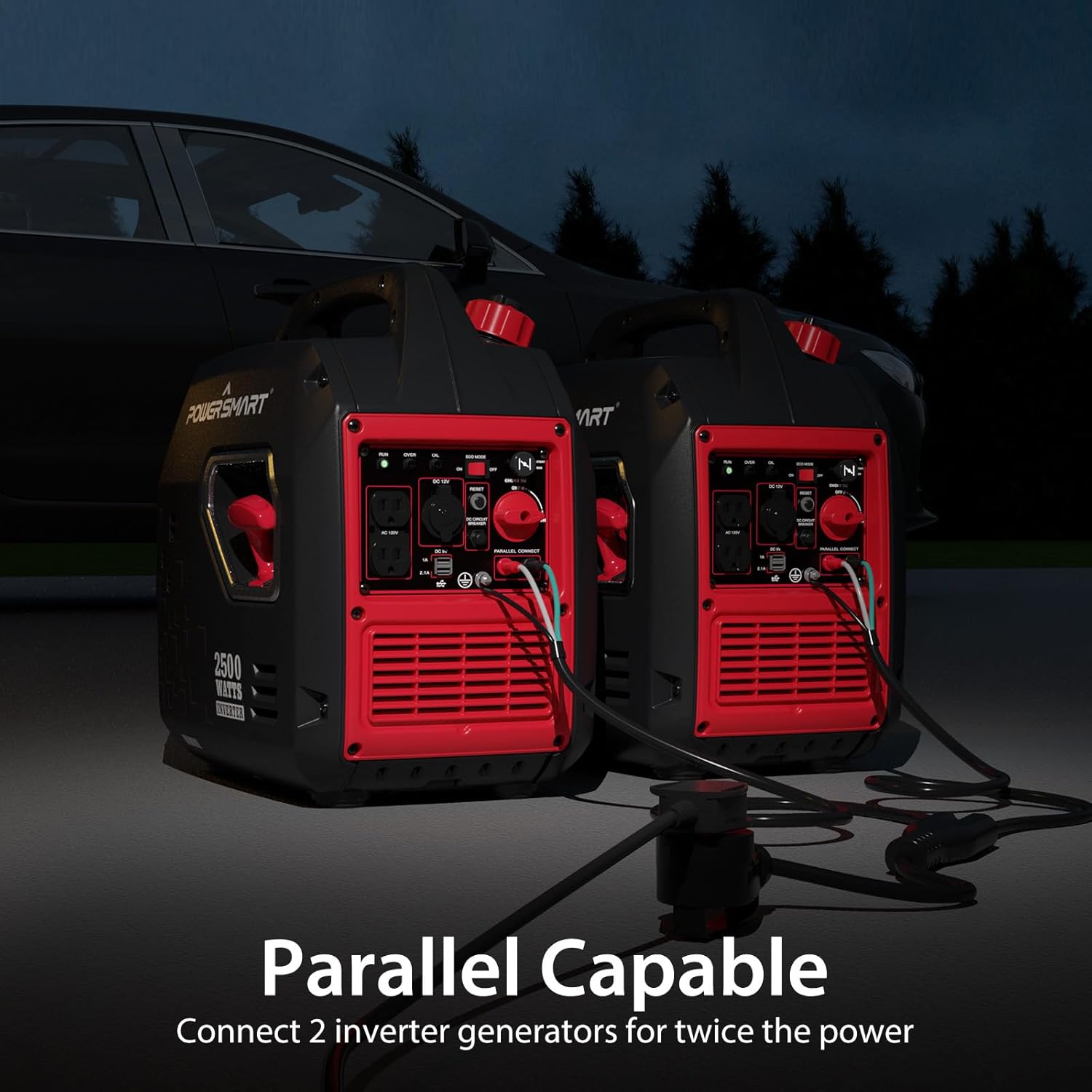
Figure 7: Two PowerSmart generators connected for parallel operation, doubling the available power.
Maintenance
Regular maintenance ensures the longevity and optimal performance of your generator.
1. Oil Change Schedule
Change the engine oil after the first 10 hours of use. Subsequently, change the oil every 6 months or 100 hours of use, whichever comes first. Use the recommended 10W-30 4-cycle oil.
2. Spark Plug Replacement
The spark plug should be replaced every year or 300 hours of use. The manual specifies a gap of 0.6-0.8mm (0.024-0.031 inches) and a tightening torque of 10-20Nm. A spark plug wrench is typically included.
3. Air Filter Cleaning
Clean the washable air filter every 3 months or 50 hours of use. Wash it in liquid detergent, rinse thoroughly, wring out in a towel to dry, pour engine oil over the filter, work the oil through, squeeze in a paper towel to remove excess oil, and then reinstall.
4. Storage
For long-term storage, it is recommended to drain the gasoline from the tank and carburetor, and drain the engine oil. Run the engine until it runs out of fuel to ensure the carburetor is empty. Store the generator in a dry, protected area.
Troubleshooting
This section addresses common issues you might encounter with your generator.
| Problem | Possible Cause | Solution |
|---|---|---|
| Generator does not start | No fuel, low oil, choke not set correctly, old fuel. | Add fresh fuel, check oil level and add if low, adjust choke, drain old fuel and refill. |
| Excessive smoke | Overfilled oil, incorrect oil type, worn engine components. | Check oil level and drain excess, ensure correct oil is used, consult technical support for persistent issues. |
| Losing power or whistling sound | Clogged spark arrestor, overloaded. | Clean spark arrestor, reduce electrical load. |
| No power output | Overload protection activated, low oil shutdown. | Reduce load and press reset button, check oil level and add if low. |
Specifications
- Brand: PowerSmart
- Model Name: PS5025
- Starting Wattage: 2500 Watts
- Running Wattage: 1900 Watts
- Fuel Type: Gas Powered
- Engine Type: 4 Stroke
- Engine Displacement: 79 Cubic Centimeters
- Tank Volume: 1.05 Gallons
- Runtime: Up to 10 hours (at 25% load)
- Voltage: 120 Volts (AC)
- Frequency: 50 Hz
- Total Power Outlets: 2 (AC 120V) + 1 (DC 12V) + 2 (USB 5V)
- Special Features: Overload Protection, Low Oil Shutdown, ECO-mode, Parallel-Capable
- Item Weight: 39 Pounds
- Product Dimensions: 19.1"L x 13.4"W x 20.1"H
- Material: Plastic
- Manufacturer: Amerisun Inc.
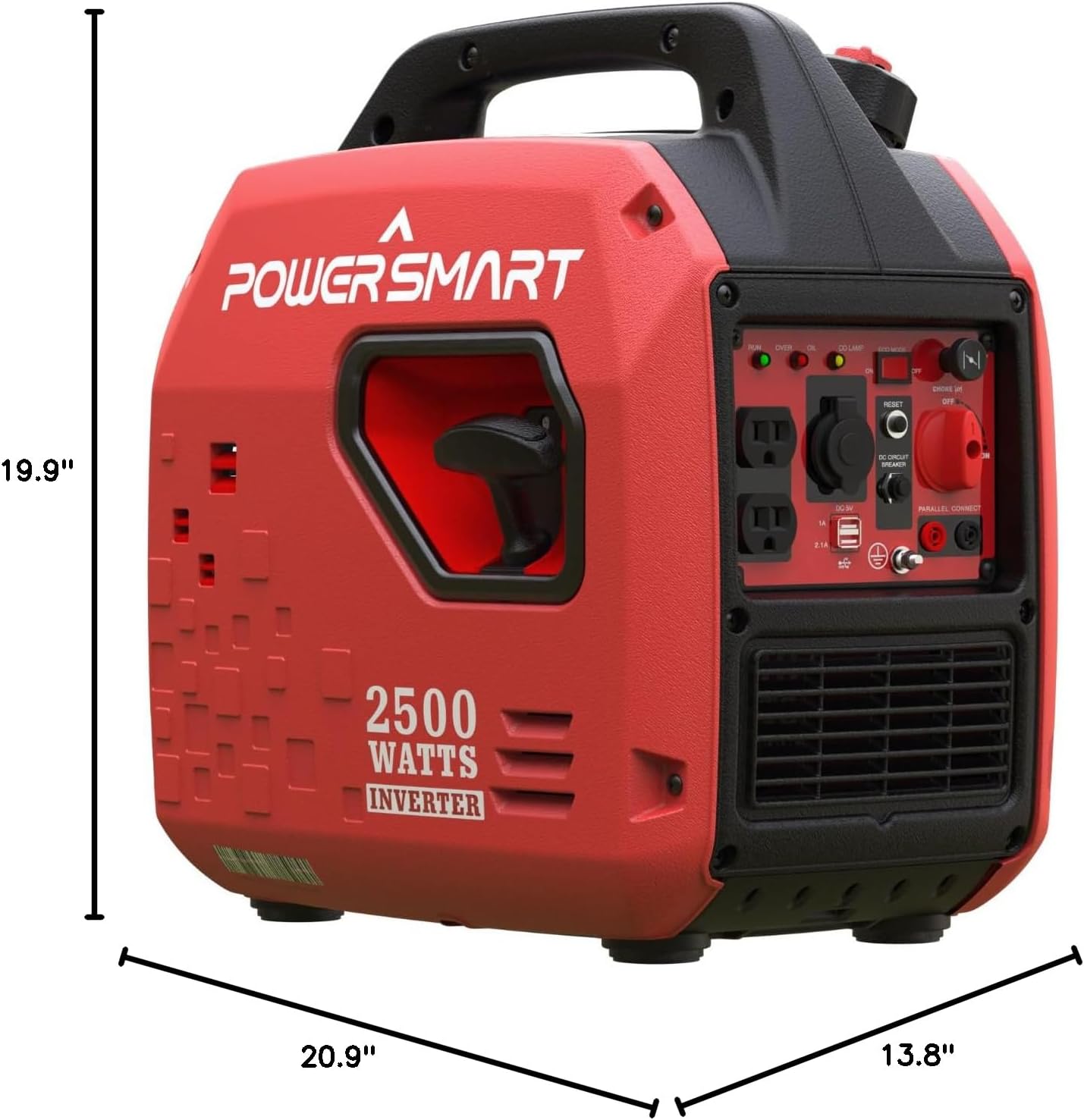
Figure 8: Dimensions of the PowerSmart 2500-Watt Portable Gas Inverter Generator.
Warranty and Support
Your PowerSmart 2500-Watt Portable Gas Inverter Generator is protected by a 3-year limited warranty. PowerSmart also provides FREE lifetime technical support, parts coverage, and 24-hour online service. For any issues or support, please contact PowerSmart directly.


