
1. Introduction
Thank you for choosing the Maclean MC-871 Universal TV Wall Mount. This manual provides detailed instructions for the safe and proper installation, operation, and maintenance of your new wall mount. Please read this guide thoroughly before installation and keep it for future reference.
The MC-871 is designed for flat and curved screens, including QLED, OLED, LED, LCD, and Plasma TVs, ranging from 37 to 80 inches. It supports a maximum weight of 50 kg and features a unique 360-degree rotation capability, allowing for both horizontal and vertical screen orientation. An integrated pull-cord mechanism ensures easy removal of the TV from the wall plate.
2. Important Safety Instructions
WARNING: Failure to read and follow these instructions may result in serious personal injury, property damage, or voiding your warranty. If you have any questions, please contact customer support.
- Ensure the mounting surface can safely support the combined weight of the mount and the TV.
- Do not exceed the maximum load capacity of 50 kg (110 lbs).
- Verify your TV's VESA pattern is compatible with the mount (200x200 to 600x400 mm).
- Always use a stud finder to locate wall studs for secure mounting. If mounting to concrete or brick, use appropriate anchors (not always included).
- Professional installation is recommended for optimal safety and performance.
- Keep children and pets away during installation.
- Do not overtighten screws; this may cause damage.
3. Package Contents
Please check that all components are present and undamaged before installation. If any parts are missing or defective, do not proceed with installation and contact customer service.
- Maclean MC-871 TV Wall Mount (main assembly)
- Mounting hardware kit (screws, washers, spacers, anchors)
- Installation instructions
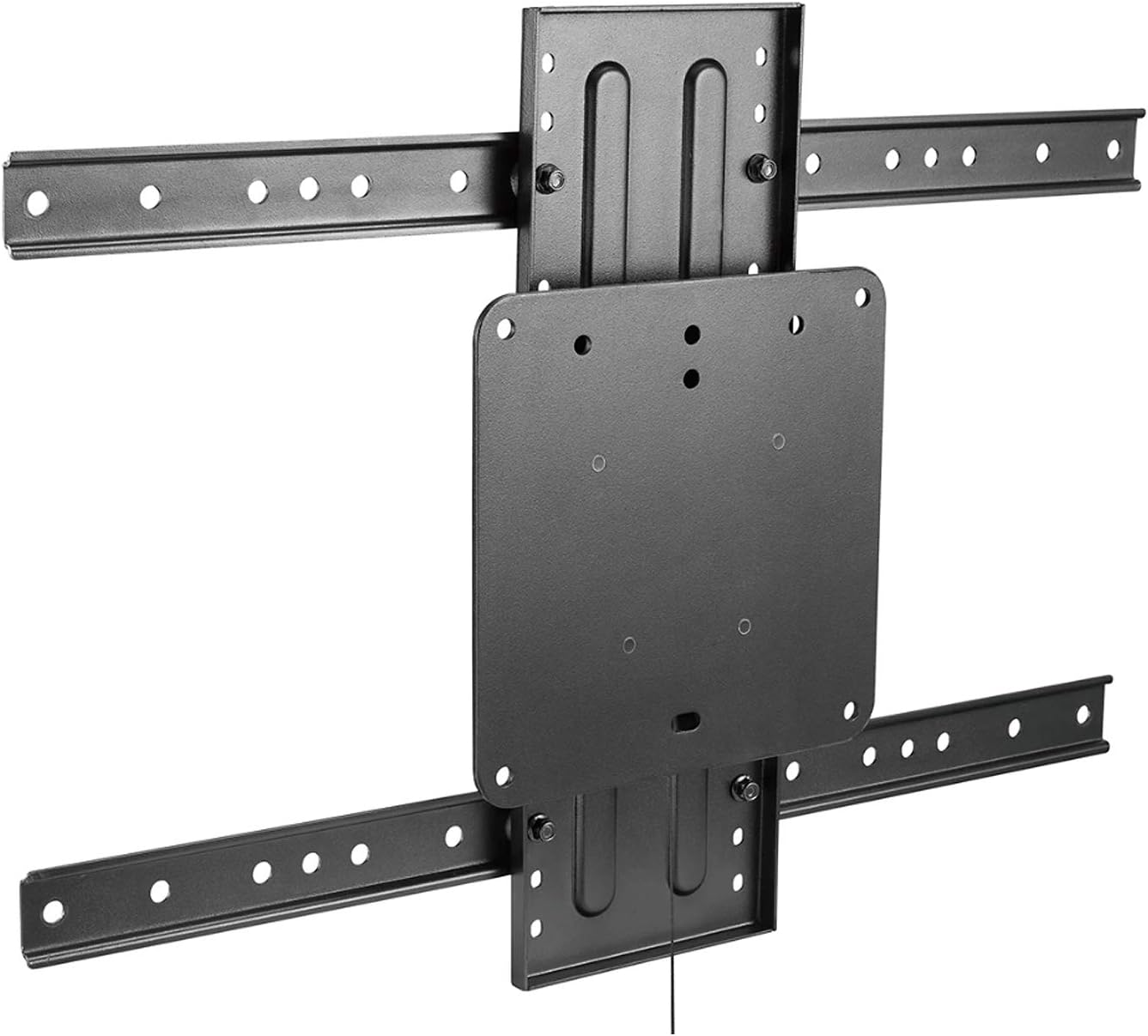
Image 1: Overview of the Maclean MC-871 TV Wall Mount components, including the wall plate and TV brackets.
4. Product Specifications
| Feature | Specification |
|---|---|
| Model Number | MC-871 |
| Recommended Screen Size | 37 - 80 inches |
| Max Load Capacity | 50 kg (110 lbs) |
| VESA Compatibility | 200x200, 300x200, 300x300, 350x350, 400x200, 400x300, 400x400, 400x600, 600x400 mm |
| Wall Distance | 45 mm |
| Rotation | 360 degrees |
| Material | Metal |
| Color | Black |

Image 2: Technical drawing showing dimensions and VESA mounting patterns for the MC-871 wall mount.
5. Setup and Installation
5.1 Before You Begin
Gather the necessary tools (not included): pencil, drill, level, stud finder, screwdriver, measuring tape. Ensure you have all parts from the package contents list.
5.2 Step-by-Step Installation
- Step 1: Mount the Wall Plate
- Locate and mark the desired mounting position on the wall. Use a stud finder to ensure you are drilling into solid wood studs.
- Place the wall plate against the wall, use a level to ensure it is straight, and mark the drill holes.
- Drill pilot holes at the marked locations.
- Secure the wall plate to the wall using the provided screws and washers.
- Step 2: Attach TV Brackets
- Carefully place your TV face down on a soft, clean surface.
- Identify the VESA mounting holes on the back of your TV.
- Attach the two vertical TV brackets to the back of your TV using the appropriate screws, washers, and spacers from the hardware kit. Ensure the brackets are centered and securely fastened.
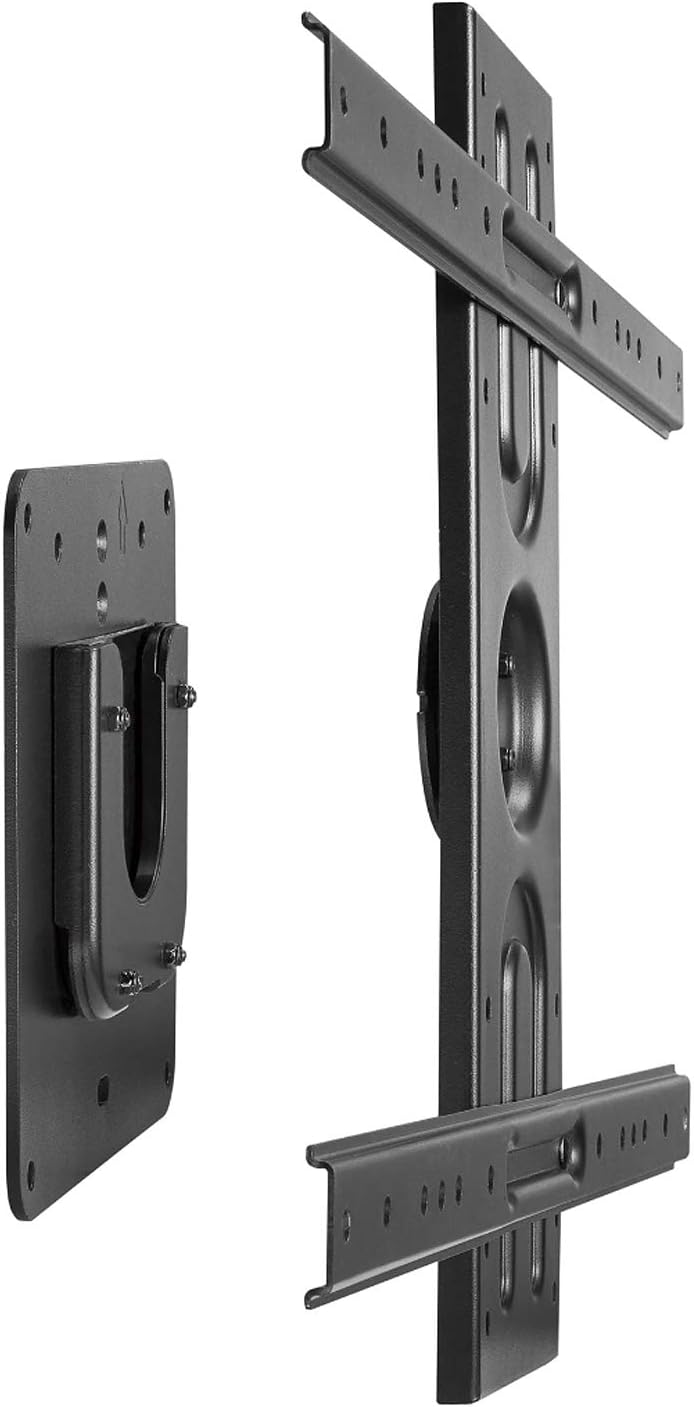
Image 3: Illustration of the wall plate and the TV brackets, ready for assembly.
- Step 3: Hang TV on Wall Plate
- With assistance, carefully lift the TV and hook the attached TV brackets onto the wall plate.
- Ensure the TV is securely seated on the wall plate. The integrated pull-cord mechanism should be accessible at the bottom.

Image 4: The TV mounted on the wall plate, with the pull cord visible for easy release.
- Step 4: Adjust Rotation
- The mount allows for 360-degree rotation. Gently rotate the TV to achieve your desired horizontal or vertical orientation.
- Ensure all cables are routed safely and do not impede rotation.
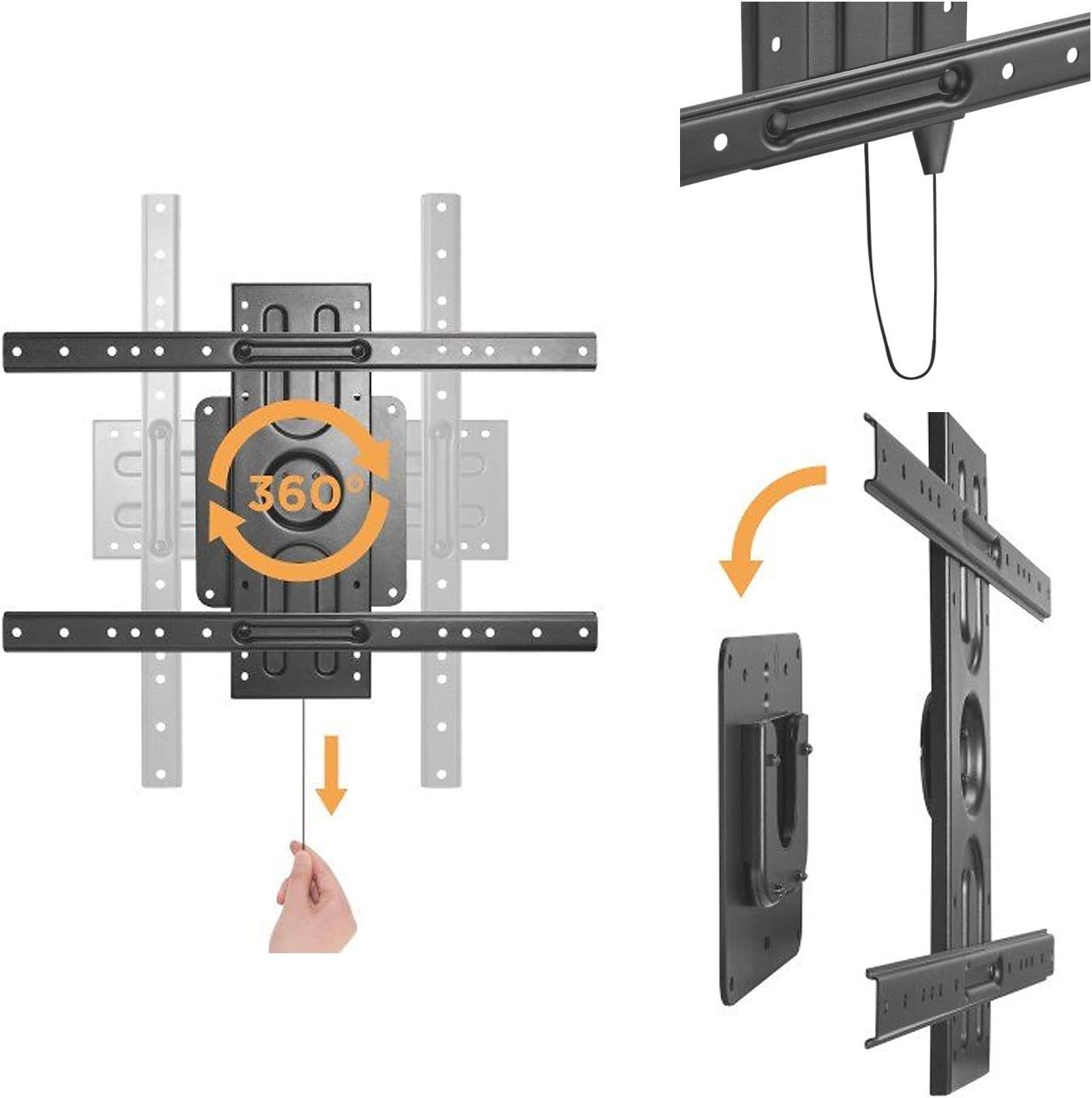
Image 5: Diagram showing the 360-degree rotation capability and the pull-cord release function.
6. Operating Instructions
6.1 Adjusting Screen Orientation
The Maclean MC-871 allows for continuous 360-degree rotation of your television. To change the screen orientation from horizontal (landscape) to vertical (portrait) or vice versa, simply grasp the sides of your TV and gently rotate it to the desired position. Ensure no cables are snagged during rotation.

Image 6: Example of a TV mounted in vertical (portrait) orientation, ideal for digital signage or specific content display.

Image 7: Example of a TV mounted in standard horizontal (landscape) orientation, suitable for general viewing.
6.2 Releasing the TV from the Wall
To remove the TV from the wall mount, locate the pull cord extending from the bottom of the mount. Gently pull the cord downwards to disengage the locking mechanism, then carefully lift the TV off the wall plate. Always have assistance when removing the TV to prevent accidents.
7. Care and Maintenance
- Cleaning: Wipe the mount with a soft, dry cloth. Avoid abrasive cleaners or solvents that could damage the finish.
- Periodic Checks: Periodically check all screws and connections to ensure they remain tight and secure. Retighten if necessary.
- Lubrication: The rotation mechanism is designed for smooth operation and generally does not require lubrication. If movement becomes stiff, contact customer support.
8. Troubleshooting
| Problem | Possible Cause | Solution |
|---|---|---|
| TV is not level after installation. | Wall plate not installed level. | Remove TV, adjust wall plate using a level, and re-mount. |
| Difficulty rotating the TV. | Cables are snagged or mount is overtightened. | Check cable routing. Ensure mounting screws are tight but not overtightened. |
| TV feels unstable on the mount. | Mounting screws are loose or incorrect VESA used. | Ensure all screws are securely tightened. Verify VESA compatibility and proper bracket attachment. |
9. Warranty and Support
Maclean products are manufactured with high-quality materials and craftsmanship. This product is covered by a manufacturer's warranty against defects in materials and workmanship. Please refer to your purchase documentation for specific warranty terms and conditions.
For technical support, missing parts, or warranty claims, please contact your retailer or visit the official Maclean website for customer service contact information. Please have your model number (MC-871) and proof of purchase ready when contacting support.