
1. Product Overview
The Earthtec HBW1255 garage door opener remote provides convenient access to your garage. This remote is designed for specific garage door opener systems and offers reliable performance when properly programmed.
1.1 Included Components
Each package contains the following items:
- Two (2) Garage Door Opener Remotes
- Two (2) Lithium Batteries (pre-installed or separate)
- Two (2) Visor Clips
- One (1) Programming Instructions Guide

Figure 1: Included components with the Earthtec HBW1255 remote package.
2. Compatibility
This remote is compatible with specific garage door opener systems. Please verify your existing garage door opener's learn button color and model number before proceeding with programming.
- Important: This remote does not work with remotes that use dip switches.
- This remote works only for garage door openers with a RED or ORANGE LEARN BUTTON.
- Compatible with Sears Craftsman and Liftmaster garage door openers manufactured from June 1997 to August 2005.
- Compatible Sears Craftsman Models: 139.53680, 139.53681, 139.53684, 00953680000, 00953681000.
- Compatible Liftmaster Models: 971LM, 973LM, 91LM, 92LM, 94LM, 96LM, 970LM, 972LM, 973W, 974LM.
- Compatible Chamberlain Models: 950CB, 953CB, 956CB etc.
- Operating Frequency: 390MHz.

Figure 2: Visual guide for identifying compatible Red or Orange Learn Buttons on your garage door opener.
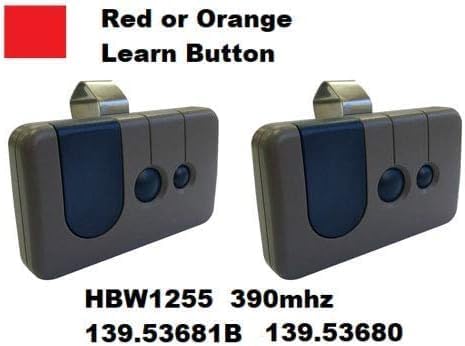
Figure 3: Remote compatibility with specific learn button colors and model numbers.
3. Setup and Programming
Follow these steps to program your Earthtec HBW1255 remote to your garage door opener. Ensure your garage door is fully closed before beginning the programming process.
- Locate the Smart/Learn Button: On your garage door opener motor unit, locate the Smart/Learn button. This button is typically found on the back or side panel of the motor unit.
- Activate Learn Mode: Press and immediately release the Smart/Learn button. The Learn LED light on the motor unit will glow steadily for 30 seconds, indicating it is in programming mode.
- Program the Remote: Within 30 seconds of activating learn mode, press and hold the desired button on your Earthtec remote control.
- Confirm Programming: Release the button on the remote when the garage door opener lights blink or two clicks are heard. This indicates successful programming. If programming additional products, press the remote button a second time to activate the product.

Figure 4: Step-by-step visual guide for programming the remote.
4. Operation
Once programmed, operating your garage door opener with the Earthtec remote is straightforward:
- Press the programmed button on the remote control to open or close your garage door.
- For optimal performance, ensure you are within a reasonable range of your garage door opener.
- A slight delay may occur between pressing the button and the door's movement. Hold the button for a second or two if the door does not respond immediately.
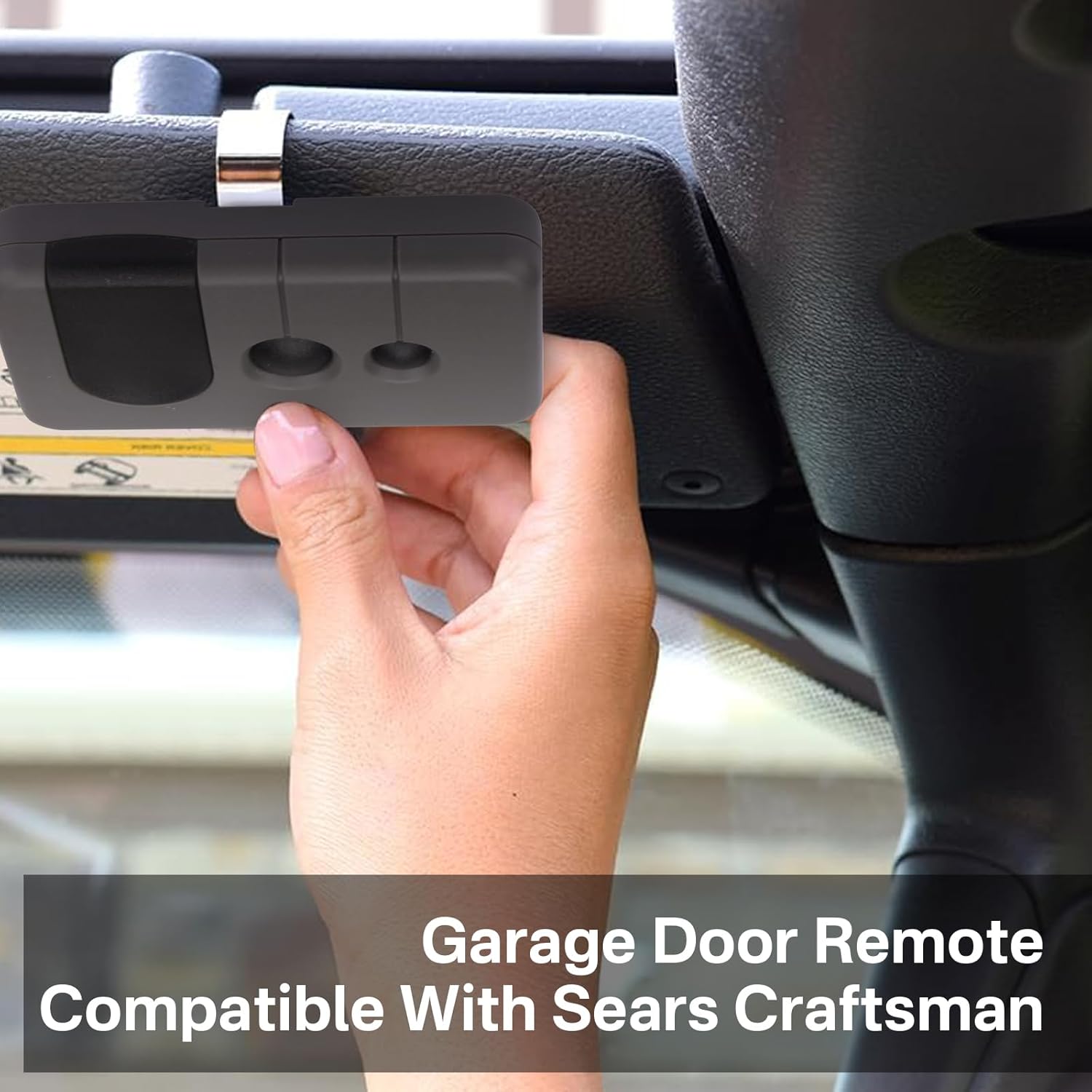
Figure 5: Remote clipped to a car visor for convenient operation.
5. Maintenance
5.1 Battery Replacement
The remote control uses a lithium battery (CR2032). If the remote's range decreases or it stops responding, the battery may need replacement.
- Carefully open the remote casing.
- Remove the old CR2032 battery.
- Insert a new CR2032 lithium battery, ensuring correct polarity (+/-).
- Close the remote casing securely.
6. Troubleshooting
| Problem | Possible Cause | Solution |
|---|---|---|
| Remote does not work after programming. | Incorrect learn button color on opener (not Red or Orange). Opener uses dip switches. Programming steps not followed correctly. Garage door not fully closed during programming. | Verify your garage door opener has a RED or ORANGE LEARN BUTTON. This remote is not compatible with other colors or dip switch systems. Repeat programming steps carefully, ensuring the garage door is closed. |
| Remote range is poor or inconsistent. | Low battery. Interference from other devices. Obstructions between remote and opener. | Replace the CR2032 battery. Ensure no large metal objects or electronic devices are blocking the signal path. Try operating closer to the garage door opener. |
| Garage door does not respond immediately. | Normal operational delay. | Hold the remote button down for 1-2 seconds to ensure the signal is received. |
7. Specifications
| Feature | Detail |
|---|---|
| Brand | Earthtec |
| Model Number | HBW1255 |
| Operating Frequency | 390MHz |
| Material | Plastic |
| Color | Gray |
| Item Weight | 0.09 Kilograms |
| Battery Type | CR2032 Lithium (included) |
8. Warranty Information
Specific warranty details are not provided in the product information. For information regarding product warranty, please refer to the seller's return policy or contact customer support.
The product is subject to a standard 30-day return policy for refund or replacement, as per the seller's terms.
9. Customer Support
If you encounter any issues or have questions regarding your Earthtec HBW1255 garage door opener remote, please contact the seller or manufacturer for assistance.
Refer to your purchase documentation for specific contact details.