
Introduction
Thank you for choosing the iProtec Duo Headlamp. This versatile headlamp is designed for various outdoor activities, providing powerful and adaptable lighting. It features multiple light modes, dimming capabilities, and a durable, water-resistant design. Please read this manual thoroughly to ensure proper use and maintenance of your headlamp.
Safety Information
- Do not look directly into the LED light when it is on, as it can cause temporary vision impairment.
- Keep out of reach of children.
- Ensure batteries are inserted with correct polarity to prevent damage.
- Remove batteries if the headlamp will not be used for an extended period.
- Dispose of batteries responsibly according to local regulations.
Package Contents
- 1 x iProtec Pro Duo Headlamp
- 3 x AAA Batteries
Product Features
- High-power LED spot light with 250 lumens output.
- Seven distinct light modes: Spot (High/Low), COB (High/Low), Red LED (High/Low/Beacon).
- Full dimming capabilities for customized brightness.
- Adjustable elastic head strap for comfortable and secure fit.
- 90-degree vertical tilt for directing light precisely.
- Impact and water-resistant design for durability in various environments.
- Compact, easy to handle, and lightweight design.
Setup
Battery Installation
- Locate the battery compartment on the rear of the headlamp unit.
- Open the battery compartment cover.
- Insert three (3) AAA batteries, ensuring correct polarity (+/-) as indicated inside the compartment.
- Close the battery compartment cover securely.
Note: If the headlamp is in "demo mode" (turns off after a few seconds), remove and reinsert the batteries to exit demo mode.
Adjusting the Head Strap
The elastic head strap is adjustable to fit various head sizes. Pull the strap through the buckles to tighten or loosen for a comfortable and secure fit.
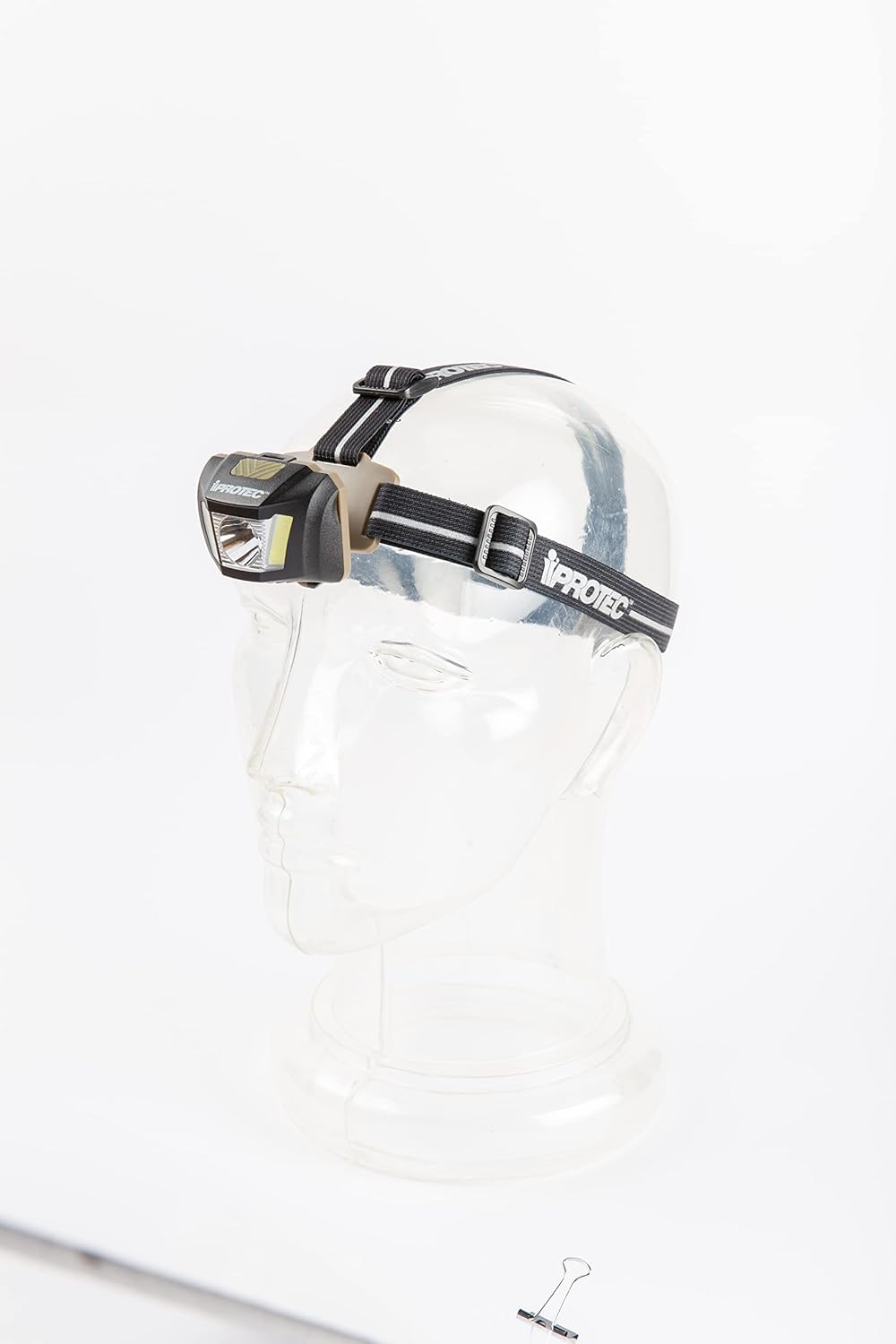
Figure 1: iProtec Duo Headlamp with adjustable strap.
Operating Instructions
Power On/Off and Mode Selection
The headlamp features a single button for power and mode cycling.
- To Turn On: Press the power button once. The headlamp will turn on in the last used mode (memory setting).
- To Cycle Modes: While the headlamp is on, press the power button repeatedly to cycle through the 7 light modes: Spot High → Spot Low → COB High → COB Low → Red High → Red Low → Red Beacon.
- To Turn Off: Press and hold the power button for approximately 2 seconds.
Dimming Function
The headlamp supports full dimming for Spot, COB, and Red lights.
- While in any Spot, COB, or Red light mode, press and hold the power button (do not hold for 2 seconds to turn off).
- The light will gradually dim or brighten. Release the button when the desired brightness level is reached.
Adjusting Light Angle
The headlamp unit can be tilted up to 90 degrees vertically. Gently push or pull the light unit to adjust its angle and direct the beam where needed.

Figure 2: Headlamp with white light activated, demonstrating adjustable tilt.

Figure 3: Headlamp with red light activated, useful for maintaining night vision.
Light Modes and Performance
| Light Mode | Lumens | Runtime | Distance |
|---|---|---|---|
| Spot High | 250 | 3.5 hrs | 122 meters |
| Spot Low | 30 | 20 hrs | 39 meters |
| COB High | 80 | 7 hrs | 13 meters |
| COB Low | 8 | 30 hrs | 4 meters |
| Red High | 10 | 8 hrs | 4 meters |
| Red Low | 18 | 25.5 hrs | 2 meters |
| Red Beacon | 10 | 48 hrs | 4 meters |
Maintenance
- Cleaning: Wipe the headlamp with a soft, damp cloth. Do not use abrasive cleaners or solvents.
- Storage: Store the headlamp in a cool, dry place when not in use. Remove batteries if storing for extended periods to prevent leakage.
- Battery Replacement: Replace all three AAA batteries simultaneously with new ones when the light output diminishes.
Troubleshooting
Headlamp Turns Off After a Few Seconds (Demo Mode)
If your headlamp turns off shortly after being activated, it may be in "demo mode."
- Open the battery compartment.
- Remove all three AAA batteries.
- Reinsert the batteries, ensuring correct polarity.
- Close the battery compartment. The headlamp should now operate normally.
Light Output is Weak or Flickering
- Check battery charge: Replace with fresh AAA batteries.
- Check battery polarity: Ensure batteries are inserted correctly.
- Clean battery contacts: If contacts appear dirty, gently clean them with a cotton swab and rubbing alcohol (ensure dry before reinserting batteries).
Specifications
| Feature | Detail |
|---|---|
| Model Name | iProtec Pro Duo Headlamp |
| Light Source Type | LED |
| White Brightness | 250 Lumens (Spot High) |
| Light Path Distance | 122 Meters (Spot High) |
| Power Source | Battery Powered (3 x AAA Alkaline) |
| Runtime (Spot High) | 3.5 hours |
| Water Resistance Level | Water Resistant |
| Material | Blend |
| Color | Black |
| Dimensions (L x W) | 2.25 in x 1.75 in |
| Weight | 0.2 Lbs |
| UPC | 645397931287 |
Warranty and Support
The iProtec Duo Headlamp comes with a 1-year warranty from the date of purchase. This warranty covers manufacturing defects under normal use. For warranty claims or technical support, please contact iProtec customer service through their official website or the retailer where the product was purchased. Please retain your proof of purchase.
For more information, visit the official iProtec website: www.iprotec.com

