

1. Introduction
The Cable Matters USB 3.1 to 4-Port Gigabit Ethernet Switch is a networking accessory designed to provide wired network access to devices lacking an Ethernet port, such as laptops or gaming consoles. It combines the functionality of a USB Ethernet adapter with a 4-port Gigabit Ethernet switch, allowing multiple devices to share a single wired network connection.
2. Setup
- Connect to Host Device: Plug the USB-A connector of the switch into an available USB 3.0 (or higher) port on your host device (e.g., laptop, Nintendo Switch). The device is bus-powered, meaning it draws power directly from the USB connection.
- Connect to Network: Connect an Ethernet cable from your router, modem, or wall jack to one of the RJ45 ports on the switch. This port will serve as the uplink for network access.
- Connect Client Devices: Connect up to three additional devices (e.g., computers, smart TVs, gaming consoles) to the remaining RJ45 ports on the switch using Ethernet cables.
- Driver Installation (if necessary): In most modern operating systems (Windows, macOS, Linux), drivers will install automatically. If prompted, follow on-screen instructions or visit the Cable Matters support website for driver downloads.

Image: Diagram illustrating the bus-powered operation of the switch. A laptop connects to the switch via USB, and the switch connects to an Ethernet source and three other PCs via Ethernet cables. A note indicates that if the USB host device is powered off or in sleep mode, other devices will lose network connectivity.
3. Operating the Switch
Once connected, the switch operates automatically. It functions as both a USB Ethernet adapter for the host device and a 4-port Gigabit Ethernet switch for connected client devices.
- Network Sharing: The switch allows the host device and up to three other connected devices to share a single wired Gigabit Ethernet connection.
- Advanced Features: The USB to Ethernet adapter supports performance features such as Wake on LAN (WoL), Full Duplex Mode (FDX), auto-sensing, jumbo frames, and IPv6.
- MAC Address Pass-Through: Full support for MAC address pass-through is available with the EZ-Dock utility software.

Image: Two usage scenarios. Top: A conference room setup showing a laptop connected to the switch via USB, and the switch providing Ethernet to a printer, another laptop, and a computer, all sharing a single Ethernet wall connection. Bottom: A living room setup showing a Nintendo Switch connected to the switch via USB, and the switch providing Ethernet to a Roku, cable box, and smart TV, all sharing a single Ethernet wall connection.

Image: A laptop connected to the switch, with a speedometer graphic indicating "Gigabit Performance" at 1000 Mbps, demonstrating high-speed data transfer.
4. Maintenance
The Cable Matters USB 3.1 to 4-Port Gigabit Ethernet Switch requires minimal maintenance. Keep the device clean and free from dust. Ensure proper ventilation to prevent overheating.
- Cleaning: Use a soft, dry cloth to wipe the exterior of the device. Avoid liquid cleaners.
- Ventilation: The device features air vents for heat dissipation. Ensure these vents are not obstructed during operation.
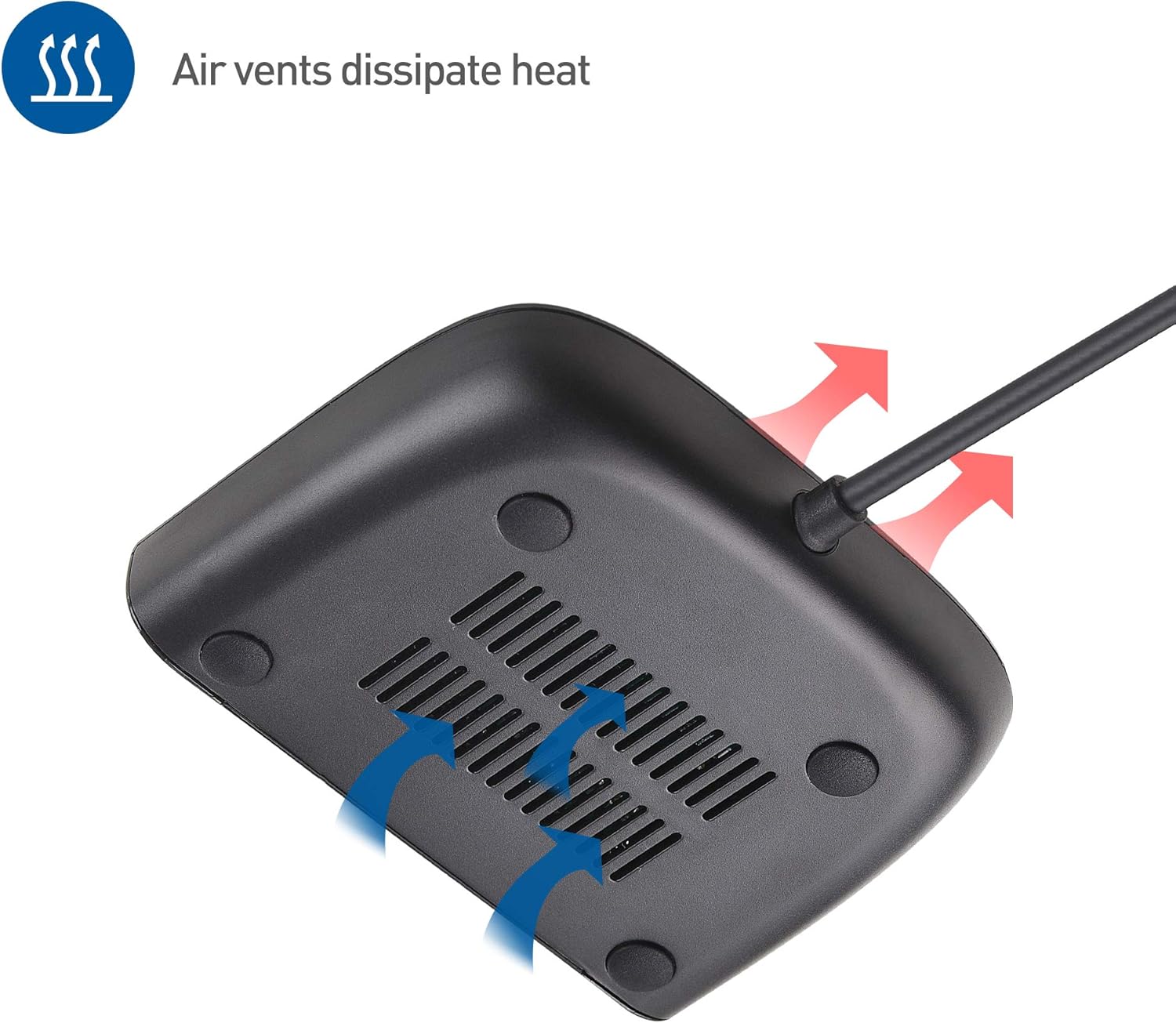
Image: Underside view of the switch, highlighting air vents with red and blue arrows indicating airflow for heat dissipation.
5. Troubleshooting
- No Network Connectivity:
- Ensure the USB cable is securely connected to a powered USB port on the host device.
- Verify that the host device is powered on and not in sleep mode, as the switch is bus-powered.
- Check all Ethernet cable connections between the switch, router, and client devices.
- Confirm that your router/modem is functioning correctly and providing internet access.
- Slow Network Speed:
- Ensure you are using Gigabit Ethernet cables (Cat5e or higher).
- Verify that your router/modem supports Gigabit Ethernet.
- Check for any network congestion or other devices consuming significant bandwidth.
- MAC Address Pass-Through Issues:
- Install or update the EZ-Dock utility software from the Cable Matters website.
6. Specifications
| Feature | Specification |
|---|---|
| Model Number | 202069-BLK |
| Number of Ports | 4 (RJ45) |
| Interface Type | USB 3.1 (Host), RJ45 (Ethernet) |
| Data Transfer Rate | 10/100/1000 Mbps (Gigabit Ethernet) |
| Power Source | USB Bus-Powered (5V DC) |
| Case Material | Plastic |
| Color | Black |
| Item Weight | 3.84 ounces (0.11 Kilograms) |
| Package Dimensions | 5.55 x 3.94 x 0.98 inches |
| Compatible Devices | Laptops, Game Consoles, Smart TVs, Printers, Streaming Devices |
Included Components:
- USB 3.1 to 4-Port Gigabit Ethernet Switch Adapter
- Quick-Start Guide
- Drawstring Carrying Pouch
- Adhesive Mounting Strip

Image: Diagram showing the dimensions of the switch (2.6 in. / 6.5 cm height, 3.6 in. / 9.1 cm width, 0.7 in. / 1.8 cm thickness) and the 20 in. / 51 cm USB cable length. Also pictured are the included drawstring pouch and adhesive mounting strips.
7. Warranty and Support
For warranty information, technical support, and additional resources, please visit the official Cable Matters website or contact their customer service department. Details regarding product registration and support contacts can typically be found on the manufacturer's website.