
Electro-Voice F.01U.366.319
Electro-Voice Evolve 30M Portable Powered Column Loudspeaker System User Manual
Model: F.01U.366.319
Introduction
The Electro-Voice EVOLVE 30M is a portable powered column loudspeaker system designed for superior audio performance and flexible functionality in a compact package. It features an eight-channel digital mixer, studio-quality onboard effects, and remote control capabilities via the Electro-Voice QuickSmart Mobile application. This system is ideal for solo musicians, small musical groups, and venues requiring an easy-to-use, highly portable, and lightweight sound solution with excellent connectivity, control, coverage, and output.
Setup
Setting up your EVOLVE 30M system is designed to be quick and straightforward, allowing for single-trip portability. Follow these steps for proper assembly and initial power-up.
1. Unpacking and Component Identification
Carefully remove all components from the packaging. The system includes a speaker array, a two-piece pole connector, an array and pole backpack carry case, and a powered subwoofer.

Figure 1: Exploded view of the EVOLVE 30M components, showing the subwoofer, two pole pieces, and the column array.
2. Assembly
- Place the subwoofer on a stable, flat surface.
- Insert the first pole connector into the top of the subwoofer. Ensure it is securely seated.
- Connect the second pole connector to the first.
- Attach the column array to the top of the assembled pole. The system is designed for a secure, interlocking fit.

Figure 2: Fully assembled EVOLVE 30M system, ready for operation.
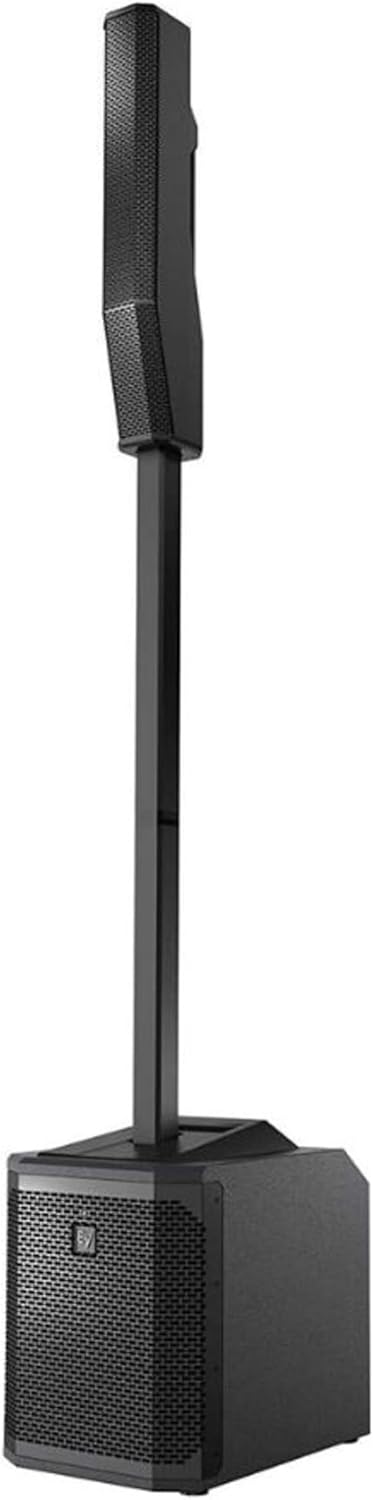
Figure 3: Side view of the assembled EVOLVE 30M, highlighting its compact design.
3. Power Connection
Connect the IEC power cable to the power inlet on the rear panel of the subwoofer. Plug the other end into a suitable AC power outlet. The system operates on corded electric power.
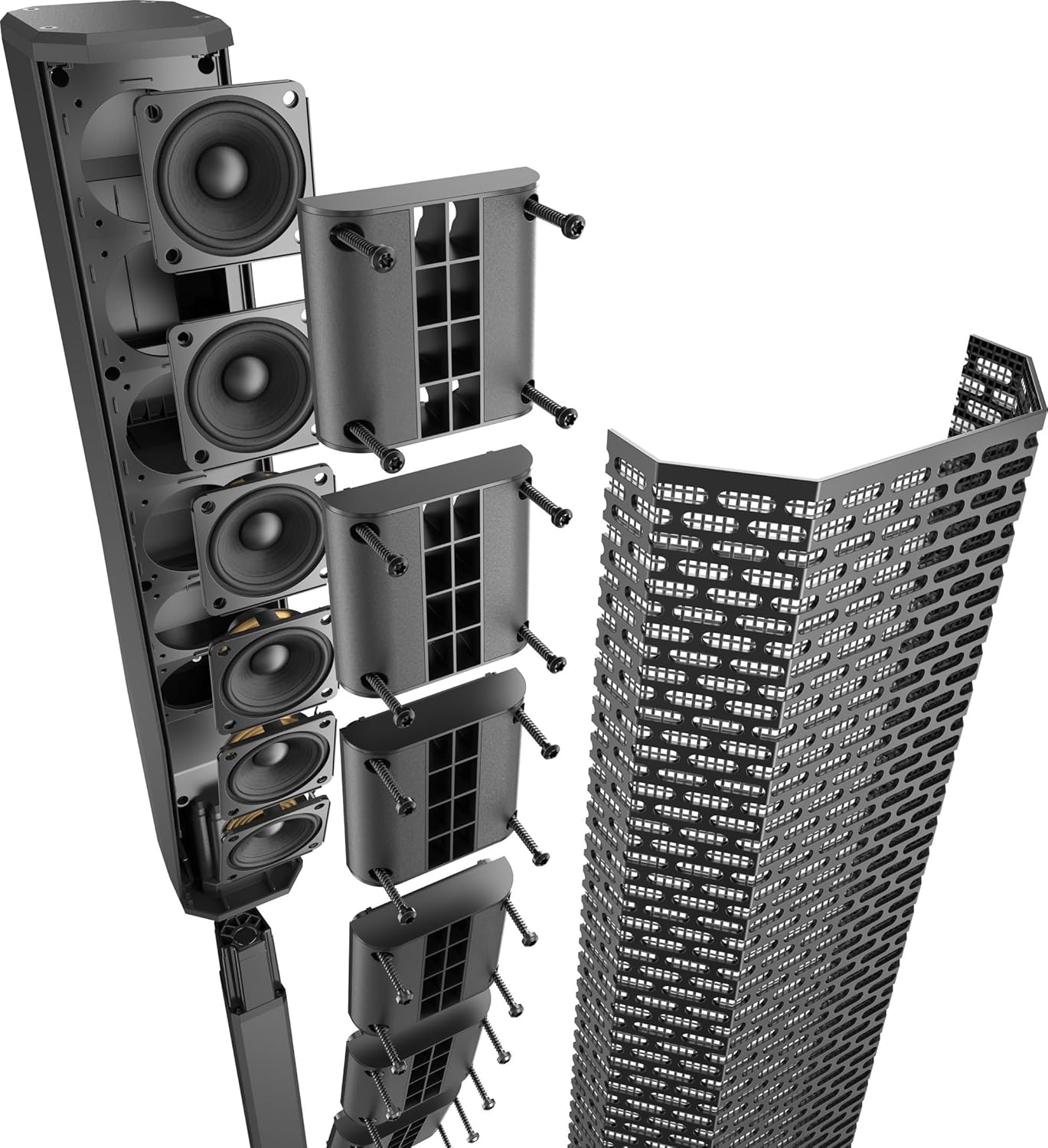
Figure 4: Rear panel of the EVOLVE 30M subwoofer, displaying various input/output ports and the power connection.
Operating Instructions
The EVOLVE 30M features an intuitive control panel and can also be managed remotely via the QuickSmart Mobile application.
1. Powering On and Initial Setup
- Ensure all connections are secure.
- Flip the power switch on the rear panel to the "ON" position. The QuickSmart DSP display will illuminate.
- Use the master volume knob to set an initial low volume level.
2. Input Connections
The system offers a variety of input options:
- XLR Inputs: For microphones and line-level devices.
- 1/4" TRS Inputs: For instruments and line-level devices.
- RCA Inputs: For consumer audio devices.
- 3.5 mm Input: For portable media players.
- Bluetooth: For wireless audio streaming from compatible devices.
- Footswitch: For remote control of effects or other functions.
Figure 5: Detailed view of the EVOLVE 30M's input and output section on the rear panel.
3. QuickSmart DSP and Mobile App Control
The integrated QuickSmart DSP allows for comprehensive control over your sound. You can adjust settings directly on the unit's display or via the QuickSmart Mobile application (available on Apple Store and Google Play).
- Mixer: Control individual channel levels, effects sends, and main mix.
- Effects: Access studio-quality onboard effects.
- System Presets: Optimize sound for different applications (e.g., music, speech, live).
- Subwoofer Control: Adjust subwoofer level and crossover.

Figure 6: The QuickSmart Mobile app interface on a tablet, showing mixer controls for the EVOLVE 30M.
Maintenance
Proper maintenance ensures the longevity and optimal performance of your EVOLVE 30M system.
- Cleaning: Use a soft, dry cloth to clean the exterior surfaces. Avoid abrasive cleaners or solvents.
- Storage: When not in use, store the system in its provided carry case in a dry, temperature-controlled environment.
- Cable Management: Always coil cables neatly after use to prevent damage.
- Inspection: Periodically inspect cables and connectors for any signs of wear or damage.
Troubleshooting
This section provides solutions to common issues you might encounter with your EVOLVE 30M system.
| Problem | Possible Cause | Solution |
|---|---|---|
| No Sound Output |
|
|
| Distorted Audio |
|
|
| Bluetooth Connectivity Issues |
|
|
Specifications
| Feature | Detail |
|---|---|
| Model | F.01U.366.319 |
| Mounting Type | Floor Standing |
| Power Source | Corded Electric |
| Connector Type | XLR, RCA, IEC power |
| Item Weight | 16.6 Pounds |
| Number of Channels | 8 |
| Audio Input | XLR, 1/4" TRS, RCA, 3.5 mm, Bluetooth, Footswitch |
| Wattage | 1000 watts |
| Product Dimensions | 19.69 x 15.35 x 19.69 inches |
| Color | Black |
Warranty Information
Electro-Voice products are manufactured to the highest quality standards. For detailed warranty information, please refer to the official Electro-Voice website or contact customer support. Keep your proof of purchase for warranty claims.
Protection plans are available for purchase:
- 2-Year Protection Plan
- 3-Year Protection Plan
- Complete Protect (monthly billing)
Support
For technical assistance, product registration, or further inquiries, please visit the official Electro-Voice website or contact their customer support team. Online resources, FAQs, and driver downloads may also be available.
Manufacturer: Electro-Voice
Website: www.electrovoice.com (Example link, actual link not provided in input)
Ask a question about this manual
Ask about setup, troubleshooting, compatibility, parts, safety, or missing instructions. Manuals+ will review the question and use this page’s manual context to help answer it.