
1. Introduction
This manual provides detailed instructions for the EZON T037A11 Heart Rate Monitor Outdoor Sport Digital Watch. It covers initial setup, operational modes, maintenance, and troubleshooting to help you maximize your training benefits.
The EZON T037A11 is designed to assist in heart rate training, offering features such as real-time heart rate monitoring with a chest strap, calorie burn estimation, a 100-hour stopwatch, and an alarm function. This watch is your companion for smarter, more effective workouts.
2. Product Components
The EZON T037A11 package includes the following items:
- EZON T037A11 Digital Watch
- Heart Rate Chest Strap
- User Manual (this document)

Figure 2.1: Front view of the EZON T037A11 Digital Watch, displaying the time and various function buttons.

Figure 2.2: Side view of the EZON T037A11 Digital Watch, highlighting its profile and button placement.

Figure 2.3: The EZON T037A11 Digital Watch shown alongside its accompanying heart rate chest strap, illustrating how the system works together to monitor heart rate during exercise.
3. Initial Setup
3.1 Activating the Watch
Upon first use, the watch may be in a sleeping status to conserve battery. To activate and display the current time:
- Press all four buttons on the watch simultaneously.
- The watch will exit sleeping status and display the current time.
3.2 Setting Time and Date
Detailed instructions for setting the time, date, and other basic settings will be covered in the Operating Instructions section.
3.3 Pairing the Heart Rate Chest Strap
To enable heart rate monitoring, the chest strap must be worn correctly and paired with the watch.
- Moisten the electrode areas on the back of the chest strap with water or electrode gel for optimal contact.
- Securely fasten the chest strap around your chest, directly below your pectoral muscles. Ensure the EZON logo is facing forward and the electrodes are against your skin.
- Once the strap is worn, the watch should automatically detect and display your heart rate when in heart rate mode. Refer to the Operating Instructions for details on selecting heart rate mode.
4. Operating Instructions
The EZON T037A11 watch features four primary buttons: LIGHT, MODE, ST/STP, and RESET. These buttons are used to navigate through modes and adjust settings.
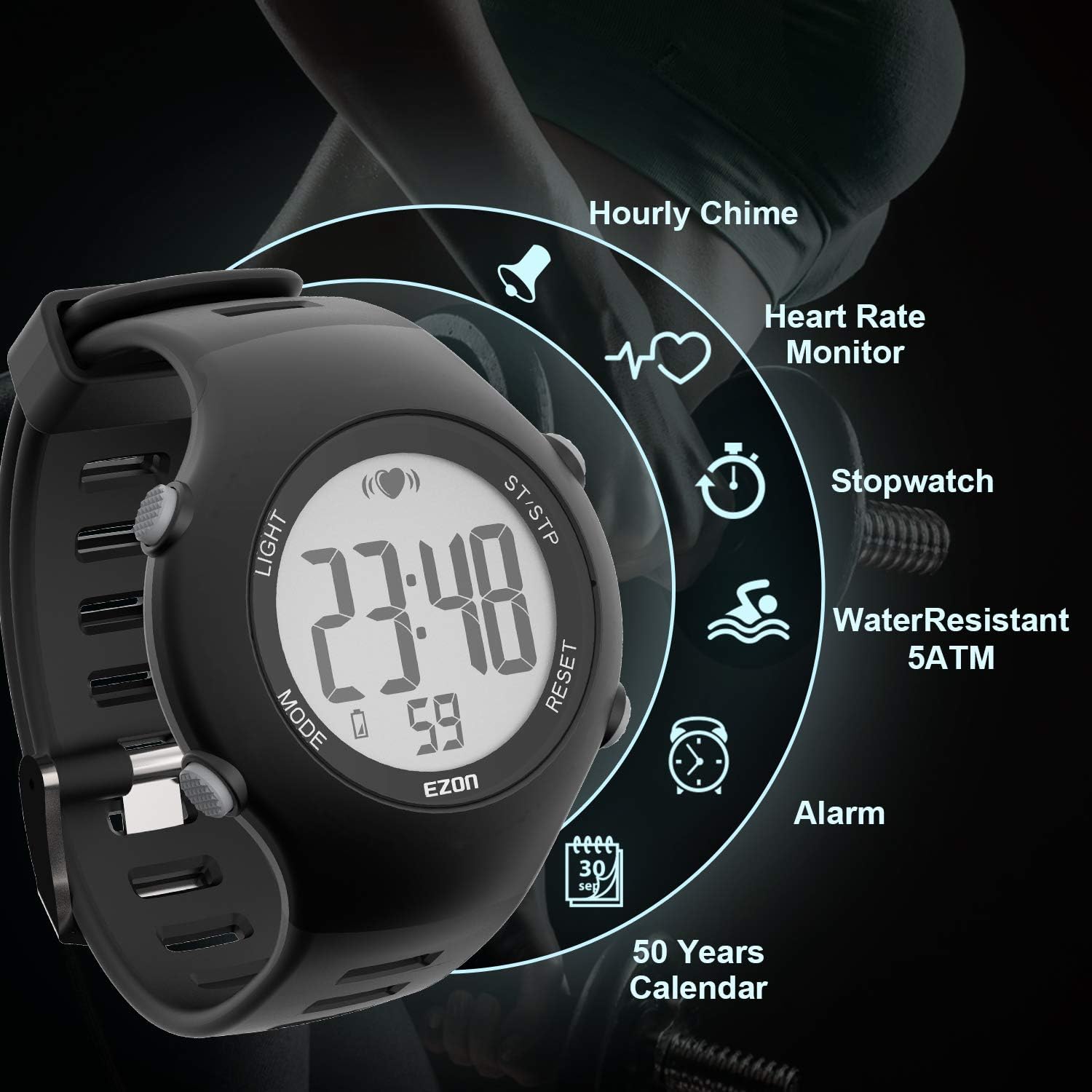
Figure 4.1: Overview of key functions available on the EZON T037A11 watch, including heart rate monitoring, stopwatch, alarm, and water resistance.
4.1 Button Functions
- LIGHT: Activates the backlight for visibility in low-light conditions.
- MODE: Cycles through different operational modes (Time, Heart Rate, Stopwatch, Alarm, etc.).
- ST/STP (Start/Stop): Used to start and stop functions like the stopwatch or to confirm settings.
- RESET: Resets values (e.g., stopwatch) or navigates back in settings menus.
4.2 Time Mode
This is the default display mode, showing the current time, day, and date.
- To adjust time/date: Press and hold the MODE button until the display flashes. Use ST/STP to adjust values and RESET to move to the next setting. Press MODE again to exit.
4.3 Heart Rate Monitoring Mode
To view your real-time heart rate:
- Ensure the chest strap is worn correctly and activated.
- Press the MODE button repeatedly until the heart rate display appears (indicated by a heart icon or specific HR display).
- Your current heart rate will be displayed. The watch also estimates calories burned based on your heart rate data.
4.4 Stopwatch Mode
The watch features a 100-hour stopwatch with 1/100 second resolution.
- Press the MODE button to navigate to the Stopwatch mode.
- Press ST/STP to start the stopwatch.
- Press ST/STP again to pause the stopwatch.
- Press RESET to clear the stopwatch to zero.
4.5 Alarm Mode
Set an alarm to remind you of important events.
- Press the MODE button to navigate to the Alarm mode.
- Press and hold ST/STP to enter alarm setting.
- Use ST/STP to adjust the hour/minute and RESET to switch between them.
- Press MODE to confirm and exit alarm setting.
- To toggle the alarm on/off, press ST/STP in Alarm mode.
4.6 Hourly Chime
The watch can be set to chime every hour.
- Refer to the watch's settings menu (accessed via MODE button) to enable or disable the hourly chime function.
5. Maintenance
5.1 Cleaning
- Wipe the watch and chest strap with a soft, damp cloth after each use, especially after intense workouts.
- Do not use harsh chemicals or abrasive cleaners, as these can damage the materials.
- Rinse the chest strap electrodes with fresh water after use to prevent salt and sweat buildup.
5.2 Water Resistance
The EZON T037A11 watch is water-resistant up to 5 ATM (50 meters). This means it is suitable for showering, swimming, and general water activities, but not for diving or high-pressure water sports.
- Do not press any buttons while the watch is submerged in water.
- Avoid exposing the watch to extreme temperature changes, which can compromise its water resistance.
5.3 Battery Information
The EZON T037A11 watch is powered by a Lithium-Ion rechargeable battery, which is non-replaceable by the user. The accompanying heart rate chest strap typically uses a replaceable CR2032 coin cell battery.

Figure 5.1: Rear view of the EZON T037A11 watch. The text "CR2032 BATTERY" refers to the type of battery used in the heart rate chest strap transmitter, not the watch itself.
- For watch battery charging, use the provided charging cable.
- For chest strap battery replacement, carefully open the battery compartment on the chest strap transmitter and replace the CR2032 battery, ensuring correct polarity.
6. Troubleshooting
| Problem | Possible Cause | Solution |
|---|---|---|
| Watch display is blank. | Watch is in sleeping status or battery is low. | Press all four buttons simultaneously to activate. Charge the watch if the battery is low. |
| Heart rate not displayed or inaccurate. | Chest strap not worn correctly, electrodes dry, or battery low in chest strap. | Ensure electrodes are moistened and strap is snug. Check chest strap battery. Ensure watch is in heart rate mode. |
| Buttons are unresponsive. | Temporary software glitch or watch is locked. | Try a soft reset by pressing all four buttons. If issue persists, contact support. |
| Time/Date is incorrect. | Settings need adjustment. | Enter Time Mode and adjust settings as described in Section 4.2. |
7. Specifications
| Feature | Detail |
|---|---|
| Model Number | EZON T037A11 |
| Brand | EZON |
| Material | Plastic |
| Color | Black |
| Display Size | 1 inch |
| Sensor Type (Watch) | Optical |
| Sensor Type (Chest Strap) | Electrical (for heart rate detection) |
| Water Resistance | 5 ATM (50 meters) |
| Battery (Watch) | Lithium-Ion (Rechargeable, Non-replaceable) |
| Battery (Chest Strap) | CR2032 (replaceable coin cell) |
| Functions | Heart Rate Monitor, Calorie Counter, Stopwatch (100-hour, 1/100s), Alarm, Hourly Chime, 50-Year Calendar, Backlight |
| Dial Diameter | 4.3 cm / 1.7 inches |
| Case Thickness | 1.2 cm / 0.5 inches |
| Strap Dimensions | 2.2 * 24 cm / 0.87 * 9.44 inches |
| Net Weight | 96g (with chest strap) |

Figure 7.1: Detailed dimensions and weight of the EZON T037A11 watch, including dial diameter, case thickness, strap size, and net weight with the chest strap.
8. Warranty & Support
8.1 Warranty Information
EZON provides a one-year warranty service for this product. If your watch experiences any issues during the warranty period, please contact customer support for repair or replacement.
8.2 Customer Support
For technical assistance, warranty claims, or any other inquiries, please contact EZON customer support through the retailer where the product was purchased or visit the official EZON website for contact details.


