
1. Introduction
This manual provides detailed instructions for the installation and use of the Sintron Outlet Wall Mount Holder, designed for Google Nest Mini and Google Home Mini (1st and 2nd Generation) smart speakers. This accessory helps organize your smart speaker by mounting it directly to a wall outlet, eliminating messy cords and freeing up valuable counter space.
2. Product Features
- Universal Compatibility: Designed for both Google Nest Mini (2nd Gen) and Google Home Mini (1st Gen). Includes an adapter ring for the Google Home Mini.
- Integrated Cord Management: Features a clever design to neatly wrap and hide excess power cable, providing a clean and organized look.
- Easy Installation: No drilling or screws required. Simply plug the assembled unit directly into any standard wall outlet.
- Unobstructed Sound: The mount secures the speaker without blocking its sound output or microphone, ensuring optimal audio experience.
- Space-Saving Design: Frees up counter and desk space by elevating your smart speaker.
3. Compatibility
The Sintron Outlet Wall Mount Holder is compatible with both the Google Nest Mini (2nd Generation) and Google Home Mini (1st Generation). A small adapter ring is included to ensure a secure fit for the Google Home Mini's power plug.

Figure 1: The mount is compatible with both Google Home Mini (1st Gen) and Google Nest Mini (2nd Gen).
4. Package Contents
- 1 x Sintron Outlet Wall Mount Holder
- 1 x Adapter Ring (for Google Home Mini 1st Gen)
5. Setup and Installation
Follow these steps to correctly install your Sintron Outlet Wall Mount Holder:
- Identify Your Speaker Model: Determine if you have a Google Nest Mini (2nd Gen) or Google Home Mini (1st Gen). The Google Home Mini (1st Gen) requires the included adapter ring for a secure fit of its power plug. The Google Nest Mini (2nd Gen) does not require this ring.
- Prepare the Mount: If using Google Home Mini (1st Gen), insert the small adapter ring into the top circular opening of the mount where the power adapter will sit. Then, gently insert your Google Mini speaker into the main circular opening of the mount. Ensure the speaker's power port aligns with the opening in the mount.
- Connect and Manage the Power Cord: Plug the speaker's power cord into the speaker. Carefully wrap any excess power cord around the internal grooves on the back of the mount to keep it tidy and out of sight.
- Secure the Power Adapter: Insert the power adapter (the larger plug end) into the top circular opening of the mount. It should fit snugly, with or without the adapter ring depending on your speaker model.
- Mount to Wall Outlet: Plug the entire assembled unit directly into any standard wall outlet. The mount is designed to hold the speaker securely and flush against the wall, providing a clean and integrated look.

Figure 2: The adapter ring is used for Google Home Mini (1st Gen) power plugs.

Figure 3: Insert the Google Mini speaker into the mount.
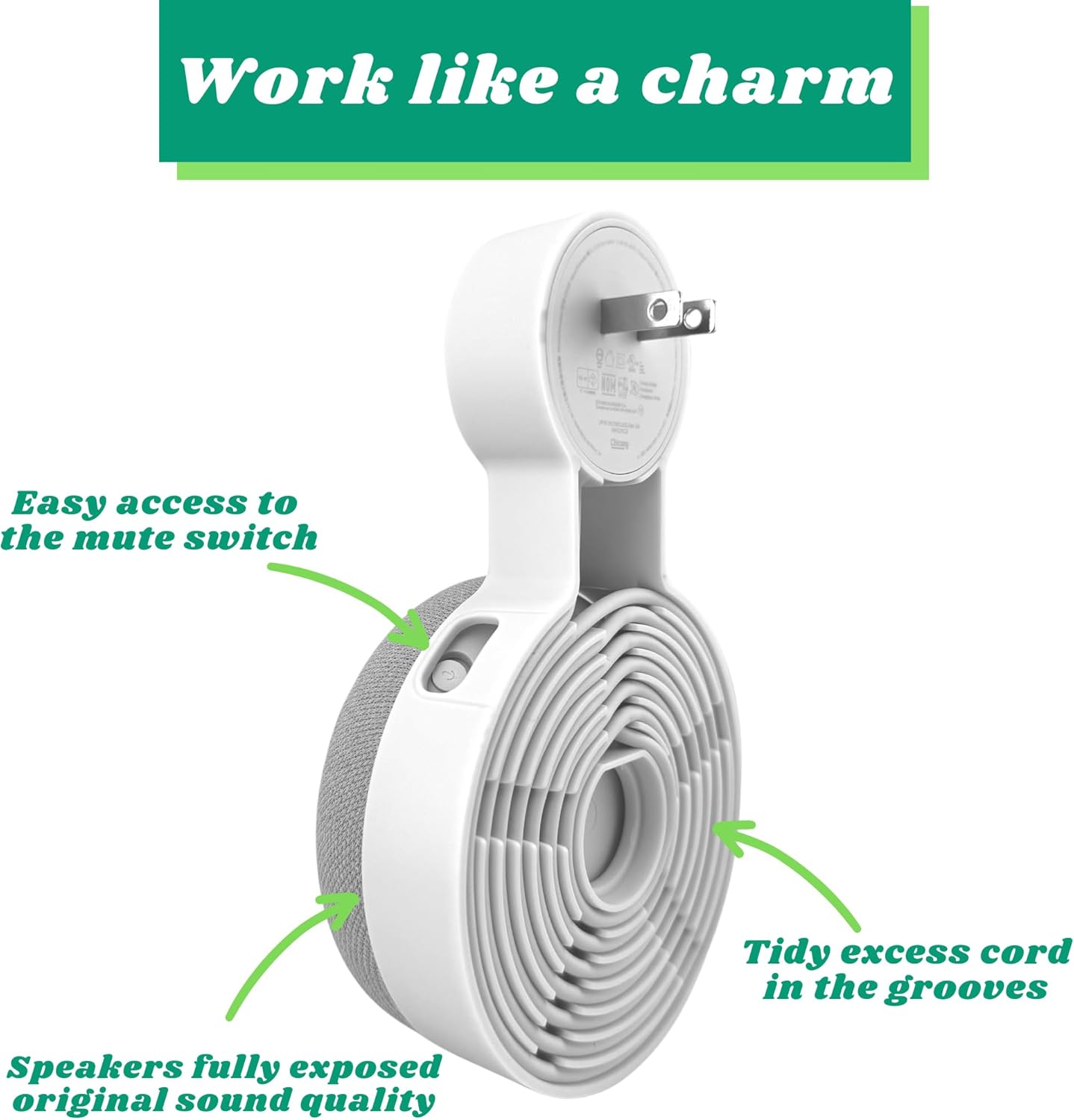
Figure 4: Wrap the excess power cord within the mount's grooves.

Figure 5: Insert the power adapter into the top of the mount.

Figure 6: Before and after installation, demonstrating improved organization.
Video 1: This video demonstrates the step-by-step installation process of the Sintron Outlet Wall Mount Holder, including how to insert the speaker, manage the power cord, and plug the unit into a wall outlet.
6. Operating Instructions
Once installed, your Google Nest Mini or Google Home Mini will function as usual. The mount does not interfere with sound quality or microphone access. Ensure the mute switch on your speaker remains accessible if you need to use it.
7. Maintenance
To clean the Sintron Outlet Wall Mount Holder, simply wipe it with a soft, damp cloth. Do not use abrasive cleaners or solvents. Ensure the mount and speaker are completely dry before plugging back into an electrical outlet.
8. Troubleshooting
- Speaker does not fit securely: Ensure you are using the correct adapter ring for your Google Home Mini (1st Gen). The Google Nest Mini (2nd Gen) does not require the adapter ring.
- Power adapter is loose: Verify the adapter ring is correctly installed if needed, or that the power adapter is fully inserted into the mount's top slot.
- Cords are still visible: Ensure the power cord is fully and neatly wrapped within the designated grooves on the back of the mount.
9. Specifications
| Feature | Detail |
|---|---|
| Brand | Sintron |
| Color | White |
| Compatible Devices | Google Home Mini, Google Nest Mini |
| Mounting Type | Wall Mount |
| Material | Plastic |
| Item Dimensions | 0.79 x 0.79 x 0.39 inches |
| Item Weight | 0.1 Kilograms |
| Model Number | 691032141535 |
10. Warranty and Support
For warranty information or technical support, please refer to the manufacturer's official website or contact Sintron customer service directly. Keep your purchase receipt for warranty claims.