
GEEKERA XY18U30-QC
Contents
GEEKERA 3-in-1 Wireless Charging Station User Manual
Model: XY18U30-QC
Introduction
Thank you for choosing the GEEKERA 3-in-1 Wireless Charging Station. This versatile and compact charging solution is designed to simplify your charging experience by powering your iPhone, Apple Watch, and AirPods simultaneously. Its foldable design makes it an ideal companion for both home and travel, ensuring your devices are always ready when you need them.

The GEEKERA 3-in-1 Wireless Charging Station in black, shown charging an iPhone, Apple Watch, and AirPods simultaneously.
What's in the Box
- 1 × Wireless Charging Station
- 1 × 18W QC 3.0 Adapter
- 1 × USB A-C Cable (3.3ft)
- 1 × User Manual
Product Overview
Familiarize yourself with the components of your charging station:
- 1. Phone Charging Stand: Vertical charging area for iPhone.
- 2. Apple Watch Charging Pad: Magnetic circular pad for Apple Watch.
- 3. AirPods Charging Area: Flat pad for AirPods (wireless charging case required).
- 4. USB-C Input Port: For connecting the power cable.
- 5. LED Indicator Light: Shows charging status and can be turned off.
- 6. Power On/Off Touch Button: To control the LED indicator light.

Internal view of the charging station highlighting its safety features and dual charging coils.
Setup Guide
- Unpack all components from the box.
- Connect the USB-C cable to the input port on the back of the charging station.
- Plug the 18W QC 3.0 Adapter into a wall outlet.
- Place the charging station on a flat, stable surface.
- The LED indicator light will briefly illuminate, indicating it is ready for use.
Operating Instructions
Charging Your iPhone:
Place your iPhone vertically on the phone charging stand. Ensure the phone is centered on the charging area for optimal connection. The LED indicator light will turn blue to confirm charging. The stand supports both portrait and landscape orientations for convenient viewing.
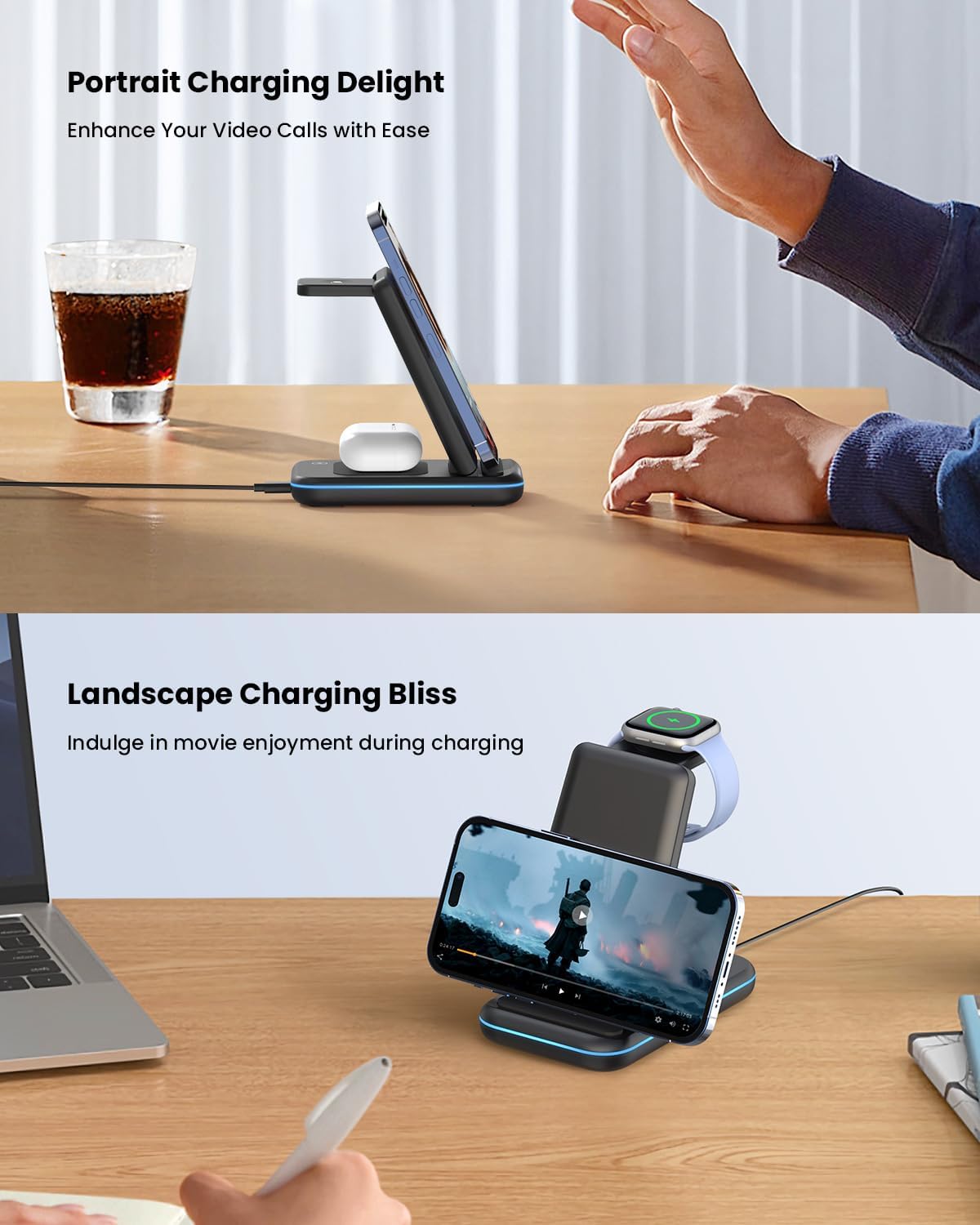
iPhone charging in portrait and landscape orientations on the station.
Charging Your Apple Watch:
Place your Apple Watch on the magnetic charging pad located at the top of the stand. The watch will automatically align and begin charging. The LED indicator light will turn green to confirm charging.
Charging Your AirPods:
Place your AirPods (with wireless charging case) on the flat charging area at the base of the stand. Ensure the AirPods case is centered. The LED indicator light will turn green to confirm charging.
Sleep-Friendly Feature:
To turn off the LED indicator light for undisturbed sleep, gently touch the power on/off touch button located on the base of the charging station. Touch it again to turn the light back on.
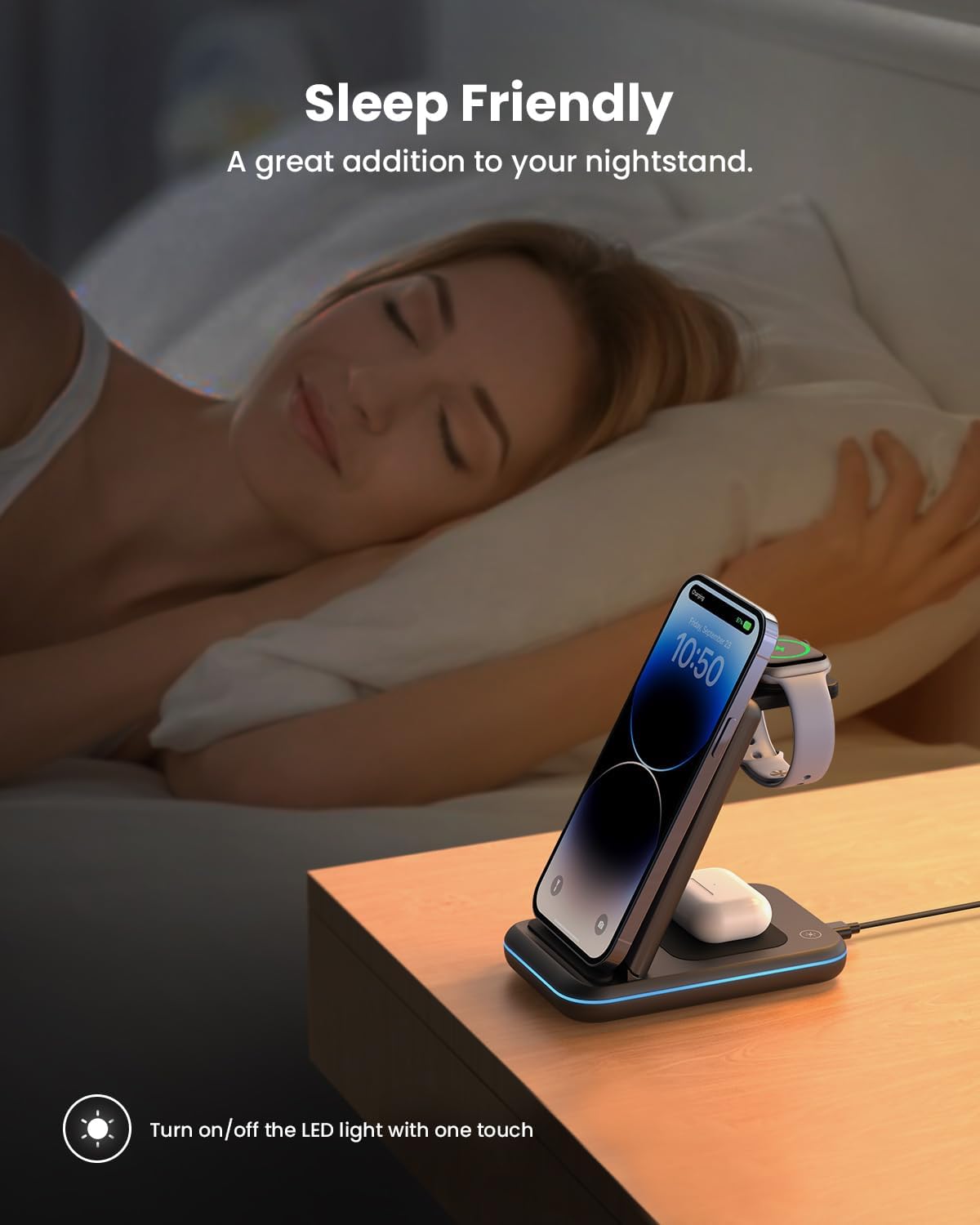
The charging station on a nightstand, demonstrating the touch-sensitive button to turn off the indicator light for sleep.
Compatibility
The GEEKERA 3-in-1 Wireless Charging Station is compatible with a wide range of devices:
- iPhones: iPhone 16/15/15 Plus/15 Pro/15 Pro Max/14/14 Plus/14 Pro/14 Pro Max/13/13 Pro/13 Pro Max/12/12 Pro/12 Pro Max/11/11 Pro/11 Pro Max/SE 2/SE 3/X/XR/XS/XS Max/8/8 Plus. (Note: Not for iPhone 13 mini/12 mini)
- Apple Watch: Apple Watch Ultra/10/9/SE/8/7/6/5/4/3/2.
- AirPods: AirPods Pro 2/Pro/3 (MagSafe Version)/2 (Wireless Version).
- Samsung Galaxy Phones: S22/S22 Ultra/S21/S21 Ultra/S20/S20 Plus/S20 Ultra/S10/S10 Plus/S10e/S9/S9 Plus/S8/S8 Plus/S7/S7 Edge/S6 Edge Plus/Fold/Fold 5G/Z flip3/Note 10/Note 9/Note 8/Note 5. (Note: Not for Samsung Watch)
The charger supports most phone cases up to 0.2in/5mm thick. Magnetic, metal attachments, and other foreign objects will interfere with charging.
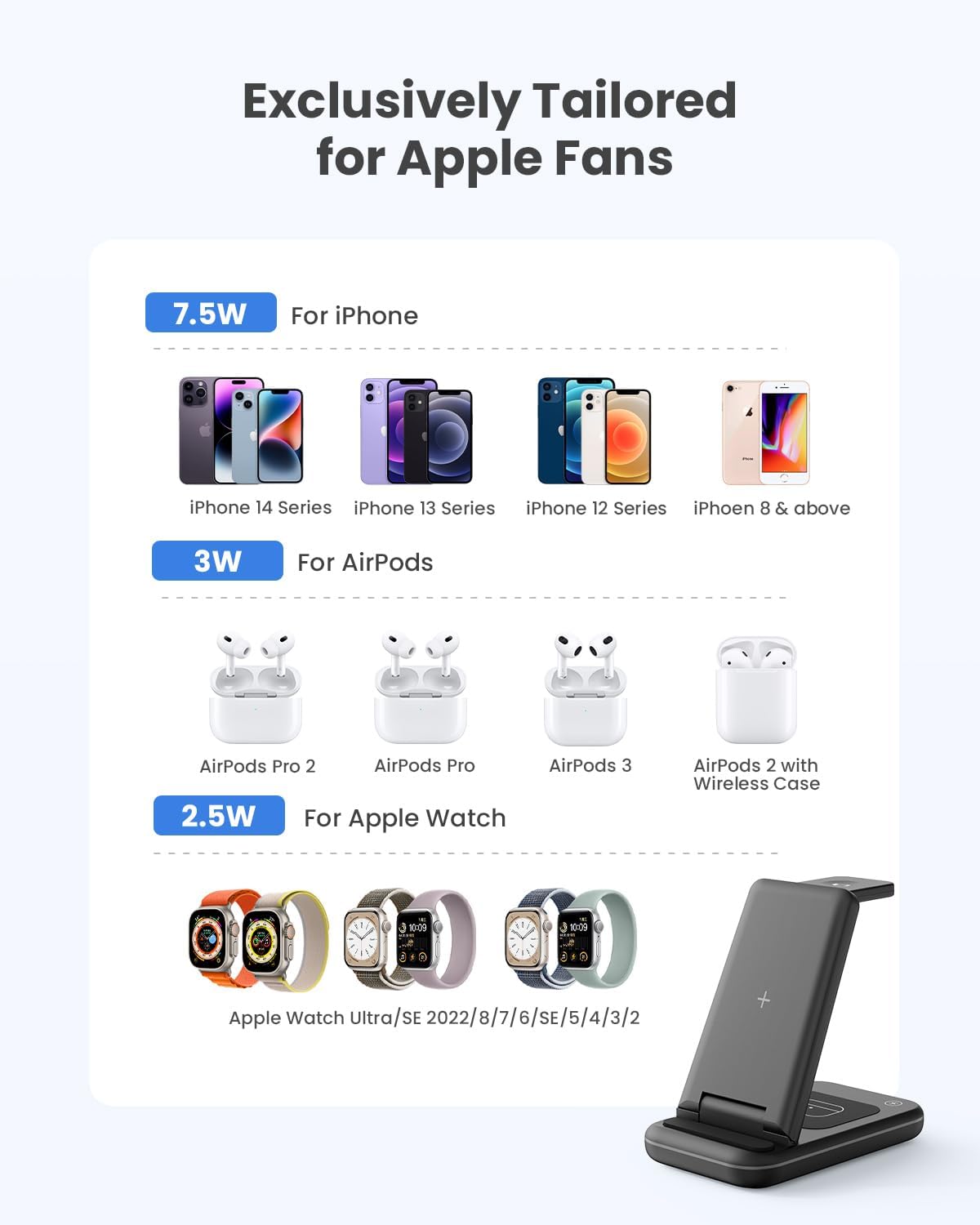
Visual guide to device compatibility and charging wattage.
Key Features
- 3-in-1 Charging: Consolidates charging for your iPhone, Apple Watch, and AirPods into a single, neat station.
- Foldable & Portable: Lightweight and foldable design makes it easy to carry for travel, reducing cable clutter.
- Phone Stand Functionality: Doubles as a phone stand, allowing for optimal viewing in both landscape and portrait modes while charging.
- Advanced Safety Protection: Equipped with temperature control, over-current protection, over-voltage protection, and foreign object detection for safe charging.
- Sleep-Friendly: Features a touch-sensitive button to turn off the LED indicator light, ensuring no distractions during sleep.
- Case-Friendly: Charges through most phone cases up to 5mm thick.

The foldable design allows for easy portability, fitting into bags for travel.
Maintenance
- Keep the charging station clean and free from dust. Use a soft, dry cloth to wipe surfaces.
- Avoid exposing the device to extreme temperatures, humidity, or liquids.
- Do not disassemble or attempt to repair the device yourself. This will void the warranty.
Troubleshooting
| Problem | Possible Solution |
|---|---|
| Device not charging. |
|
| Charging is slow. |
|
| LED indicator light is off. |
|
Specifications
| Attribute | Detail |
|---|---|
| Brand | GEEKERA |
| Model Number | XY18U30-QC |
| Product Dimensions | 2.76 x 4.65 x 5.51 inches |
| Item Weight | 9.5 ounces |
| Color | Black |
| Connectivity Technology | USB |
| Connector Type | USB Type C |
| Input Voltage | 9 Volts |
| Wireless Communication Technologies | QI Registration id 10497 |
| Special Features | Foldable Wireless Charger Stand for Travel, 100% Safe & Super Efficient, Sleep Friendly & Case Friendly, 3 in 1 Charging Station for Multiple Devices, 18W QC 3.0 Adapter Included |
Warranty & Support
GEEKERA provides a 24-Month Warranty for this product. For any questions, concerns, or support needs, please contact GEEKERA customer service through the retailer's platform or visit the official GEEKERA store for more information.
Official User Manual (PDF): Download PDF
Visit the GEEKERA Store: GEEKERA Store
Ask a question about this manual
Ask about setup, troubleshooting, compatibility, parts, safety, or missing instructions. Manuals+ will review the question and use this page’s manual context to help answer it.