
1. Introduction
This manual provides detailed instructions for the safe and effective use of your K&F Concept T255A3+BH-28L Camera Tripod. Please read this manual thoroughly before operating the product and retain it for future reference.
The K&F Concept T255A3+BH-28L is a versatile aluminum tripod designed for DSLR cameras, camcorders, and binoculars. It features a transverse center column, a 360-degree ball head, quick-release flip-locks for leg adjustment, and a detachable monopod function. Its robust design supports a maximum load capacity of 10kg (22.04 lbs) while maintaining portability.
2. What's in the Box
- K&F Concept T255A3+BH-28L Camera Tripod (main unit with integrated ball head)
- Quick Release Plate
- Carry Bag
- Allen Key
- Instruction Manual

Figure 1: Contents of the K&F Concept T255A3+BH-28L package.
3. Setup
3.1 Unfolding and Adjusting Tripod Legs
- Unfold Legs: Gently pull the tripod legs outwards until they lock into position.
- Adjust Leg Angles: Each leg features a red angle adjustment lock. Press this lock to select one of three available leg angles, allowing for stable positioning on various terrains.
- Extend Leg Sections: Use the quick-release flip-locks on each leg section to extend or retract the legs to your desired height. Ensure all locks are securely fastened before use.

Figure 2: Tripod legs extended with height specifications.
3.2 Attaching the Ball Head and Quick Release Plate
- Mount Camera: Secure your camera to the quick release plate by screwing the 1/4-inch screw into the camera's tripod socket.
- Attach Plate to Ball Head: Open the quick release clamp on the ball head. Insert the quick release plate with your camera into the clamp and securely tighten the locking knob.
- Leveling: Utilize the built-in bubble level on the quick release plate to ensure your camera is perfectly level.

Figure 3: Detailed view of the BH-28L ball head.
3.3 Detachable Monopod Conversion
One of the tripod legs can be detached and combined with the center column to form a monopod. This provides flexibility for shooting in confined spaces or when quick mobility is required.
- Detach Leg: Unscrew the designated leg (usually marked) from the tripod chassis.
- Remove Center Column: Unscrew the center column from the tripod chassis.
- Assemble Monopod: Attach the detached leg to the bottom of the center column. The ball head can then be attached to the top of this assembly.
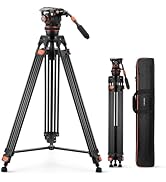
Figure 4: Detachable monopod in use.
4. Operating
4.1 Transverse Center Column for Overhead and Low-Angle Shooting
The central column can be easily converted to a horizontal position, allowing for overhead shots, flat lays, and other creative angles.
- Release Column: Loosen the locking knob at the base of the center column.
- Extend and Tilt: Pull the center column upwards and then tilt it 90 degrees to the horizontal position.
- Adjust Length and Rotation: The horizontal column can be extended and rotated 360 degrees for precise positioning. Secure all locking knobs once the desired position is achieved.

Figure 5: Transverse center column in horizontal position.

Figure 6: Steps for horizontal column adjustment.
4.2 Inverted Shooting
For extreme low-angle shots or macro photography, the center column can be inverted.
- Remove Center Column: Unscrew the center column from the tripod chassis.
- Invert and Reattach: Flip the center column upside down and reattach it to the tripod chassis. Your camera can then be mounted at the bottom of the inverted column.

Figure 7: Inverted center column for low-angle photography.
4.3 Ball Head Operation
The BH-28L ball head offers flexible camera positioning.
- Pan Adjustment: Loosen the panning lock knob to rotate the camera 360 degrees horizontally for panoramic shots.
- Tilt Adjustment: Loosen the main locking knob to tilt and swivel the camera to any desired angle. Tighten the knob to secure the position.
- Vertical Shooting: The ball head features a drop notch, allowing the camera to be quickly tilted 90 degrees for vertical orientation.

Figure 8: 360-degree panoramic shooting with the ball head.
4.4 Stability Hook
A hook is located at the bottom of the center column. This allows you to hang a counterweight (e.g., a camera bag or sandbag) to increase the tripod's stability, especially in windy conditions or when using heavy equipment.
5. Maintenance
- Cleaning: Wipe the tripod with a soft, dry cloth after each use to remove dust and dirt. For stubborn grime, use a slightly damp cloth and mild soap, then dry thoroughly.
- Lubrication: The center column may have a light lubricant for smooth operation. If it feels stiff over time, a small amount of silicone-based lubricant can be applied to the sliding parts. Avoid excessive lubrication.
- Storage: Store the tripod in its provided carry bag in a cool, dry place away from direct sunlight and extreme temperatures.
- Inspection: Periodically check all screws, knobs, and leg locks for tightness. Tighten any loose components to ensure safe operation.
6. Troubleshooting
- Stiff Legs/Column: If leg sections or the center column are stiff, ensure all locking mechanisms are fully disengaged. Clean any accumulated dirt and apply a small amount of silicone lubricant if necessary.
- Unstable Tripod: Ensure all leg sections are fully extended and their flip-locks are securely fastened. Verify that the leg angle locks are engaged. For added stability, use the hook to attach a counterweight.
- Quick Release Plate Difficult to Attach: Ensure the quick release clamp is fully open. Align the plate correctly with the clamp's grooves before attempting to slide it in.
7. Specifications
| Feature | Specification |
|---|---|
| Model Name | T255A3+BH-28L |
| Material | Aluminum |
| Maximum Height | 73.23 Inches (186cm) |
| Minimum Height | 22.4 Inches (57cm) |
| Folded Length | 16.93 Inches (43cm) |
| Item Weight | 4.12 lbs (1.87 kg) |
| Weight Limit | 22.04 lbs (10 kg) |
| Leg Sections | 5 |
| Tripod Head Type | Ball Head (BH-28L) |
| Compatible Devices | Binoculars, Camcorder, Camera |
8. Warranty and Support
For warranty information, technical support, or service inquiries, please refer to the official K&F Concept website or contact their customer service directly. Keep your purchase receipt as proof of purchase.