
Boltune BT-BH024
Boltune BT-BH024 Wireless Bluetooth In-Ear Headphone User Manual
Model: BT-BH024
Introduction
Thank you for choosing the Boltune BT-BH024 Wireless Bluetooth In-Ear Headphones. This manual provides detailed instructions on how to set up, operate, and maintain your new headphones. Please read this manual thoroughly before use to ensure optimal performance and longevity of your device.
The Boltune BT-BH024 features IPX8 waterproof protection, making it suitable for various activities including sports and exercise. It offers superior stereo sound with a Qualcomm QCC3026 chipset and PEEK + PU high fidelity dynamic drivers, supporting aptX for high-resolution audio. Enjoy crystal-clear calls with cVc 8th noise cancellation technology and extended playtime of up to 42 hours with the portable charging case.
Package Contents
- Boltune BT-BH024 Wireless Bluetooth In-Ear Headphones (Left and Right Earbuds)
- Portable Charging Case
- USB-C Charging Cable
- User Manual (This document)
- Multiple sizes of Eartips (typically S, M, L)
Product Overview
Familiarize yourself with the components of your Boltune BT-BH024 headphones.

Image: The Boltune BT-BH024 wireless earbuds are shown resting inside their open charging case. The earbuds are black and silver, and the case is covered in a grey fabric texture with a silver interior.

Image: An exploded diagram illustrating the internal components of the earbud, highlighting the PEEK + PU high fidelity dynamic drivers and the Qualcomm QCC3026 chipset responsible for superior stereo sound and aptX support.
Setup
1. Initial Charging
Before first use, fully charge the charging case and earbuds. Connect the provided USB-C charging cable to the charging port on the case and a power source. The indicator lights on the case will show charging status.

Image: A graphic illustrating the battery life, showing 7 hours of playtime from the earbuds and an additional 35 hours provided by the charging case, totaling 42 hours. A battery icon and charging indicators are also depicted.
2. Pairing with Your Device
- Ensure the earbuds are in the charging case and the case has power.
- Open the charging case. The earbuds will automatically enter pairing mode.
- On your device (smartphone, tablet, etc.), go to Bluetooth settings and turn on Bluetooth.
- Search for "Boltune BT-BH024" in the list of available devices and select it to connect.
- Once connected, you will hear a confirmation tone, and the earbuds will be ready for use.

Image: A close-up of a laptop keyboard and a smartphone screen displaying Bluetooth settings. The screen shows "Boltune BT-BH024" listed as a connected device, indicating successful pairing. An earbud is also shown next to the phone.
Note: Each earbud can connect to your Bluetooth device independently, allowing for flexible usage (mono or stereo).
Operating Instructions
Wearing the Earbuds
Gently insert the earbuds into your ears. Adjust them for a comfortable and secure fit. The earbuds feature automatic ear detection, which pauses music when an earbud is removed and resumes when put back in.

Image: A man smiling and wearing one Boltune earbud, demonstrating the "Wear & Play" feature. His hand is near his ear, suggesting interaction with the earbud's touch controls.
Touch Controls
The Boltune BT-BH024 earbuds are equipped with high-sensitivity touch sensors for easy control of music playback, calls, and volume.
| Function | Action |
|---|---|
| Play/Pause Music | Single tap on either earbud |
| Next Track | Double tap on the right earbud |
| Previous Track | Double tap on the left earbud |
| Volume Up | Tap and hold on the right earbud |
| Volume Down | Tap and hold on the left earbud |
| Answer/End Call | Single tap on either earbud |
| Reject Call | Tap and hold on either earbud |
| Activate Voice Assistant | Triple tap on either earbud |
Crystal-Clear Calls: With cVc 8th noise cancellation technology, background noise is effectively blocked, ensuring your voice is picked up clearly during calls.

Image: A man walking and talking on a phone call, with a visual representation of cVc 8th Noise Cancellation technology. Blue lines indicate voice clarity, while red lines show ambient noise being eliminated.
Maintenance
Cleaning
Regularly clean your earbuds and charging case with a soft, dry, lint-free cloth. Do not use harsh chemicals or abrasive materials. Ensure the charging contacts on both the earbuds and the case are clean and dry.
Water Resistance (IPX8)
The Boltune BT-BH024 earbuds are IPX8 waterproof, meaning they are protected against water immersion. This makes them suitable for use during workouts, in the rain, or when sweating. However, the charging case is not waterproof. Do not expose the charging case to water or liquids.
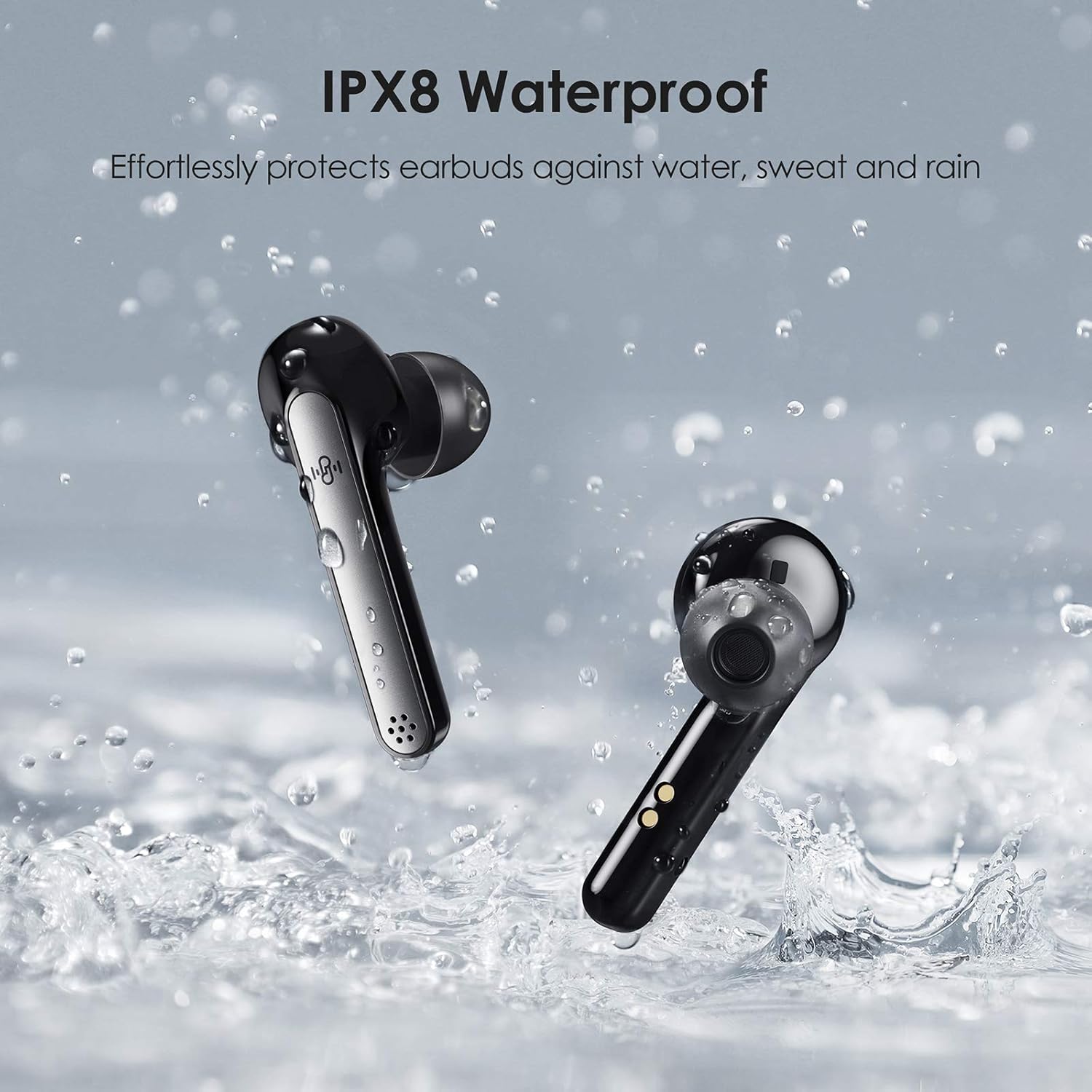
Image: Two Boltune earbuds are shown splashing in water, illustrating their IPX8 waterproof capability. Water droplets are visible around the earbuds, emphasizing their resistance to sweat and rain.
Storage
When not in use, store the earbuds in their charging case to protect them and keep them charged. Store the device in a cool, dry place away from extreme temperatures and direct sunlight.
Troubleshooting
If you encounter any issues with your Boltune BT-BH024 headphones, please refer to the following common solutions:
- No Sound:
- Ensure earbuds are charged.
- Check Bluetooth connection on your device.
- Increase volume on both the earbuds and your device.
- Try re-pairing the earbuds.
- Earbuds Not Pairing:
- Ensure earbuds are in pairing mode (open case).
- Turn off and on Bluetooth on your device.
- Forget "Boltune BT-BH024" from your device's Bluetooth list and re-pair.
- Ensure no other Bluetooth devices are interfering.
- Charging Issues:
- Check if the USB-C cable is securely connected.
- Try a different USB-C cable or power adapter.
- Ensure charging contacts on earbuds and case are clean.
- Sound Quality Issues:
- Ensure earbuds are properly seated in your ears.
- Try different sized eartips for a better seal.
- Move closer to your connected device to avoid interference.
Specifications
| Feature | Detail |
|---|---|
| Model Name | BT-BH024 |
| Connectivity Technology | Bluetooth |
| Wireless Communication Technology | Bluetooth |
| Headphones Jack | USB (for charging case) |
| Control Type | Touch Control |
| Water Resistance Level | IPX8 Waterproof (Earbuds only) |
| Battery Life (Earbuds) | Up to 7 Hours |
| Total Playtime with Case | Up to 42 Hours |
| Charging Port | USB-C |
| Noise Control | Active Noise Cancellation (cVc 8th) |
| Audio Driver Type | Dynamic Driver (PEEK + PU) |
| Chipset | Qualcomm QCC3026 |
| Product Dimensions | 7.49 x 3.91 x 2.9 cm |
| Item Weight | 50.9 g |
Warranty and Support
Boltune products are designed and manufactured to the highest quality standards. For warranty information and customer support, please refer to the warranty card included in your package or visit the official Boltune website. Please retain your proof of purchase for warranty claims.
For further assistance, please contact Boltune customer service.
Related documentsBT-BH024

Ask a question about this manual
Ask about setup, troubleshooting, compatibility, parts, safety, or missing instructions. Manuals+ will review the question and use this page’s manual context to help answer it.