
1. Introduction
This manual provides detailed instructions for the safe and effective operation of your OPPSK 60W 224LEDs RGB DJ Effect Bar. This powerful 40-inch LED batten is designed for various lighting applications, offering versatile color washing and pixel mapping capabilities. Please read this manual thoroughly before use and retain it for future reference.

Figure 1: OPPSK 60W 224LEDs RGB DJ Effect Bar
2. Safety Information
- Ensure proper grounding for all electrical connections.
- Do not expose the device to rain or moisture to avoid electric shock or fire.
- Avoid direct eye exposure to the light source.
- Disconnect power before cleaning or servicing.
- Operate the device within the specified voltage range (110V).
- Ensure adequate ventilation to prevent overheating.
3. What's in the Box
Verify that all items are present upon unpacking:
- 1 x OPPSK 60W 224LEDs RGB DJ Effect Bar
- 1 x Power Cable
- 1 x User Manual

Figure 2: Package Contents
4. Setup
4.1. Initial Connection
- Unpack the light bar and accessories.
- Connect the provided power cable to the 'Power In' port on the rear of the unit.
- Plug the power cable into a suitable power outlet (110V).
4.2. Mounting
The light bar includes adjustable brackets for flexible installation. These brackets allow for rack mount, ceiling, wall, or floor placement, enabling various lighting angles and setups.

Figure 3: Rear Panel and Mounting Brackets
5. Operating Modes
The OPPSK DJ Effect Bar offers multiple operating modes, selectable via the onboard control panel or DMX controller.
- Sound-Activated Mode: The light reacts to ambient sound, synchronizing light patterns with music beats.
- Automated Programs: Pre-programmed light sequences offer dynamic visual effects without external control.
- Static Colors: Display a single, consistent color from the RGB spectrum.
- Fade Mode: Smooth transitions between different colors.
- Strobe Mode: Rapid flashing of lights for energetic effects.
- Master/Slave Mode: Link multiple units together, where one unit (master) controls the others (slaves) for synchronized lighting.
- Pixel Control: The light bar is engineered with 8 square sections that can be controlled individually, allowing for intricate pixel mapping effects.

Figure 4: Operating Mode Icons

Figure 5: Smooth Color Mixing
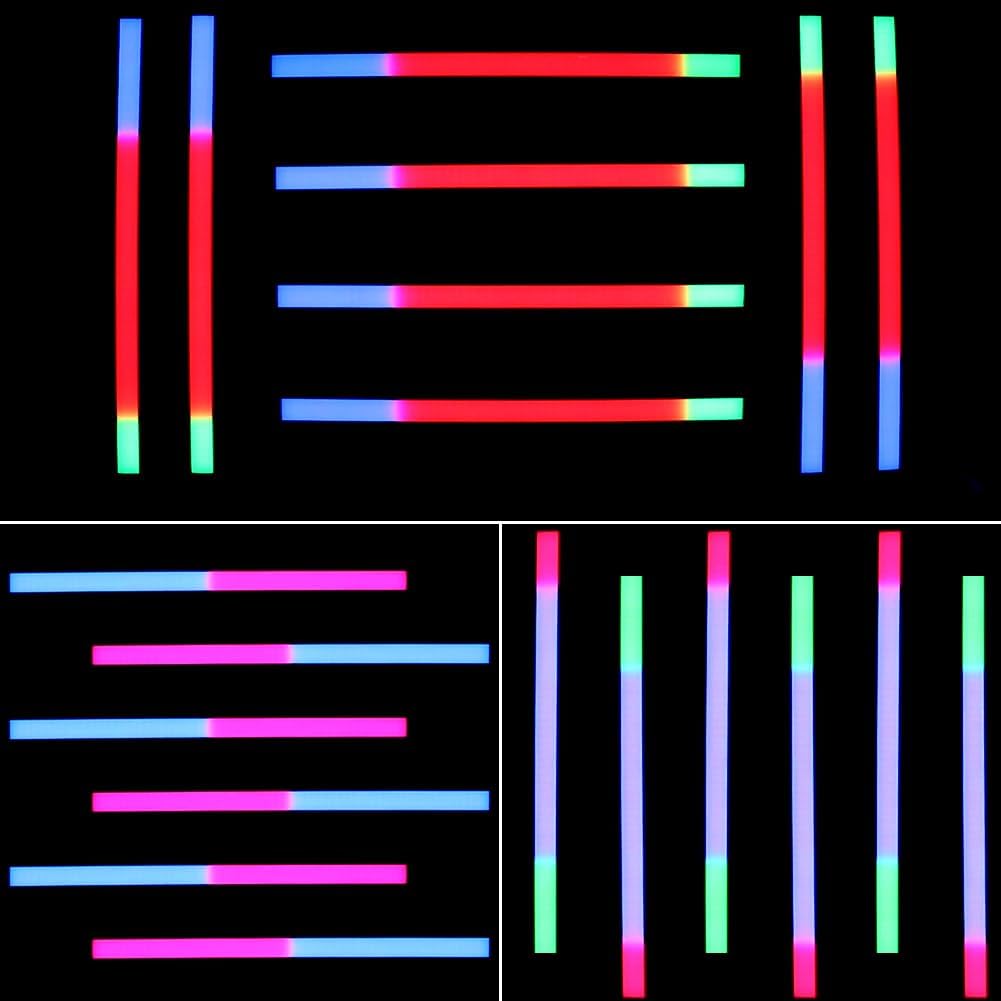
Figure 6: Pixel Control Effects
6. DMX Control
The OPPSK DJ Effect Bar supports DMX512 control, allowing integration with professional lighting systems. Use the DMX IN and DMX OUT ports on the rear panel to connect to a DMX controller or daisy-chain multiple DMX-compatible units.
The device offers various DMX channel modes (e.g., 3/5/8/24/48/53CH) for different levels of control over color, intensity, and effects. Refer to the included User Manual for detailed DMX channel assignments.

Figure 7: DMX Control Overview
7. Power Linking
Multiple OPPSK DJ Effect Bars can be power-linked using the 'Power Out' port on the rear of each unit. This allows you to connect several lights to a single power source, simplifying cable management for larger setups. Up to 6 units can be daisy-chained.

Figure 8: Power Daisy Chain Connection
8. Specifications
| Feature | Detail |
|---|---|
| Brand | OPPSK |
| Model Number | OK-062-224WL |
| Color | Black |
| Material | Metal |
| Light Source Type | LED |
| Number of Light Sources | 224 |
| Light Source Wattage | 60 Watts |
| Voltage | 110 Volts |
| Amperage | 0.55 Amps |
| Product Dimensions | 40"L x 3.9"W x 3.9"H |
| Item Weight | 4.04 pounds |
| Beam Angle | 120 Degrees |
| Mounting Type | Rack Mount |
| Bulb Features | Sound Activated |
9. Troubleshooting
- No Power: Check power cable connection and ensure the outlet is functional.
- No Light Output: Verify power, check selected operating mode, and DMX connections if applicable.
- Incorrect DMX Behavior: Ensure correct DMX channel settings and proper cable connections.
- Overheating: Ensure adequate ventilation around the unit.
10. Maintenance
- Clean the exterior of the light bar with a soft, dry cloth.
- Do not use harsh chemicals or abrasive cleaners.
- Regularly check cables and connections for wear or damage.
11. Warranty and Support
OPPSK offers 12 months of quality maintenance for this product. Additionally, lifetime after-sales support is provided to ensure your satisfaction and assist with any product-related inquiries or issues.
12. Product Videos
224LEDs Wash Light Pixel Bar for DJ Events
This video demonstrates the various lighting effects and capabilities of the 224LEDs Wash Light Pixel Bar, ideal for DJ events and stage lighting. It showcases different color patterns, transitions, and the overall visual impact of the light bar in action.


