1. Introduction
This manual provides comprehensive instructions for the safe and effective use of your AKG K371-BT Bluetooth Studio Headphones. Please read this manual thoroughly before using the product and retain it for future reference.
2. Safety Information
To prevent damage to your headphones or injury to yourself, please observe the following safety precautions:
- Avoid prolonged listening at high volume levels to prevent hearing damage.
- Do not expose the headphones to extreme temperatures, humidity, or liquids.
- Do not attempt to disassemble or modify the headphones. This will void the warranty.
- Keep out of reach of children.
- Use only approved charging cables and power sources.
3. Package Contents
Verify that all items are present in your product packaging:
- AKG K371-BT Studio Headphones
- Protective Case
- Audio Cables (various lengths/types as supplied)
- Charging Cable
4. Product Overview
The AKG K371-BT headphones are designed for professional performance with both wired and wireless capabilities. They feature an over-ear, closed-back design for superior isolation and comfort.

Figure 4.1: Main view of the AKG K371-BT Bluetooth Studio Headphones.
Key Features:
- Closed-Back, Over-Ear Design: Oval earpads provide superior isolation and enhanced bass response.
- 50mm Titanium-Coated Drivers: Tuned to the AKG Reference Response Curve for extended frequency response (5 Hz to 40 kHz).
- Wired or Wireless Listening: Bluetooth 5.0 connectivity with up to 40 hours of battery life, or traditional wired connection.
- Foldable, Notched Hinge: 8-position articulated hinge for maximum portability.
- Slow-Retention Foam Earpads: Ensures superior comfort for long listening sessions.
- Built-in Microphone: For calls and live-streams.
- Earcup Gesture Controls: Swipe for volume, track control, and more.
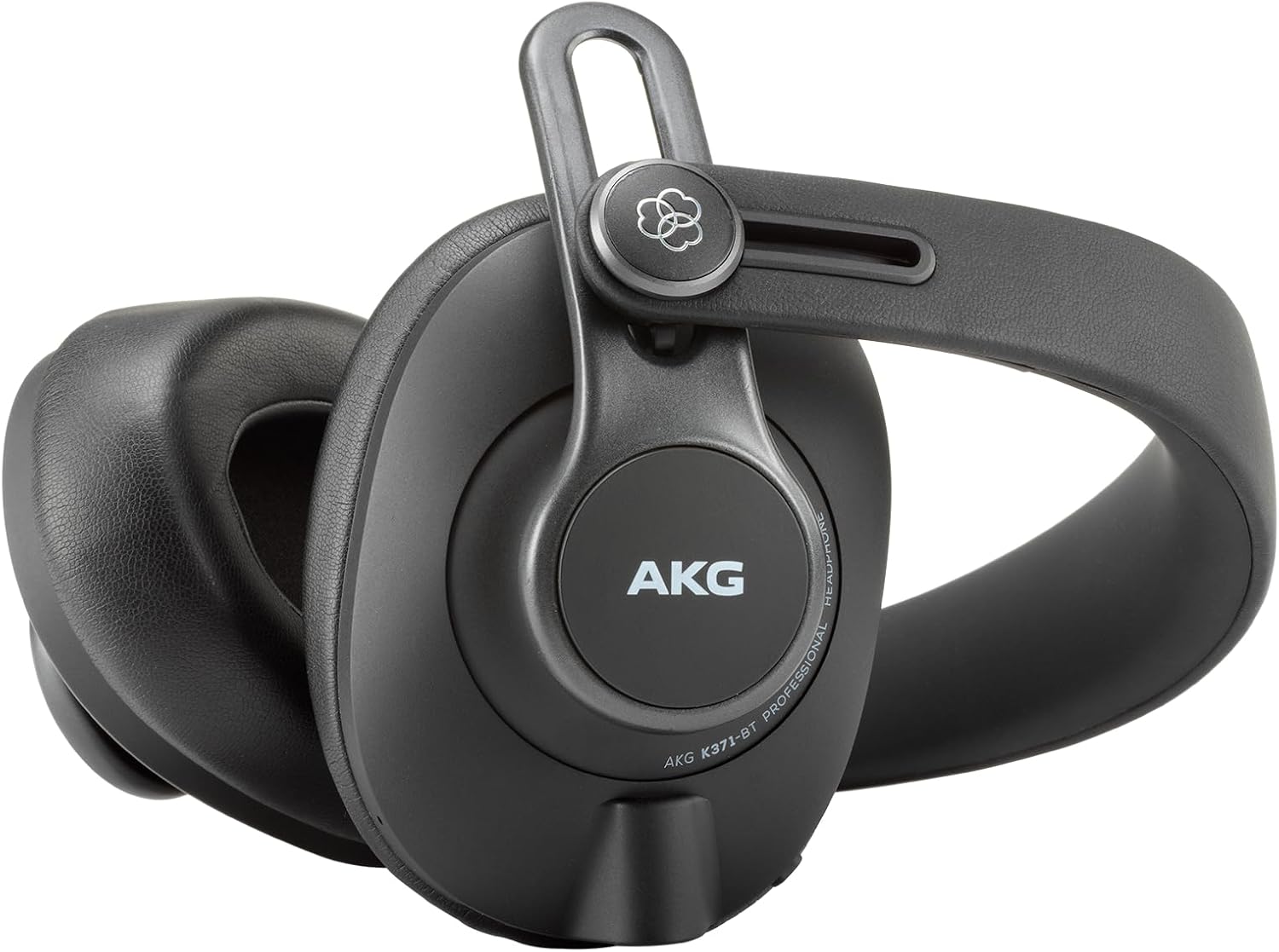
Figure 4.2: The K371-BT headphones feature a foldable design for easy transport.
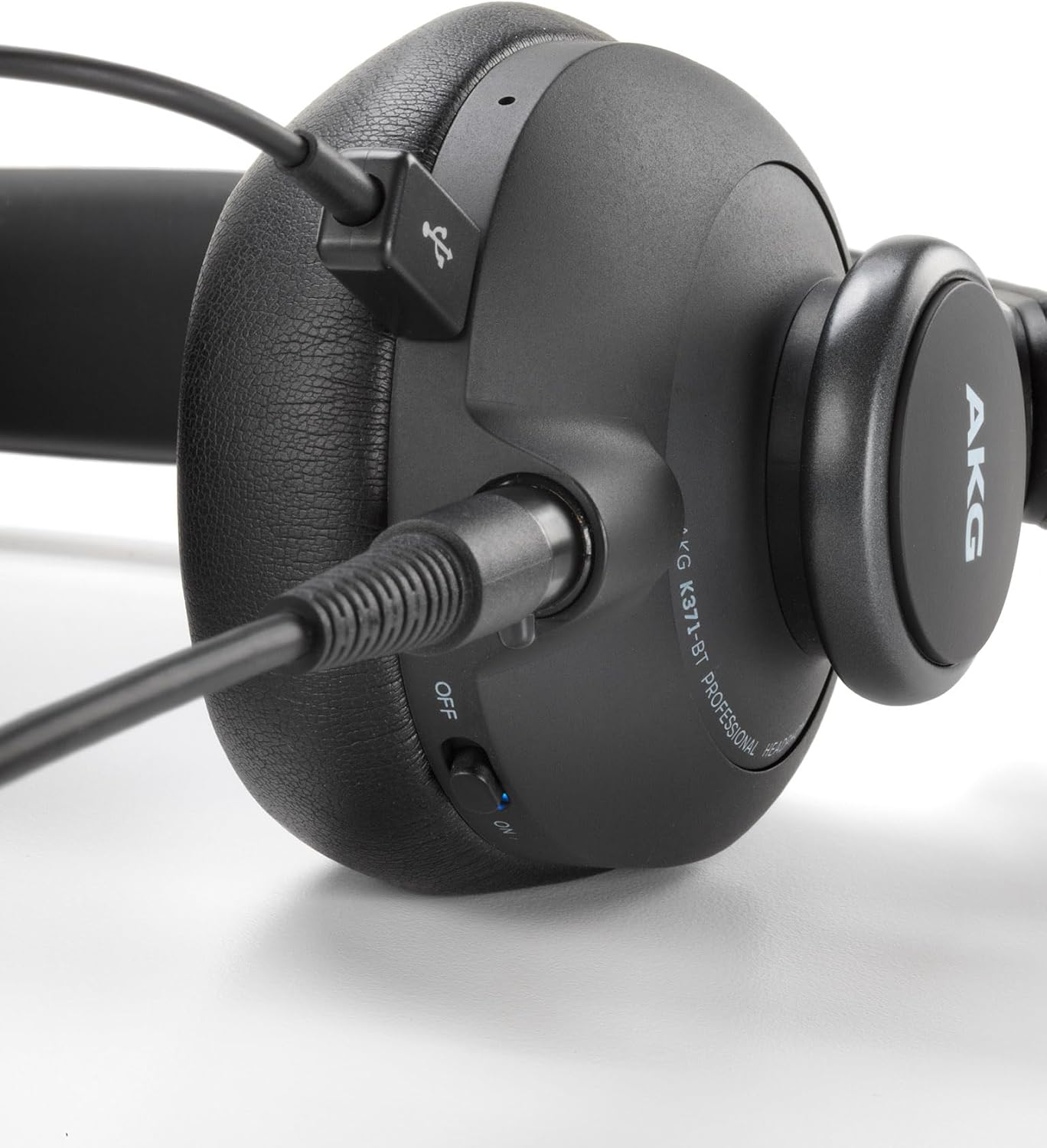
Figure 4.3: Wired connection port on the K371-BT headphones.
5. Setup
5.1 Charging the Headphones
Before first use, fully charge your K371-BT headphones. A full charge takes approximately 2 hours.
- Connect the supplied charging cable to the charging port on the headphones.
- Connect the other end of the cable to a USB power source (e.g., computer USB port, USB wall adapter).
- The LED indicator will show charging status and turn off when fully charged.
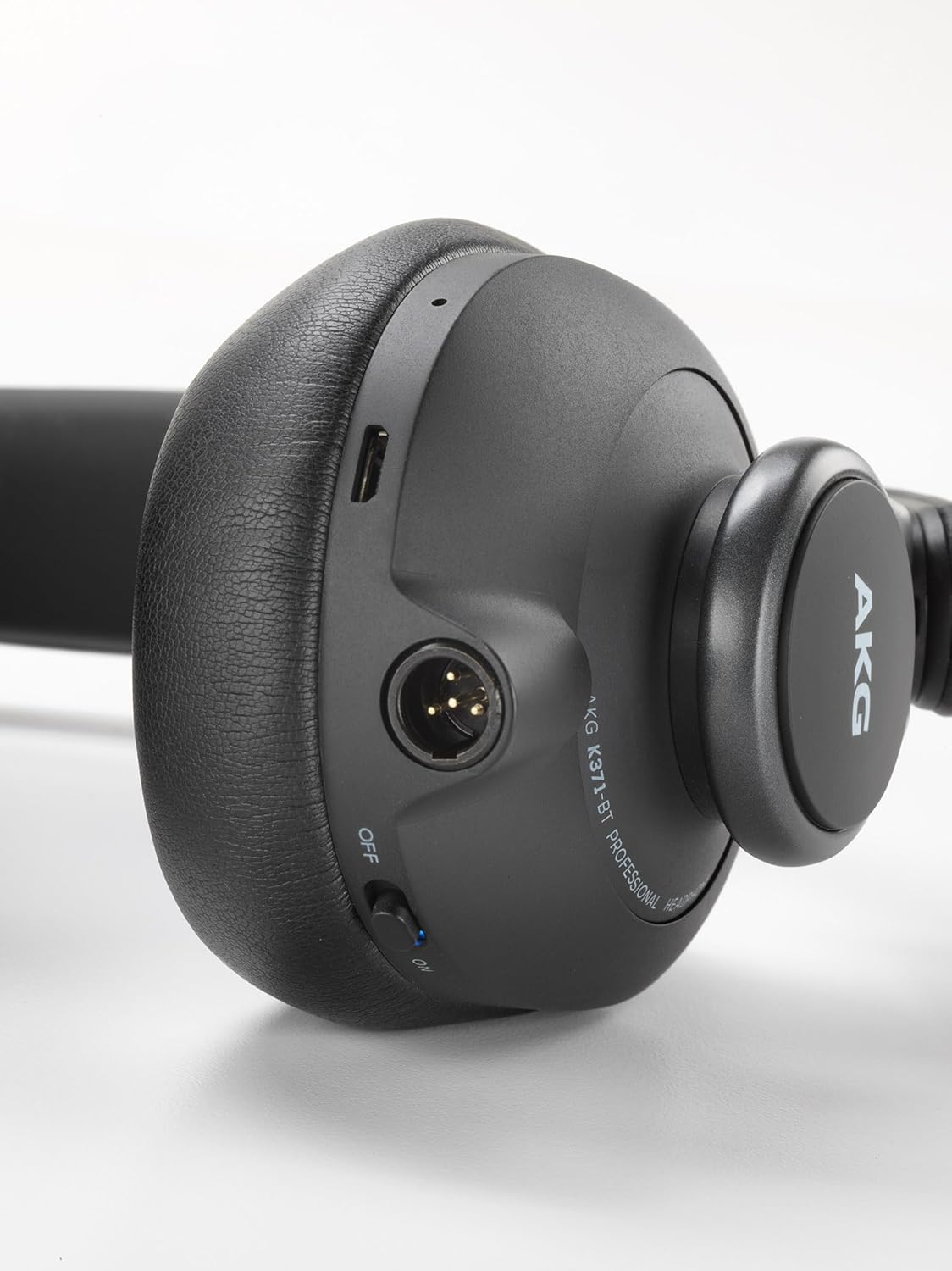
Figure 5.1: Charging port location on the K371-BT headphones.
5.2 Bluetooth Pairing
- Ensure the headphones are charged and powered off.
- Press and hold the power button until the LED indicator flashes blue and red, indicating pairing mode.
- On your device (smartphone, tablet, computer), enable Bluetooth and search for available devices.
- Select "AKG K371-BT" from the list of devices.
- Once connected, the LED indicator will turn solid blue.
5.3 Wired Connection
For wired listening, connect one of the supplied audio cables to the headphone's audio input port and the other end to your audio source's 3.5mm output.
6. Operating Instructions
6.1 Power On/Off
- To power on: Press and hold the power button for 2 seconds.
- To power off: Press and hold the power button for 3 seconds.
6.2 Gesture Controls (Right Earcup)
The right earcup features touch-sensitive controls for convenient operation:
- Play/Pause: Double-tap the center of the right earcup.
- Volume Up: Swipe up on the right earcup.
- Volume Down: Swipe down on the right earcup.
- Next Track: Swipe forward (right) on the right earcup.
- Previous Track: Swipe backward (left) on the right earcup.
- Answer/End Call: Single-tap the center of the right earcup.
- Reject Call: Press and hold the center of the right earcup for 2 seconds.
6.3 Using the Built-in Microphone
The integrated microphone allows for clear voice communication during calls and live-streams when connected via Bluetooth.
Video: Overview of AKG K361-371BT Professional Studio Headphones features.
7. Maintenance
Proper care will extend the life of your headphones:
- Clean the earpads and headband with a soft, dry cloth. Do not use harsh chemicals or abrasive materials.
- Store the headphones in their protective case when not in use to prevent scratches and damage.
- Avoid exposing the headphones to direct sunlight or extreme temperatures.
- Do not submerge the headphones in water, as they are not water resistant.
8. Troubleshooting
| Problem | Possible Cause | Solution |
|---|---|---|
| No sound from headphones. | Headphones not powered on; low battery; not paired (Bluetooth); cable not connected properly (wired). | Ensure headphones are powered on and charged. Re-pair Bluetooth. Check cable connections. |
| Bluetooth connection unstable. | Too far from device; interference; low battery. | Move closer to the device. Avoid strong Wi-Fi signals. Charge headphones. |
| Gesture controls not responding. | Incorrect gesture; temporary software glitch. | Ensure correct swipe/tap motion. Power cycle the headphones. |
9. Specifications
| Feature | Detail |
|---|---|
| Model | K371BT |
| Wireless Communication Technology | Bluetooth 5.0 |
| Driver Size | 50mm Titanium-Coated |
| Frequency Range | 5 Hz to 40 kHz |
| Impedance | 32 Ohm |
| Battery Life | Up to 40 hours |
| Charging Time | Approx. 2 hours |
| Item Weight | 300 g |
| Product Dimensions | 11 x 22.5 x 23.5 cm |
| Material | Plastic |
| Water Resistance Level | Not Water Resistant |
10. Warranty and Support
AKG products are designed for reliability and performance. For warranty information and technical support, please refer to the warranty card included with your product or visit the official AKG website. Keep your proof of purchase for warranty claims.
For further assistance, you may contact AKG customer support through their official channels.