
1. Introduction and Overview
Thank you for choosing the Microlife BPA2 Basic Blood Pressure Monitor. This device is designed to provide accurate and reliable blood pressure measurements for home use. Regular monitoring of your blood pressure can help you keep track of your health and communicate important information to your healthcare provider.
This manual provides essential information on how to set up, operate, and maintain your blood pressure monitor. Please read it thoroughly before first use and keep it for future reference.

Figure 1: Front view of the Microlife BPA2 Basic Blood Pressure Monitor, showing the display, power button, and memory/time buttons.
2. Key Features
The Microlife BPA2 Basic Blood Pressure Monitor comes equipped with several features to enhance your monitoring experience:
- Conical Cuff: Designed for comfortable and accurate fit.
- Pulse Arrhythmia Detection (PAD) Technology: Detects irregular heartbeats during measurement.
- Automatic Storage: Stores the last 30 examination results for easy tracking.
- Blood Pressure Threshold Indicator: Provides a visual guide to blood pressure levels.
- Arm Movement Indicator: Alerts you if arm movement affects measurement accuracy.
- Cuff Check Indicator: Ensures the cuff is correctly applied.
- Adjustable Date and Time: Allows for accurate record-keeping.
- Low Battery Indicator: Notifies you when batteries need replacement.

Figure 2: Visual representation of key features, including the conical cuff and PAD technology.
3. Setup
Follow these steps to set up your Microlife BPA2 Basic Blood Pressure Monitor for first use:
- Unpack the Device: Carefully remove all components from the packaging. Ensure you have the monitor unit and the arm cuff.
- Install Batteries: Open the battery compartment on the back of the monitor and insert the required batteries, observing the correct polarity (+/-).
- Connect the Cuff: Insert the air tube connector from the arm cuff firmly into the air socket on the side of the monitor unit.
- Set Date and Time: Refer to the detailed instructions in the full manual for setting the current date and time, which is important for accurate record-keeping of your measurements.
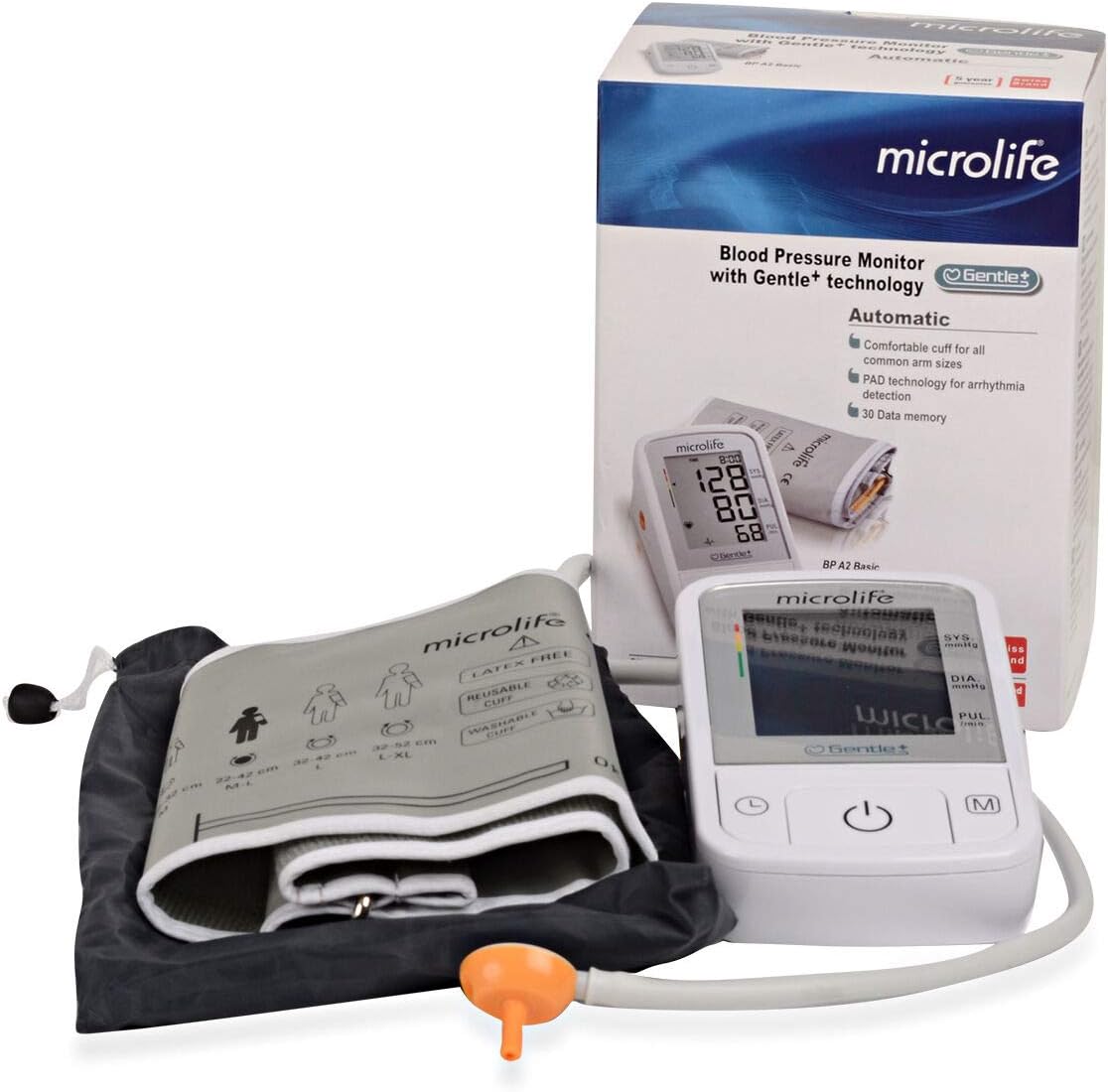
Figure 3: Contents of the Microlife BPA2 Basic package, including the monitor, cuff, and storage bag.
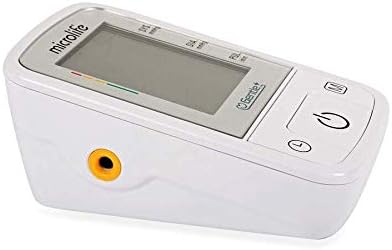
Figure 4: Side view of the monitor, highlighting the cuff connection port.
4. Operating Instructions
For accurate blood pressure measurement, follow these guidelines:
- Prepare for Measurement: Sit quietly for at least 5 minutes before taking a measurement. Avoid eating, smoking, or exercising immediately prior.
- Apply the Cuff: Slide the cuff onto your bare upper arm, ensuring the air tube points towards your forearm. The bottom edge of the cuff should be approximately 2-3 cm above your elbow. The cuff should fit snugly but not too tightly.
- Position Your Arm: Rest your arm comfortably on a table so that the cuff is at heart level. Keep your palm facing upwards.
- Start Measurement: Press the power button (U) to begin the measurement. The cuff will inflate automatically. Remain still and silent during the measurement.
- Read Results: Once the measurement is complete, your systolic (SYS), diastolic (DIA), and pulse (PUL) readings will be displayed on the screen.
- Memory Function: The device automatically stores the last 30 measurements. To review past readings, press the memory button (M).
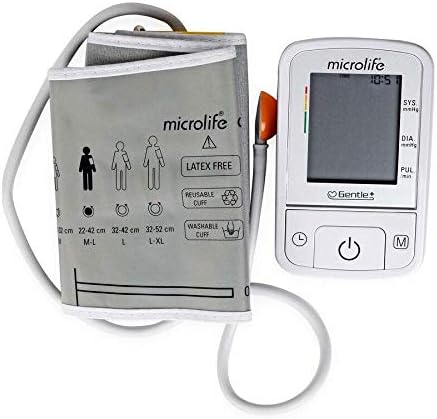
Figure 5: Illustration of correct cuff placement on the upper arm.
5. Maintenance
Proper care and maintenance will ensure the longevity and accuracy of your blood pressure monitor:
- Cleaning: Clean the monitor unit and cuff with a soft, dry cloth. If necessary, use a cloth lightly dampened with water or a mild cleaning agent. Do not use abrasive cleaners or immerse the device in water.
- Storage: Store the device and cuff in a clean, dry place, away from direct sunlight, extreme temperatures, and humidity. Use the provided storage bag for protection.
- Battery Replacement: When the low battery indicator appears on the display, replace all batteries with new ones of the same type.
- Cuff Care: The cuff is reusable and washable. Follow the washing instructions provided with the cuff to maintain hygiene and performance.
6. Troubleshooting
If you encounter issues with your Microlife BPA2 Basic, refer to the following common problems and solutions:
| Problem | Possible Cause | Solution |
|---|---|---|
| No display when powered on | Batteries are dead or incorrectly inserted. | Check battery polarity or replace with new batteries. |
| Error message (e.g., 'Err 1', 'Err 2') | Cuff not applied correctly, arm movement during measurement, or air leakage. | Re-apply cuff correctly, remain still during measurement, check cuff and tube for damage. |
| Inconsistent readings | Improper measurement technique, stress, or recent activity. | Ensure proper preparation and technique. Take multiple measurements with a few minutes in between. Consult a healthcare professional if concerns persist. |
| Low battery indicator appears | Batteries are running low. | Replace all batteries with new ones. |
If the problem persists after attempting these solutions, please contact customer support.
7. Specifications
- Brand: Microlife
- Model: BPA2 Basic
- Product Type: Blood Pressure Monitor
- Units: 1.00 Count
- Age Range: Adult
- Power Source: Battery Powered
- Country of Origin: United Kingdom
- Manufacturer: TJC
- ASIN: B083KGGFXJ
8. Warranty and Support
Microlife stands behind the quality of its products. The Microlife BPA2 Basic Blood Pressure Monitor comes with a 5-year guarantee, ensuring peace of mind regarding its performance and durability.

Figure 6: Product packaging highlighting the 5-year guarantee.
For any questions, technical support, or warranty claims, please contact the seller or manufacturer directly. We are committed to your satisfaction.

Figure 7: Our commitment to guaranteed satisfaction.
