
1. Introduction
This manual provides essential instructions for the safe operation, maintenance, and troubleshooting of your SYMA Q10 Remote Control Motor Boat. Please read this manual thoroughly before using the product to ensure proper function and longevity.
2. Safety Precautions
- Always operate the boat in open water areas free from obstacles, people, or animals.
- Do not operate the boat in saltwater. Use only in fresh water such as pools or lakes.
- Ensure the waterproof cover is securely fastened before placing the boat in water.
- Keep fingers, hair, and loose clothing away from the propellers when the boat is active.
- The remote control is not waterproof. Keep it dry at all times.
- Do not attempt to modify or disassemble the boat or remote control.
- Adult supervision is recommended for children operating the boat.
- Avoid capsizing the boat as it does not have a 180-degree flip function.
- Stay away from water plants to prevent entanglement of the propeller.
3. Package Contents
Verify that all items are present in the package:
- SYMA Q10 Remote Control Motor Boat
- 2.4GHz Remote Control Transmitter
- USB Charging Cable
- Screwdriver
- Rechargeable Batteries (2 included)
- User Manual (this document)
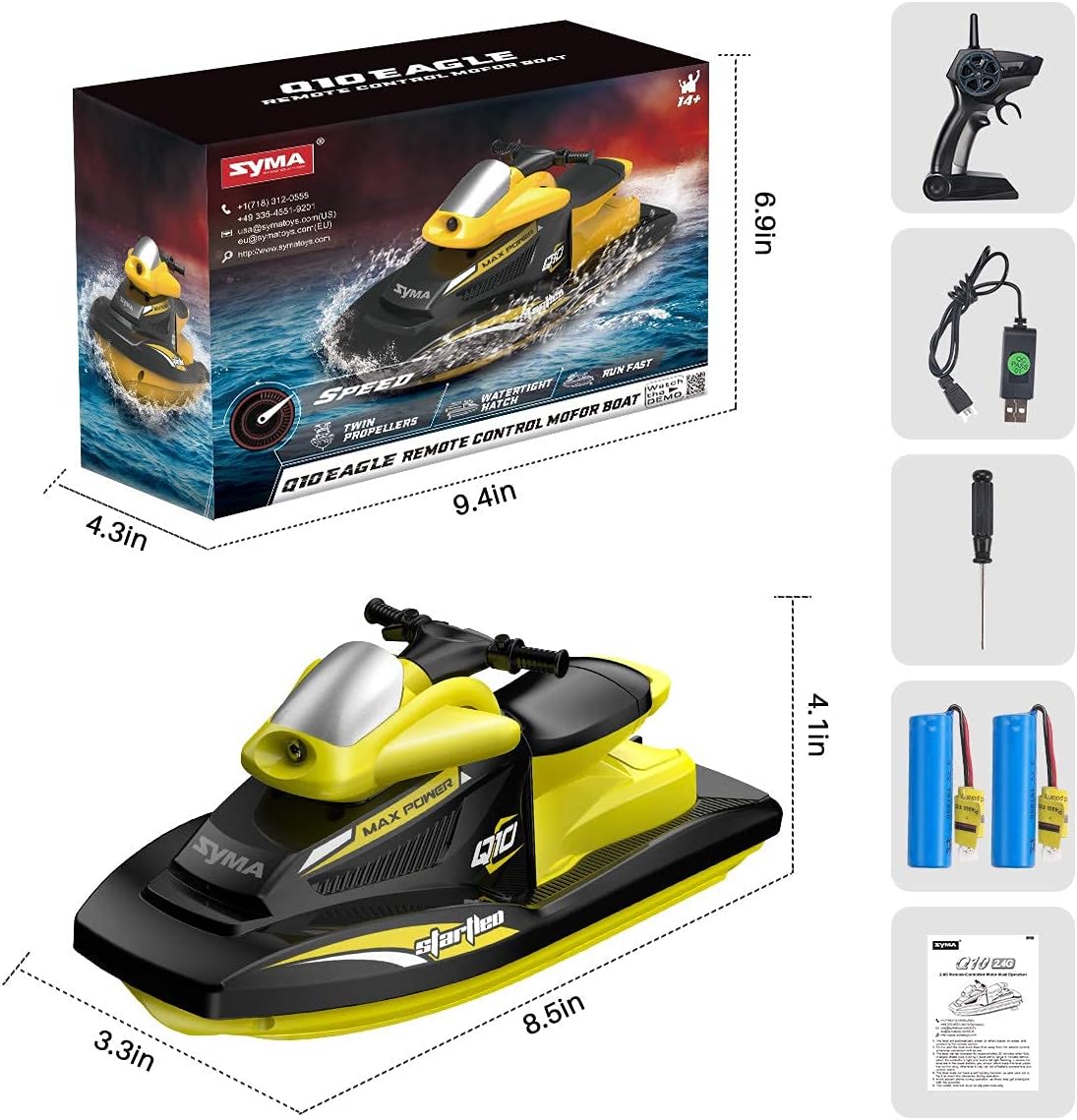
Image: Contents of the SYMA Q10 Remote Control Motor Boat package, including the boat, remote, charging cable, screwdriver, and batteries.
4. Component Identification
4.1 Motor Boat Design
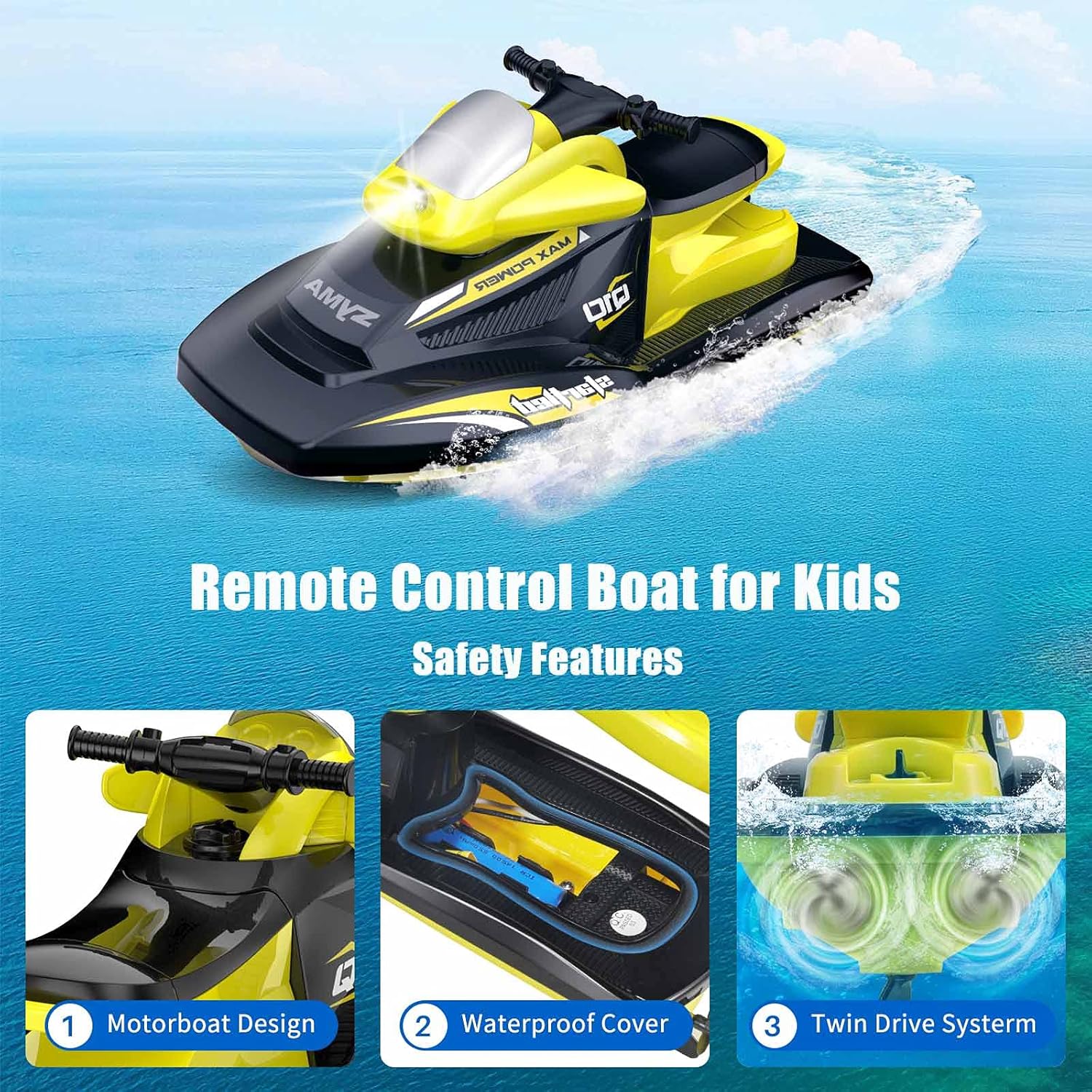
Image: The SYMA Q10 motor boat, highlighting its sleek design, waterproof cover, and twin drive system.
- Hull: The main body of the boat, designed for anti-collision.
- Waterproof Cover: Protects internal components from water.
- Twin Drive System: Two powerful motors with double propellers for strong propulsion.
- Superbright LED: Front-mounted light for visibility.
- Water Contact Switch: Located at the bottom, activates the boat when in water.
4.2 Remote Control
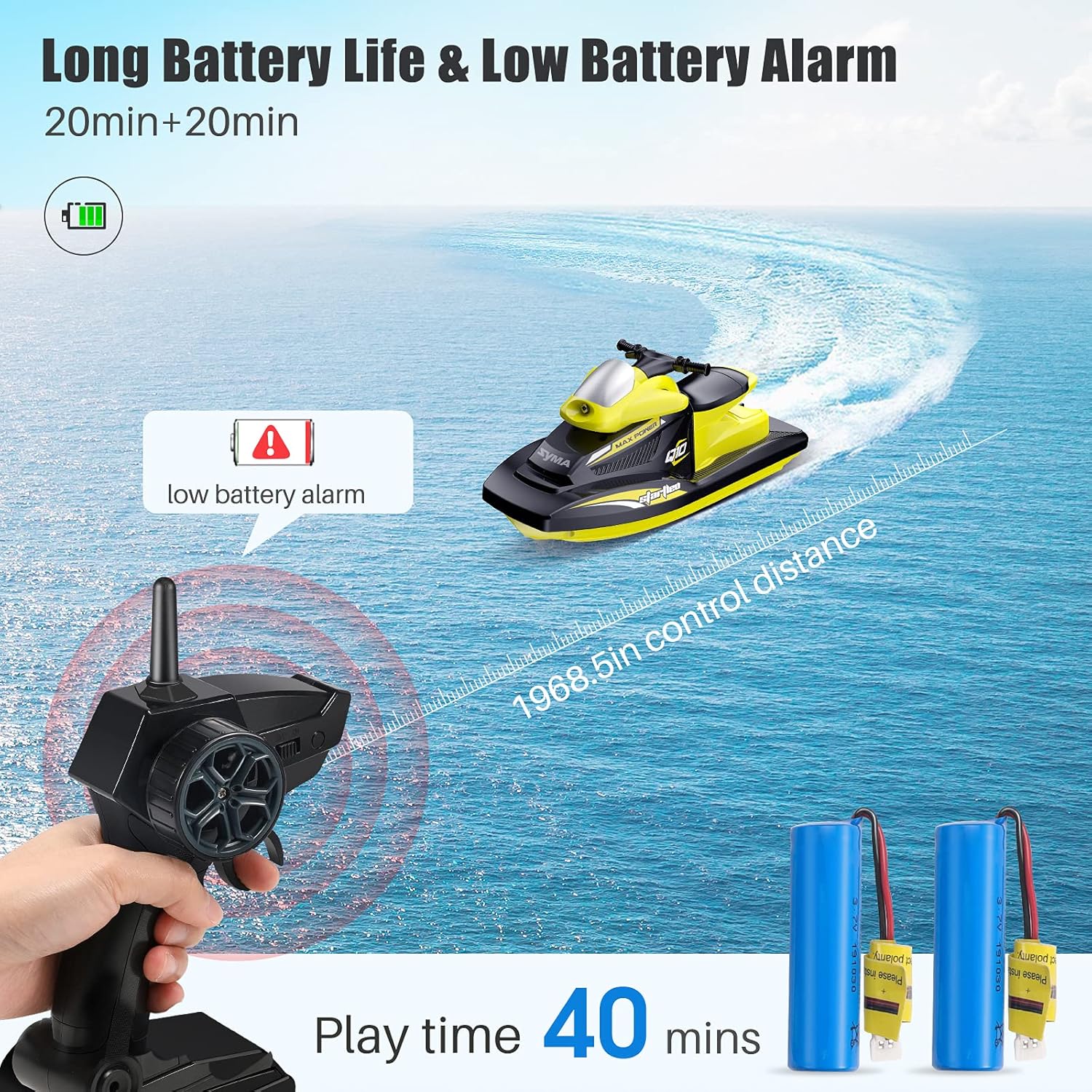
Image: The 2.4GHz remote control with a handle design, shown alongside the boat and batteries.
- Steering Wheel: Controls left and right turns.
- Throttle Trigger: Controls forward and backward movement.
- Power Indicator: LED light indicating power status and low battery.
- Trim Adjustment: For fine-tuning steering.
5. Battery Installation & Charging
5.1 Charging the Boat Battery
- Connect the rechargeable battery to the USB charging cable.
- Plug the USB charging cable into a compatible USB power source (e.g., computer, USB wall adapter).
- The indicator light on the USB cable will show charging status (refer to cable instructions for specific light indications).
- Charging time is approximately 90 minutes. Do not overcharge.
5.2 Installing Boat Battery
- Carefully remove the top cover of the boat to access the battery compartment.
- Connect the charged battery to the boat's power connector.
- Place the battery securely within the compartment.
- Ensure the waterproof cover is properly aligned and firmly closed to prevent water entry.
Video: Demonstrates how to install the battery and secure the waterproof cover on the SYMA Q10 boat.
5.3 Installing Remote Control Batteries
- The remote control requires 2 AA batteries (not included).
- Open the battery compartment on the back of the remote control.
- Insert the batteries, observing correct polarity (+/-).
- Close the battery compartment cover securely.
6. Remote Control Setup
- Ensure the boat battery is installed and the waterproof cover is sealed.
- Place the boat in water. The boat's LED light will flash, indicating it is searching for the remote.
- Turn on the remote control. The remote's indicator light will illuminate.
- The boat's LED light will stop flashing and become solid, indicating successful pairing.
- If pairing fails, turn off both the boat (by removing from water) and remote, then repeat the steps.
Video: Shows the SYMA Q10 boat being placed in water and the remote control being used to operate it, demonstrating the pairing process.
7. Operating Instructions
The SYMA Q10 offers full-function control for an engaging experience.
- Forward: Pull the throttle trigger backward.
- Backward: Push the throttle trigger forward.
- Turn Left: Rotate the steering wheel counter-clockwise.
- Turn Right: Rotate the steering wheel clockwise.
- Trim Adjustment: Use the trim buttons on the remote to fine-tune the boat's straight-line movement if it veers to one side.

Image: The SYMA Q10 boat operating in water, demonstrating its movement capabilities.
8. Features Overview
- Water-Activated Power: The boat automatically powers on when placed in water and off when removed.
- Low Battery Reminder: The remote control will alert you when the boat's battery is low, allowing time to return the boat to shore.
- 2.4GHz Remote Control: Allows multiple boats to operate simultaneously without interference.
- Twin Drive System: Equipped with two powerful motors and double propellers for efficient movement.
- Anti-Collision Hull: Designed to withstand impacts and protect internal components.
- Waterproof Design: Ensures the boat's electronics are protected during operation.

Image: Visual representation of the SYMA Q10's design highlights, including the motorboat design, superbright LED, waterproof features, and anti-collision hull.

Image: Detailed view of the SYMA Q10's twin drive system, showing the powerful motors and double propellers.
9. Maintenance
- After each use, remove the boat from water and thoroughly dry it with a soft cloth.
- Open the waterproof cover and dry any moisture inside the battery compartment.
- Remove batteries from both the boat and remote control if storing for extended periods.
- Inspect propellers for any debris or entanglement and clean as necessary.
- Store the boat and remote in a cool, dry place away from direct sunlight.
10. Troubleshooting
| Problem | Possible Cause | Solution |
|---|---|---|
| Boat does not respond to remote. | Not paired, low batteries, out of range. | Re-pair boat and remote. Check/replace batteries. Ensure boat is within 50m control range. |
| Boat stops unexpectedly. | Low boat battery, out of range. | Charge boat battery. Bring boat closer to remote. |
| Boat veers to one side. | Steering trim needs adjustment. | Use the trim buttons on the remote to adjust steering. |
| Propellers not spinning. | Entanglement, boat not in water. | Check propellers for debris. Ensure boat is in water for activation. |
11. Specifications
- Model: Q10 (EQY10-Y-B)
- Brand: SYMA
- Speed: Up to 10 km/h
- Control Frequency: 2.4 GHz
- Control Distance: Approximately 50 meters
- Play Time: Approximately 20 minutes per battery (2 batteries included for 40 minutes total)
- Charging Time: Approximately 90 minutes
- Power Source: Battery Powered (Rechargeable)
- Material: ABS, Plastic
- Scale: 1:47
- Dimensions: Refer to product packaging for exact measurements (e.g., 215mm length, 85mm width, 105mm height from image PT07).
12. Warranty and Support
For warranty information, please refer to the documentation included with your product packaging or contact SYMA customer support directly. SYMA is committed to providing high-quality products and customer satisfaction.
Contact Information:
- Phone: +1 (718) 312-0558
- Email: usa@symatoys.com (USA)