
Introduction
This manual provides detailed instructions for the proper setup, operation, and maintenance of your Sony DVP-CX860 300+1 DVD/CD Changing Player. Please read this manual thoroughly before using the unit to ensure optimal performance and to prevent damage.
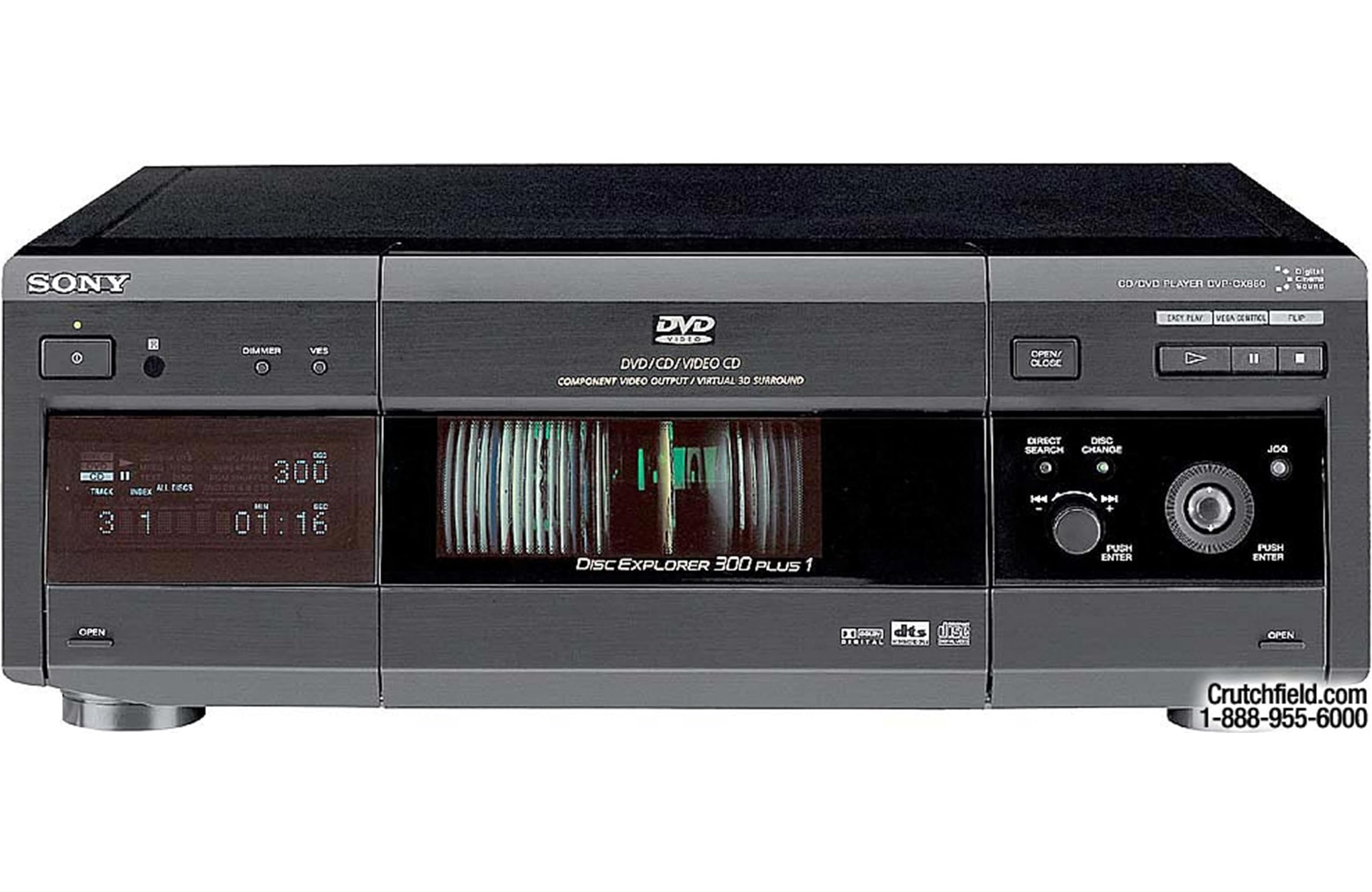
Front view of the Sony DVP-CX860 300+1 DVD/CD Changing Player, showcasing its disc loading tray and display panel.
The DVP-CX860 is designed for high-capacity playback of both DVDs and audio CDs, featuring a 301-disc changer and advanced navigation capabilities. It supports various media types and offers multiple audio and video output options for integration into your home entertainment system.
Setup
1. Unpacking and Placement
- Carefully remove the unit and all accessories from the packaging.
- Place the player on a stable, level surface with adequate ventilation. Avoid placing it near heat sources or in direct sunlight.
- Ensure there is enough space around the unit for proper air circulation.
2. Connecting to Your TV/Audio System
The DVP-CX860 offers several connection options:
- Component Video Output: For the highest quality video connection, use component video cables (Y, Pb, Pr) to connect the player to your TV.
- S-Video Output: Connect S-video cables for a good quality video connection.
- A/V Outputs: Use standard RCA composite video and stereo audio cables for basic connections.
- Digital Audio Outputs (Optical/Coaxial): For surround sound, connect either an optical or coaxial digital audio cable from the player to your amplifier or receiver.
3. Power Connection
After all audio and video connections are made, plug the AC power cord into a wall outlet. The unit will enter standby mode.
Operating Instructions
Remote Control Overview (Model RMT-D123A)
The remote control provides full functionality for your DVP-CX860 player. Familiarize yourself with its buttons for easy operation.

The RMT-D123A remote control for the Sony DVP-CX860, showing all buttons and their labels.
- OPEN/CLOSE: Opens and closes the disc tray.
- 1/0 (Power): Turns the player on or off (standby).
- TV/DVD Slider: Selects whether the remote controls the TV or the DVD player.
- DISC EXPLORER: Activates the Disc Explorer navigation system.
- VOL (+/-): Adjusts volume (if connected to a compatible Sony TV/receiver).
- CH (+/-): Changes channels (if controlling a TV).
- Number Buttons (0-9): Direct selection of disc numbers, tracks, or chapters.
- DISC SKIP: Skips to the next or previous disc in the changer.
- WIDE MODE: Adjusts screen aspect ratio.
- TV/VIDEO: Switches TV input.
- MEGA: Activates MegaStorage features.
- CLEAR: Clears entries.
- ENTER TIME/TEXT: Enters time or text information.
- FLIP: Flips through options.
- FOLDER (A, B, C, D, ALL): Navigates through disc folders.
- AUDIO (FILE), ANGLE (SORT), SUBTITLE (EDIT): Accesses audio tracks, camera angles, or subtitle options.
- FOLDER (DVD), FOLDER (CD): Selects DVD or CD folders.
- SHUFFLE, PROGRAM, REPEAT: Playback modes.
- 1/ALL DISCS (LOAD): Loads a single disc or all discs.
- EASY PLAY: Initiates simplified playback.
- PREV (<<), NEXT (>>): Skips to previous/next track or chapter.
- PICTURE MEMORY, BOOK MARK: Functions for picture and bookmark management.
- PLAY (►), PAUSE (||), STOP (■): Standard playback controls.
- DISPLAY: Shows on-screen information.
- TITLE, DVD MENU, RETURN: Navigation for DVD menus.
- JOG: For frame-by-frame or slow-motion playback.
- Directional Pad (Up, Down, Left, Right, Enter): Navigates menus and selections.
1. Loading Discs
- Press the OPEN/CLOSE button on the unit or remote.
- Place discs onto the disc trays, ensuring they are seated correctly with the label side up.
- Press OPEN/CLOSE again to close the tray.
2. Playing Discs
- Turn on your TV and select the correct input source.
- Press the 1/0 button on the remote or unit to power on the player.
- Use the number buttons to select the desired disc, or use DISC EXPLORER to browse.
- Press the PLAY button (►) to begin playback.
3. Disc Explorer Navigation
The Disc Explorer system allows you to easily manage and select discs from the 301-disc changer. Press the DISC EXPLORER button to access the on-screen menu. Use the directional pad to navigate and select discs or categories.
Maintenance
1. Cleaning the Unit
- Wipe the exterior of the unit with a soft, dry cloth. For stubborn dirt, use a slightly damp cloth and then dry thoroughly.
- Do not use abrasive pads, scouring powder, or solvents such as alcohol or benzene, as these may damage the finish.
2. Disc Care
- Handle discs by their edges to avoid fingerprints on the playing surface.
- Clean discs with a soft, lint-free cloth, wiping gently from the center outwards.
- Store discs in their cases or in the changer to protect them from dust and scratches.
Troubleshooting
If you experience problems with your DVP-CX860, refer to the following common issues and solutions:
- No Power:
- Ensure the power cord is securely plugged into the wall outlet and the unit.
- Check if the power outlet is functional. - No Picture or Sound:
- Verify that the video and audio cables are correctly connected to both the player and your TV/audio system.
- Ensure your TV is set to the correct input source (e.g., Component, S-Video, Video 1).
- Check the volume level on your TV or audio receiver. - Disc Does Not Play:
- Ensure the disc is inserted correctly with the label side up.
- Check if the disc is clean and free of scratches or smudges.
- Verify that the disc format (DVD, CD) is compatible with the player. - Remote Control Not Working:
- Replace the batteries in the remote control.
- Ensure there are no obstructions between the remote and the player's sensor.
- Make sure the TV/DVD slider on the remote is set to DVD. - Disc Changer Malfunction:
- If discs are not loading or ejecting properly, power off the unit, unplug it for a few minutes, then plug it back in and try again.
- Avoid forcing discs into trays.
Specifications
| Feature | Detail |
|---|---|
| Brand | Sony |
| Model | DVP-CX860 |
| Media Type | CD, DVD |
| Disc Capacity | 301 discs |
| Special Feature | Surround Sound |
| Connector Type | Component Video, S-Video, A/V (RCA), Digital Optical, Digital Coaxial |
| Color | Black |
| Audio Output Mode | Surround |
| Input Video Compatibility | NTSC |
| Analog Video Format | NTSC |
| UPC | 714752279026 |
| ASIN | B083G21WP3 |
Warranty Information
This Sony DVP-CX860 unit comes with a 90 days limited warranty. This warranty covers defects in materials and workmanship under normal use. Please retain your proof of purchase for warranty claims. For specific terms and conditions, refer to the warranty documentation provided with your product or contact Sony customer support.
Customer Support
For further assistance, technical support, or service inquiries regarding your Sony DVP-CX860 DVD/CD Changing Player, please visit the official Sony support website or contact their customer service department. You can typically find contact information and support resources on the Sony website by searching for your product model number.
Online Support: www.sony.com/electronics/support
When contacting support, please have your model number (DVP-CX860) and serial number ready.