
Romoss SW20PS+
ROMOSS 20000mAh SW20PS+ Power Bank User Manual
Model: SW20PS+ (PWM20)
1. Introduction
Thank you for choosing the ROMOSS 20000mAh SW20PS+ Power Bank. This portable charger is designed to provide reliable and fast charging for your electronic devices. Featuring a 20000mAh Li-Polymer battery, 18W Power Delivery (PD) fast charging, three input ports, three output ports, and an intelligent LCD display, it offers convenience and efficiency for your charging needs.
Please read this manual carefully before using the product to ensure proper operation and to maximize its lifespan.
2. Safety Information
- Do not disassemble, open, or attempt to repair the power bank.
- Do not expose the power bank to water, moisture, or extreme temperatures (above 60°C/140°F or below 0°C/32°F).
- Keep the power bank away from heat sources, direct sunlight, and flammable materials.
- Do not drop, puncture, or apply strong impact to the power bank.
- Use only certified charging cables and adapters.
- Keep out of reach of children.
- Dispose of the power bank according to local regulations. Do not dispose of it with household waste.
3. Package Contents
- ROMOSS 20000mAh SW20PS+ Power Bank
- User Manual (this document)
Note: Charging cables and wall chargers are not included and must be purchased separately.
4. Product Overview
4.1 Components and Ports
The ROMOSS SW20PS+ Power Bank features multiple input and output ports for versatile charging. Refer to the image below for port identification.

Image: ROMOSS SW20PS+ Power Bank showing its three input ports (Micro USB, Lightning, Type-C) and two USB-A output ports. Each input port is labeled with its type and voltage/current specifications.
- 1. Micro USB Input: For recharging the power bank (5V/2A or 9V/2A).
- 2. Lightning Input: For recharging the power bank (5V/2.1A).
- 3. Type-C Input/Output: For recharging the power bank or charging devices (5V/2A or 9V/2A). Supports 18W PD fast charging.
- USB-A Output 1: For charging devices (standard USB output).
- USB-A Output 2: For charging devices (supports Quick Charge).
- Power Button: Press to check battery level or activate fast charge mode.
- LCD Digital Display: Shows battery percentage, charging voltage, and charging current.
4.2 Smart Digital Display
The integrated LCD display provides real-time information about the power bank's status. Press the power button to cycle through the display modes.

Image: A close-up of the ROMOSS SW20PS+ Power Bank's LCD display, illustrating how it shows battery percentage, a 'Fast Charge+' indicator, charging voltage (V), and charging current (A).
- Battery Percentage: Shows the remaining power level from 0-100%.
- Fast Charge+ Indicator: A blue lightning bolt icon indicates that a Quick Charge-enabled device is connected and fast charging is active.
- Charging Voltage (V): Displays the current charging voltage.
- Charging Current (A): Displays the current charging amperage.
5. Setup and Initial Use
5.1 Initial Charging of the Power Bank
Before first use, it is recommended to fully charge your ROMOSS SW20PS+ Power Bank.
- Connect a compatible charging cable (Micro USB, Lightning, or Type-C) to one of the power bank's input ports.
- Connect the other end of the cable to a USB wall charger (18W PD/QC compatible charger recommended for fastest charging).
- The LCD display will show the charging status. A full charge from 0% to 100% with an 18W charger typically takes approximately 7 hours.

Image: The ROMOSS SW20PS+ Power Bank being recharged via its Type-C port, illustrating that it can be fully recharged in 7 hours with an 18W wall charger.
6. Operating Instructions
6.1 Charging Your Devices
The power bank features three output ports (2x USB-A, 1x Type-C) to charge your devices.
- Connect your device's charging cable to one of the power bank's output ports (USB-A or Type-C).
- Connect the other end of the cable to your device.
- The power bank will automatically begin charging your device. The LCD display will show the current charging status.
- To check the power bank's remaining battery, press the power button once.
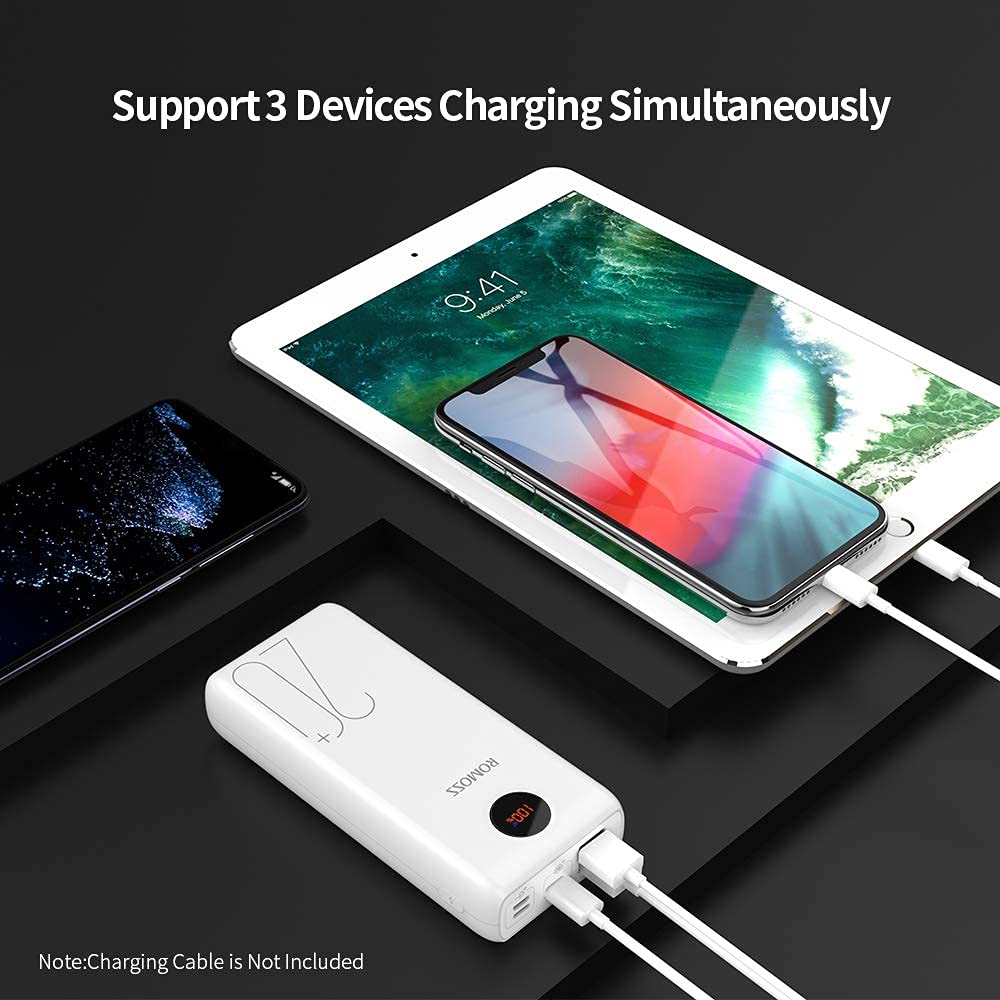
Image: The ROMOSS SW20PS+ Power Bank simultaneously charging a smartphone and a tablet using its multiple output ports.
6.2 Fast Charging Capabilities
The ROMOSS SW20PS+ supports 18W Power Delivery (PD) and Quick Charge (QC) technologies for compatible devices.
- When charging a QC-compatible device via a USB-A output or a PD-compatible device via the Type-C port, the power bank can charge devices up to 80% in approximately 35 minutes.
- The blue 'Fast Charge+' indicator on the LCD display will illuminate when fast charging is active.
Image: The ROMOSS SW20PS+ Power Bank demonstrating its fast charging capability, showing an iPhone X charging to 50% in 30 minutes via the Type-C port.
6.3 Simultaneous Charging
The power bank allows you to charge up to three devices simultaneously using its multiple output ports.
Image: The ROMOSS SW20PS+ Power Bank simultaneously charging a smartphone and a tablet, demonstrating its multi-device charging capability.
7. Maintenance
- Clean the power bank with a dry, soft cloth. Do not use abrasive cleaners or solvents.
- Store the power bank in a cool, dry place, away from direct sunlight and extreme temperatures.
- If the power bank is not used for an extended period, charge it to approximately 50-75% every three months to maintain battery health.
- Avoid overcharging or completely discharging the power bank frequently, as this can reduce battery lifespan.
8. Troubleshooting
| Problem | Possible Cause | Solution |
|---|---|---|
| Power bank not charging | Loose cable connection; faulty cable/adapter; power bank fully charged. | Ensure cables are securely connected. Try a different cable or wall adapter. Check LCD display for 100% charge. |
| Device not charging from power bank | Power bank depleted; faulty cable; device not compatible; power bank in standby. | Recharge the power bank. Try a different charging cable. Ensure your device is compatible. Press the power button to activate output. |
| Slow charging | Non-fast charging cable/adapter; device not supporting fast charge; multiple devices charging. | Use a fast-charging compatible cable and adapter. Ensure your device supports fast charging. Charging multiple devices may reduce individual charging speed. |
| LCD display not working | Power bank off; internal issue. | Press the power button to activate the display. If the issue persists, contact customer support. |
9. Specifications
| Model Number | SW20PS+ (PWM20) |
| Battery Type | Li-Polymer |
| Capacity | 20000mAh |
| Micro USB Input | 5V/2A, 9V/2A |
| Lightning Input | 5V/2.1A |
| Type-C Input/Output | 5V/2A, 9V/2A (18W PD) |
| USB-A Output 1 | Standard USB Output |
| USB-A Output 2 | Quick Charge Output (up to 3A) |
| Dimensions (LxWxH) | 15.1 x 6.9 x 2.9 cm |
| Weight | 460 g |
| Special Features | 18W PD Fast Charging, Quick Charge 3.0, LCD Digital Display, 3 Inputs, 3 Outputs |

Image: The ROMOSS SW20PS+ Power Bank being stored in a bag, highlighting its dimensions (5.94*3*0.9 inches) and weight (440g/17.1oz) for portability.
10. Warranty and Support
ROMOSS provides a worry-free 12-month friendly customer service for this product. If you encounter any issues or have questions regarding your SW20PS+ Power Bank, please contact ROMOSS customer support through your purchase platform or the official ROMOSS website.
Please retain your proof of purchase for warranty claims.
Ask a question about this manual
Ask about setup, troubleshooting, compatibility, parts, safety, or missing instructions. Manuals+ will review the question and use this page’s manual context to help answer it.