
Romoss PHP30
Romoss Sense 8P+ 30000mAh Power Bank User Manual
Model: PHP30
Introduction
Thank you for choosing the Romoss Sense 8P+ 30000mAh Power Bank. This manual provides essential information for the safe and efficient use of your device. Please read it thoroughly before operation and retain it for future reference.
Product Overview
Key Features:
- High Capacity: 30000mAh Lithium Polymer battery for extended power.
- Fast Charging: 18W rapid recharge for the power bank and fast charging output for compatible devices.
- Versatile Inputs: Three input ports (Micro-USB, Lightning, Type-C) for convenient recharging with various cables.
- Multiple Outputs: Three output ports (2x USB-A, 1x Type-C) to charge up to three devices simultaneously.
- Digital LED Display: Accurate display of remaining battery percentage.
Components:
The Romoss Sense 8P+ features a robust design with multiple ports and an integrated digital display.
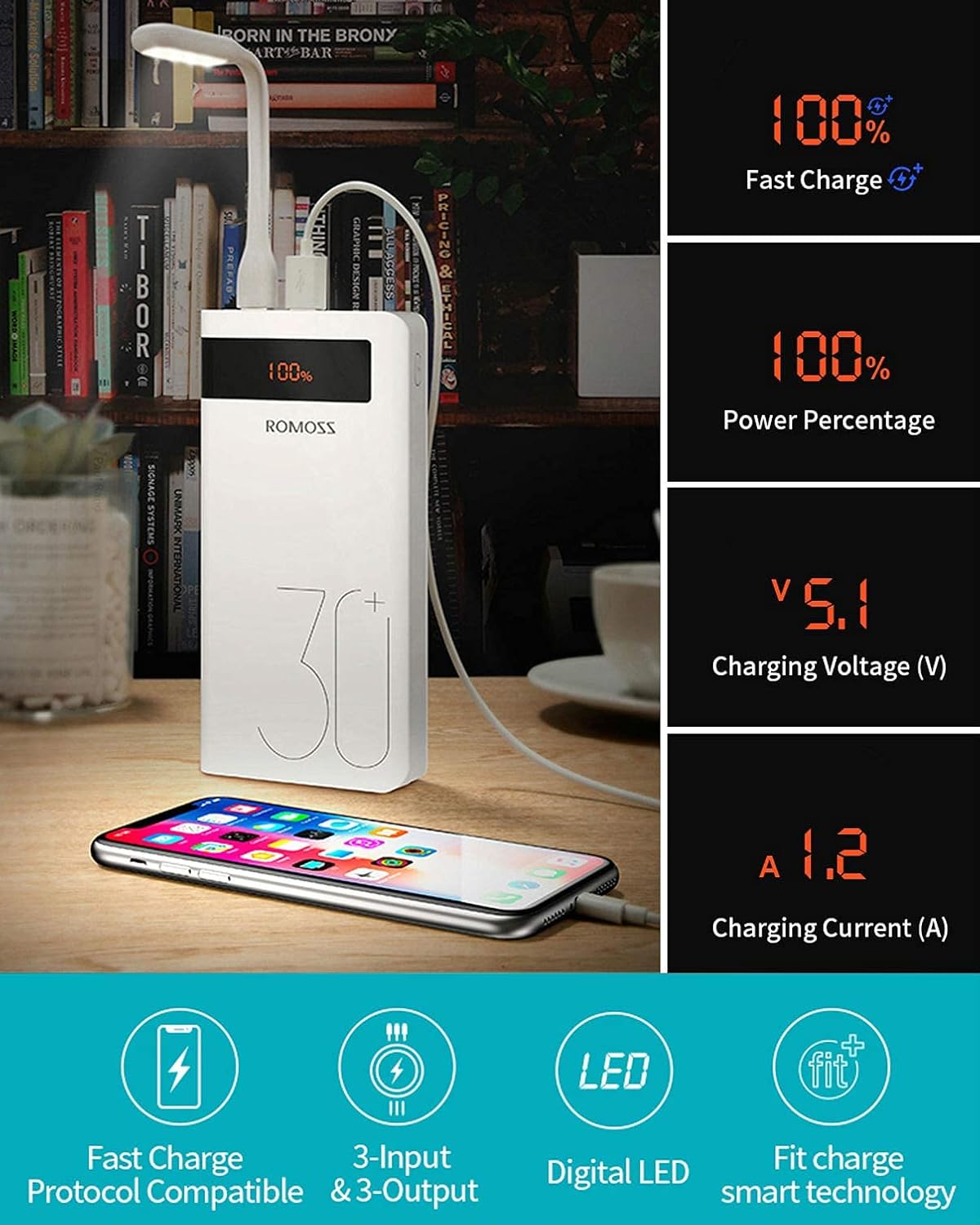
Image: Romoss Sense 8P+ Power Bank showing its digital display and key features. The display indicates 100% charge, fast charge capability, power percentage, charging voltage (V), and charging current (A). Below the power bank are icons for Fast Charge Protocol Compatible, 3-Input & 3-Output, Digital LED, and Fit Charge smart technology.

Image: Detailed view of the Romoss Sense 8P+ Power Bank's three input ports: Micro USB, Lightning, and Type-C. Each port is labeled, demonstrating where to insert the respective charging cables for recharging the power bank.
Setup: Charging the Power Bank
Before using your Romoss Sense 8P+ Power Bank for the first time, it is recommended to fully charge it.
- Select a Cable: Choose a Micro-USB, Lightning, or Type-C cable. The power bank supports all three input types. (Note: Charging cable is not included with the power bank.)
- Connect to Power Source: Plug one end of the chosen cable into the corresponding input port on the power bank.
- Connect to Wall Charger: Plug the other end of the cable into a compatible 18W (or higher) wall charger.
- Monitor Charging: The digital LED display will show the charging progress. A full recharge of the 30000mAh power bank takes approximately 11 hours with an 18W wall charger.
Video: This video demonstrates the fast charging capability of the Romoss Sense 8P+ Power Bank, showing how it charges an iPhone X from 0% to 50% in approximately 30 minutes. It also illustrates charging multiple devices simultaneously, including a Nintendo Switch, and highlights the three input ports (Micro-USB, Lightning, Type-C) and three output ports.
Operating: Charging Your Devices
The Romoss Sense 8P+ Power Bank can charge a wide range of electronic devices, including smartphones, tablets, and other USB-powered gadgets.
- Connect Your Device: Use your device's charging cable (USB-A to device or Type-C to device) and plug the USB-A or Type-C end into one of the power bank's output ports.
- Start Charging: The power bank will automatically begin charging your device. The digital LED display will show the remaining battery percentage.
- Simultaneous Charging: You can charge up to three devices concurrently using the available output ports. Note that fast charging may be disabled when multiple devices are charged simultaneously, and the maximum current added is 3A.

Image: The Romoss Sense 8P+ Power Bank connected and charging an iPhone 8, a Samsung S9, and an iPad mini 4. Text overlays indicate that the 30000mAh capacity provides approximately 12.6 charges for an iPhone 8, 7.2 charges for a Samsung S9, and 4 full charges for an iPad mini 4.
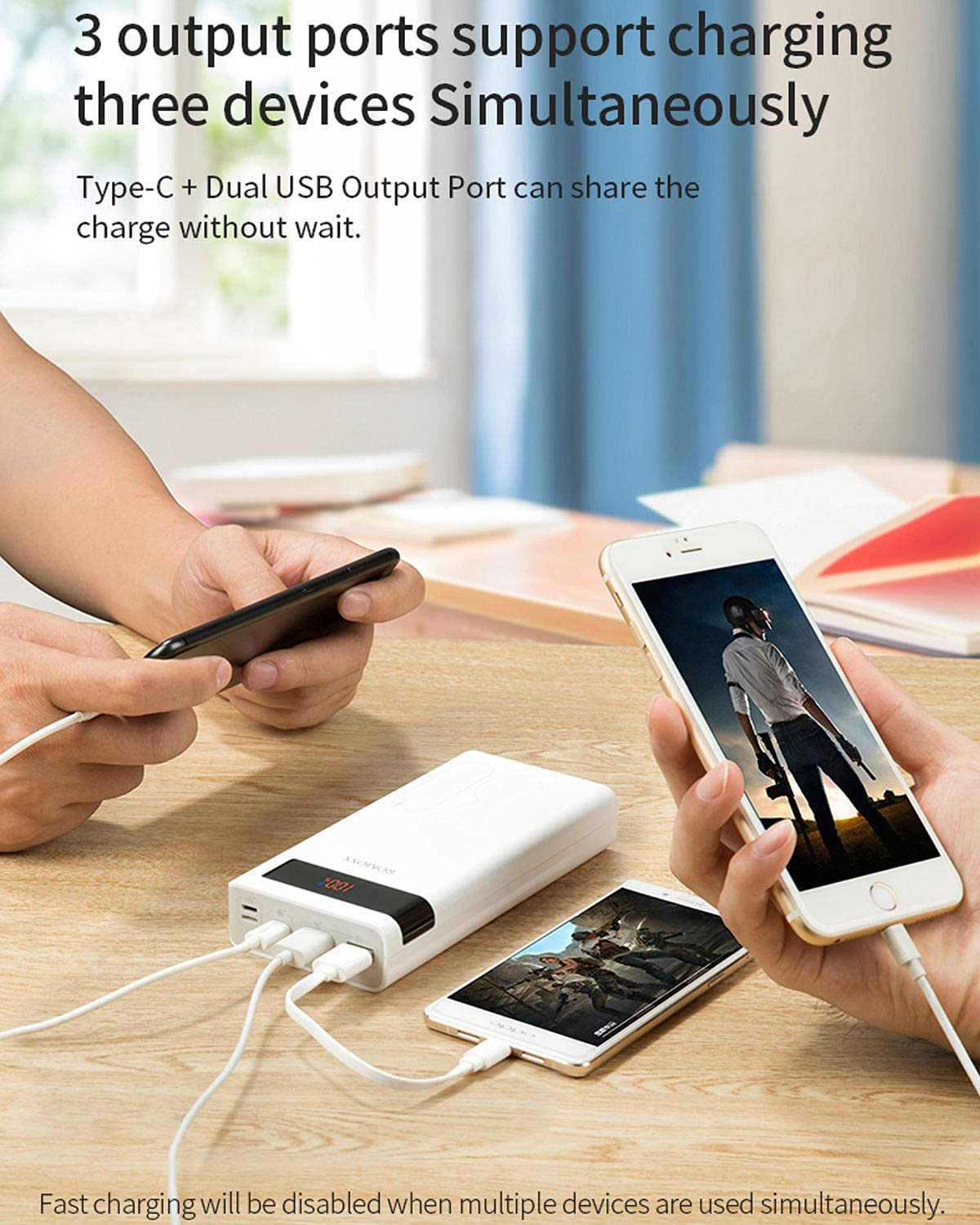
Image: A Romoss Sense 8P+ Power Bank simultaneously charging two smartphones. The image highlights that the Type-C and dual USB output ports support charging three devices concurrently.

Image: The Romoss Sense 8P+ Power Bank connected to and charging three devices simultaneously. Output specifications are listed: Type-C (5V=3A or 9V=2A or 12V=1.5A), USB-1 (5V=3A or 9V=2A or 12V=1.5A), and USB-2 (5V=2.1A). A note states that the maximum current added is 3A when charged simultaneously.
Safety Information
- Do not expose the power bank to extreme temperatures, direct sunlight, or fire.
- Avoid dropping, disassembling, or modifying the device.
- Keep away from water and high humidity.
- Do not use if the power bank is damaged or swollen.
- Keep out of reach of children.
- Use only compatible and certified charging cables and adapters.
- Dispose of the power bank responsibly according to local regulations.
Maintenance
- Clean the power bank with a soft, dry cloth. Do not use harsh chemicals or abrasive materials.
- Store the power bank in a cool, dry place when not in use.
- If storing for an extended period, charge the power bank to about 50-75% every three months to maintain battery health.
Troubleshooting
| Problem | Possible Solution |
|---|---|
| Power bank not charging |
|
| Device not charging from power bank |
|
| Slow charging |
|
| Digital display not working |
|
Specifications
| Feature | Detail |
|---|---|
| Brand | Romoss |
| Model Name | Sense 8P+ |
| Model Number | PHP30 |
| Battery Capacity | 30000 Milliamp Hours (mAh) |
| Battery Cell Type | Lithium Polymer |
| Connector Type | Micro USB, USB (Type-C, USB-A) |
| Input Ports | Micro USB, Lightning, Type-C |
| Output Ports | 2x USB-A, 1x Type-C |
| Special Feature | Fast Charging |
| Voltage | 5 Volts |
| Amperage | 3 Amps (Max Output) |
| Battery Charge Time | 11 Hours (with 18W charger) |
| Compatible Devices | Smartphones, Tablets, iPad, iPhone (e.g., iPhone 8, Samsung S9) |
| Item Weight | 690 Grams |
| Item Dimensions (L x W x Th) | 16.8 x 7.9 x 3.3 Centimeters |
| Color | White |
Warranty and Support
The Romoss Sense 8P+ Power Bank comes with a 1-year warranty from the date of purchase. Please retain your proof of purchase for warranty claims.
For technical support, troubleshooting assistance, or warranty inquiries, please contact Romoss customer service through their official website or the retailer where the product was purchased.
Note: The charging cable is not included and is not covered under warranty.
Ask a question about this manual
Ask about setup, troubleshooting, compatibility, parts, safety, or missing instructions. Manuals+ will review the question and use this page’s manual context to help answer it.