1. Product Overview
The Eyoyo 1D Bluetooth Wearable Ring Barcode Scanner is a versatile and portable device designed to enhance productivity in various environments such as libraries, warehouses, retail stores, pharmacies, and supermarkets. Its compact, wearable design allows for hands-free operation, significantly improving work efficiency.
This scanner boasts superior 1D barcode decoding ability, quickly capturing common codes like UPC-A, EAN-13, EAN-128, ISBN, Code 39, Code 128, and Codabar. It offers three flexible connection modes: 2.4G wireless, Bluetooth wireless, and USB wired, ensuring broad compatibility with devices including laptops, PCs, POS systems, smartphones, tablets, iPhones, and iPads running Windows XP/7/8/10, Mac OS, and Linux.
Equipped with a 450mAh rechargeable battery, the scanner provides up to 10 hours of continuous scanning on a 4-hour charge. Its 330° rotation angle allows for comfortable use by both left and right-handed individuals. Multiple configuration options are available, including instant upload or storage mode, adjustable sound and vibration feedback, and the ability to add custom prefixes or suffixes to scanned data.
Product Features in Detail

The Eyoyo 1D Bluetooth Wearable Ring Barcode Scanner is designed for comfortable, hands-free operation, allowing users to easily scan barcodes while performing other tasks.

Featuring a 330° rotation angle, the scanner can be easily adjusted for comfortable use on either the left or right hand, enhancing user flexibility.

This image illustrates the improved efficiency of the ring scanner compared to traditional handheld scanners, saving time on tasks like scanning and data entry.

The scanner offers superior decoding ability for a wide range of 1D barcodes, including UPC-A (e.g., 6931987042704), Codabar (e.g., A000800A), EAN 128 (e.g., 00069290001000000012), ISBN (e.g., 9787222070370), EAN-13, Code 128, and Code (e.g., I87654321).

Equipped with a 450mAh battery, the scanner provides up to 10 hours of continuous working time after a 4-hour charge, with a standby time of 720 hours.

The scanner supports three versatile connection types: Bluetooth Wireless (BT 4.1), 2.4G Wireless (via dongle), and USB Wired, allowing connection to various devices.
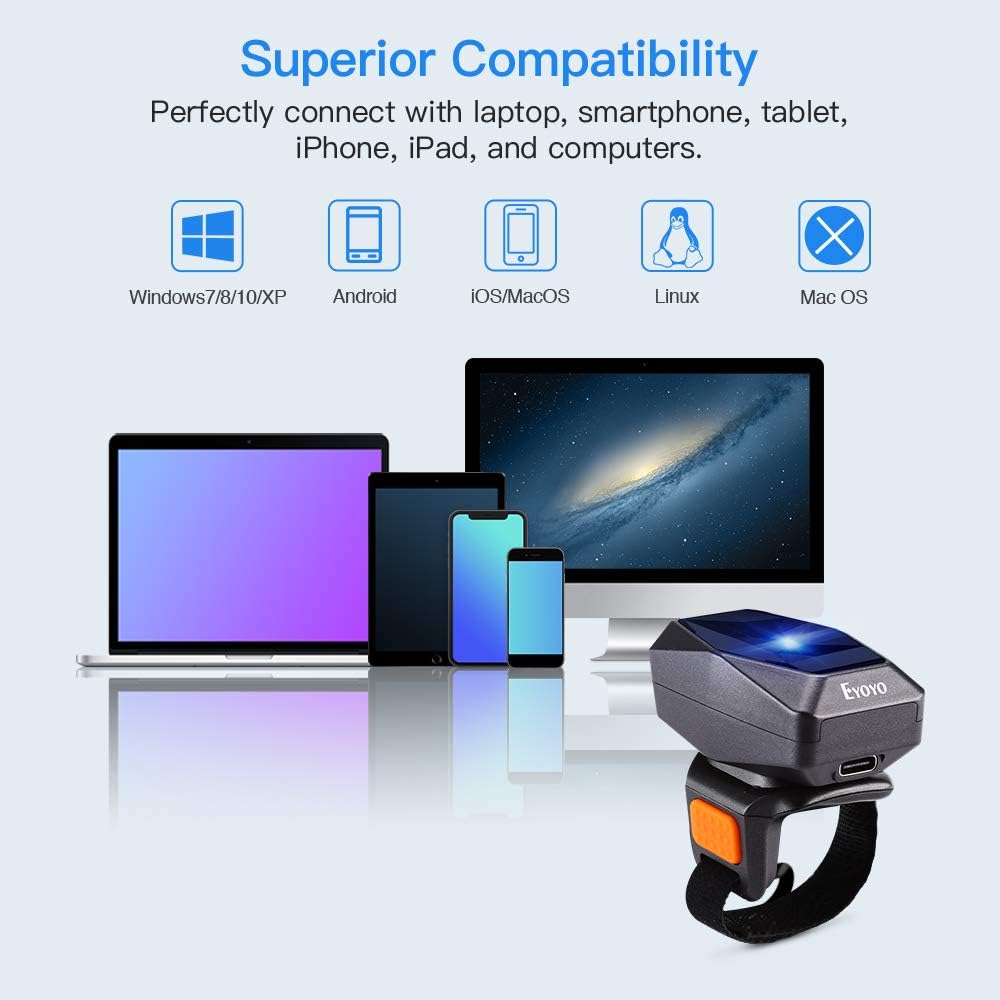
The device offers superior compatibility, connecting seamlessly with laptops, smartphones, tablets, iPhones, iPads, and computers running Windows 7/8/10/XP, Android, iOS/MacOS, and Linux.

The Eyoyo ring scanner is widely used in various settings, including warehouses, bookstores, logistics operations, and supermarkets, due to its efficiency and portability.
Official Product Videos
This video demonstrates the three connection methods of the Eyoyo EY-016L scanner: Bluetooth, 2.4G wireless, and USB wired, showcasing its versatility across different devices.
An overview video highlighting the key features of the Eyoyo EY-016L 3-in-1 ring barcode scanner, including its ergonomic design and hands-free operation for improved efficiency.
Short demonstration of connecting the Eyoyo scanner via Bluetooth to a tablet, showing the pairing process and successful data transmission.
This video illustrates how to establish a 2.4G wireless connection between the scanner and a computer using the provided USB dongle.
A detailed look at the Eyoyo EY-016L 1D ring barcode scanner, showcasing its compact size, comfortable fit, and efficient scanning capabilities in a warehouse setting.
A quick demonstration of the three versatile connection options (Bluetooth, 2.4G, USB) available with the Eyoyo ring barcode scanner.
2. Package Contents
Verify that all the following items are included in your package:
- 1x Eyoyo 1D Ring Scanner
- 1x User Manual
- 1x USB Cable
- 1x 2.4G Dongle

Image showing the Eyoyo 1D ring scanner, user manual, USB cable, and 2.4G dongle included in the package.
3. Setup
3.1 Charging the Scanner
Before first use, fully charge the scanner. Connect the provided USB cable to the scanner's charging port and plug the other end into a USB power source (e.g., computer USB port, wall adapter). A full charge takes approximately 4 hours and provides up to 10 hours of continuous scanning.
3.2 Power On/Off
To power on the scanner, locate the ON/OFF switch on the device and slide it to the 'ON' position. To power off, slide the switch to 'OFF'.
3.3 Connection Modes
The Eyoyo scanner supports three connection modes: Bluetooth, 2.4G Wireless, and USB Wired. Choose the mode that best suits your device and environment.
3.3.1 Bluetooth Wireless Connection
This mode is ideal for connecting to smartphones, tablets, and other Bluetooth-enabled devices.
- Ensure the scanner is powered on.
- Press and hold the scan button for 8-10 seconds until the blue light flashes rapidly. This indicates the scanner is in Bluetooth pairing mode.
- On your device (e.g., iPhone, iPad, Android phone), go to Bluetooth settings and search for available devices.
- Select "Eyoyo-016L" (or similar name) from the list to pair. Once successfully paired, you will hear a beep and the blue light will remain solid.

Reminder: If long pressing the scan button for 8 seconds does not enter Bluetooth pairing mode, please scan the following set code: ^&C25&^
3.3.2 2.4G Wireless Connection
Use this mode for wireless connection to PCs or laptops that do not have Bluetooth, or for a more stable connection.
- Scan the "USB Dongle Setup" barcode from the user manual to switch the scanner to 2.4G mode.
- Plug the 2.4G USB dongle into an available USB port on your computer.
- Scan the "Compulsory Pair with Dongle Setup" barcode from the user manual.
- If pairing is successful, you will hear a beep and the blue light on the scanner will remain solid.
3.3.3 USB Wired Connection
For direct and stable connection to a computer, use the USB wired mode.
- Connect the scanner to your computer using the provided USB cable.
- The scanner will automatically switch to USB wired mode and be ready for use. The green light on the scanner will indicate it is active.
4. Operating Instructions
4.1 Basic Scanning
Once connected, simply point the scanner's laser beam at a 1D barcode and press the trigger button. The scanner will emit a red laser line. Upon successful scan, the scanner will vibrate (or beep, depending on settings) and the barcode data will be transmitted to your connected device.
4.2 Configuration Options
The scanner offers several customizable settings:
- Upload Mode: Choose between instant upload mode (data is sent immediately after scanning) or storage mode (data is stored internally and can be uploaded later). The scanner has 16MB of storage, capable of holding up to 100,000 EAN13 barcodes.
- Sound and Vibration: You can turn the sound and/or vibration feedback on or off according to your preference. Refer to the user manual for specific barcodes to scan for these settings.
- Keyboard Keys: Add custom keyboard keys (e.g., TAB, CR&LF) to the scanning operation for automated data entry formatting.
For detailed instructions on configuring these options, please refer to the comprehensive user manual included with your scanner.
5. Maintenance
To ensure the longevity and optimal performance of your Eyoyo 1D Bluetooth Wearable Ring Barcode Scanner, follow these maintenance guidelines:
- Cleaning: Use a soft, dry cloth to clean the scanner's exterior. For the scanning window, use a lint-free cloth lightly dampened with a mild, non-abrasive cleaner. Avoid harsh chemicals or abrasive materials that could scratch the surface.
- Storage: Store the scanner in a cool, dry place away from direct sunlight, extreme temperatures, and high humidity. When not in use for extended periods, ensure the battery is partially charged (around 50%) to preserve battery health.
- Handling: Handle the scanner with care to prevent drops or impacts, which could damage internal components.
6. Troubleshooting
If you encounter issues with your Eyoyo scanner, please refer to the following common troubleshooting steps:
- Scanner not powering on: Ensure the battery is charged. Connect the scanner to a power source using the USB cable and allow it to charge for at least 30 minutes before attempting to power it on again.
- Unable to connect via Bluetooth: Make sure Bluetooth is enabled on your host device. Ensure the scanner is in pairing mode (blue light flashing rapidly). If issues persist, try scanning the specific Bluetooth pairing barcode provided in the user manual or the reminder image in Section 3.3.1.
- Scanner not transmitting data: Verify that the scanner is successfully connected to your device (solid blue light for Bluetooth/2.4G, green light for USB wired). Check if the correct input field is active on your device for data reception.
- Scanning errors or misreads: Ensure the barcode is clean and not damaged. Adjust the distance and angle of the scanner to the barcode. Ensure the barcode type is supported by the scanner (1D barcodes only).
- No sound or vibration feedback: Check the scanner's configuration settings. You may have turned off the sound or vibration. Refer to the user manual for instructions on how to re-enable them.
For more detailed troubleshooting or persistent issues, please contact customer support.
7. Specifications
| Feature | Specification |
|---|---|
| Product Dimensions | 1.77 x 1.18 x 1.77 inches |
| Item Weight | 3.87 ounces |
| Item Model Number | EY-016L |
| Batteries | 1 Lithium Polymer batteries required. (included) |
| Date First Available | January 3, 2020 |
| Manufacturer | YA-YH0482 |
| Compatible Devices | iPhone, Laptop, Tablet, iPad, Smartphone |
| Power Source | Battery-Powered, Corded Electric |
| Brand | Eyoyo |
| Connectivity Technology | Bluetooth & 2.4G Wireless & USB Wired |
| Number of Batteries | 1 Lithium Polymer batteries required. (included) |
8. Warranty and Support
Eyoyo products are designed for reliability and performance. For any questions, technical assistance, or warranty claims, please contact the seller directly. The primary seller for this product is YAZHOUSHANG NO.1 Store. Please retain your purchase receipt for warranty purposes.


