
Swagtron T882
Contents
Swagtron Swagboard T882 LED Hoverboard User Manual
Model: T882
1. Introduction
Welcome to the Swagtron Swagboard T882 LED Hoverboard user manual. This guide provides essential information for the safe and effective operation, maintenance, and troubleshooting of your new self-balancing hoverboard. Please read this manual thoroughly before first use to ensure optimal performance and user safety.
The SWAGBOARD T882 LED is designed for personal transportation, offering a dynamic and vibrant riding experience with its light-up wheels and self-balancing technology.
2. Safety Guidelines
WARNING: Failure to follow these instructions may result in serious injury or property damage.
- Always wear appropriate safety gear, including a helmet, knee pads, and elbow pads.
- Ensure the hoverboard is fully charged before each use.
- Do not overcharge the battery. Refer to charging instructions.
- Operate the hoverboard on flat, dry surfaces free from obstacles.
- Avoid riding on wet or slippery surfaces, inclines exceeding 30 degrees, or uneven terrain.
- Do not exceed the maximum weight limit of 170 pounds.
- Keep fingers and other body parts clear of moving parts, especially the wheels.
- Children should only operate the hoverboard under direct adult supervision. Manufacturer recommended age is 18 years and up.
- Do not attempt to modify the hoverboard. Unauthorized modifications may void the warranty and pose safety risks.
3. Package Contents
Your Swagtron Swagboard T882 LED Hoverboard package includes:
- Swagtron Self-Balancing Scooter (Hoverboard)
- Charging Adapter
- User Manual (this document)
4. Setup
4.1 Initial Charging
Before first use, fully charge your Swagboard T882 LED Hoverboard. The lithium-free battery requires approximately 5.5 hours for a full charge. Do not leave the hoverboard charging unattended for extended periods or overnight.
- Connect the charging adapter to the charging port on the hoverboard.
- Plug the charging adapter into a standard wall outlet.
- The indicator light on the charger will change (e.g., from red to green) when charging is complete.
- Disconnect the charger from the hoverboard and the outlet once fully charged.

Figure 1: The Swagboard T882 LED features a lithium-free battery with patented SentryShield Quantum protection for enhanced safety and stable power delivery.
4.2 Powering On/Off
To power on the hoverboard, press and hold the power button located on the side until the indicator lights illuminate. To power off, press and hold the power button again until the lights turn off.
5. Operating Instructions
5.1 Riding Basics
The Swagboard T882 LED is a self-balancing hoverboard. It uses internal gyroscopes and sensors to maintain balance. Your body's movements control the direction and speed.
- Place one foot on a footpad, ensuring the hoverboard is level.
- Quickly step on with your second foot, maintaining a balanced posture.
- Lean slightly forward to move forward. Lean backward to move backward.
- To turn, apply more pressure with the foot on the side opposite to the desired turn (e.g., press right foot to turn left).
- To stop, return to an upright, neutral position.

Figure 2: Dual 250W motors allow the Swagboard T882 LED to cruise up to 7 MPH and climb inclines, providing a smooth and responsive ride.
5.2 LED Lights and Features
The Swagboard T882 LED features dynamic LED wheel lights that illuminate during operation, adding visibility and style to your ride. The ultra-bright LED headlights activate automatically for enhanced visibility in low-light conditions.
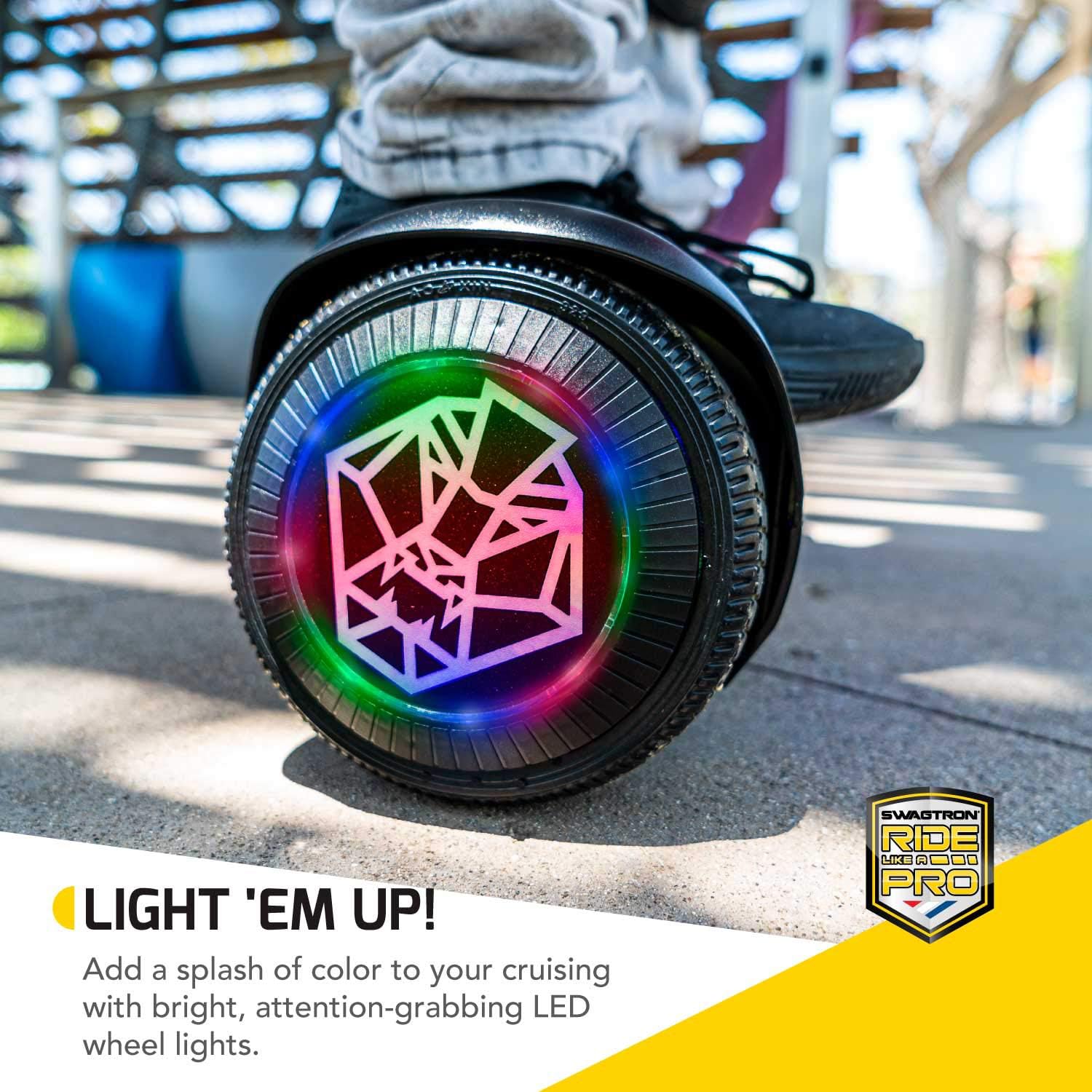
Figure 3: The LED wheel lights add a vibrant and dynamic element to your hoverboard experience.
6. Maintenance
6.1 Cleaning
Regularly clean your hoverboard with a damp cloth. Do not use abrasive cleaners or solvents that could damage the finish or internal components. Ensure the hoverboard is powered off before cleaning.
6.2 Battery Care
To prolong battery life, avoid completely draining the battery. Charge the hoverboard after each use. If storing the hoverboard for an extended period, ensure it is fully charged before storage and recharge it every few months.
6.3 Gyroscope Calibration
Over time, the hoverboard's internal gyroscopes may become uncalibrated due to impacts, jumps, or improper power-on procedures. This can result in the hoverboard not balancing correctly or drifting. Recalibration is essential for optimal performance.
Video 1: Official guide on calibrating your Swagtron hoverboard. This video demonstrates the process of resetting the gyroscope to ensure proper self-balancing and smooth operation. It covers how to place the board on a level surface and perform the necessary steps to recalibrate it, addressing issues like drifting or uneven balancing.
- Ensure the hoverboard is powered off.
- Place the hoverboard on a perfectly flat and level surface.
- Press and hold the power button for approximately 5-10 seconds until the lights flash rapidly.
- Release the power button. The lights should continue to flash.
- Power off the hoverboard.
- Power it back on. The hoverboard should now be recalibrated.
7. Troubleshooting
| Problem | Possible Cause | Solution |
|---|---|---|
| Hoverboard not turning on. | Low battery; Power button not pressed correctly. | Charge the hoverboard; Ensure power button is held down until lights appear. |
| Hoverboard is shaking or vibrating. | Uncalibrated gyroscopes. | Perform gyroscope calibration (see Section 6.3). |
| Hoverboard not moving or moving slowly. | Low battery; Incorrect foot pressure; Obstruction. | Charge the hoverboard; Adjust foot pressure; Check for obstructions. |
| LED lights not working. | Low battery; Malfunction. | Charge the hoverboard; Contact customer support if issue persists. |
8. Specifications
- Model: T882
- Brand: Swagtron
- Product Dimensions: 23 x 4 x 7 inches
- Item Weight: 22 pounds
- Max Speed: Up to 7 MPH
- Max Incline: 30 degrees
- Range: Up to 5 miles on a single charge
- Battery Type: Lithium-Free, UL-Compliant (2 x 12V batteries included)
- Charging Time: Approximately 5.5 hours
- Motors: Dual 250W Hub Motors
- Max Weight Capacity: 170 pounds
- Recommended Age: 18 years and up
- Special Features: LED Wheel Lights, Startup Balancing, Patented SentryShield Quantum Battery Protection

Figure 4: The Swagboard T882 LED Hoverboard, a self-balancing scooter with integrated LED lighting.
9. Warranty and Support
The Swagtron Swagboard T882 LED Hoverboard comes with a manufacturer's warranty. For detailed warranty information, including terms and conditions, please refer to the official warranty card included in your product packaging or visit the official Swagtron website.
For technical support, troubleshooting assistance, or any questions regarding your hoverboard, please contact Swagtron Customer Service. Contact details can be found on the official website or in your product documentation.
Ask a question about this manual
Ask about setup, troubleshooting, compatibility, parts, safety, or missing instructions. Manuals+ will review the question and use this page’s manual context to help answer it.