
Ardes AR1PA1/Z
Ardes AR1PA1/V RAL Digital Kitchen Scale User Manual
Model: AR1PA1/Z | Brand: Ardes
1. Introduction
This manual provides detailed instructions for the safe and efficient use of your Ardes AR1PA1/V RAL Digital Kitchen Scale. Please read this manual thoroughly before first use and retain it for future reference.
The Ardes AR1PA1/V RAL Digital Kitchen Scale is designed for precise measurement of food ingredients and liquids, with a maximum capacity of 5 kg and a graduation of 1 gram. Its compact design and tare function make it a versatile tool for any kitchen.
2. Safety Information
- Do not immerse the scale in water or any other liquid.
- Clean the scale with a damp cloth only. Do not use abrasive cleaners.
- Place the scale on a flat, stable surface during use to ensure accurate measurements.
- Do not overload the scale beyond its maximum capacity of 5 kg.
- Keep out of reach of children.
- If the scale is not used for a long period, remove the battery to prevent leakage.
3. Package Contents
Verify that all items are present in the package:
- 1 x Ardes AR1PA1/V RAL Digital Kitchen Scale (RAL BLUE)
- 1 x CR2032 Battery
- 1 x User Manual (this document)
4. Setup
4.1. Battery Installation
- Locate the battery compartment on the underside of the scale.
- Open the battery compartment cover.
- Insert one CR2032 battery, ensuring the correct polarity (+/-).
- Close the battery compartment cover securely.
4.2. Initial Placement
Place the scale on a hard, flat, and stable surface before use. Avoid placing it on soft or uneven surfaces, which can affect accuracy.

Figure 4.2.1: Ardes AR1PA1/V RAL Digital Kitchen Scale, showing its sleek design and display.
5. Operating Instructions
5.1. Power On/Off
- To turn on the scale, press the power button (usually marked with 'ON/OFF' or a circle icon). The display will show '0g' or '0.0'.
- The scale features an automatic shutdown function to conserve battery power. It will turn off after a period of inactivity.

Figure 5.1.1: The scale features an automatic shutdown function to save energy.
5.2. Weighing Ingredients
- Ensure the scale is on and displays '0g'.
- Place the item to be weighed directly onto the weighing surface. The weight will be displayed on the LCD screen.
- The scale has a maximum weighing capacity of 5 kg (5000g) with a graduation of 1 gram.
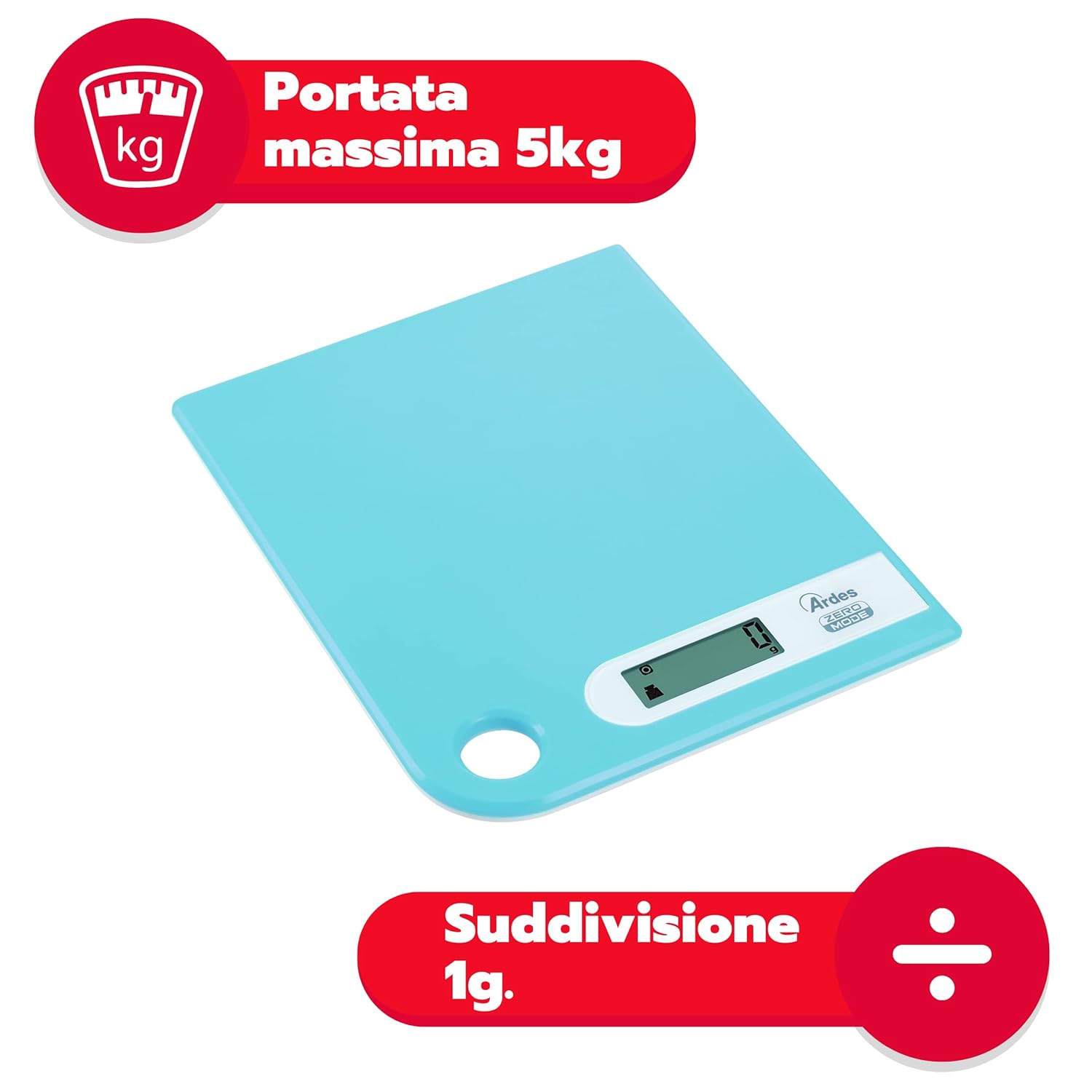
Figure 5.2.1: The scale supports a maximum weight of 5 kg with 1 gram precision.

Figure 5.2.2: The scale is equipped with a high-precision sensor for accurate measurements.
5.3. Tare Function
The tare function allows you to weigh multiple ingredients in the same bowl by resetting the scale to zero after each ingredient is added.
- Place an empty bowl or container on the scale. The display will show its weight.
- Press the 'TARE' button (often marked 'T' or 'Z/T'). The display will reset to '0g'.
- Add your first ingredient. The display will show its weight.
- To add another ingredient, press the 'TARE' button again to reset the display to '0g', then add the next ingredient. Repeat as needed.

Figure 5.3.1: The tare function allows for comfortable weighing of multiple ingredients in one bowl.
5.4. Unit Conversion (g/lb)
The scale can display measurements in grams (g) or pounds (lb).
- With the scale on, press the 'UNIT' button (often marked 'UNIT' or 'M').
- The display will cycle between 'g' and 'lb'. Select your desired unit.
5.5. Liquid Volume Measurement
The scale supports measuring liquid volumes.
- Place an empty container on the scale and use the tare function to zero it.
- Pour the liquid into the container. The scale will display the volume.
Figure 5.5.1: The scale is capable of measuring liquid volumes.
6. Maintenance and Care
- Clean the weighing surface with a soft, damp cloth. For stubborn stains, a mild detergent can be used.
- Do not use abrasive cleaners or immerse the scale in water.
- Store the scale in a dry place. Its thin profile and through-hole allow for space-saving storage in a drawer or by hanging on a kitchen bar.

Figure 6.1.1: The scale can be hung on a kitchen bar or stored compactly in a drawer.
7. Troubleshooting
| Problem | Possible Cause | Solution |
|---|---|---|
| Scale does not turn on. | Battery is dead or incorrectly installed. | Check battery polarity. Replace battery if necessary. |
| Inaccurate readings. | Scale is on an uneven surface, overloaded, or needs calibration. | Place on a flat, stable surface. Do not exceed 5 kg. Turn off and on again to re-calibrate. |
| Display shows "Lo" or "Err". | Low battery or overload error. | Replace battery ("Lo"). Remove excess weight ("Err"). |
8. Specifications
| Feature | Detail |
|---|---|
| Model Number | AR1PA1/Z |
| Brand | Ardes |
| Maximum Weight Capacity | 5 Kilograms (5000g) |
| Graduation | 1 gram |
| Display Type | LCD |
| Dimensions (L x W x H) | 20.3 cm x 16 cm x 1.2 cm (approx.) |
| Material | Alloy Steel |
| Power Source | 1 x CR2032 Battery (included) |
| Special Features | Large Display, Portable, Tare Function, Liquid Volume Measurement, Automatic Shutdown, Through Hole for Hanging |
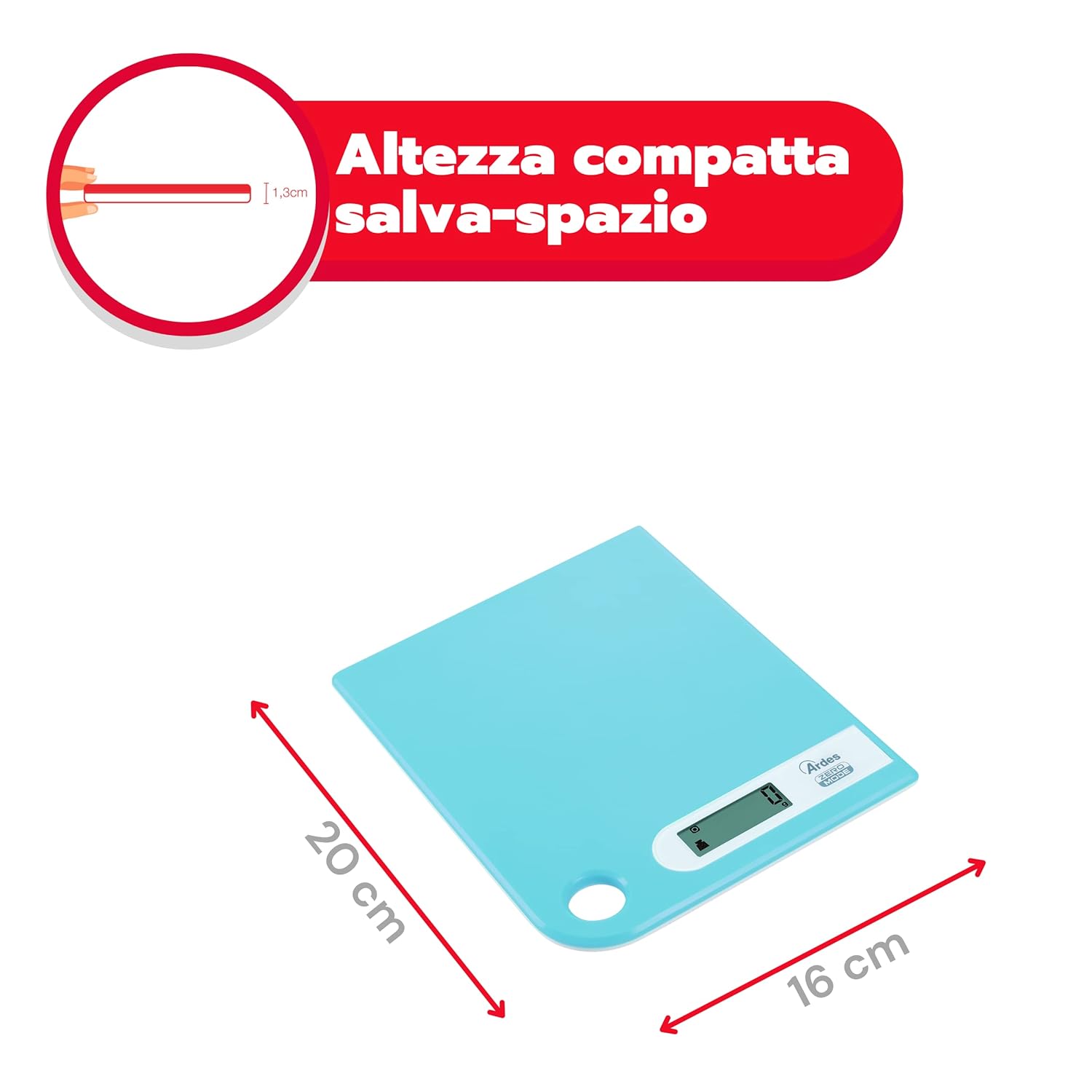
Figure 8.1.1: Compact dimensions of the scale for space-saving storage.
9. Warranty and Support
For warranty information and customer support, please refer to the warranty card included with your purchase or contact Ardes customer service directly. Keep your proof of purchase for any warranty claims.
You can find more information and support on the official Ardes website: www.ardes.it
Ask a question about this manual
Ask about setup, troubleshooting, compatibility, parts, safety, or missing instructions. Manuals+ will review the question and use this page’s manual context to help answer it.