Introduction
Thank you for choosing the DEWENWILS Mechanical Indoor Timer Socket Switch. This 24-hour programmable timer is designed to automate your home appliances, lights, and other electrical devices, helping you save energy and enhance home security. Please read this manual carefully before use to ensure proper operation and safety.
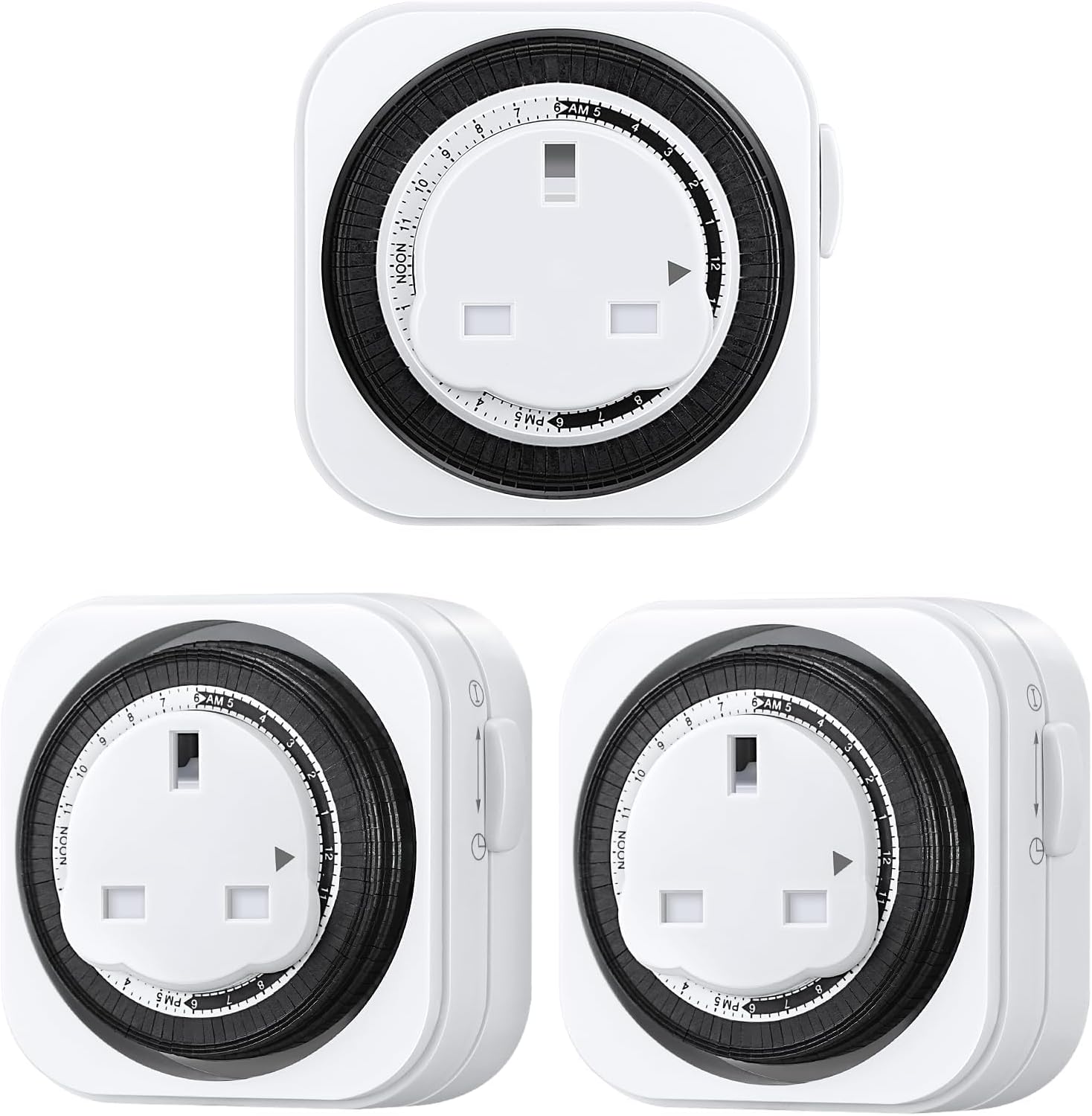
Image: Three DEWENWILS Mechanical Indoor Timer Socket Switches, showing the front and side views of the product.
Product Features
- 24-hour mechanical timer with 15-minute intervals.
- Up to 96 ON/OFF programs per day.
- Manual override switch for "Always On" or "Timer" mode.
- Ideal for indoor use with lights, Christmas decorations, heaters, and various home appliances.
- Maximum load: 13A/3120W.
- CE Certified for safety.

Image: Labeled diagram of the timer showing the Clock Dial, Grounded Outlet, Push Pin, Slide Switch, and Arrow.
Setup and Programming
Initial Setup
- Set Current Time: Rotate the clock dial clockwise until the arrow aligns with the current time. The dial is marked with 24 hours (AM/PM).
- Set ON/OFF Times: Push the pins down for the periods you want the connected device to be ON. Each pin represents 15 minutes. If a pin is pushed down, the device will be ON during that 15-minute interval. If a pin is up, the device will be OFF.
- Select Mode: Use the slide switch on the side of the timer to select the operating mode:
- TIMER Mode: The timer will operate according to your set ON/OFF schedule.
- ALWAYS ON Mode: The connected device will remain continuously ON, bypassing the timer settings.
- Plug In: Plug the timer into a standard wall socket. Then, plug your appliance into the timer socket.

Image: A four-step visual guide demonstrating how to program the timer: 1. Turning the dial to current time, 2. Pushing pins down for ON periods, 3. Toggling to Timer mode, 4. Plugging into socket and then appliance into timer.

Image: Close-up of the timer dial, illustrating that one pin represents 15 minutes, and how pushing pins down sets the ON time while pins up sets the OFF time.
Operating the Timer
Once programmed and plugged in, the timer will automatically turn your connected appliance ON and OFF according to your set schedule. The internal clock will continue to run, maintaining the time.
Manual Override
If you need to temporarily override the timer settings, simply use the slide switch on the side:
- Slide the switch to the ALWAYS ON position to keep the appliance continuously powered.
- Slide the switch back to the TIMER position to resume the programmed schedule.

Image: The timer plugged into a wall socket, with a lamp plugged into the timer, illustrating the "Always On" mode where the timer can be manually controlled without unplugging.
Video Guide: How to Use the Timer Plug
Video: An official DEWENWILS video demonstrating the step-by-step process of setting up and using the mechanical timer plug, including setting the current time, programming ON/OFF intervals, and plugging in appliances.
Maintenance
- Keep the timer clean by wiping it with a dry, soft cloth.
- Do not immerse the timer in water or any other liquid.
- Ensure the timer is unplugged from the wall socket before cleaning or if it will be unused for an extended period.
- This timer is designed for indoor use only. Do not expose it to moisture or extreme temperatures.

Image: A child reaching for the timer, highlighting the child-proof safety shutter feature of the socket for enhanced safety.
Troubleshooting
| Problem | Possible Cause | Solution |
|---|---|---|
| Appliance does not turn ON/OFF at programmed times. |
|
|
| Timer dial is not moving. |
|
|
| Timer is making clicking noises. | Normal operation. | This is a normal sound for mechanical timers as the internal gears move and pins engage/disengage. |
Specifications
- Model: TS-ME20
- Voltage: 220-240 Volts AC
- Frequency: 50 Hz
- Max Load: 13A / 3120W
- Minimum Setting Time: 15 minutes
- Programs: Up to 96 ON/OFF per day
- Material: Plastic
- Dimensions: Approximately 7.8 x 7.8 x 3.3 cm
- Weight: Approximately 500 g
- Usage: Indoor Use Only
- Certifications: CE Listed

Image: The timer plugged into a wall socket, with callouts for its dimensions (8cm height, 8cm width, 4.8cm depth when plugged in) and electrical ratings (220-240 VAC, 3120 W, 13 A, 50 Hz).
Warranty and Support
DEWENWILS provides a 1-Year Satisfaction Guarantee for this product. For any questions, issues, or support needs, please contact DEWENWILS customer service. You can find contact information on the DEWENWILS official website or through your purchase platform.
Please retain your proof of purchase for warranty claims.


