
1. Introduction
Thank you for purchasing the SMSL SA300 Bluetooth 5.0 Class D Digital Amplifier. This amplifier is designed to deliver high-fidelity audio performance with versatile connectivity options. Please read this manual thoroughly before using the product to ensure proper operation and to maximize your listening experience.

Figure 1: SMSL SA300 Digital Amplifier
2. Product Features
- Advanced Bluetooth 5.0: Features Bluetooth 5.0 for stable wireless audio streaming up to 10 meters (unobstructed), supporting Apt-X for high-quality sound with low power loss.
- High-Performance Amplifier IC: Equipped with the new Infineon "MA12070" amplifier IC, offering excellent energy efficiency (92% conversion) and optimizing power loss during music playback for superior audio performance.
- Powerful Output: Delivers 80W x 2 into 4Ω or 40W x 2 into 8Ω, providing ample power for various speaker setups.
- USB Audio Support: Compatible with USB audio up to 32bit/384kHz playback. No drivers required for most operating systems (Windows 10, Mac OSX 10.6+, Linux, Android OTG, iOS with Apple Lightning-USB camera kit). Note: Not compatible with Windows 7 or 8.
- Subwoofer Output: Includes a dedicated super bass signal output terminal for connecting an active subwoofer, enabling a 2.1ch sound system for enhanced low-frequency response.
- Tone Controls: Features EQ adjustment, bass, and treble correction functions for personalized sound tuning.
- Convenient Remote Control: Full-function remote control for easy operation from a distance.

The SA300 is equipped with the new Infineon MA12070 amplifier IC, ensuring high energy efficiency and superior audio performance.

Adjust bass and treble levels to customize your audio experience to your preference.

Control all amplifier functions conveniently with the included remote control.
3. Package Contents
The SMSL SA300 package includes the following items:
- 1x SMSL SA300 Digital Amplifier
- 1x Remote Control
- 1x Bluetooth Antenna
- 1x USB-Micro USB Cable
- 1x AC Adapter (DC 24V)
- 1x Power Cable
- 1x Simple Instruction Manual (Chinese and English only)
4. Product Overview (Diagrams)
Familiarize yourself with the various components and connections of your SA300 amplifier.

Figure 2: Front and Rear Panel Layout
- Display
- Power Switch
- Input Mode Selection
- Control Knob
- Gold-plated Banana Plug Compatible Terminals (Speakers)
- Analog Input Terminals (RCA)
- Super Bass Signal Output Terminal (SW OUT)
- Bluetooth Antenna
- Power Input (DC 24V)
- USB Input Terminal
5. Setup and Connections
5.1. Speaker Connection
Connect your passive speakers to the gold-plated banana plug compatible terminals on the rear panel. Ensure correct polarity (red for positive, black for negative) for each speaker.

Figure 3: Speaker and Power Connections
5.2. Audio Source Connection
The SA300 offers multiple ways to connect your audio sources:
- Bluetooth: Attach the Bluetooth antenna to the rear panel. Enable Bluetooth on your device (e.g., smartphone, tablet) and select "SMSL SA300" from the list of available devices to pair.
- USB Audio: Connect your PC, mobile phone, Android TV, or game console to the USB input terminal on the rear panel using the provided USB-Micro USB cable.
- RCA Analog Input: Connect audio sources like CD players or DACs to the RCA analog input terminals (R/L) on the rear panel.
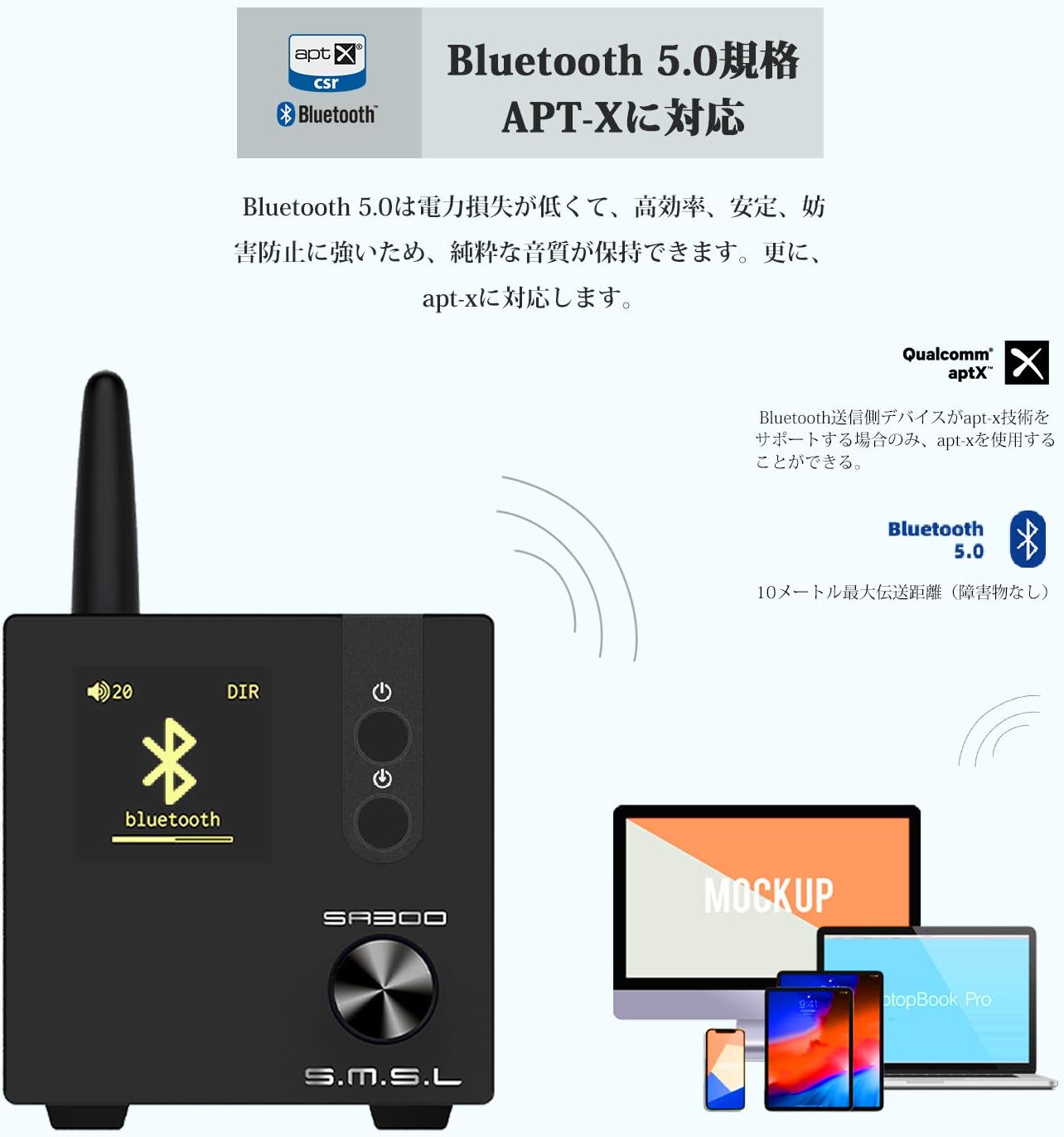
Figure 4: Bluetooth 5.0 Connectivity
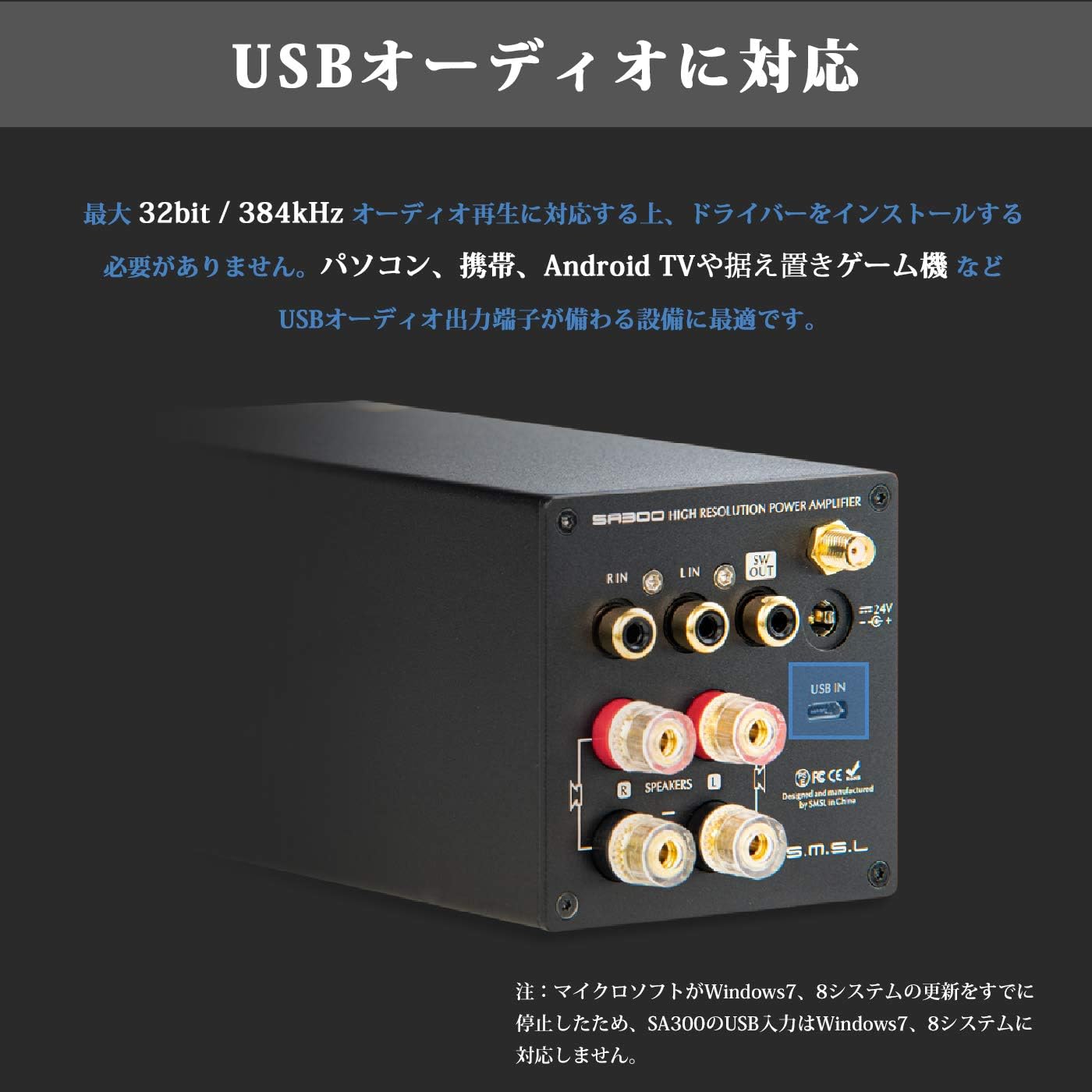
Figure 5: USB Audio Input
5.3. Subwoofer Connection
For enhanced bass, connect an active subwoofer to the "SW OUT" terminal on the rear panel. This allows you to create a 2.1ch sound system.
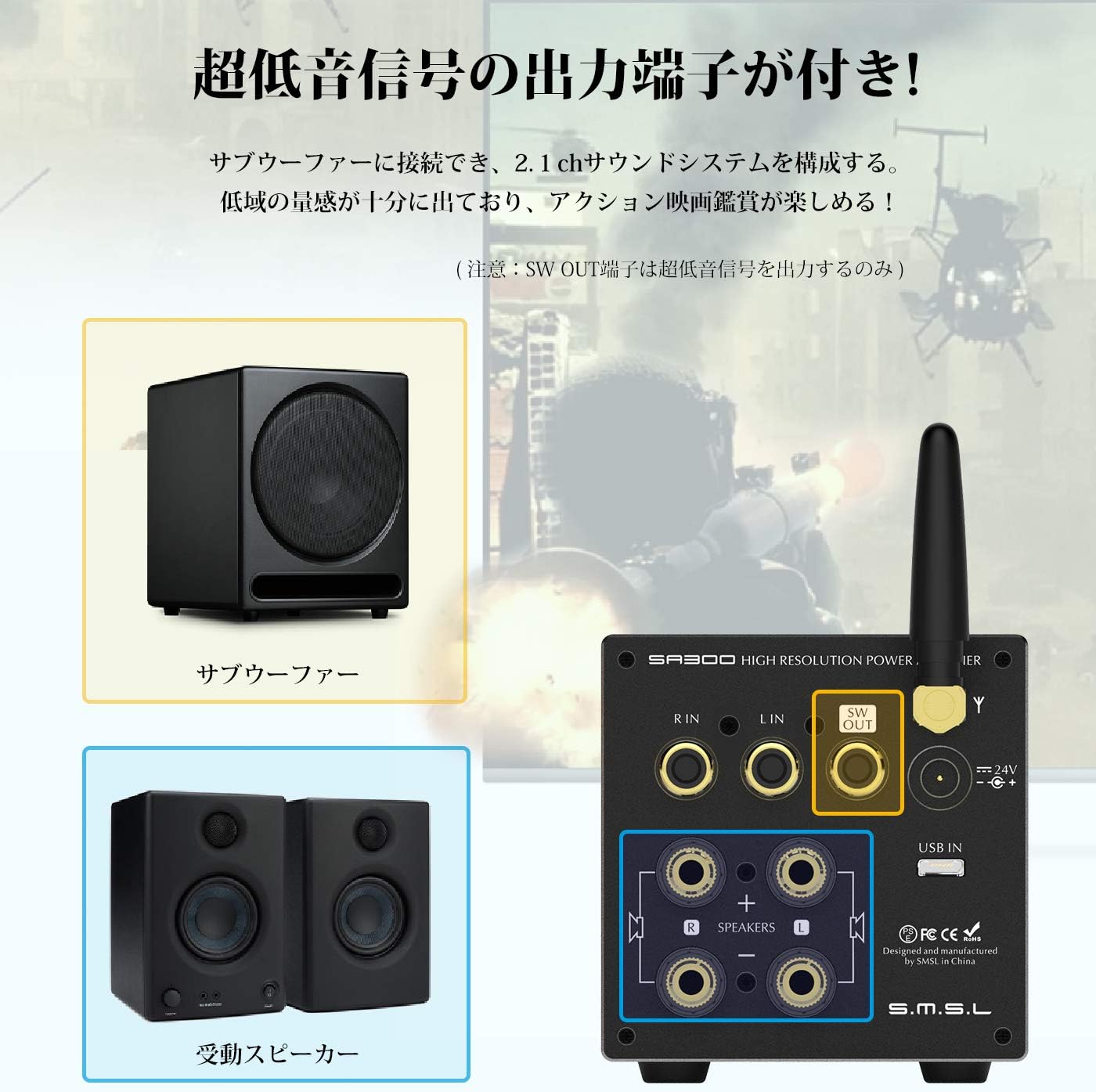
Figure 6: Subwoofer Output Connection
6. Operating Instructions
6.1. Power On/Off
Press and hold the Power Switch (2) on the front panel to turn the unit on or off. The display will illuminate when powered on.
6.2. Input Selection
Short press the Input Mode Selection button (3) on the front panel to cycle through available input sources (Bluetooth, USB, RCA).
6.3. Volume and Tone Control
Rotate the Control Knob (4) to adjust the volume. Short press the Control Knob to cycle through various settings such as Volume, EQ, Bass, Treble, Gain, and Brightness. Once a setting is selected, rotate the knob to adjust its value.
6.4. Remote Control Usage
The included remote control provides convenient access to all amplifier functions, including power, input selection, volume, mute, and tone adjustments.
7. Specifications
| Parameter | Value |
|---|---|
| Output Power | 80W + 80W (4Ω), 40W + 40W (8Ω) |
| THD+N | 0.008% |
| Signal-to-Noise Ratio (S/N) | 90dB |
| Channel Separation | 88dB |
| Digital Amplifier IC | MA12070 |
| Max USB Sampling Rate | 32bit / 384kHz |
| Bluetooth Version | BT5.0 (Apt-X compatible) |
| EQ Quantity | 8 |
| Treble Adjustment Range | ±10dB |
| Bass Adjustment Range | ±10dB |
| Supported OS (USB) | Windows 10, Mac OSX 10.6+, Linux, Android (OTG), iOS (Apple Lightning-USB camera kit) |
| Input Terminals | Stereo RCA (gold-plated), Micro USB, Bluetooth |
| Output Terminals | 2ch Stereo Speaker Output (banana plug compatible, gold-plated), Super Bass Signal Output |
| Power Consumption | 35W (normal volume) |
| Standby Power | <0.5W |
| Dimensions (HxWxD) | 70mm × 70mm × 188mm |
| Product Weight | 0.8 kg |
8. Troubleshooting
- No Sound:
- Ensure the amplifier is powered on and the volume is not muted or set too low.
- Check all cable connections (power, speakers, audio source) for secure fit and correct polarity.
- Verify the correct input source is selected on the amplifier.
- If using Bluetooth, ensure the device is properly paired and connected.
- Distorted Sound:
- Reduce the volume on both the amplifier and the audio source.
- Check speaker impedance compatibility with the amplifier.
- Ensure audio cables are not damaged or poorly connected.
- Bluetooth Connection Issues:
- Ensure the Bluetooth antenna is securely attached.
- Move the audio source closer to the amplifier to reduce interference.
- Clear the Bluetooth pairing history on your device and re-pair.
9. Maintenance
- Keep the amplifier in a dry, well-ventilated area away from direct sunlight, heat sources, and moisture.
- Clean the unit with a soft, dry cloth. Do not use liquid cleaners or aerosols.
- Avoid placing heavy objects on top of the amplifier.
10. Warranty and Support
This product comes with a standard manufacturer's warranty. For specific warranty terms and conditions, please refer to the warranty card included in your package or contact your retailer. For technical support, product inquiries, or service requests, please visit the official S.M.S.L website or contact their customer service.
11. Safety Information
- Do not open the amplifier casing. There are no user-serviceable parts inside. Opening the casing will void the warranty.
- Use only the provided power adapter. Using an incompatible power supply may damage the unit and pose a safety risk.
- Keep the unit away from water or other liquids.
- Ensure proper ventilation to prevent overheating. Do not block ventilation openings.
- Avoid exposing the unit to extreme temperatures or humidity.


