
Product Overview
The iHome Reflect iCVBT22W is a 7-inch by 9-inch adjustable vanity mirror designed to enhance your daily routine. It features integrated LED lighting, Bluetooth audio streaming, a hands-free speakerphone, and USB charging capabilities. A bonus 10X detail mirror is included for precise grooming tasks. The mirror also supports voice commands via Siri and Google Assistant.

Figure 1: iHome Reflect iCVBT22W Vanity Mirror with a smartphone connected for charging.
Safety Information
Caution:
- This product contains glass which may break if not handled properly.
- Do not install or use near water.
- Keep out of reach of children.
- Always use the provided mounting hardware for secure installation.
Setup
- Unpacking: Carefully remove all components from the packaging. Ensure all parts are present: the main vanity mirror unit and the 10X detail mirror.
- Placement: Place the mirror on a stable, flat surface, such as a countertop or vanity. Ensure it is not near water sources.
- Power Connection: Connect the provided power adapter to the DC input jack on the back of the mirror's base. Plug the adapter into a standard wall outlet.
- Adjusting the Mirror: The mirror features an adjustable arm. Gently tilt the mirror to your desired viewing angle.
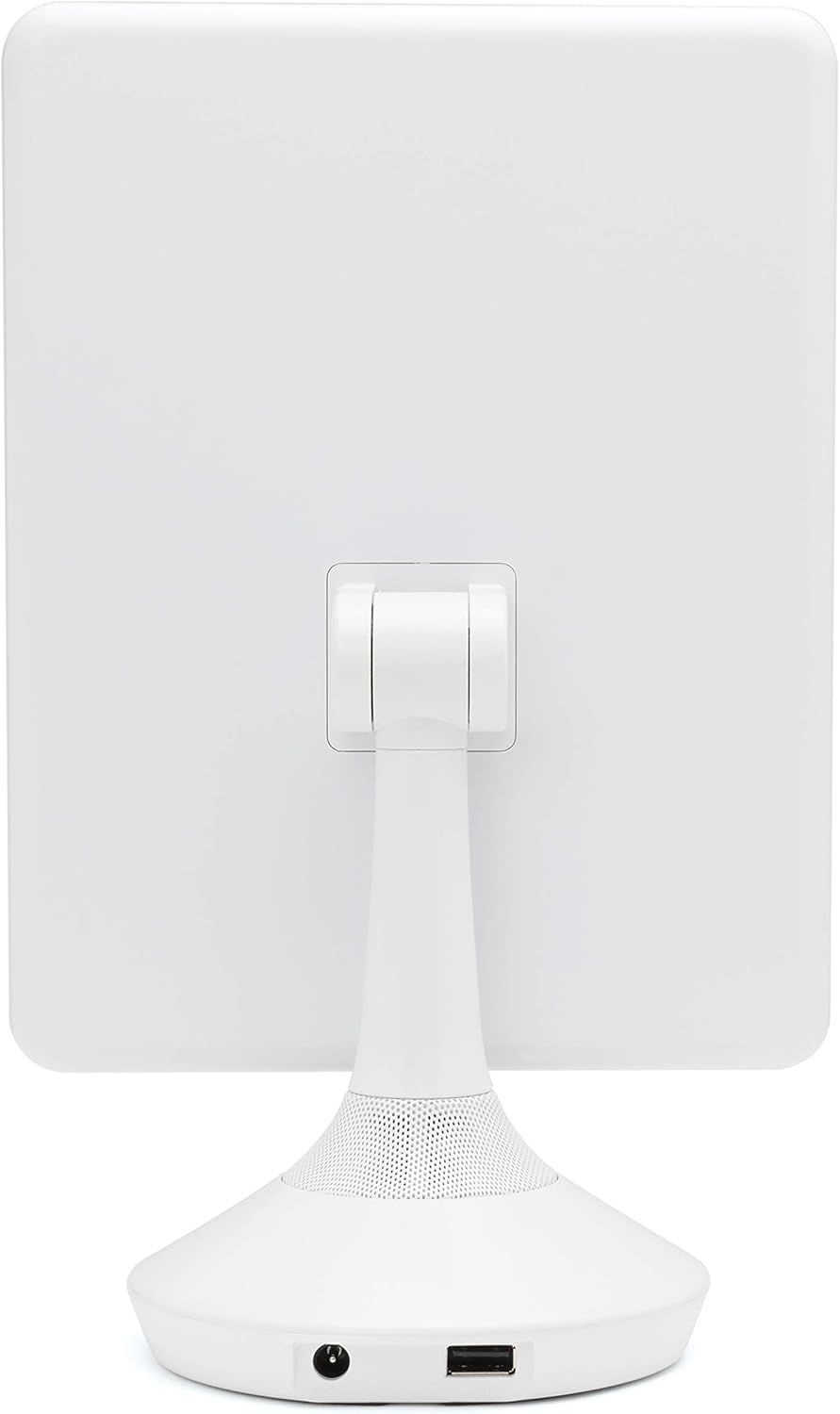
Figure 2: Rear view of the mirror, highlighting the adjustable arm and USB charging port.
Operating Instructions
Control Buttons Overview
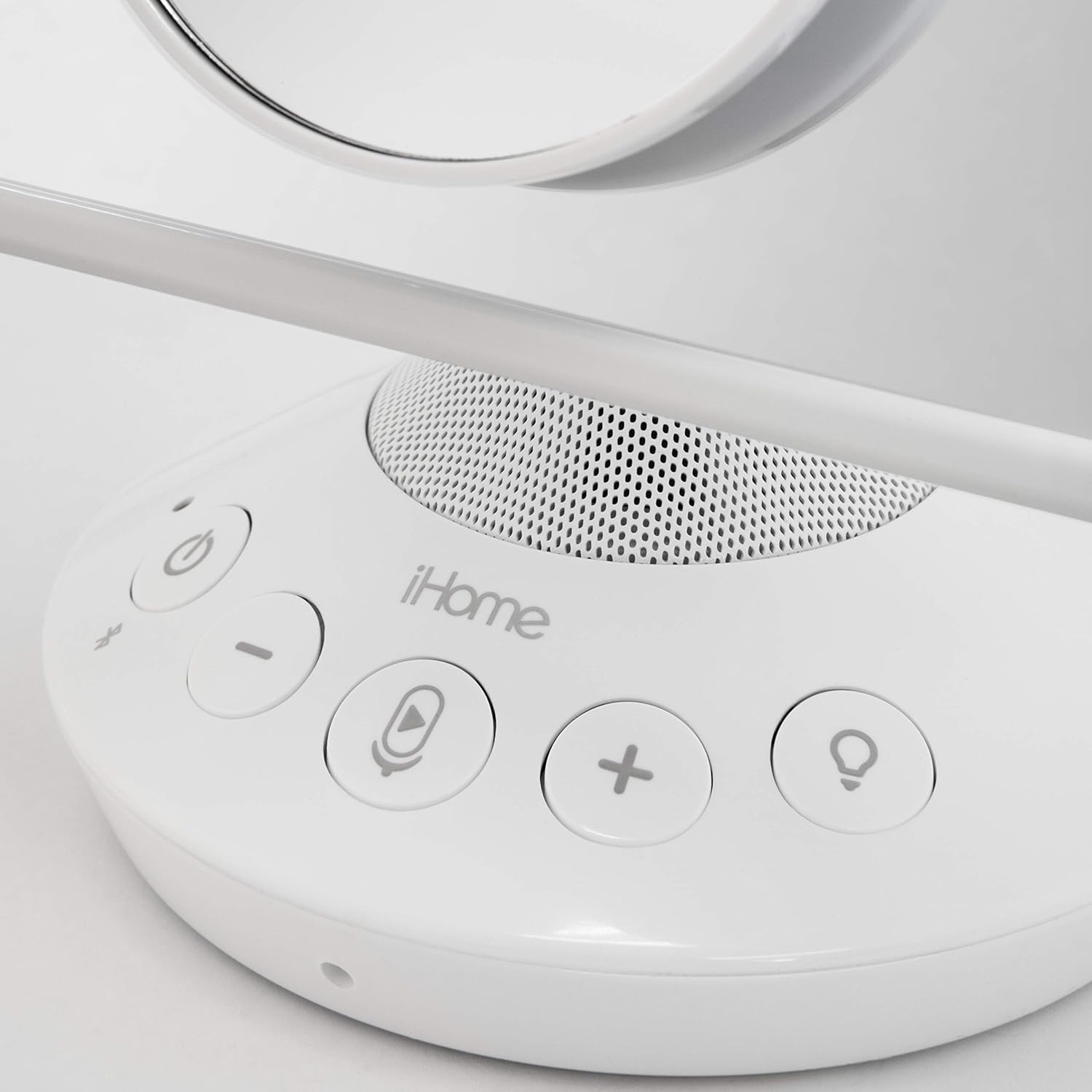
Figure 3: Detailed view of the control buttons on the mirror's base.
- Power Button (⏻): Press to turn the mirror ON or OFF.
- Bluetooth Button (Ⓘ): Press and hold to enter Bluetooth pairing mode.
- Volume Down Button (-): Decreases audio volume.
- Microphone/Play/Pause Button (⏸): Press to play/pause audio. Press and hold to activate Siri or Google Assistant.
- Volume Up Button (+): Increases audio volume.
- Light Button (💡): Toggles LED light ON/OFF and cycles through brightness settings.
LED Lighting
Press the Light Button (💡) to turn the integrated LED lights on. Pressing it again will cycle through different brightness levels (high, low) and then turn the lights off. The LED lighting provides natural-looking illumination for various tasks.
Bluetooth Audio Streaming
- Pairing: With the mirror powered on, press and hold the Bluetooth Button (Ⓘ) until the Bluetooth indicator light flashes.
- Connect: On your mobile device, enable Bluetooth and search for "iHome Reflect" in the list of available devices. Select it to pair. A confirmation tone will sound when connected.
- Playing Audio: Once paired, you can stream audio from your device to the mirror's integrated speaker. Use the Volume Up (+) and Volume Down (-) buttons to adjust the volume. Press the Microphone/Play/Pause Button (⏸) to play or pause music.
Hands-Free Speakerphone & Voice Assistant
- Answering/Ending Calls: When a call comes in, press the Microphone/Play/Pause Button (⏸) to answer. Press again to end the call.
- Voice Assistant: Press and hold the Microphone/Play/Pause Button (⏸) to activate Siri or Google Assistant on your connected device.
USB Charging
A USB charging port is located on the back of the mirror's base. Connect your USB charging cable (not included) to this port and to your mobile device to charge it while using the mirror. This port is for charging devices only and does not support data transfer.
10X Detail Mirror
The included 3.5-inch 10X detail mirror can be magnetically attached to the main mirror surface for magnified viewing. This is useful for detailed grooming tasks such as applying eyeliner or tweezing.
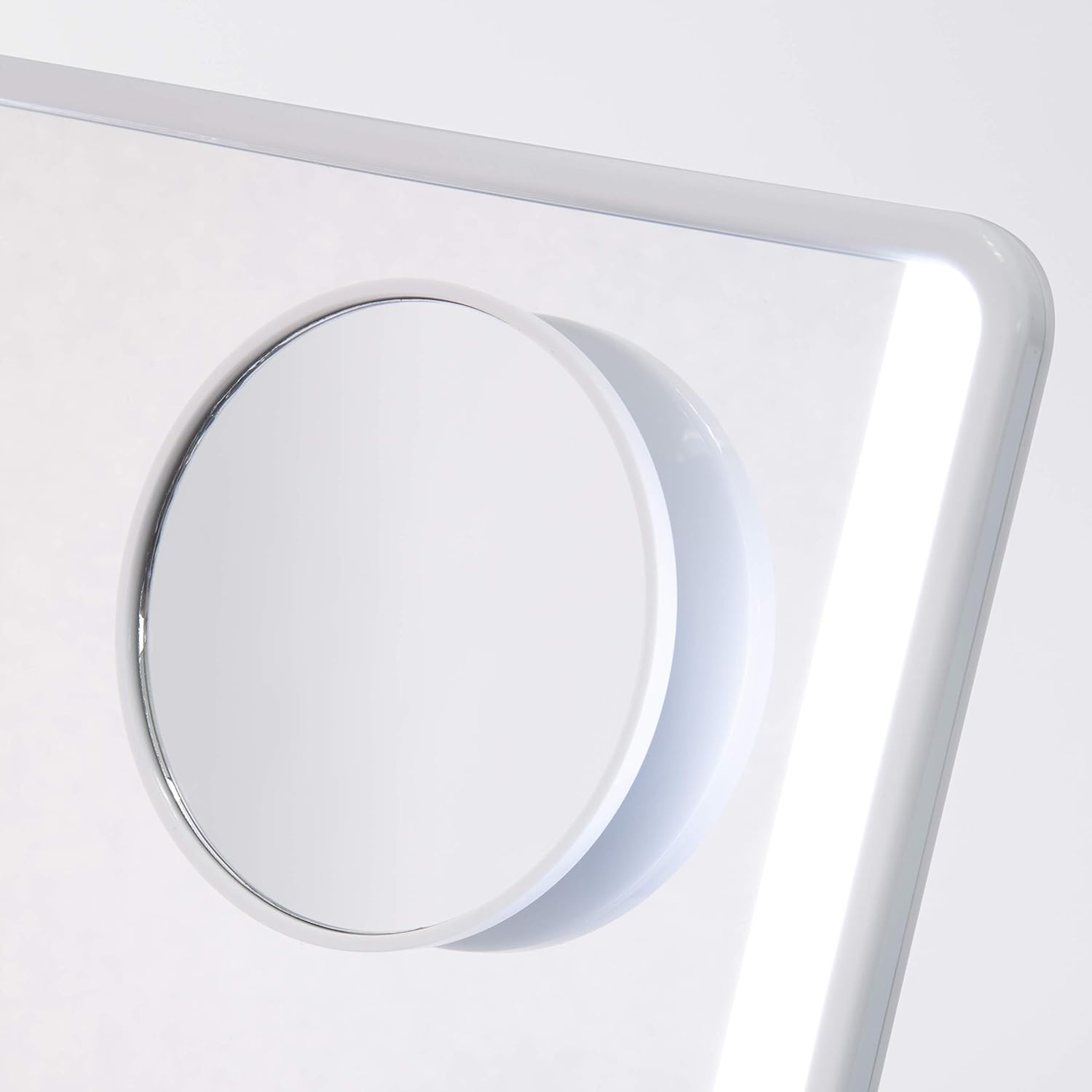
Figure 4: The 10X detail mirror attached to the main mirror for magnified viewing.
Maintenance
- Cleaning the Mirror: Use a soft, lint-free cloth and a glass cleaner suitable for mirrors. Do not spray cleaner directly onto the mirror; instead, apply it to the cloth first. Avoid abrasive cleaners.
- Cleaning the Base: Wipe the base and control buttons with a soft, dry cloth. Do not use liquid cleaners directly on the electronic components.
- Storage: When not in use for extended periods, store the mirror in a dry, cool place away from direct sunlight and moisture.
Troubleshooting
| Problem | Possible Cause | Solution |
|---|---|---|
| Mirror does not power on. | Power adapter not connected or faulty outlet. | Ensure the power adapter is securely plugged into the mirror and a working wall outlet. Try a different outlet. |
| LED lights are dim or not working. | Incorrect brightness setting or power issue. | Press the Light Button (💡) to cycle through brightness levels. Ensure the mirror is receiving adequate power. |
| Cannot pair via Bluetooth. | Mirror not in pairing mode, or device too far. | Press and hold the Bluetooth Button (Ⓘ) until the indicator flashes. Ensure your device's Bluetooth is on and within range (approx. 33 feet). Forget "iHome Reflect" on your device and try pairing again. |
| No audio from speaker. | Volume too low or device not connected. | Increase volume using the Volume Up Button (+) on the mirror and on your connected device. Verify Bluetooth connection. |
| USB charging not working. | Cable issue or device not compatible. | Ensure the USB cable is fully inserted and not damaged. Try a different USB cable or device to confirm functionality. |
Specifications
- Brand: iHome
- Model: iCVBT22W
- Product Dimensions: 9"L x 7"W
- Material: Glass, Metal (Frame)
- Item Weight: 3 Pounds
- Special Feature: Lighted, Bluetooth Audio, Hands-Free Speakerphone, USB Charging, 10X Detail Mirror
- Mounting Type: Tabletop Mount
- Color: White
- UPC: 047532916904
- ASIN: B0839J1WJT
Warranty and Support
For warranty information and customer support, please refer to the documentation included with your product at the time of purchase or visit the official iHome website. Keep your proof of purchase for warranty claims.