Robit V7S PRO Vacuum Cleaner User Manual
Model: V7S PRO
Product Overview
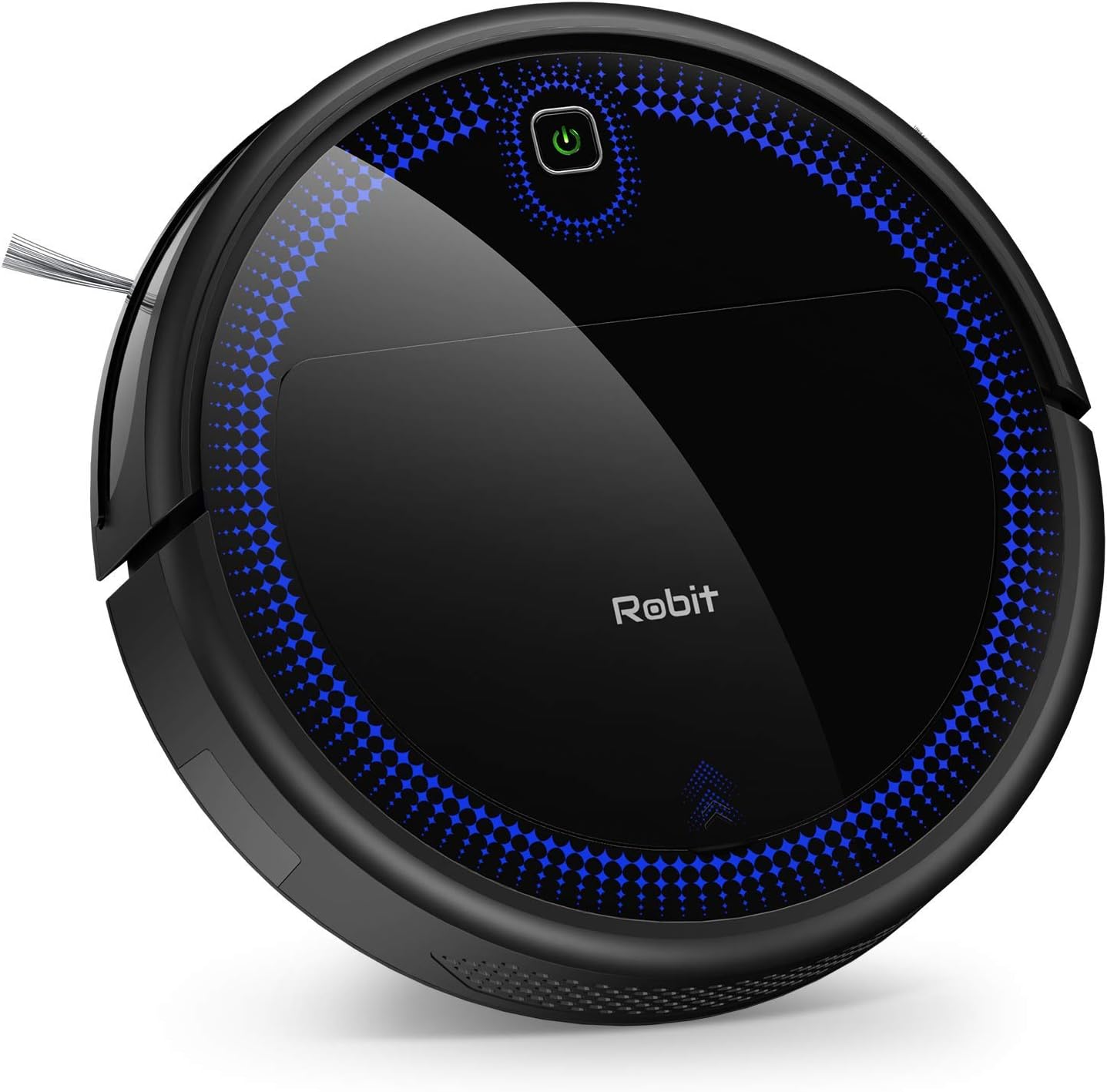
The Robit V7S PRO is an advanced robotic vacuum cleaner designed to provide efficient and thorough cleaning for various floor types, including hardwood, tile, and low-pile carpets. Its intelligent navigation and powerful suction ensure a spotless home with minimal effort. This manual will guide you through the setup, operation, and maintenance of your new robotic vacuum.
Key Features:
- Powerful Suction: Equipped with 2000Pa suction power for effective dirt and debris pickup.
- Ultra-Quiet Operation: Operates at a low noise level of only 60dB, ensuring a peaceful environment.
- Long Runtime: Features a 2600mAh ultra-high capacity battery providing up to 100 minutes of continuous cleaning.
- Self-Charging: Automatically returns to its charging base when battery is low.
- Anti-Drop Sensors: Smart downward sensors prevent the vacuum from falling off stairs or ledges.
- Low Profile Design: At just 3.07 inches tall, it easily cleans under furniture.
- Multiple Cleaning Modes: Supports various cleaning modes including Spot Mode for deeper cleaning.
- Remote Control: Conveniently control the vacuum with the included remote.
- Pet Hair Friendly: Ideal for homes with pets, effectively picking up pet hair.
Setup
1. Unpacking and Preparation:
- Carefully remove all components from the packaging.
- Remove any protective films or packing materials from the vacuum and charging base.
- Attach the side brushes by pressing them onto the square posts on the bottom of the vacuum until they click into place.
2. Charging the Vacuum:

Place the charging base against a wall in an open, uncluttered area. Ensure there is at least 3 feet of clear space to the front and 1.5 feet to each side of the charging base. Connect the power adapter to the charging base and plug it into a wall outlet. Place the Robit V7S PRO onto the charging base, ensuring the charging contacts align. The indicator light on the vacuum will show charging status. Allow for a full charge before first use (approximately 5-6 hours).
3. Initial Placement:
For optimal performance, ensure the vacuum is placed on a flat surface. Clear any obstacles, loose cables, or small items from the cleaning area to prevent entanglement or damage.
Operating Instructions
1. Starting a Cleaning Cycle:
- Press the power button on the vacuum or the 'AUTO' button on the remote control to start a general cleaning cycle.
- The vacuum will automatically adjust its cleaning path based on the environment.
2. Cleaning Modes:
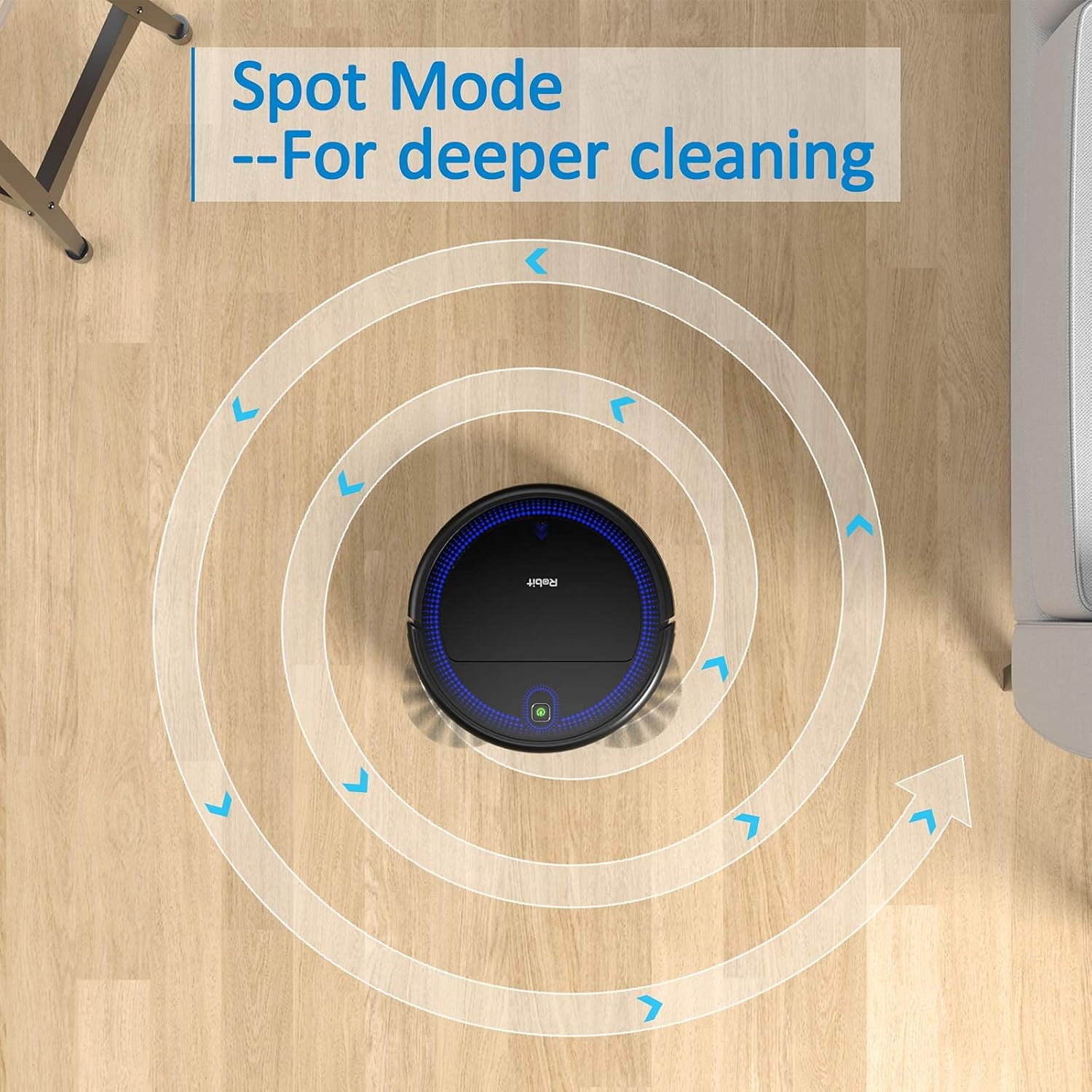
The Robit V7S PRO offers several cleaning modes to suit your needs:
- Auto Cleaning: The default mode, where the vacuum intelligently navigates to clean the entire area.
- Spot Cleaning: Ideal for concentrated dirty areas. The vacuum will clean in a spiral pattern for a more thorough clean. Activate via remote control.
- Edge Cleaning: The vacuum cleans along walls and furniture edges. Activate via remote control.
- Scheduled Cleaning: Set a specific time for the vacuum to start cleaning automatically each day. Refer to the full PDF manual for detailed scheduling instructions.
3. Using the Remote Control:

The remote control allows you to manually direct the vacuum, change cleaning modes, start/stop cleaning, and send the vacuum back to its charging base.
4. Anti-Drop Sensor:

The integrated anti-drop sensors detect ledges and stairs, preventing the vacuum from falling. Ensure these sensors are kept clean for proper function.
5. Low Profile Design:
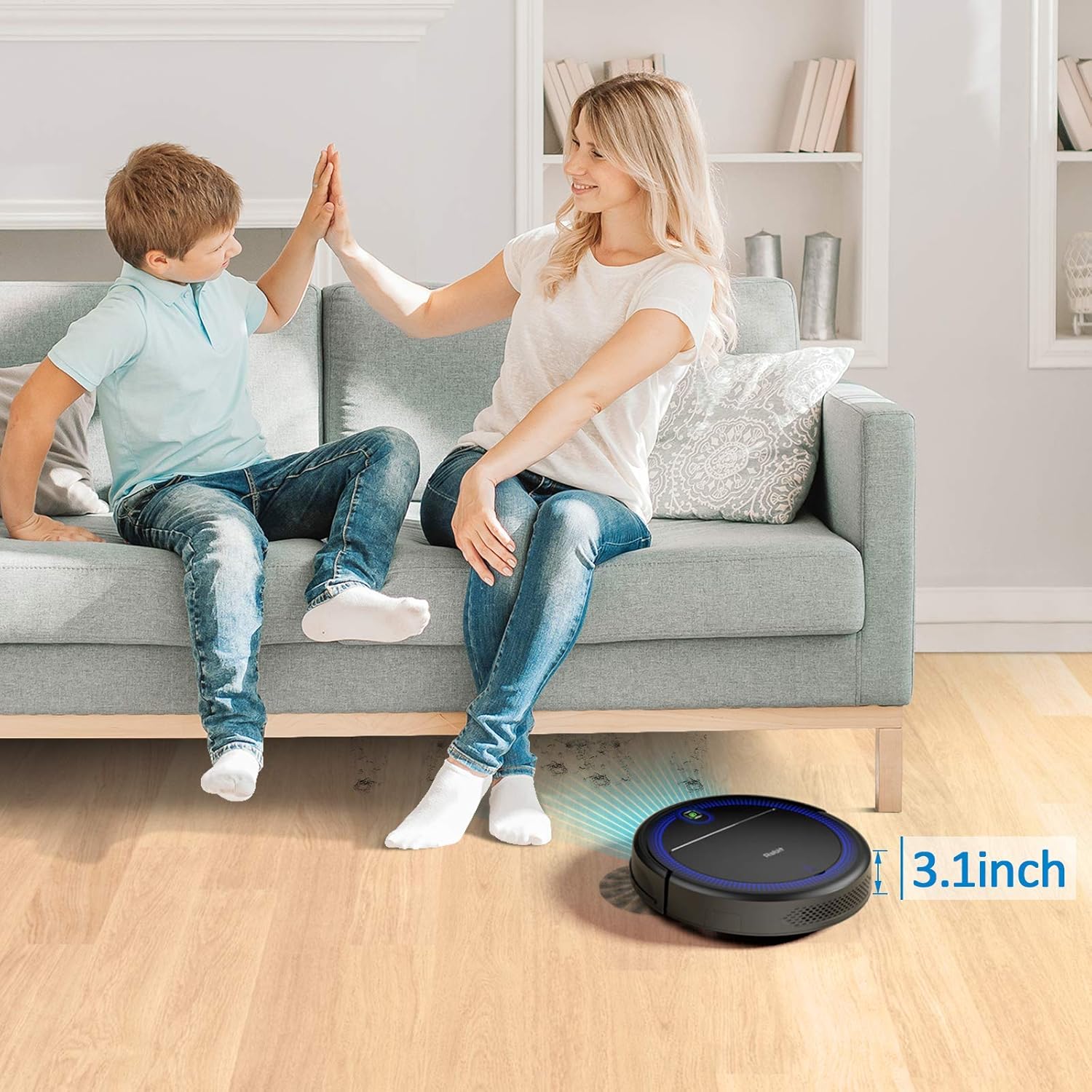
With a height of only 3.07 inches, the Robit V7S PRO is designed to easily maneuver under most furniture, beds, and cabinets, reaching dust and debris in hard-to-reach areas.
Maintenance
Regular maintenance is crucial for the optimal performance and longevity of your Robit V7S PRO. Always turn off the vacuum and disconnect it from the charging base before performing any maintenance.
1. Emptying the Dustbin:
The dustbin should be emptied after each cleaning cycle or when the 'Dustbin Full' indicator (if available) illuminates. To empty, press the dustbin release button, pull out the dustbin, open its lid, and discard the contents. The dustbin has a capacity of 600 milliliters.
2. Cleaning the Filter:
The Disk filter should be cleaned regularly, ideally after every 1-3 uses depending on usage. Remove the filter from the dustbin and gently tap it over a trash can to remove dust and debris. Do not wash the filter with water. Replace the filter every 2-3 months for best performance.
3. Cleaning the Brushes:
Periodically check and clean the main brush and side brushes. Use the cleaning tool provided to remove hair and debris tangled around the brushes. Ensure the side brushes are free of hair and debris to maintain effective edge cleaning.
4. Cleaning Sensors and Charging Contacts:
Wipe the anti-drop sensors and charging contacts on both the vacuum and the charging base with a clean, dry cloth to ensure proper functionality and charging.
Troubleshooting
| Problem | Possible Cause | Solution |
|---|---|---|
| Vacuum does not turn on | Low battery; Power switch off | Charge the vacuum; Ensure power switch is ON. |
| Vacuum does not charge | Charging contacts dirty; Charging base not powered | Clean charging contacts; Ensure charging base is plugged in. |
| Poor cleaning performance | Dustbin full; Filter clogged; Brushes tangled | Empty dustbin; Clean/replace filter; Clean brushes. |
| Vacuum gets stuck frequently | Obstacles; Uneven surfaces | Clear cleaning area; Use virtual walls if needed. |
| Vacuum falls down stairs | Anti-drop sensors dirty | Clean anti-drop sensors. |
For more detailed troubleshooting, please refer to the full user manual PDF.
Specifications
| Feature | Detail |
|---|---|
| Brand | Robit |
| Model Number | Robit V7S Pro |
| Special Feature | Vacuums |
| Included Components | Battery |
| Filter Type | Disk |
| Battery Life | 100 minutes |
| Capacity | 600 Milliliters |
| Power Source | Battery Powered |
| Batteries Included | Yes (1 Lithium Polymer battery required, included) |
| Control Method | Remote |
| Compatible Devices | Amazon Echo |
| Form Factor | Robotic |
| UPC | 680491108838 |
| Product Dimensions | 12.59 x 12.59 x 3.07 inches |
| Item Weight | 5.72 pounds |
| Manufacturer | Robit |
| ASIN | B0836HRB39 |
| Date First Available | March 29, 2020 |
Warranty and Support
Robit products are designed for reliability and performance. For specific warranty information, please refer to the warranty card included with your product or contact Robit customer support.
For further assistance, technical support, or to inquire about replacement parts, please visit the official Robit website or contact their customer service team. You can also find additional resources and FAQs online.
Additional Resources:
- User Guide (PDF): Download Here
- User Manual (PDF): Download Here


