
1. Introduction
Thank you for choosing HiFuture FlyBuds True Wireless Earbuds. This manual provides essential information for setting up, operating, and maintaining your earbuds to ensure optimal performance and longevity. Please read this manual carefully before use.
Package Contents
- 1 x Pair of HiFuture FlyBuds Earbuds
- 1 x Charging Case
- 3 x Pairs of Eartips (S, M, L)
- 1 x USB Type-C Charging Cable
- 1 x User Manual

Image: HiFuture FlyBuds earbuds, charging case, and various eartips.
2. Product Overview
The HiFuture FlyBuds are designed for a seamless audio experience with advanced features and a comfortable fit.
Key Features
- True Wireless Stereo 5.0: For stable and efficient wireless connectivity.
- Smart Touch Sensor Control: Manage music, calls, and voice assistant with intuitive touch commands.
- Graphene Enhanced Sound: Delivers superior audio quality with soft and deep bass.
- Smart ON/OFF & Auto Pairing: Magnetic pogo pins enable automatic power on/off and instant pairing when removed from the case.
- Extended Battery Life: Up to 4 hours on a single charge, with a total of 20 hours combined playback using the charging case.
- Type-C Fast Charging: 15 minutes of charge provides 2 hours of usage.
- Built-in Microphone: For clear stereo calling.
- Lightweight and Ergonomic Design: Each earbud weighs approximately 5 grams, ensuring comfort and a secure fit.
- IPX5 Waterproof: Rated for resistance against sweat and splashes.
Color Variants
The HiFuture FlyBuds are available in the following colors:
- Matte Black
- Flamingo Pink
- Mint Green
- Pearl White

Image: Overview of HiFuture FlyBuds features and design.
3. Setup and Pairing
Initial Charging
Before first use, fully charge your FlyBuds and their charging case. Connect the provided USB Type-C cable to the charging port on the case and a compatible USB power source. The indicator lights on the case will show the charging status.
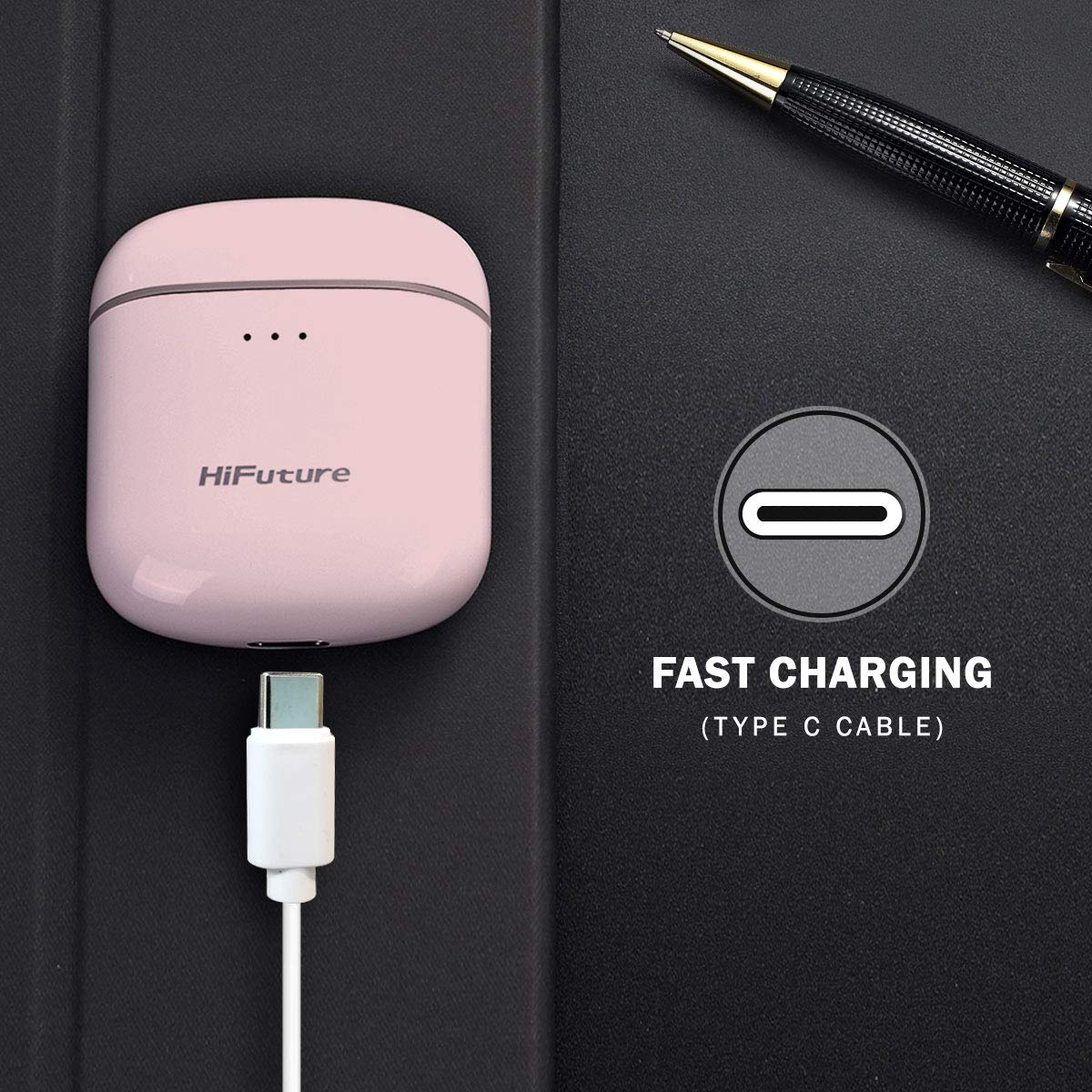
Image: Charging the FlyBuds case via USB Type-C.
Automatic Pairing
- Ensure the earbuds are charged.
- Open the charging case. The earbuds will automatically power on and enter pairing mode.
- On your device (smartphone, tablet, laptop), enable Bluetooth.
- Search for "FlyBuds" in the list of available Bluetooth devices and select it to connect.
- Once connected, you will hear an audio prompt, and the earbuds will be ready for use.
The earbuds will automatically reconnect to the last paired device when removed from the case, if Bluetooth is enabled on the device.
4. Operating Instructions
Touch Sensor Controls
The FlyBuds feature intuitive touch controls on each earbud. Refer to the diagram below for specific functions:

Image: Detailed touch command functions for the FlyBuds.
- Single Touch: Power ON/OFF, Play/Pause Music, Activate Voice Assistant.
- Double Touch: Next Track (Right earbud), Previous Track (Left earbud).
- Touch & Hold: Volume Up (Right earbud), Volume Down (Left earbud).
- Triple Tap: End Call, Reject Call.
Battery Life and Charging
The FlyBuds offer approximately 4 hours of playback on a single charge. The charging case provides multiple additional charges, extending the total listening time to about 20 hours. A quick 15-minute charge can provide up to 2 hours of usage.
5. Maintenance and Care
Water Resistance (IPX5)
The FlyBuds are rated IPX5, meaning they are resistant to splashes and sweat. They are suitable for workouts and light rain. However, they are not designed for submersion in water or exposure to heavy rain. Do not wear them while swimming or showering.
General Care
- Clean the earbuds and charging case regularly with a soft, dry cloth.
- Avoid using abrasive cleaners or solvents.
- Store the earbuds in their charging case when not in use to protect them and keep them charged.
- Keep the charging contacts on the earbuds and inside the case clean and dry.
- Avoid extreme temperatures and direct sunlight.
6. Troubleshooting
Common Issues and Solutions
- Earbuds not pairing:
Ensure both earbuds are charged. Place them back in the case, close the lid, wait a few seconds, then open the lid and try pairing again. Make sure Bluetooth is enabled on your device and no other devices are currently connected to the earbuds. - Only one earbud working:
Try resetting the earbuds. Place both earbuds in the charging case, close the lid, and then open it. If the issue persists, try unpairing the earbuds from your device's Bluetooth settings and then re-pairing them. - Earbuds not charging:
Check if the charging cable is securely connected to both the case and the power source. Ensure the charging contacts on the earbuds and inside the case are clean and free of debris. - Poor sound quality or disconnections:
Ensure your device is within the Bluetooth range (typically 10 meters) and there are no significant obstacles between the earbuds and your device. Try moving to an area with less wireless interference.
7. Specifications
| Feature | Specification |
|---|---|
| Model Name | FlyBuds |
| Connectivity Technology | Wireless (Bluetooth) |
| Wireless Communication Technology | Truly Wireless |
| Control Type | Touch Sensor Control |
| Water Resistance Level | IPX5 (Waterproof) |
| Item Weight | 45 Grams (total) |
| Product Dimensions | 5.8 x 5.2 x 3 cm |
| Battery Type | Lithium Ion |
| Battery Life (Earbuds) | Up to 4 hours (single charge) |
| Combined Playtime (with case) | Up to 20 hours |
| Fast Charging | 15 min charge for 2 hours usage |
8. Warranty and Support
The HiFuture FlyBuds come with a 1-year standard brand warranty from the date of purchase. Please retain your proof of purchase for warranty claims.
For technical support, warranty claims, or further assistance, please refer to the contact information provided in your product packaging or visit the official HiFuture website.
Product Videos
Video: An overview of the HiFuture FlyBuds, highlighting key features and design elements.
Video: A promotional video showcasing the HiFuture FlyBuds in various colors and use cases.


