1. Safety Information
Please read all instructions carefully before using the Roffie S2801 Smart Body Fat Scale. Keep this manual for future reference.
- Do not use this device if you have a pacemaker or other internal medical device.
- This scale is not intended for the diagnosis or treatment of any medical condition. Consult a healthcare professional for medical advice.
- Do not use on wet or slippery surfaces. Ensure the scale surface is dry before stepping on it.
- Avoid placing the scale on soft surfaces like carpets, as this may affect accuracy. Place on a hard, flat surface for best results.
- Do not jump on the scale or subject it to excessive force.
- Keep out of reach of children.
2. Product Overview
The Roffie S2801 Smart Body Fat Scale is designed to measure various body composition metrics and synchronize data with a smartphone application.
2.1 What's in the Box

Description: This image visually details the contents included in the Roffie S2801 Smart Body Fat Scale package: one Smart Body Fat Scale, one user manual, and three AAA batteries.
- Roffie S2801 Smart Body Fat Scale
- User Manual
- 3 x AAA Batteries
2.2 Key Features
- Measures 23 essential body composition metrics (e.g., weight, BMI, body fat, muscle mass, protein mass).
- Synchronizes data with the 'Scale Up' smartphone application via Bluetooth.
- High-precision sensors measure in increments of 0.05 kg (0.2 lb).
- Maximum weight capacity of 180 kg (400 lbs).
- Supports unlimited users with individual profiles in the app.
- Clear LED display for easy reading.
- Compact design (2 cm thick) for easy storage.
2.3 Scale Components

Description: The Roffie S2801 Smart Body Fat Scale, shown in black, alongside a smartphone displaying its companion 'Scale Up' application. The scale features a clear LED display showing weight, and the app illustrates various body composition metrics and tracking features.
- Tempered Glass Platform: The main weighing surface.
- LED Display: Shows weight readings.
- Electrodes (Silver Pads): Four metallic pads on the surface for body composition analysis.
- Battery Compartment: Located on the underside of the scale.
3. Setup
3.1 Battery Installation
- Open the battery compartment on the back of the scale.
- Insert 3 AAA batteries, ensuring correct polarity (+/-).
- Close the battery compartment.
3.2 App Download and Installation

Description: A man is seated on the floor with the Roffie S2801 Smart Body Fat Scale nearby, while a smartphone displays the 'Scale Up' app interface, indicating compatibility with both Apple App Store and Google Play Store for download.
- Download the "Scale Up" app from the Apple App Store (for iOS devices) or Google Play Store (for Android devices).
- Install the app on your smartphone.
- Ensure Bluetooth is enabled on your smartphone.
3.3 Initial Pairing and Profile Setup
- Open the "Scale Up" app and create your user profile. You will be prompted to enter personal information such as age, gender, and height.
- Step onto the scale barefoot. The scale will automatically turn on and display your weight.
- The app will detect the scale via Bluetooth and prompt you to connect. Follow the on-screen instructions to complete the pairing process.
- Once connected, your weight and other body composition data will automatically sync to your app profile.
4. Operating Instructions
4.1 Taking a Measurement
- Place the scale on a hard, flat surface.
- Ensure your feet are clean and dry.
- Step onto the scale barefoot, placing your feet on the metallic electrodes. Stand still until the weight reading stabilizes on the LED display.
- If the app is open and connected, your full body composition data will be transmitted and recorded.
4.2 Understanding Your Measurements
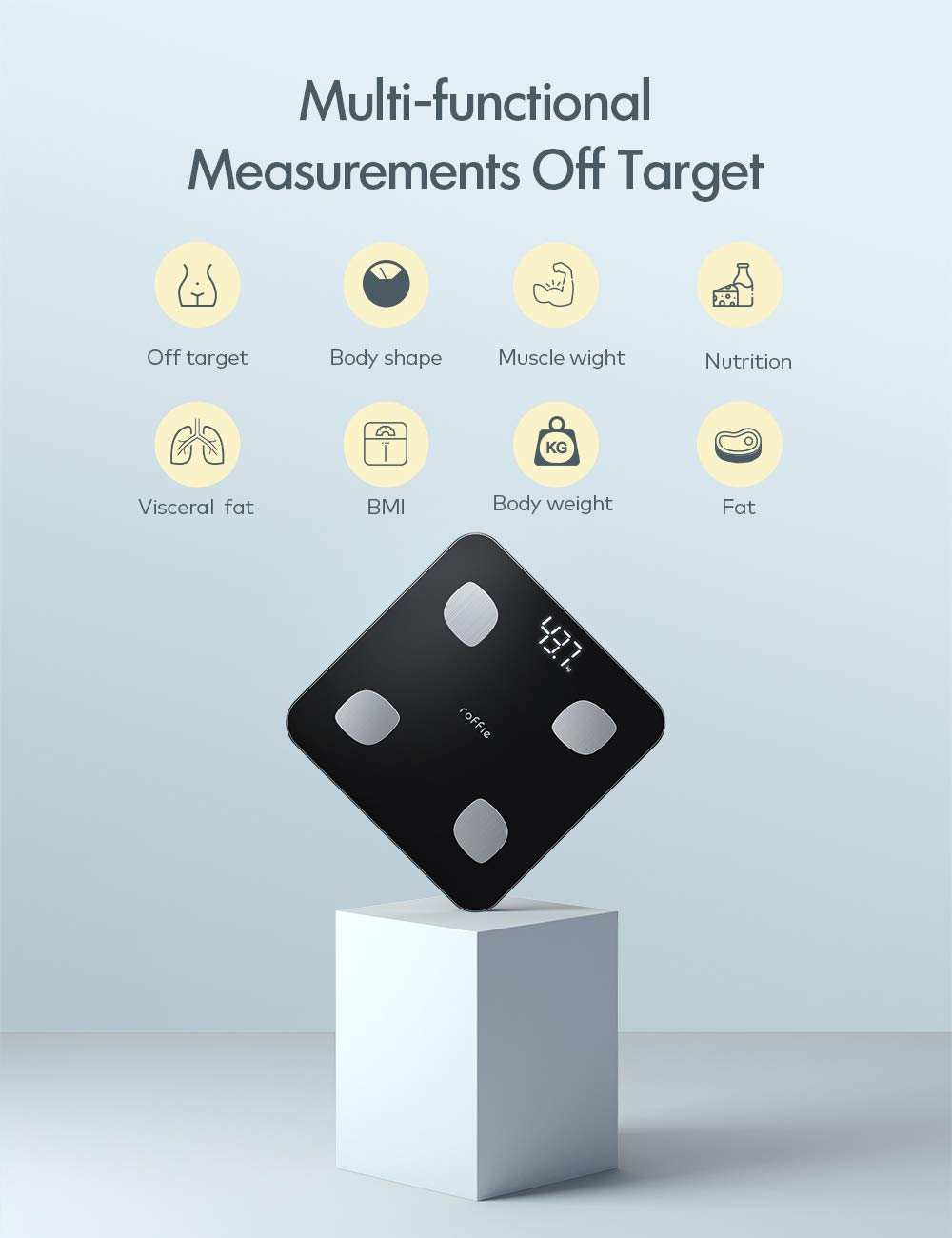
Description: This image displays the Roffie S2801 Smart Body Fat Scale from an elevated perspective, resting on a white cube. Surrounding the scale are icons representing various body composition measurements it can track, such as body shape, muscle weight, nutrition, visceral fat, BMI, body weight, and fat percentage.
The "Scale Up" app provides detailed insights into 23 body composition metrics. Refer to the app for explanations of each metric and personalized health recommendations.
4.3 Tracking Progress

Description: A woman is shown in a yoga pose with the Roffie S2801 Smart Body Fat Scale on the floor. A smartphone screen overlays the image, displaying a trend graph of body metrics over time (Day, Week, Month), demonstrating the app's progress monitoring feature.
The "Scale Up" app automatically records and tracks your measurements over time, displaying trends in weekly, monthly, and yearly graphs. This feature helps you monitor your progress towards your health goals.
4.4 Multi-User Functionality

Description: Two children are playfully doing handstands in a living room setting. The text 'One Scale for Multiple Users' indicates that the Roffie S2801 Smart Body Fat Scale supports multiple user profiles within its companion application.
The Roffie S2801 scale supports an unlimited number of users. Each family member can create their own profile within the "Scale Up" app. The scale will automatically recognize the user based on their weight and body composition data, sending measurements to the correct profile.
5. Maintenance
5.1 Cleaning
- Wipe the scale surface with a damp cloth and mild detergent.
- Do not use abrasive cleaners or immerse the scale in water.
- Ensure the scale is completely dry before storage or next use.
5.2 Storage
- Store the scale in a cool, dry place.
- Avoid storing it vertically or leaning against a wall for extended periods, as this may affect sensor calibration.
- If not in use for a long time, remove the batteries to prevent leakage.
6. Troubleshooting
- Inaccurate Readings: Ensure the scale is on a hard, flat surface. Avoid carpets. Recalibrate by stepping on and off the scale quickly.
- No Display: Check if batteries are correctly installed and not depleted. Replace batteries if necessary.
- App Not Connecting: Ensure Bluetooth is enabled on your phone. Restart the app and the scale. Make sure the scale is within Bluetooth range.
- Body Composition Data Not Showing: Ensure you are stepping on the scale barefoot with clean, dry feet, making contact with all four electrodes. Check your profile settings in the app.
- "Lo" on Display: Indicates low battery. Replace batteries.
- "Err" on Display: Indicates overload. The scale's maximum capacity is 180 kg (400 lbs).
7. Specifications

Description: A close-up view of a foot placed on the Roffie S2801 Smart Body Fat Scale, showcasing its large and clear LED display. The image also provides the scale's dimensions: 28cm x 28cm x 2cm.
| Feature | Specification |
|---|---|
| Model | S2801 |
| Dimensions | 27.94 x 27.94 x 2.54 cm (11 x 11 x 1 inches) |
| Weight | 1.2 kg (2.6 lbs) |
| Weight Capacity | 180 kg (400 lbs) |
| Measurement Increments | 0.05 kg (0.2 lb) |
| Power Source | 3 x AAA Batteries |
| Display Type | LED |
| Material | Tempered Glass |
| Connectivity | Bluetooth |

Description: A woman is depicted in motion, suggesting an active lifestyle. The image highlights the Roffie S2801 Smart Body Fat Scale's robust capacity, supporting users up to 180 kg (400 lbs), with icons for weight, BMI, and fat measurements.
8. Warranty and Support
The Roffie S2801 Smart Body Fat Scale comes with a two-year warranty and a one-month free return policy.
For any product issues or support inquiries, please contact Roffie customer service. Refer to the product packaging or the official Roffie website for contact details.

