
Ceihoit DVP-508C
Contents
Ceihoit Mini HD DVD Player DVP-508C User Manual
Brand: Ceihoit | Model: DVP-508C
1. Introduction
Thank you for choosing the Ceihoit Mini HD DVD Player DVP-508C. This compact and versatile device is designed to enhance your home entertainment experience by providing high-quality playback of your favorite DVDs and CDs. With features like 1080p upscaling, all-region compatibility, and USB media playback, it's an ideal solution for both modern and traditional setups.
2. What's in the Box
- 1x DVD Player
- 1x Remote Control (Battery not included)
- 1x 4.92ft HDMI Cable
- 1x 3ft RCA Cable
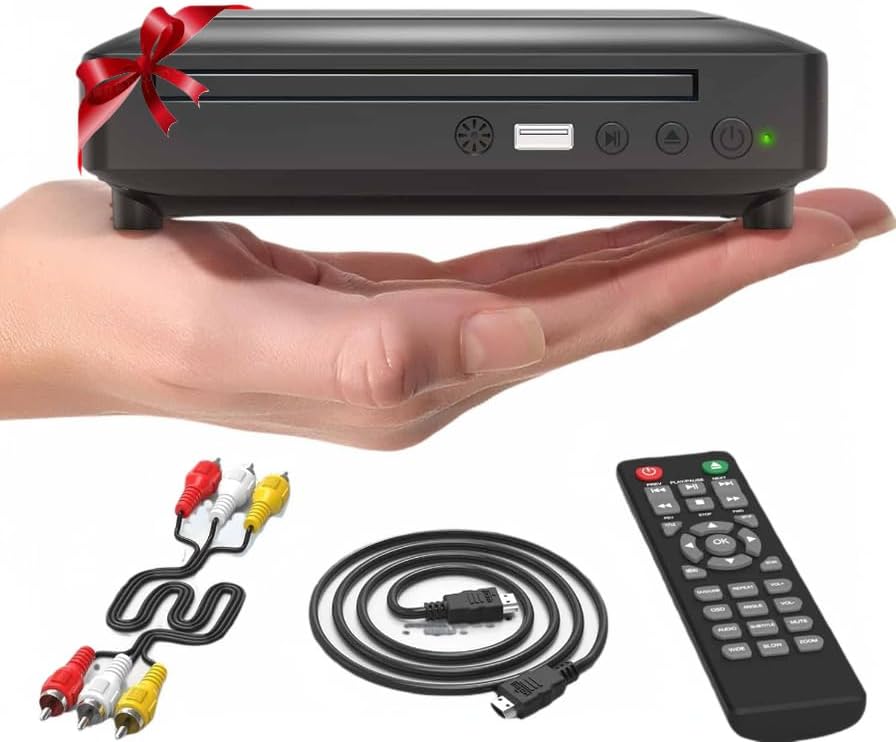
The Ceihoit Mini HD DVD Player, shown with its compact size, included remote control, HDMI cable, and RCA cable.
3. Setup
3.1 Physical Connections
Connect the DVD player to your TV or display using either the HDMI or RCA cables provided.
- HDMI Connection: For optimal picture quality (1080p upscaling), connect the HDMI cable from the DVD player's HDMI OUT port to your TV's HDMI IN port.
- RCA Connection: For older TVs, connect the RCA cable (red, white, yellow) from the DVD player's AV OUT ports to your TV's corresponding AV IN ports.
- Power Connection: Plug the power adapter into the DVD player's power input and then into a wall outlet.

Demonstrates the simple connection options using either the RCA cable for older TVs or the HDMI cable for modern displays.
3.2 Initial Power On
- Power On: The red LED lights up immediately.
- Wait for Green: Within 3-5 seconds, the LED turns green, indicating full startup.
- Open & Play: Press the OPEN/CLOSE button to insert your disc.
Important: For best performance, avoid pressing buttons while the LED is red during startup.
4. Operating the DVD Player
4.1 Disc Playback
The Ceihoit DVD player supports a wide range of disc formats and features for seamless viewing.
- Supported Formats: DVD±R/RW, CD-R/RW, VCD, SVCD, MP3, JPEG.
- All-Region Playback: Plays DVDs/CDs from all zones 1-6 (except CPRM-protected discs) and decodes PAL/NTSC systems.
- Fast Reading & Breakpoint Memory: Features a premium SANYO drive core for ultra-fast disc loading and whisper-quiet operation. Anti-Skip Technology handles scratched or dusty discs, and Breakpoint Memory resumes your movie where you paused.
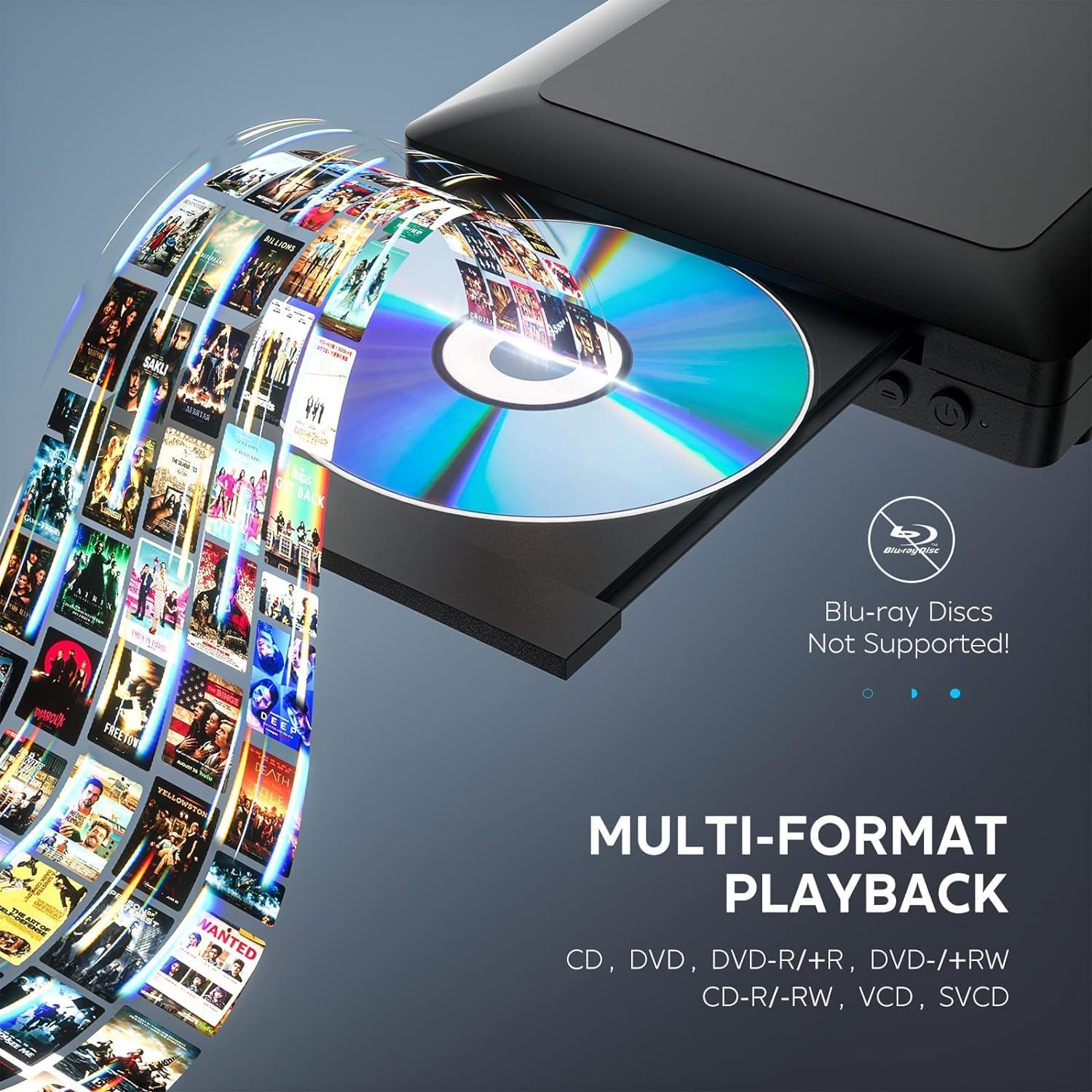
The player supports multiple disc formats including CD, DVD, DVD-R/+R, DVD-/+RW, CD-R/RW, VCD, and SVCD. Blu-ray discs are not supported.
4.2 USB Playback
Play videos, music, and photos directly from your USB drive.
- Supported Files: AVI/MPG/MPEG4/VOB files (720x480/576 resolution).
- USB Capacity: Supports USB sticks up to 32GB.
- Note: Does not support USB 3.0 and MP4 via USB.

The built-in USB port allows playback of various media formats (JPG, JPEG, MP2, MP3, WMA, OGG, MPEG, MPG, VOB, AVI) from USB drives up to 32GB.
4.3 Remote Control
Use the included remote control to navigate menus and control playback functions. Ensure 2x AAA batteries (not included) are inserted correctly.

The remote control for the Ceihoit Mini HD DVD Player, featuring various playback and menu navigation buttons.
4.4 Official Product Video
This video provides a visual overview of the Ceihoit Mini HD DVD Player's features and functionality, demonstrating its compact size and ease of use.
5. Maintenance
- Keep the DVD player clean by wiping it with a soft, dry cloth.
- Avoid exposing the device to extreme temperatures, humidity, or direct sunlight.
- Handle discs by their edges to prevent scratches and smudges.
6. Troubleshooting
| Problem | Possible Cause | Solution |
|---|---|---|
| No Power | Power cable not connected or outlet issue. | Ensure power cable is securely plugged into the player and a working power outlet. Check the LED indicator (red for standby, green for on). |
| No Picture/Signal | Incorrect input selected on TV or loose connection. | Select the correct HDMI or AV input on your TV. Check that HDMI/RCA cables are securely connected to both the player and the TV. |
| Disc Not Reading | Disc is dirty, scratched, or unsupported format. | Clean the disc with a soft cloth. Try a different disc. Ensure the disc format is supported (no Blu-ray). |
| Remote Control Not Working | Batteries are dead or inserted incorrectly. Obstruction between remote and player. | Replace batteries (AAA). Ensure batteries are inserted with correct polarity. Remove any obstructions between the remote and the player's sensor. |
7. Specifications
| Feature | Detail |
|---|---|
| Brand | Ceihoit |
| Model Name | DVP-508C |
| Item Weight | 1.1 Pounds (approx. 0.5 kg) |
| Product Dimensions | 7.3 x 6 x 1.7 inches (approx. 18.5 x 15.2 x 4.3 cm) |
| Color | Black |
| Media Type | CD, DVD |
| Special Features | Portable, Multi-Format Playback, Region Free, Compact, Upscaling |
| Resolution | 1920x1080 (Upscaled) |
| Connector Type | HDMI, RCA, USB |
| Connectivity Technology | RCA, HDMI |
8. Warranty and Support
The Ceihoit Mini HD DVD Player comes with a 12-MONTH return and refund policy without reason. For any questions, concerns, or technical support, please contact customer service. Our team is available 24 hours to provide friendly assistance.
Ask a question about this manual
Ask about setup, troubleshooting, compatibility, parts, safety, or missing instructions. Manuals+ will review the question and use this page’s manual context to help answer it.