
1. Safety Information
This product is not a children's toy. Under no circumstances should this light be shined directly at any person's or animal's eyes. The user or any other person should not look directly into the light beam. Always point the Flashlight Head towards the ground while reattaching the Power Bank.
2. Package Contents
The Nite Ize INOVA T11R package includes the following items:
- One INOVA T11R Rechargeable Tactical Flashlight
- Built-in 14,000 mAh Power Bank
- Durable Carrying Case with MOLLE compatible attachment straps
- Wall Adapter for charging
- 20-inch Charging Cord (USB-A to barrel jack)
- DC Adapter (car charger)
- S-Biner for attachment
- End Caps to protect components during transit

Image: The Nite Ize INOVA T11R flashlight disassembled, showing the main body, head, and various accessories including a charging cable, wall adapter, car adapter, S-Biner, and end cap.

Image: The Nite Ize INOVA T11R flashlight and its complete kit, including the carrying case, wall adapter, car adapter, charging cable, S-Biner, and end cap.
3. Initial Setup
Before using your INOVA T11R flashlight for the first time, you must activate the battery:
- Unscrew the head of the flashlight from the body.
- Locate the small switch on the end of the battery compartment.
- Slide this switch from "OFF" to "LED" to enable flashlight functionality.
- Reattach the flashlight head securely.

Image: The Nite Ize INOVA T11R flashlight with its head unscrewed, revealing the battery compartment and the activation switch. A hand is shown pointing to the switch.
For a visual guide on initial setup and operation, please refer to the official product video below:
Video: Official Nite Ize INOVA T11R Rechargeable Tactical LED Flashlight + Power Bank demonstration, showing initial setup, mode selection, and power bank features.
4. Operating Instructions
The INOVA T11R features a mid-body switch for controlling its various light modes and functions. Four LED indicators next to the switch display the remaining battery power.

Image: A hand holding the Nite Ize INOVA T11R flashlight, highlighting the mid-body switch and the four small LED indicators that show battery status.
4.1. Power On/Off and Variable Dim Mode
- To Turn On/Off: Fully click the mid-body switch. The flashlight will turn on in Variable Dim mode.
- To Adjust Brightness (Variable Dim): While in Variable Dim mode, give the button a half-press and hold it. The light will cycle through its brightness levels, blinking at its lowest and highest points. Release the button to select your desired brightness.
- Mode Memory: The flashlight will remember the last brightness setting used in Variable Dim mode when turned off and back on.
4.2. Mode Selection (Low, SOS, Strobe)
From Variable Dim mode, you can access other modes with half-presses:
- Low Mode (200 Lumens): From Variable Dim mode, give the button another half-press.
- SOS Mode: From Low mode, give the button another half-press.
- High Mode (5800 Lumens): This is the maximum output. It is typically accessed by cycling through modes or directly from Variable Dim by holding the button to max brightness.
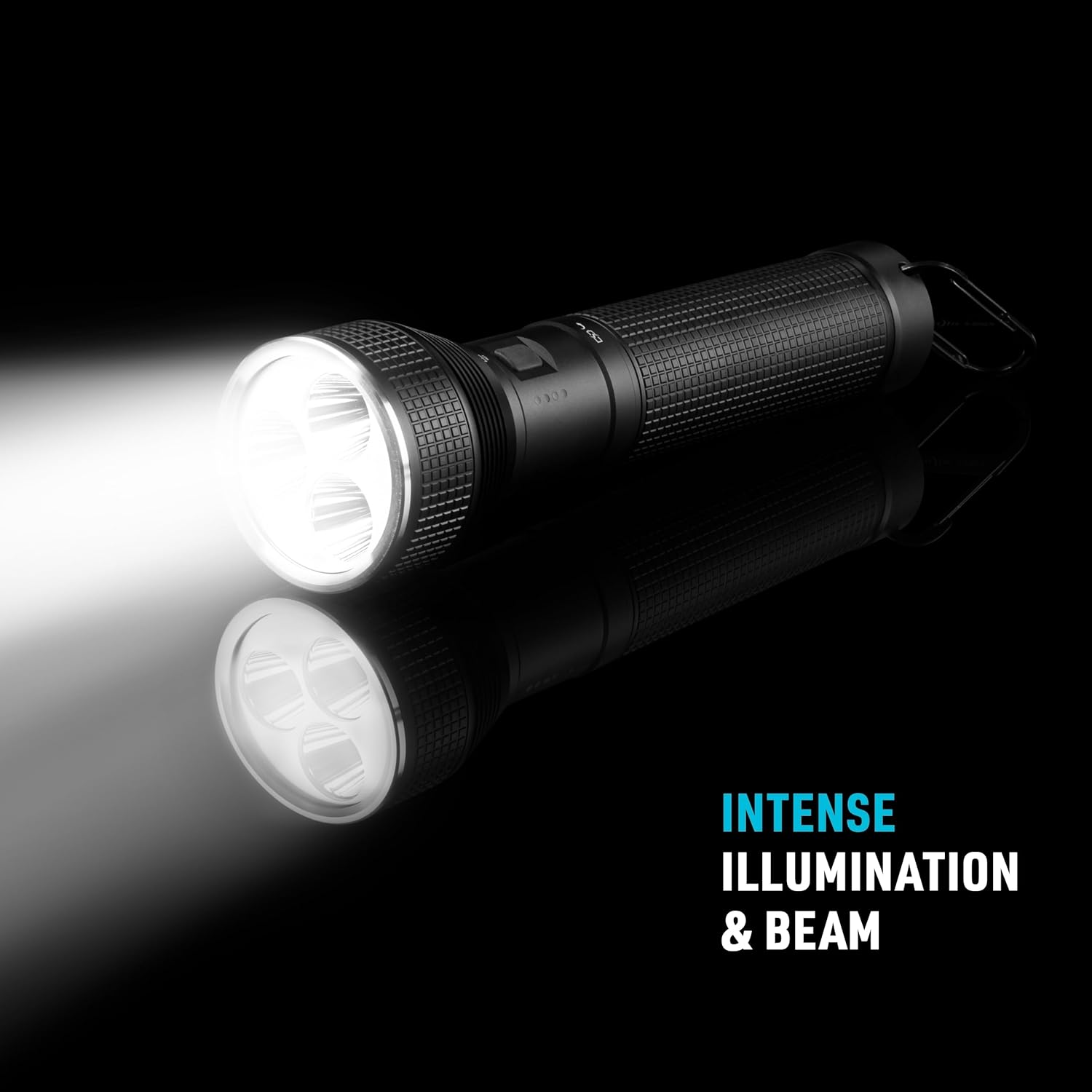
Image: The Nite Ize INOVA T11R flashlight emitting a powerful beam, illustrating its intense illumination and long-range capability.
4.3. Strobe Modes
- Momentary Strobe: Give the switch two rapid half-presses. The light will strobe as long as you keep the button pressed and turn off when released.
- Constant Strobe: Give the switch a half-press, quickly followed by a full press. The light will remain in strobe mode until you turn it off.
5. Power Bank Functionality
The INOVA T11R features a built-in 14,000 mAh power bank, allowing you to charge external devices on the go.
- Unscrew the head of the flashlight from the body.
- Locate the small switch on the end of the battery compartment.
- Slide this switch to "USB".
- Plug your device's charging cable into the USB output port on the flashlight body.
- The flashlight will begin charging your device. The USB output is 5V at 2.0A.
Image: The Nite Ize INOVA T11R flashlight with its head removed, functioning as a power bank to charge a smartphone via a USB cable.
6. Charging the INOVA T11R
To recharge the internal battery of your INOVA T11R flashlight:
- Ensure the battery activation switch (located at the end of the battery compartment) is set to "LED" or "OFF".
- Connect the provided charging cord to the flashlight's input port (barrel jack).
- Plug the other end of the charging cord into the wall adapter or DC adapter (car charger).
- Plug the adapter into a power source. The LED indicators on the flashlight will show charging progress.
The input for charging is 5V/2.1A, 9V/2A, or 12V/1.5A.
7. Lockout Feature
To prevent accidental activation during transit or storage, you can use the lockout feature:
- Unscrew the head of the flashlight from the body.
- Slide the battery activation switch from "LED" or "USB" to "OFF".
- Reattach the flashlight head. The flashlight will now be locked out and will not turn on even if the mid-body switch is pressed.
This feature ensures the battery is not drained unintentionally.
8. Specifications
| Feature | Detail |
|---|---|
| Model Number | T11RA-01-R8 |
| Light Source Type | LED |
| Material | Aerospace-Grade Aluminum, Alloy Steel |
| Finish | Military-spec Type III Hard Coat Anodized, Stainless Steel |
| Power Source | Battery Powered (Lithium Ion) |
| Battery Capacity | 14,000 mAh (5200mAh, 74.88Wh) |
| Voltage | 3.7 Volts (14.4V internal) |
| White Brightness (Max) | 5800 Lumens (High), 200 Lumens (Low) |
| Light Path Distance | 450 Meters (approx. 1475 feet) |
| Runtime (High) | 5 hours |
| Runtime (Low) | 110 hours |
| Water Resistance Level | Waterproof (Rated to IP-X7) |
| Shockproof | Yes |
| Crushproof | Yes |
| Item Weight | 2.16 Pounds |
| Item Dimensions (L x W x H) | 3.9"L x 11.2"W x 3.9"H |
| Recommended Uses | Camping, hiking, exploring the outdoors, tactical situations |
9. Maintenance
To ensure the longevity and optimal performance of your Nite Ize INOVA T11R flashlight:
- Cleaning: Wipe the flashlight body with a soft, damp cloth. Avoid using abrasive cleaners or solvents that could damage the finish.
- O-Rings: Periodically inspect the O-rings for any signs of wear or damage. Lubricate them with silicone grease to maintain the waterproof seal.
- Battery Care: For long-term storage, charge the battery to approximately 50% and store in a cool, dry place. Recharge every 3-6 months to prevent deep discharge.
- Connections: Ensure all connections (head, tail cap) are securely tightened to maintain water resistance and proper electrical contact.
10. Troubleshooting
If you encounter issues with your INOVA T11R, refer to the following common solutions:
- Flashlight Not Turning On:
- Check if the battery activation switch inside the body is set to "LED" (not "OFF" or "USB").
- Ensure the battery is charged. The LED indicators should show power.
- Verify that the flashlight head is screwed on tightly.
- External Device Not Charging:
- Ensure the battery activation switch is set to "USB".
- Check if the flashlight battery has sufficient charge.
- Verify the charging cable for your external device is functional and properly connected.
- Inconsistent Brightness or Mode Cycling:
- Ensure the battery is fully charged. Low battery can affect performance.
- Clean the contact points between the head and body with a clean, dry cloth.
If problems persist, please contact Nite Ize customer support.
11. Warranty and Support
All Nite Ize products purchased from authorized resellers are backed by our Worry-Free Guarantee. For detailed warranty information, product registration, or to contact customer support, please visit the official Nite Ize website or refer to the contact information provided with your purchase.
You can also find more information and support at http://niteize.mobi/QR/T11RA/.


