
1. Introduction and Overview
This manual provides instructions for the VINABTY BN59-01312G Voice Remote Control, designed as a replacement for various Samsung Smart TV models. This remote offers standard television control functions along with integrated voice control capabilities.
Compatible Samsung TV Models include:
- UN49RU8000F, UN55RU740DF, UN55RU8000F, UN55RU800DF, UN65RU740DF, UN65RU8000F, UN65RU800DF, UN75RU8000F, UN75RU800DF, UN82RU8000F, UN82RU800DF
- UN49RU8000FXZA, UN55RU8000FXZA, UN65RU8000FXZA, UN75RU8000FXZA, UN82RU8000FXZA
- UN55RU800DFXZA, UN65RU800DFXZA, UN75RU800DFXZA, UN82RU800DFXZA
- RMCSPR1AP1, QN32Q50RAFXZA, QN32Q50RAF
- UN65RU740DFXZA, UN65RU740D, UN50RU740D, UN55RU740D
- UE49RU8005UXXC, UE55RU8005UXXC, UE65RU8005UXXC, UE82RU8005UXXC
- UE49RU8000TXXU, UE55RU8000TXXU, UE65RU8000TXXU
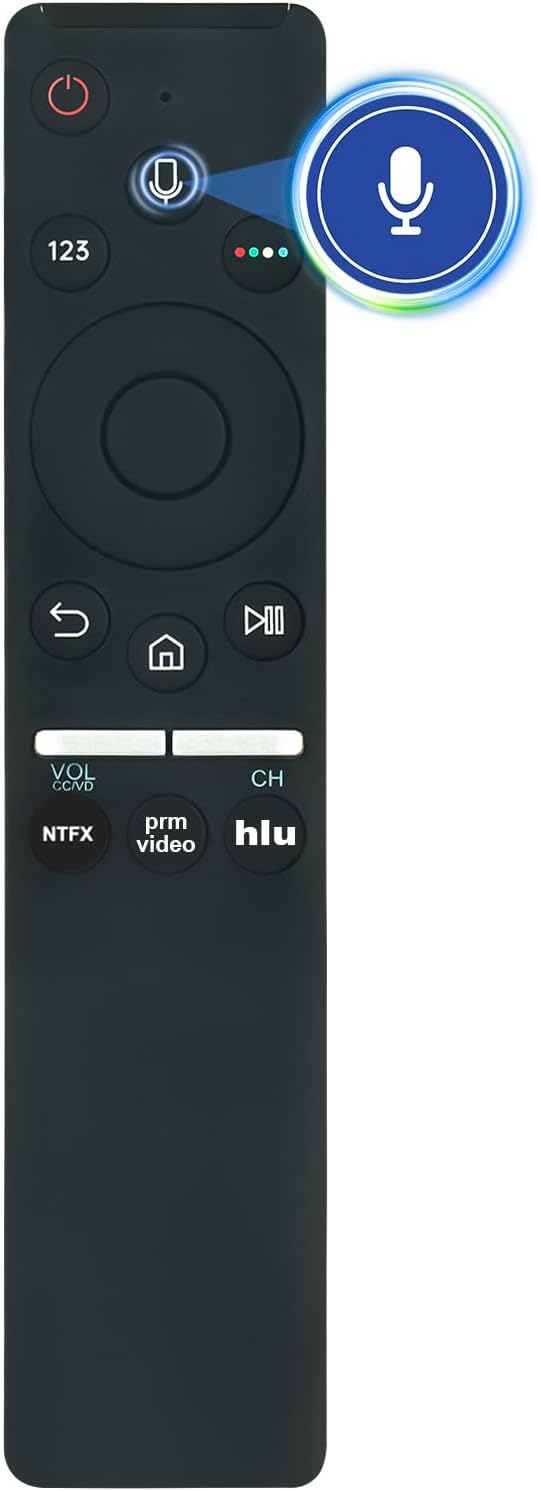
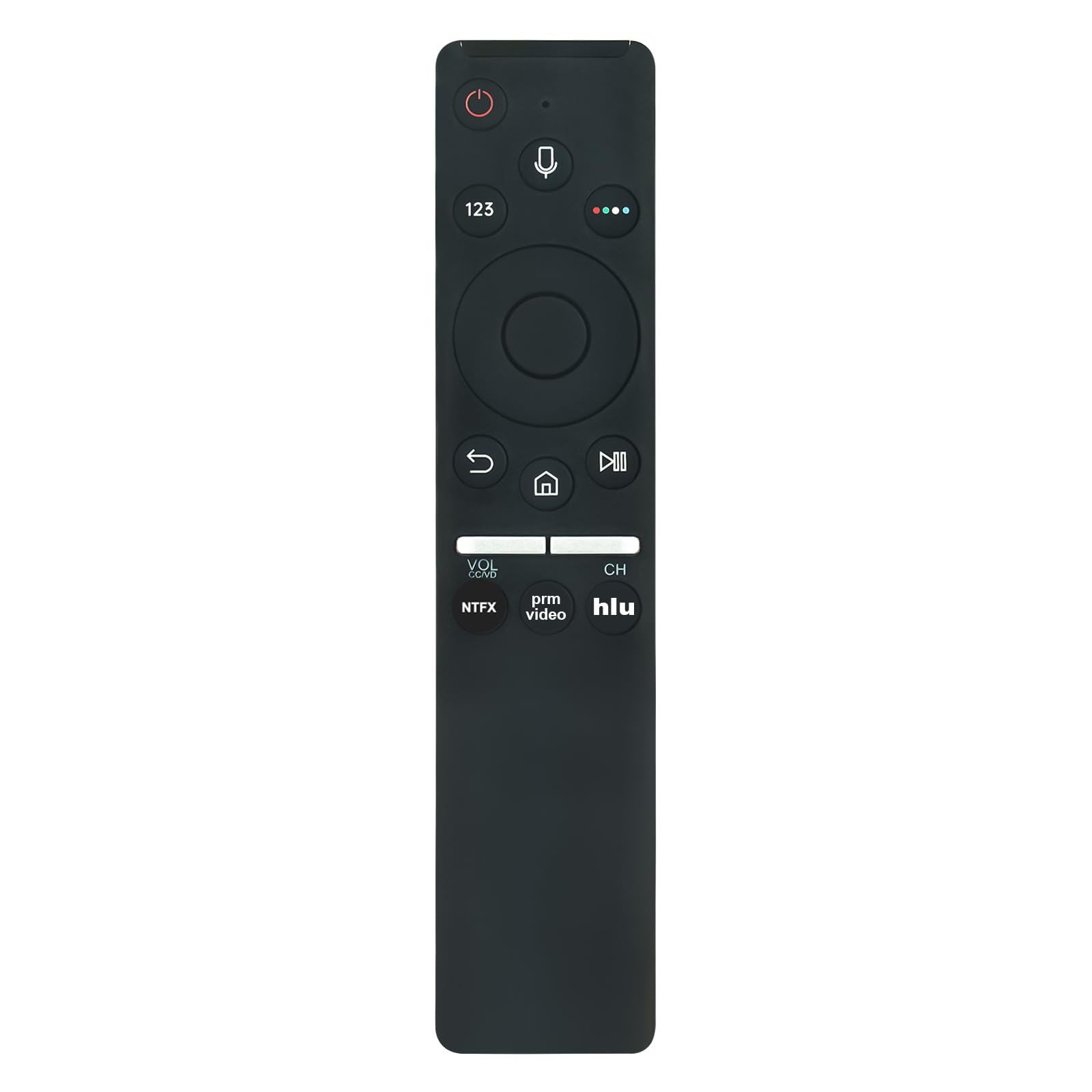
Image: Front view of the VINABTY BN59-01312G Voice Remote Control, showcasing its button layout including power, voice, number pad, navigation, volume, channel, and app buttons.
2. Setup
2.1 Battery Installation
The remote control requires two (2) AA batteries (not included) for operation. Follow these steps to install the batteries:
- Locate the battery compartment cover on the back of the remote control.
- Slide the cover downwards or press the latch (if present) to open the compartment.
- Insert two AA batteries, ensuring the positive (+) and negative (-) terminals align correctly with the markings inside the compartment.
- Close the battery compartment cover by sliding it back into place until it clicks securely.

Image: The remote control shown in a living room setting with text indicating that it works with easy setup after batteries are inserted. Batteries are not included.
2.2 Pairing the Remote Control
This remote control is designed for easy pairing with compatible Samsung Smart TVs. In most cases, it will connect automatically after battery installation. If the remote does not respond, follow these steps to pair it manually:
- Ensure your Samsung TV is powered on.
- Point the remote control towards the TV.
- Press and hold the Return button (
 ) and the Play/Pause button () simultaneously for 3-5 seconds.
 - A pairing message should appear on your TV screen, indicating that the remote is connecting.
- Release the buttons once the pairing message appears or the remote starts responding.
Note: If pairing issues persist, try restarting your TV or performing a factory reset on the TV as some users have reported this resolves connectivity problems.
3. Operating the Remote Control
The VINABTY BN59-01312G remote control provides intuitive access to your Samsung Smart TV's functions.
3.1 Basic Functions
- Power Button (): Turns the TV on or off.
- Voice Control Button (): Activates the voice assistant for commands. Press and hold while speaking.
- Number Pad (123): Accesses a virtual number pad on screen for channel input or other numerical entries.
- Navigation Pad (Directional Buttons): Use the circular pad to move through menus and select items. The center button confirms selections.
- Return Button (): Returns to the previous screen or menu.
- Home Button (): Opens the Smart Hub or Home screen.
- Play/Pause, Fast Forward, Rewind: Media playback controls.
- Volume Up/Down (VOL): Adjusts the television volume. Press the button to mute/unmute.
- Channel Up/Down (CH): Changes television channels. Press the button to access the channel list.
- App Shortcut Buttons (NTFX, prm video, hlu): Direct access to popular streaming applications.
3.2 Using Voice Control
To use the voice control feature:
- Press and hold the Voice Control Button ().
- Speak your command clearly into the microphone located at the top of the remote.
- Release the button when you have finished speaking.
Example commands: "Open Netflix," "Change to Channel 5," "Search for action movies."
Image: The VINABTY BN59-01312G remote control with the voice control button and microphone icon highlighted, indicating its primary function.
4. Maintenance
4.1 Battery Replacement
Replace the AA batteries when the remote's response becomes sluggish or it stops functioning. Always replace both batteries at the same time with new ones of the same type. Do not mix old and new batteries, or different types of batteries.
4.2 Cleaning
To clean the remote control:
- Wipe the surface with a soft, dry cloth.
- For stubborn dirt, slightly dampen the cloth with water or a mild, non-abrasive cleaner.
- Avoid using harsh chemicals, solvents, or abrasive materials, as these can damage the remote's finish or internal components.
5. Troubleshooting
5.1 Remote Not Responding
- Check Batteries: Ensure batteries are correctly installed and have sufficient charge. Replace them if necessary.
- Re-pair Remote: Follow the pairing instructions in Section 2.2.
- Obstructions: Ensure there are no objects blocking the line of sight between the remote and the TV's sensor (though this remote uses Bluetooth, strong interference can still affect it).
- TV Restart: Power cycle your TV by unplugging it from the wall outlet for 30 seconds, then plugging it back in.
5.2 Voice Control Not Working
- Check Pairing: Ensure the remote is properly paired with the TV, as voice functionality relies on a stable Bluetooth connection.
- Microphone Obstruction: Ensure the microphone on the remote is not covered.
- Speak Clearly: Speak directly into the microphone in a clear, moderate tone.
- TV Settings: Verify that voice control is enabled in your TV's settings.
6. Specifications
| Feature | Description |
|---|---|
| Model Name | BN59-01312G |
| Brand | VINABTY |
| Connectivity Technology | Bluetooth |
| Special Features | Ergonomic, Voice Search |
| Compatible Devices | Samsung Televisions (various models listed in Section 1) |
| Maximum Range | 33 Feet (approximately 10 meters) |
| Battery Type | 2 x AA batteries (not included) |
| Button Quantity | 30 |
| Dimensions (L x W x H) | 5"L x 1.9"W x 0.5"H (12.7 cm L x 4.8 cm W x 1.3 cm H) |

Image: A diagram illustrating the physical dimensions of the remote control: 16.5 cm (6.5 in) length, 3.5 cm (1.36 in) width, and 2 cm (0.78 in) thickness.
7. Warranty and Support
The VINABTY BN59-01312G remote control is designed for reliable performance. For any questions, concerns, or technical assistance, please contact the seller directly. The seller commits to providing a response within 24 hours.
Please refer to your purchase documentation for specific warranty details, as these may vary by retailer or region.


