Introduction
This manual provides essential information for the proper use and care of your OMNIHIL High Speed USB 2.0 Cable. Designed for reliable data transfer and charging, this cable is compatible with devices such as the Sennheiser GSP 370 Headset.
Setup
Connecting the OMNIHIL USB 2.0 Cable is a straightforward process.
- Identify Ports: Locate the appropriate USB 2.0 port on your device (e.g., computer, charging adapter) and the compatible port on your peripheral (e.g., Sennheiser GSP 370 Headset).
- Insert Connector A: Plug the USB Type-A connector (the larger, rectangular end) into your host device's USB port.
- Insert Connector B: Plug the Micro-USB connector (the smaller end) into your peripheral device. Ensure the connector is oriented correctly to avoid damage.
- Secure Connection: Gently push until the connector is fully seated. A secure connection ensures optimal performance.
 Image: The OMNIHIL USB 2.0 cable shown alongside its product packaging.
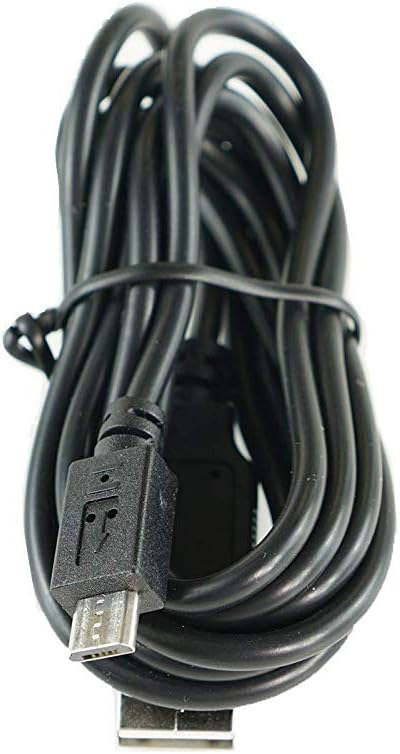 Image: A detailed view of the Micro-USB connector end of the OMNIHIL cable.
Operating
Once connected, the OMNIHIL High Speed USB 2.0 Cable facilitates both data transfer and charging capabilities.
- Data Transfer: For data synchronization or file transfer, ensure your devices are powered on and recognized by each other. The cable supports high-speed data rates for efficient transfer.
- Charging: When connected to a power source (e.g., USB wall adapter, computer USB port), the cable will provide charging power to your compatible device.
 Image: The OMNIHIL USB 2.0 cable, neatly coiled, ready for use.
Maintenance
Proper maintenance extends the lifespan of your OMNIHIL USB 2.0 Cable.
- Storage: Store the cable in a cool, dry place away from direct sunlight and extreme temperatures. Avoid tightly coiling or bending the cable at sharp angles, which can damage internal wires.
- Cleaning: Use a soft, dry cloth to wipe the cable and connectors. Do not use liquid cleaners or abrasive materials.
- Handling: Always grasp the connector housing when plugging or unplugging the cable, rather than pulling on the cable itself. This prevents strain on the connection points.
Troubleshooting
If you encounter issues with your OMNIHIL USB 2.0 Cable, consider the following:
- Device Not Recognized / No Data Transfer:
- Ensure both devices are powered on and their drivers are up to date.
- Try connecting the cable to a different USB port on your host device.
- Test the cable with another compatible device to determine if the issue is with the cable or the device.
- Verify that the connectors are fully and securely inserted into their respective ports.
- Device Not Charging:
- Confirm that the power source (e.g., wall adapter, computer USB port) is functional and providing adequate power.
- Check if the charging port on your device is clean and free of debris.
- Ensure the cable is securely connected at both ends.
- If using a wall adapter, try a different adapter.
Specifications
The OMNIHIL High Speed USB 2.0 Cable features the following specifications:
| Feature | Detail |
|---|---|
| Brand | OMNIHIL |
| Model Number | OMNI122019200 |
| Cable Type | USB 2.0 |
| Connector Type | USB Type A to Micro USB |
| Length | 5 Feet (approx. 1.5 meters) |
| Color | Black |
| Special Feature | High Speed Data Transfer |
| Protection Features | OVP (Over Voltage Output Protection), OCP (Over Current Output Protection), SCP (Short Circuit Output Protection) |
| Compatibility | Compatible with Sennheiser GSP 370 Headset and other Micro USB devices |
Warranty and Support
OMNIHIL stands behind the quality of its products.
Warranty Information
This OMNIHIL High Speed USB 2.0 Cable comes with a 5-Year Free Replacement Warranty. This warranty covers manufacturing defects and ensures your satisfaction with the product's performance under normal use. For warranty claims or inquiries, please retain your proof of purchase.
 Image: Official OMNIHIL 5-Year Warranty seal.
Customer Support
For technical assistance, troubleshooting, or warranty service, please contact OMNIHIL customer support. Refer to your product packaging or the retailer's website for the most current contact information.
You can also visit the official OMNIHIL Store on Amazon for more information and products: OMNIHIL Store