

1. Introduction
This manual provides detailed instructions for the installation, operation, and maintenance of your Amcrest Analog 4K Outdoor Security Camera (Model: AMC4KDM28-B). Please read this manual thoroughly before using the product to ensure proper setup and functionality. This camera is designed for outdoor surveillance, offering high-resolution video and robust performance in various environmental conditions.
2. Product Features
The Amcrest AMC4KDM28-B camera is equipped with advanced features to provide reliable security monitoring:
- UltraHD 4K Resolution: Captures crisp 8-Megapixel (3840x2160P) video at 15 frames per second, providing exceptional detail.
- Wide Viewing Angle: Features a 2.8mm lens with a 110° to 125° viewing angle, covering a broad area.
- Superior Night Vision: Equipped with IR LEDs for clear black and white night vision up to 164 feet (50 meters).
- IP67 Weatherproof Rating: Built with a heavy-duty metal housing to withstand dust, rain, wind, and extreme temperatures (-22°F to 140°F).
- Built-in Microphone: Allows for one-way audio monitoring, capturing sound from the camera's vicinity.
- Wide Dynamic Range (WDR): Up to 120dB for optimized image quality in varying lighting conditions.
- Analog Connectivity: Connects via BNC/Coaxial cable; this is not an IP or PoE camera and requires a compatible Amcrest 4K DVR.
- Long Distance Transmission: Supports video transmission up to 2296 feet (700 meters) over coaxial cable.

Overview of the Amcrest camera's powerful features, including 4K HD resolution, superior night vision, and weatherproof design.

Detailed view highlighting the built-in microphone for audio detection and the camera's superior night vision capabilities.

Illustration of the camera's extra-wide 125° viewing angle, designed to cover more ground for enhanced security.
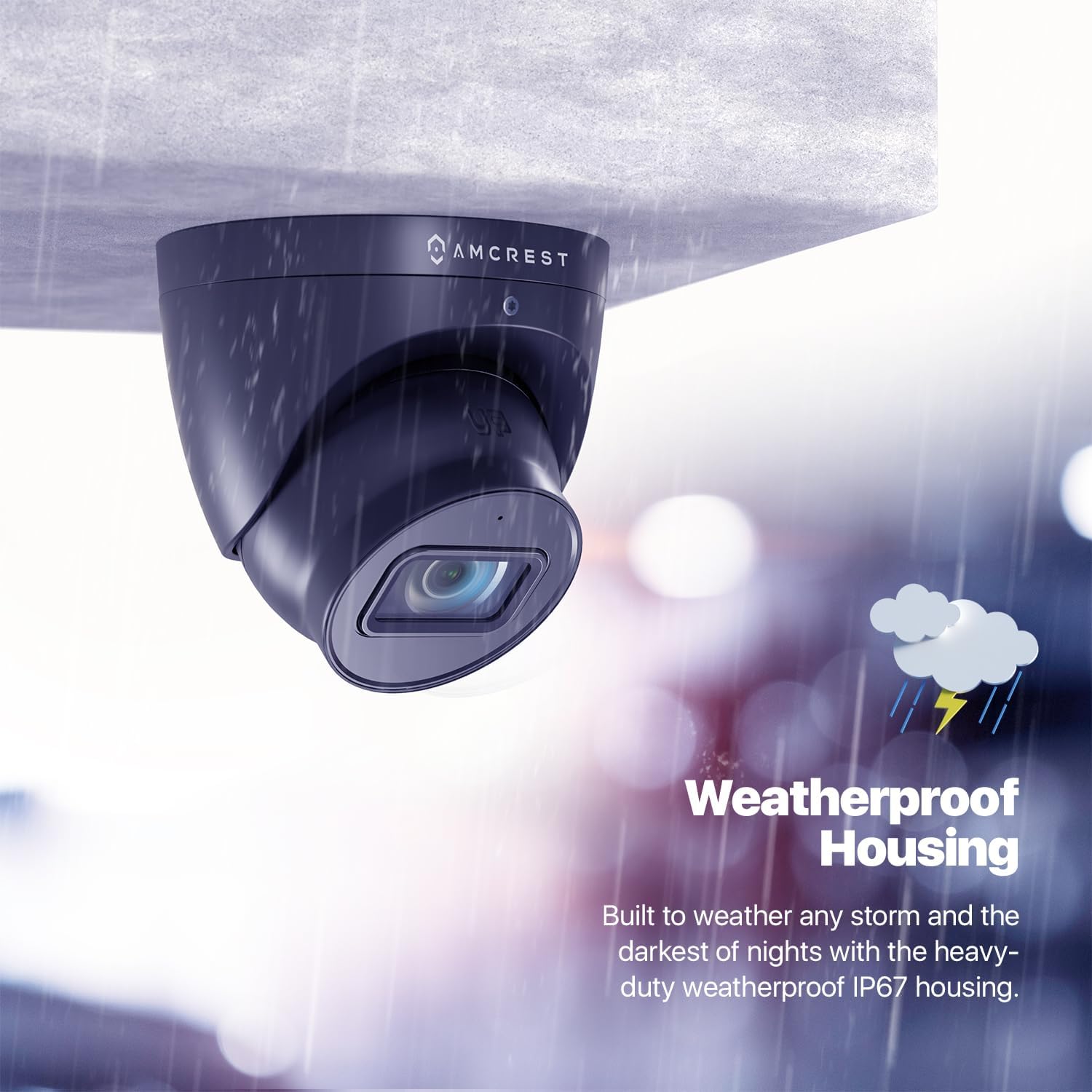
Depiction of the camera's robust weatherproof housing, ensuring reliable performance in all weather conditions.
3. Setup and Installation
The AMC4KDM28-B camera is designed for DIY installation. Please follow these steps carefully:
- Unboxing: Carefully remove all components from the packaging. Ensure you have the camera unit. Note: A DVR, power supply, and coaxial video cables are required but not included and are sold separately.
- Mounting: Choose a suitable outdoor location for mounting. The camera is designed for ceiling mount. Secure the camera firmly using appropriate hardware.
- Connecting to DVR: Connect the camera to a compatible Amcrest 4K DVR (e.g., AMDV8M4-H5, AMDV8M8-H5, AMDV8M16-H5) using a BNC coaxial cable. This camera is not compatible with 3rd party DVRs.
- Power Connection: Connect a 12V DC power supply (not included) to the camera.
- Cable Management: Route cables securely to prevent damage and ensure a clean installation.

Diagram illustrating the BNC/Coaxial cable connection and 12V DC power input for the Amcrest analog camera.
4. Operation
Once installed and connected to a compatible Amcrest 4K DVR, you can begin operating your security camera:
- Live View: Access live video feeds from your DVR directly or remotely via the Amcrest View Pro 2 app on your mobile device or tablet.
- Recording: Configure recording schedules and motion detection settings on your DVR to capture footage.
- Playback: Review recorded footage through your DVR interface or the Amcrest View Pro 2 app.
- Audio Monitoring: Utilize the built-in microphone to listen to audio from the camera's location.
- Night Vision: The camera automatically switches to night vision mode in low-light conditions, providing clear black and white video.

Screenshot of the Amcrest View Pro 2 app interface, demonstrating remote access to live camera feeds.
Official Product Video: Simple. Reliable. Secure.
This video provides an overview of Amcrest's commitment to simple, reliable, and secure surveillance solutions, showcasing the ease of use and peace of mind offered by their products.
5. Maintenance
Regular maintenance ensures optimal performance and longevity of your camera:
- Cleaning: Periodically clean the camera lens and housing with a soft, damp cloth. Avoid abrasive cleaners that could scratch the lens.
- Connection Check: Inspect all cable connections (BNC and power) regularly to ensure they are secure and free from corrosion or damage.
- Firmware Updates: Check the Amcrest support website for any available firmware updates for your camera and DVR. Keeping firmware updated can improve performance and add new features.
- Environmental Inspection: Ensure the camera's mounting remains stable and that no obstructions are blocking its field of view.
6. Troubleshooting
If you encounter issues with your Amcrest camera, consider the following common solutions:
- No Video Signal:
- Verify all cable connections (BNC and power) are secure.
- Ensure the DVR is powered on and functioning correctly.
- Confirm the camera is connected to a compatible Amcrest 4K DVR.
- Check the power supply for the camera.
- Poor Image Quality:
- Clean the camera lens.
- Ensure sufficient lighting for optimal image capture, especially at night.
- Check the cable quality and length; long or low-quality cables can degrade signal.
- No Audio:
- Ensure the audio settings on your DVR are correctly configured.
- Verify the built-in microphone is not obstructed.
For further assistance, please refer to the Amcrest support resources mentioned in the Warranty and Support section.
7. Specifications
Detailed technical specifications for the Amcrest AMC4KDM28-B camera:
| Feature | Specification |
|---|---|
| Model Number | AMC4KDM28-B |
| Video Capture Resolution | 4K (8-Megapixel) |
| Effective Still Resolution | 8 MP |
| Frame Rate | 15 fps |
| Viewing Angle | 110 Degrees |
| Night Vision Range | 164 Feet |
| International Protection Rating | IP67 |
| Operating Temperature | -22°F to 140°F |
| Power Source | Battery Powered (Note: Product description states 'Camera Power Supply...Not Included', this spec might be generic) |
| Voltage | 12 Volts (DC) |
| Wattage | 8.00 |
| Connectivity Technology | Wireless (Note: Product description states 'BNC Coaxial / Analog', this spec might be generic) |
| Wireless Communication Technology | BNC Coaxial / Analog |
| Form Factor | Dome |
| Material | Metal |
| Color | AMC4KDM28-B (Black) |
| Included Components | Analog |
| Mounting Type | Ceiling Mount |
| Photo Sensor Technology | CMOS |
| Specific Uses For Product | Surveillance |
| Manufacturer | Amcrest |
| UPC | 850007530426 |
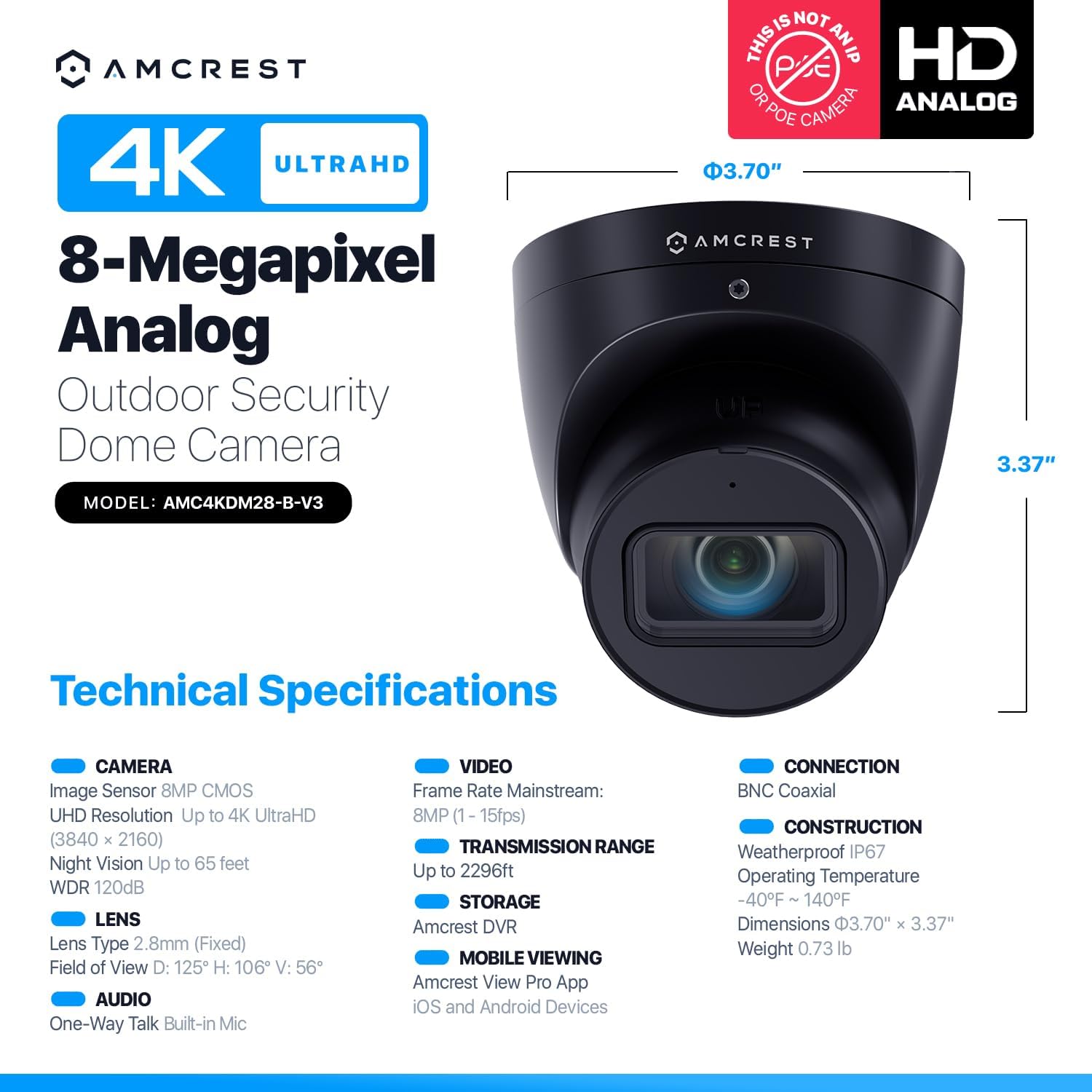
Visual representation of the Amcrest camera's technical specifications and dimensions.
8. Warranty and Support
Amcrest is committed to providing comprehensive support for its products:
- Warranty: Each purchase includes a 1-year replacement warranty.
- Money-Back Guarantee: A 30-day money-back guarantee is provided for your peace of mind.
- US Support: Access to expansive support content, including a YouTube channel, knowledge base, forums, and a dedicated US email/phone support team.
For any inquiries or technical assistance, please contact Amcrest support directly.


