
iLuv TB100RG
iLuv myBuds Wireless Earbuds User Manual
Model: TB100RG | Brand: iLuv
Introduction
Welcome to the iLuv myBuds Wireless Earbuds user manual. These ultra-lightweight, true wireless Bluetooth 5.3 earbuds are designed for exceptional audio clarity and comfort, perfect for workouts, sports, gaming, and everyday use. Featuring IPX6 waterproof protection and a long-lasting battery, your myBuds provide a seamless listening experience with advanced technology and intuitive controls.
What's in the Box
Your iLuv myBuds package includes the following components:
- Wireless Charging Case
- Micro-USB Charging Cable
- Eartips (4 sizes: large, medium, small, x-small)
- iLuv myBuds Wireless Earbuds (Left and Right)

Image: The iLuv myBuds wireless earbuds in their rose gold charging case, with the case open to show both earbuds. The case has four LED indicator lights on the front.
Setup
1. Charging Your Earbuds and Case
Before first use, ensure both the earbuds and the charging case are fully charged. The charging case features LED lighting to indicate battery life.
- Place the earbuds into the charging case. Ensure they are properly seated; magnetic attraction will guide them into place.
- Connect the Micro-USB charging cable to the charging port on the case and to a power source.
- A full charge provides 8 hours of listening time for the earbuds, with an additional 12 hours from the portable charging case. Quick charging technology allows for 2 hours of listening from just 20 minutes of charge.

Image: The rose gold iLuv myBuds charging case with earbuds inside, connected to a white Micro-USB charging cable, indicating the charging process.
2. Bluetooth Pairing
The myBuds utilize advanced Bluetooth 5.3 technology for simple and instant pairing.
- Open the charging case. The earbuds will automatically enter pairing mode.
- On your device (smartphone, tablet, etc.), go to Bluetooth settings.
- Select "iLuv TB100" from the list of available devices to connect.
- Once paired, the earbuds will auto-reconnect to your device when removed from the case.
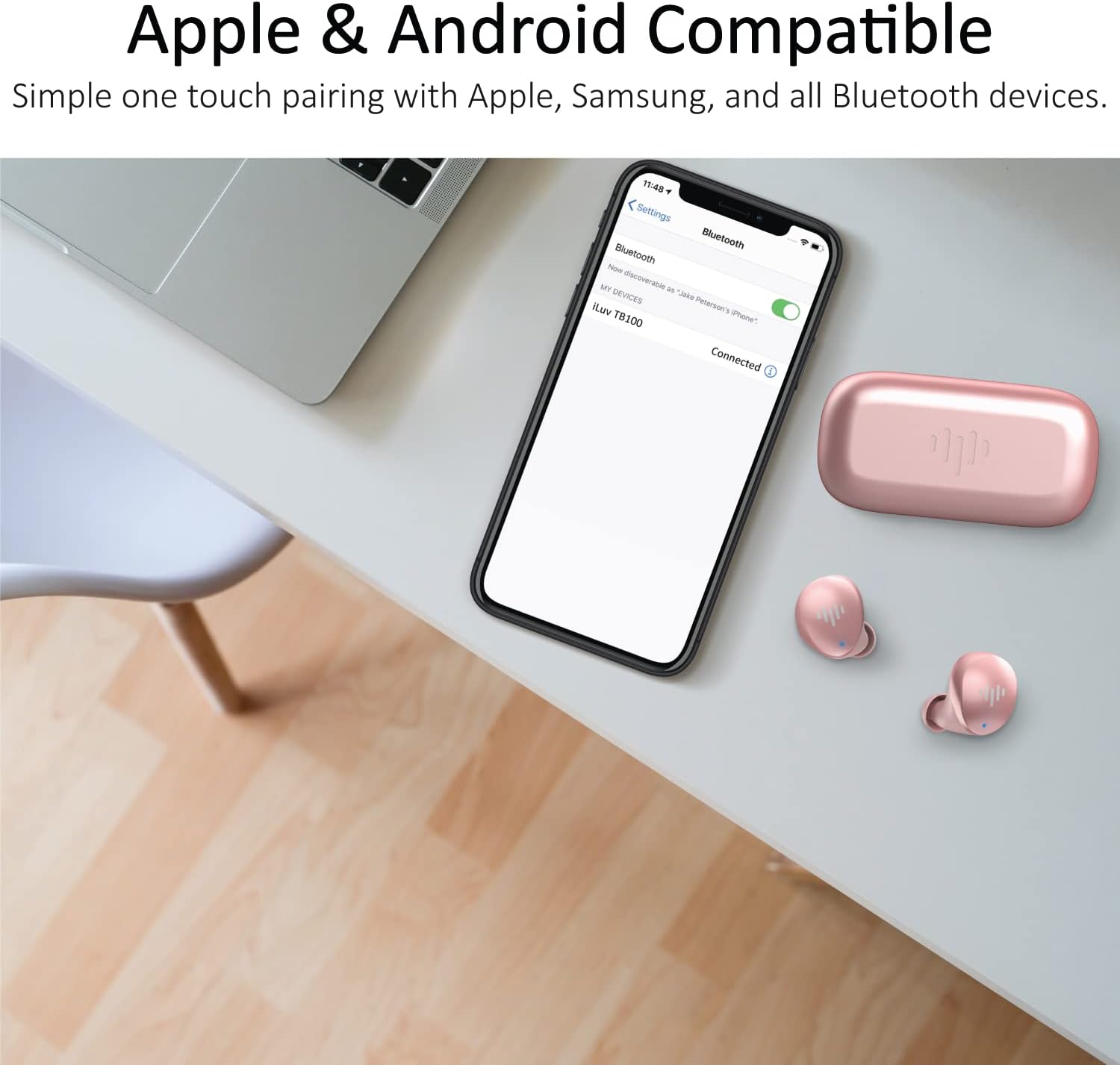
Image: A smartphone screen showing "iLuv TB100" as a connected Bluetooth device, positioned next to the rose gold earbuds and their open charging case on a desk.
3. Achieving a Comfortable Fit
The earbuds are ergonomically designed to fit snugly into each ear. For optimal sound quality and comfort, select the correct ear tip size.
- The package includes 4 sizes (large, medium, small, x-small) of soft, flexible ear tips.
- Try different sizes to find the one that provides a secure fit and good noise isolation.
- Gently insert the earbud into your ear canal and twist slightly to secure it.

Image: A woman wearing one iLuv myBuds earbud, demonstrating a comfortable and secure fit for extended listening.
Operating Your Earbuds
Touch Controls
The myBuds feature a buttonless surface for intuitive control. Simply double-tap the earbuds to perform various functions:
| Action | Function |
|---|---|
| Double-tap (Left or Right Earbud) | Play/Pause Music, Answer/End Phone Call |
| Triple-tap (Left Earbud) | Previous Track |
| Triple-tap (Right Earbud) | Next Track |
| Long Press (Left or Right Earbud) | Activate Voice Assistant |

Image: A man wearing an iLuv myBuds earbud, illustrating the ease of controlling music and calls through simple tap gestures on the earbud's surface.
Making and Receiving Calls
The myBuds are equipped with a built-in MEMS microphone, allowing for clear and confident communication.
- To answer an incoming call, double-tap either earbud.
- To end an active call, double-tap either earbud.
- To reject an incoming call, long-press either earbud.

Image: A woman wearing an iLuv myBuds earbud while working on a laptop, highlighting the ease of taking calls with the built-in microphone.
Waterproof Protection (IPX6)
Your iLuv myBuds and charging case are sealed with IPX6 rated protection. This means they are designed to withstand powerful water jets, making them resistant to sweat, heavy rain, or spilled liquids. Enjoy your music anywhere, anytime, without worry.

Image: The rose gold iLuv myBuds charging case and earbuds are shown on a dark mat with water droplets, alongside fitness equipment, illustrating their waterproof protection during workouts.
Maintenance
To ensure the longevity and optimal performance of your iLuv myBuds, follow these simple maintenance guidelines:
- Cleaning: Regularly wipe the earbuds and charging case with a soft, dry, lint-free cloth. For stubborn dirt, slightly dampen the cloth with water. Avoid using harsh chemicals or abrasive materials.
- Ear Tips: Remove the ear tips periodically and clean them with mild soap and water. Ensure they are completely dry before reattaching them to the earbuds.
- Charging Contacts: If you experience charging issues, gently clean the charging contacts on both the earbuds and inside the case with a dry cotton swab.
- Storage: When not in use, store the earbuds in their charging case to protect them and keep them charged. Store in a cool, dry place away from extreme temperatures.
Troubleshooting
If you encounter any issues with your iLuv myBuds, refer to the following common troubleshooting steps:
| Problem | Possible Solution |
|---|---|
| Earbuds not charging | Ensure earbuds are correctly seated in the charging case. Clean the charging contacts on both earbuds and case. Check if the charging cable and power source are working correctly. Ensure the charging case itself has sufficient battery. |
| Earbuds not pairing/connecting | Ensure Bluetooth is enabled on your device. Forget "iLuv TB100" from your device's Bluetooth list and attempt to re-pair. Ensure earbuds are fully charged. Try restarting your device. |
| No sound or low volume | Adjust the volume on both your device and through the earbud controls. Ensure earbuds are properly inserted and ear tips provide a good seal. Check if the earbuds are connected to the correct device. |
| Sound quality issues (e.g., crackling, distortion) | Ensure you are within the Bluetooth range (10 meters). Reduce interference by moving away from other wireless devices. Check for debris in the earbud nozzles. |
Specifications
| Feature | Detail |
|---|---|
| Model Name | myBuds |
| Item Model Number | TB100RG |
| Brand | iLuv |
| Connectivity Technology | Wireless (Bluetooth, True Wireless) |
| Bluetooth Version | 5.3 |
| Bluetooth Range | 10 Meters |
| Battery Life (Earbuds) | 8 Hours |
| Battery Life (with Case) | 20 Hours |
| Quick Charge | 2 hours listening from 20 minutes charge |
| Water Resistance Level | IPX6 Water Resistant |
| Control Method | Touch (Call, Media, Volume & Voice Assistant) |
| Built-in Microphone | Yes (MEMS microphones) |
| Ear Placement | In Ear |
| Item Weight | 3.2 Ounces |
| Product Dimensions | 2.6 x 1.35 x 1.1 inches |
| UPC | 639247142527 |
Warranty and Support
For detailed warranty information and customer support, please refer to the official iLuv website or contact their customer service directly.
- Official User Manual (PDF): Download Here
- iLuv Brand Store: Visit the iLuv Store on Amazon
Related documentsTB100RG


Ask a question about this manual
Ask about setup, troubleshooting, compatibility, parts, safety, or missing instructions. Manuals+ will review the question and use this page’s manual context to help answer it.