
1. Introduction
Thank you for choosing the Tribesigns Modern Simple Computer Desk. This manual provides detailed instructions for the assembly, operation, and maintenance of your new desk. Please read through this guide carefully before beginning assembly to ensure a smooth and safe setup process. Keep this manual for future reference.
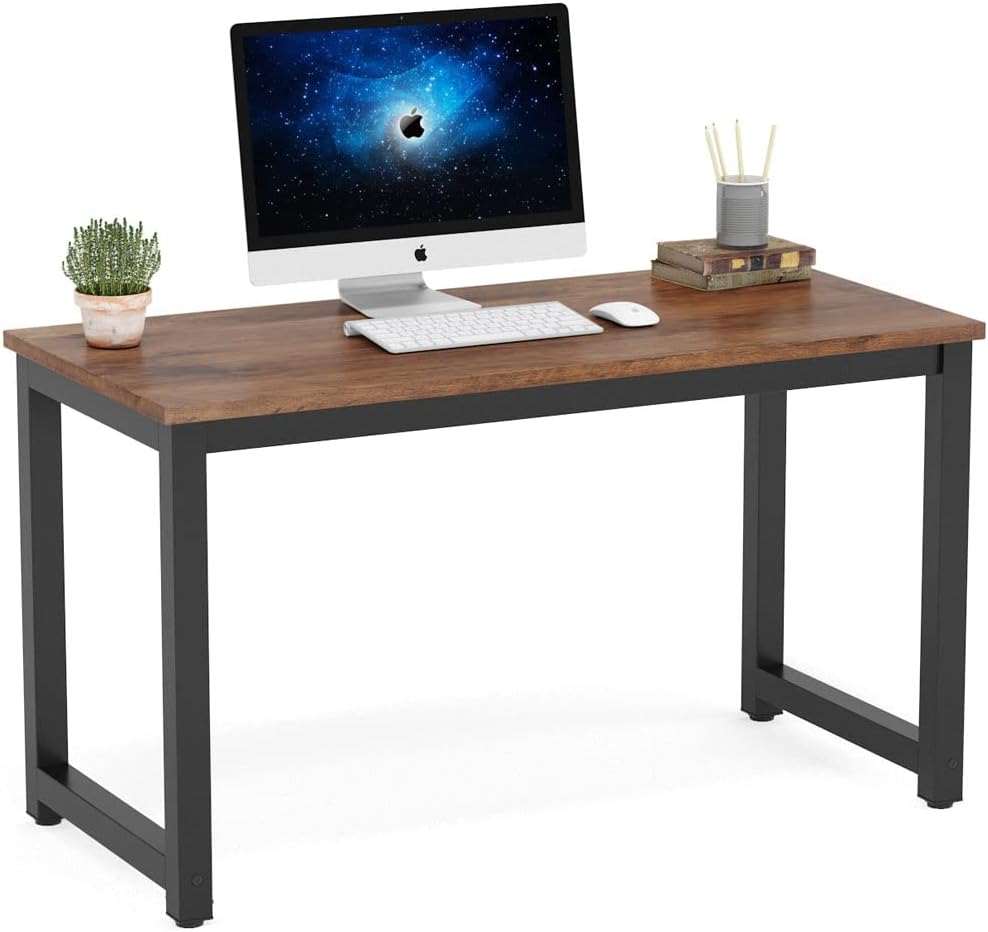
Figure 1: Tribesigns Modern Simple Computer Desk (Rustic Brown)
2. Safety Information
WARNING: Failure to follow these safety guidelines may result in injury or damage to the product.
- Always ensure the desk is fully assembled and stable before use.
- Do not exceed the maximum weight limit of 900 lbs.
- Keep the desk away from direct heat sources and open flames.
- Avoid placing heavy objects on the edges of the desk to prevent tipping.
- Always use the provided assembly instructions and hardware for safe and correct assembly.
- Keep small parts and packaging materials away from children.
3. Package Contents
Before beginning assembly, please verify that all parts listed below are present and undamaged. If any parts are missing or damaged, please contact customer service for assistance.
- 1 x Desktop (Laminated MDF)
- 4 x Metal Legs (Powder Coated Steel)
- 2 x Leg Support Bars
- 4 x Adjustable Leg Pads
- 1 x Hardware Pack (screws, hex key)
- 1 x Assembly Instructions Manual
4. Setup and Assembly Instructions
Assembly of your Tribesigns computer desk is designed to be straightforward and can typically be completed in under 15 minutes. Follow these steps carefully:
- Prepare the Workspace: Clear an open area on a soft, clean surface (like a carpet or blanket) to prevent scratching the desktop during assembly.
- Attach Leg Support Bars: Identify the two leg support bars. Align them with the pre-drilled holes on the inside of the metal legs. Ensure the holes on the leg bars match the holes on the legs for proper alignment. Secure them using the provided screws and hex key.
- Attach Legs to Desktop: Carefully place the desktop upside down on your prepared surface. Attach the assembled leg frames (with support bars) to the underside of the desktop using the remaining screws. Ensure all connections are firm but do not overtighten initially.
- Install Adjustable Leg Pads: Screw the adjustable leg pads into the bottom of each leg. These pads help stabilize the desk on uneven floors.
- Final Tightening: Once all components are loosely assembled, gently flip the desk upright. Adjust the leg pads as needed to ensure the desk is level and stable. Then, tighten all screws securely.

Figure 2: Desk Frame Structure

Figure 3: Adjustable Leg Pads
5. Operating Instructions
Your Tribesigns computer desk is designed for versatile use in home office or study environments. Its spacious design accommodates various equipment and activities.
- Spacious Desktop: The 47.24" (L) x 23.62" (W) desktop provides ample space for computers, monitors, printers, and other office essentials.
- Generous Leg Room: With an underneath leg distance of 42.9", the desk offers comfortable leg room, suitable for various users and ideal for dorm rooms or home offices.
- Weight Capacity: The desk is built with a heavy-duty powder-coated steel frame and a thick laminated MDF desktop, ensuring a high weight capacity of up to 900 lbs.
- Adjustable Stability: Use the adjustable leg pads to fine-tune the desk's height and ensure stability on uneven floor surfaces.

Figure 4: Desk Dimensions
6. Maintenance
To ensure the longevity and appearance of your Tribesigns desk, follow these simple maintenance guidelines:
- Cleaning: The laminated MDF desktop is waterproof and scratch-resistant, making it very easy to clean. Use a soft, damp cloth with mild soap and water to wipe down the surface. Avoid abrasive cleaners or harsh chemicals that could damage the finish.
- Spills: Wipe up spills immediately to prevent any potential water damage, although the desktop is designed to be waterproof.
- Hardware: Periodically check all screws and connections to ensure they remain tight. Retighten if necessary to maintain stability.
- Avoid Excessive Heat: Do not place extremely hot items directly on the desktop without a protective coaster.
7. Troubleshooting
Most issues with your desk can be resolved with simple adjustments:
- Desk Wobbles: If the desk feels unstable or wobbles, check the adjustable leg pads. Rotate them clockwise or counter-clockwise to extend or retract them until all four pads make firm contact with the floor and the desk is level. Also, ensure all assembly screws are securely tightened.
- Scratches on Desktop: While the desktop is scratch-resistant, heavy or sharp objects can still cause marks. Use desk mats or coasters to protect the surface from potential damage.
8. Specifications
| Feature | Detail |
|---|---|
| Brand | Tribesigns |
| Model Number | HOGA1035 |
| Product Dimensions | 23.6"D x 47.24"W x 29.13"H |
| Color | Rustic Brown |
| Style | Open-air Style |
| Base Material | Engineered Wood, Stainless Steel |
| Top Material Type | Engineered Wood |
| Finish Type | Powder Coated |
| Special Feature | Adjustable Leg Pads |
| Room Type | Dormitory, Office |
| Recommended Uses | Working, Writing |
| Item Weight | 46.35 Pounds |
| Tabletop Thickness | 0.98 Inches |
| Maximum Weight Recommendation | 900 Pounds |
9. Warranty and Support
Tribesigns stands behind the quality of its products. Your Tribesigns Modern Simple Computer Desk comes with an 18-month warranty from the date of purchase.
This warranty covers manufacturing defects and issues arising from normal use. It does not cover damage caused by misuse, accidents, unauthorized modifications, or failure to follow assembly and maintenance instructions.
For warranty claims, missing parts, or any other inquiries, please contact our friendly customer service team. Have your model number (HOGA1035) and purchase information ready for faster service.
Customer Service Contact:
- Please refer to your purchase platform or product packaging for specific contact details.


