1. Product Overview
The XPR3SS 40m Laser Distance Meter is a compact and portable digital measuring device designed for quick and convenient measurement of lengths, surface areas, and volumes. It offers high accuracy and a wide range of applications for both professional and DIY use.
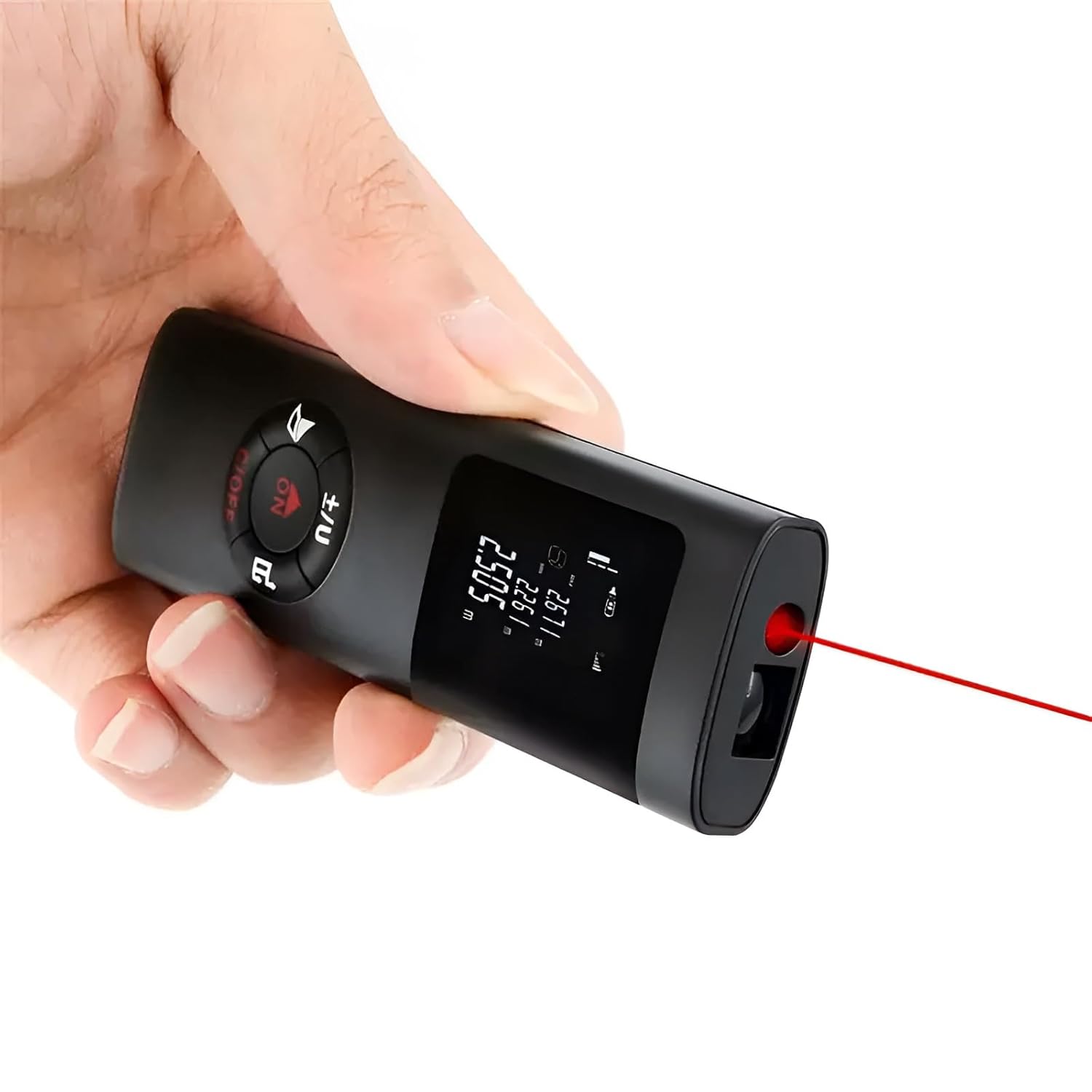
Figure 1: XPR3SS 40m Laser Distance Meter in use.
Key Features:
- Type-C Rechargeable: Equipped with a built-in lithium battery for convenient charging.
- Multifunctional: Capable of measuring distance, area, and volume.
- High Accuracy: Provides measurements with an accuracy of up to ±1mm.
- Compact and Portable: Ultra-mini design allows for easy carrying in a pocket.
- Unit Conversion: Easily switch between meters (m), inches (in), and feet (ft).
- Durable Design: Reinforced shell with IP54 dustproof and waterproof rating.

Figure 2: Product Dimensions.

Figure 3: Easy to Carry Design.
2. Getting Started
2.1 What's in the Box
- XPR3SS Laser Distance Meter Device
- User Manual (this document)
- Warranty Card
2.2 Charging the Device
The device comes with a built-in 200mAh rechargeable lithium battery. Before first use, or when the battery indicator shows low power, connect the device to a Type-C USB charger. A full charge provides power for up to 3500 measurements. The battery is integrated and cannot be replaced by the user.
2.3 Powering On/Off
To power on the device, press the ON button. To power off, press and hold the C/OFF button.
3. Operating Instructions
The XPR3SS Laser Distance Meter features a simple interface with intuitive buttons for various measurement modes.

Figure 4: Device Functions and Controls.
3.1 Basic Straight Line Measurement
For a single length or height measurement:
- Ensure the device is powered on.
- Point the laser at the target surface.
- Press the ON button (which also functions as the measure button) to take a measurement. The result will be displayed on the screen.

Figure 5: Straight Line Measurement.
3.2 Area Measurement
To calculate the area of a surface:
- Press the appropriate key (refer to Figure 4 for button layout) to select the Area measurement mode. An icon indicating length and width will flash.
- Measure the length of the area.
- Measure the width of the area.
- The device will automatically calculate and display the area.
Figure 6: Area Measurement.
3.3 Volume Measurement
To calculate the volume of a space:
- Press the appropriate key (refer to Figure 4) twice to select the Volume measurement mode. An icon indicating length, width, and height will flash.
- Measure the length of the space.
- Measure the width of the space.
- Measure the height of the space.
- The device will automatically calculate and display the volume.

Figure 7: Volume Measurement.
3.4 Pythagorean Measurement
This mode allows for indirect measurement of distances that cannot be directly measured, using the Pythagorean theorem.
- Press the appropriate key (refer to Figure 4) to select the Pythagorean measurement mode (e.g., One Pythagorean or Second Pythagorean).
- Follow the on-screen prompts or diagram to measure the required sides (e.g., hypotenuse and one leg).
- The device will calculate the unknown side.
Note: For accurate results, ensure the device is held steady and measurements are taken precisely according to the diagram for the chosen Pythagorean mode.

Figure 8: Pythagorean Measurement Example.
3.5 Unit Conversion
To switch between measurement units (meters, inches, feet), press the ±/U button. The current unit will be displayed on the screen.
4. Maintenance
4.1 Cleaning
The device has an IP54 rating, making it dust and splash-proof. To clean the device, wipe it with a soft, damp cloth. Do not use harsh chemicals or abrasive cleaners. Ensure the laser lens and display are kept clean for optimal performance.

Figure 9: Dust and Splash-Proof Design.
4.2 Storage
Store the device in a cool, dry place away from direct sunlight and extreme temperatures. If storing for an extended period, ensure the battery is partially charged to prolong its lifespan.
5. Troubleshooting
If you encounter issues with your XPR3SS Laser Distance Meter, please refer to the following common problems and solutions:
| Problem | Possible Cause / Solution |
|---|---|
| Device does not power on. | Battery is depleted. Charge the device using a Type-C USB cable. |
| Inaccurate measurements. | Ensure the laser is pointed directly at the target. Clean the laser lens. Perform self-calibration if available (refer to Figure 4 for 'Self-calibration function'). |
| Cannot measure in bright sunlight or outdoors. | The laser visibility and display readability can be significantly reduced in strong daylight. This is a common limitation for laser distance meters in this class. The device is primarily designed for indoor use or shaded outdoor areas. |
| Display is dim or hard to read. | Check battery level. In very bright environments, the display brightness may be insufficient. |
6. Specifications
| Attribute | Detail |
|---|---|
| Brand | XPR3SS |
| Model Number | 0O-LV3Q-MO77 |
| Measuring Range | 40 meters (131 feet) |
| Accuracy | ±1mm |
| Battery Type | Rechargeable Lithium Polymer (200mAh) |
| Charging Port | Type-C USB |
| IP Rating | IP54 (Dustproof and Splashproof) |
| Material | Acrylonitrile Butadiene Styrene |
| Color | Black |
| Item Weight | 100 Grams |
| Product Dimensions | 10.1L x 3W x 1.8H Centimeters |
| Country of Origin | China |
7. Warranty and Support
7.1 Warranty Information
This XPR3SS Laser Distance Meter comes with a 6-month warranty from the date of purchase. Please retain your purchase receipt and the warranty card for any warranty claims. The warranty covers manufacturing defects but does not cover damage caused by misuse, accidents, or unauthorized repairs.
7.2 Customer Support
For any questions, technical assistance, or warranty claims, please contact the seller or refer to the customer support channels provided by your retailer. Ensure you have your product model number and purchase details ready when contacting support.