
1. Introduction
The MUSICOZY Bluetooth 5.4 Sleep Headphones Headband is designed to provide a comfortable audio experience for various activities. This versatile headband integrates wireless headphones, making it suitable for sleep, workouts, running, travel, and yoga. Featuring Bluetooth 5.4 technology, it ensures easy pairing with smartphones and most Bluetooth-compatible devices for seamless audio playback.

Figure 1: MUSICOZY Bluetooth Sleep Headphones Headband in use for sleeping and sports.
2. What's in the Box
- 1x Bluetooth Headband
- 1x Charging Cable
- 1x User Manual
3. Setup
3.1 Charging the Headband
Before initial use, fully charge the headband. Connect the provided Type-C charging cable to the charging port located on the control module of the headband. Connect the other end of the cable to a compatible USB power source. A full charge typically takes 1-2 hours and provides over 14 hours of continuous playback.

Figure 2: Location of the Type-C charging port.
3.2 Bluetooth Pairing
To pair the headband with your device:
- Ensure the headband is charged and powered off.
- Press and hold the Power button on the control module until the LED indicator flashes, indicating pairing mode.
- On your smartphone or Bluetooth-compatible device, enable Bluetooth and search for available devices.
- Select "MUSICOZY GH01" (or similar name) from the list to connect.
- Once connected, the LED indicator will stop flashing and remain solid.
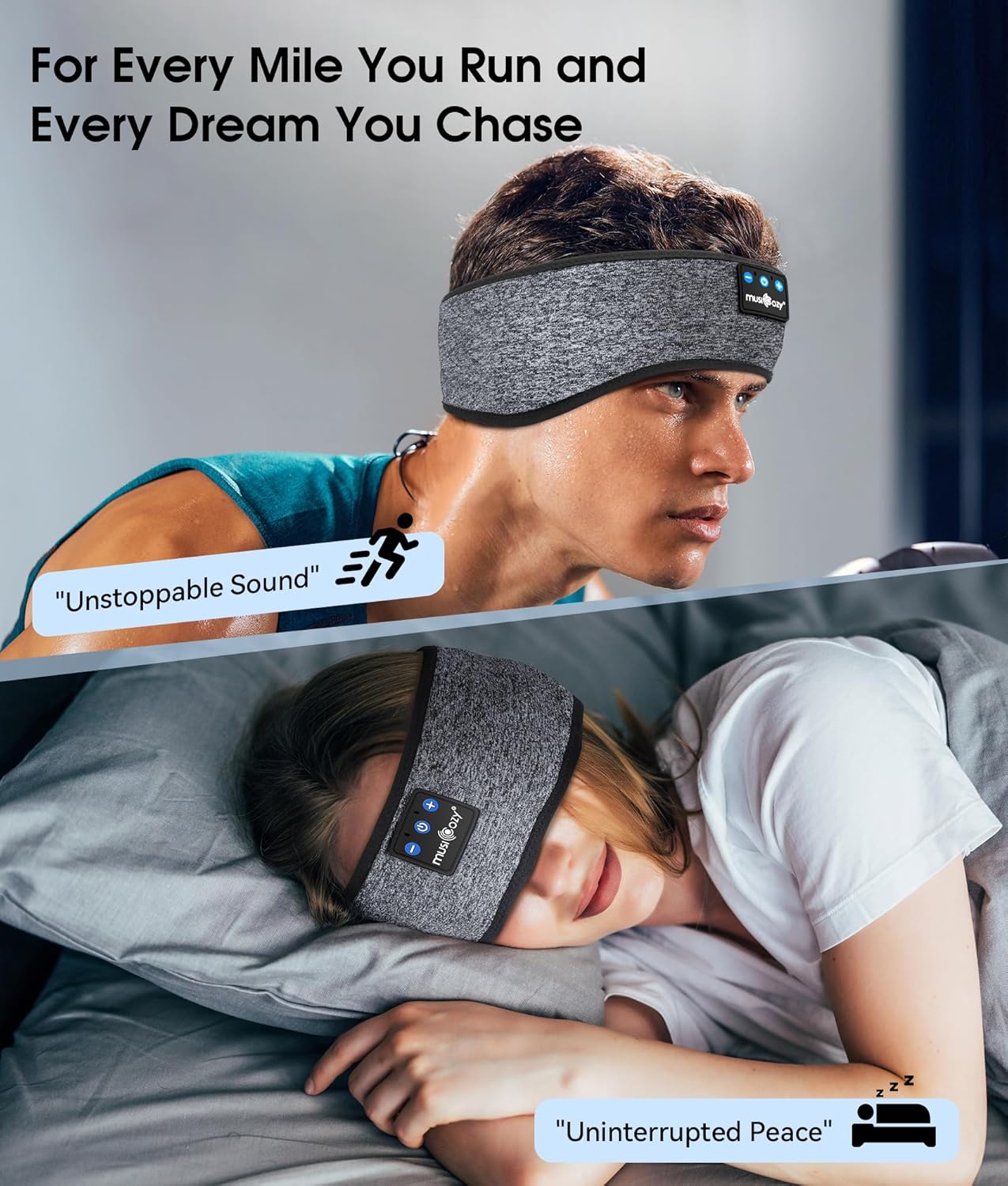
Figure 3: Control panel with LED indicators for Bluetooth status.
4. Operating Instructions
The control module on the headband allows for easy management of your audio and calls:
- Power On/Off: Press and hold the central button for 3 seconds.
- Play/Pause Music: Press the central button once.
- Volume Up: Press the '+' button once.
- Volume Down: Press the '-' button once.
- Next Track: Press and hold the '+' button.
- Previous Track: Press and hold the '-' button.
- Answer/End Call: Press the central button once during an incoming call.
- Reject Call: Press and hold the central button for 2 seconds during an incoming call.
5. Maintenance
The MUSICOZY headband is designed for easy cleaning to ensure hygiene and durability.
5.1 Washing Instructions
The headband fabric is hand-washable. To wash:
- Carefully locate the openings within the headband fabric where the Bluetooth control module and speakers are inserted.
- Gently remove the Bluetooth control module and both speaker units from their pockets.
- Hand wash the fabric headband with mild soap and cold water.
- Allow the headband to air dry completely before reinserting the electronic components.
- Once dry, carefully reinsert the speakers and control module into their respective positions. Ensure speakers are positioned over your ears for optimal sound.

Figure 4: The breathable fabric of the headband.
6. Usage Scenarios
The MUSICOZY Sleep Headphones Headband is versatile for various activities:
6.1 For Sleep and Relaxation
The headband's soft, thin speakers are designed for comfort, even for side sleepers. It can also be pulled down over the eyes to function as a sleep mask, blocking light while providing audio for relaxation or sleep aids.

Figure 5: Headband used for sleep.
6.2 For Sports and Workouts
The headband features a waterproof design, making it suitable for intense workouts, runs, or yoga sessions. Its breathable spandex-nylon fabric helps manage sweat, keeping you comfortable during physical activity.

Figure 6: Headband used during a workout.
7. Specifications
| Feature | Specification |
|---|---|
| Model Name | Bluetooth 5.4 Headband Headphones |
| Connectivity Technology | Wireless (Bluetooth 5.4) |
| Bluetooth Version | 5.4 |
| Bluetooth Range | 10 Meters |
| Battery Life | 14 Hours |
| Charging Time | 2 Hours |
| Headphones Jack | Type C |
| Audio Driver Size | 40 Millimeters |
| Material | Breathable Spandex-nylon Fabric |
| Item Weight | 3 ounces (85 Grams) |
| Product Dimensions | 7.87 x 3.15 x 0.39 inches |
| Control Type | Button Control |
| Noise Control | None |
8. Troubleshooting
8.1 Pairing Issues
- Ensure the headband is fully charged.
- Make sure the headband is in pairing mode (LED flashing).
- Disable and re-enable Bluetooth on your device.
- Move the headband closer to your device.
- Forget the device from your Bluetooth list and attempt to pair again.
8.2 No Sound or Low Volume
- Check the volume levels on both the headband and your connected device.
- Ensure the speakers are correctly positioned over your ears within the headband.
- Verify that the headband is properly connected to your device via Bluetooth.
8.3 Charging Problems
- Use the provided charging cable.
- Ensure the charging cable is securely connected to both the headband and the power source.
- Try a different USB power adapter or port.
9. Safety Information
- Avoid exposing the electronic components to water or excessive moisture.
- Do not attempt to disassemble or modify the product.
- Avoid using the product at excessively high volumes for prolonged periods to prevent hearing damage.
- Keep out of reach of children.
10. Warranty and Support
MUSICOZY stands behind its products with a lifetime warranty and dedicated customer service. For any issues or support needs, please contact the customer service team. They promise free return, free replacement, or a full refund to ensure your satisfaction.


